There is a new version of this tutorial available for Ubuntu 17.10 (Artful Aardvark).
This tutorial exists for these OS versions
- Ubuntu 17.10 (Artful Aardvark)
- Ubuntu 17.04 (Zesty Zapus)
- Ubuntu 16.10 (Yakkety Yak)
- Ubuntu 16.04 (Xenial Xerus)
- Ubuntu 15.10 (Wily Werewolf)
- Ubuntu 15.04 (Vivid Vervet)
On this page
The Perfect Server - Ubuntu 10.04 [ISPConfig 3]
Version 1.1
Author: Falko Timme
Follow me on Twitter
This tutorial shows how to prepare an Ubuntu 10.04 (Lucid Lynx) server for the installation of ISPConfig 3, and how to install ISPConfig 3. ISPConfig 3 is a webhosting control panel that allows you to configure the following services through a web browser: Apache web server, Postfix mail server, MySQL, BIND or MyDNS nameserver, PureFTPd, SpamAssassin, ClamAV, and many more.
Please note that this setup does not work for ISPConfig 2! It is valid for ISPConfig 3 only!
I do not issue any guarantee that this will work for you!
In order to learn how to use ISPConfig 3, I strongly recommend to download the ISPConfig 3 Manual.
On nearly 300 pages, it covers the concept behind ISPConfig (admin, resellers, clients), explains how to install and update ISPConfig 3, includes a reference for all forms and form fields in ISPConfig together with examples of valid inputs, and provides tutorials for the most common tasks in ISPConfig 3. It also lines out how to make your server more secure and comes with a troubleshooting section at the end.
1 Requirements
To install such a system you will need the following:
- the Ubuntu 10.04 server CD, available here: http://releases.ubuntu.com/releases/10.04/ubuntu-10.04-server-i386.iso (i386) or http://releases.ubuntu.com/releases/10.04/ubuntu-10.04-server-amd64.iso (x86_64)
- a fast Internet connection.
2 Preliminary Note
In this tutorial I use the hostname server1.example.com with the IP address 192.168.0.100 and the gateway 192.168.0.1. These settings might differ for you, so you have to replace them where appropriate.
3 The Base System
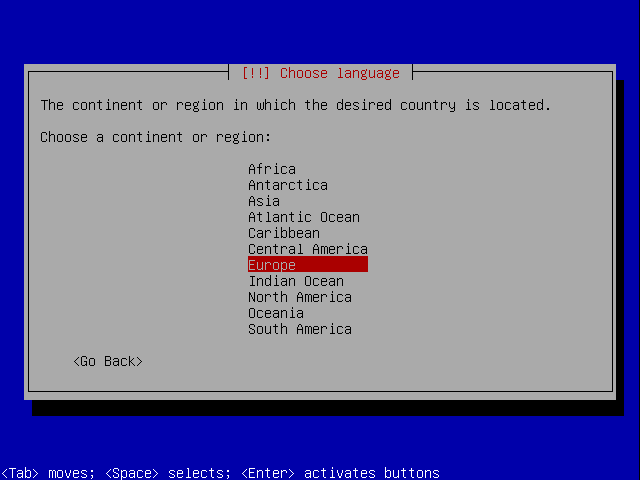
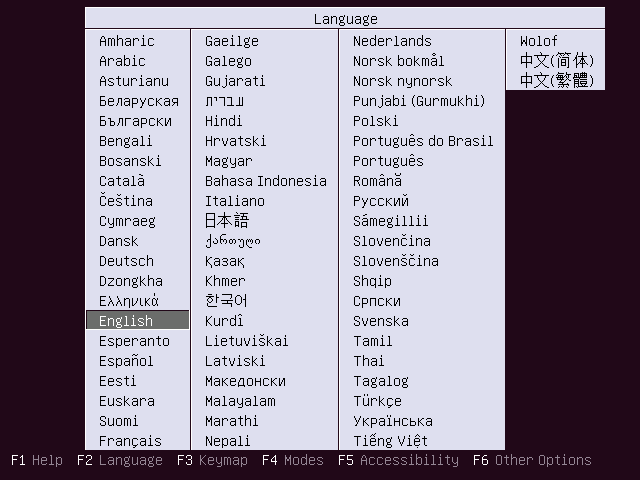
Insert your Ubuntu install CD into your system and boot from it. Select your language:
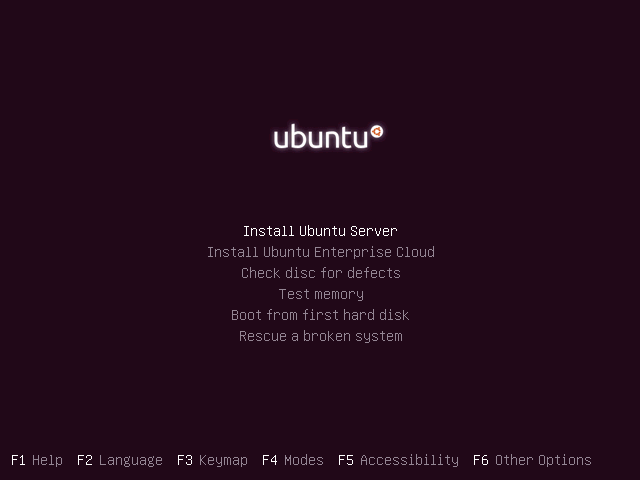
Then select Install Ubuntu Server:
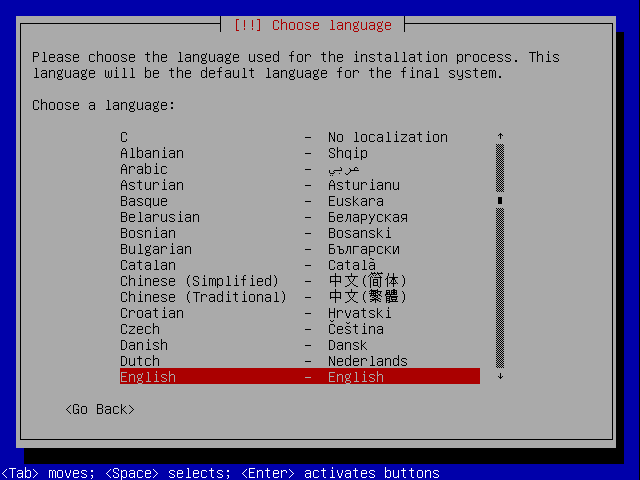
Choose your language again (?):
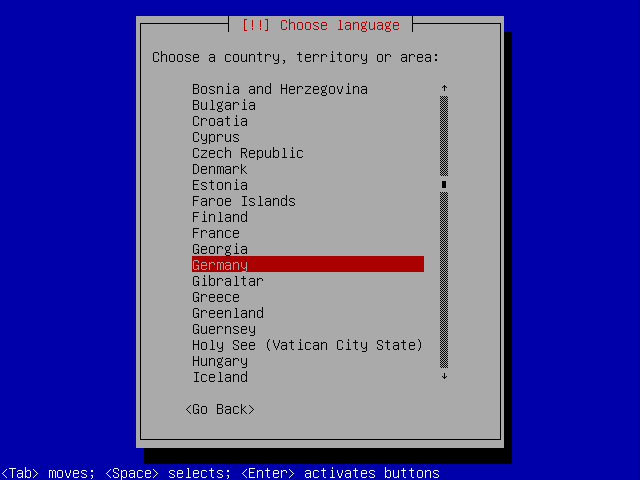
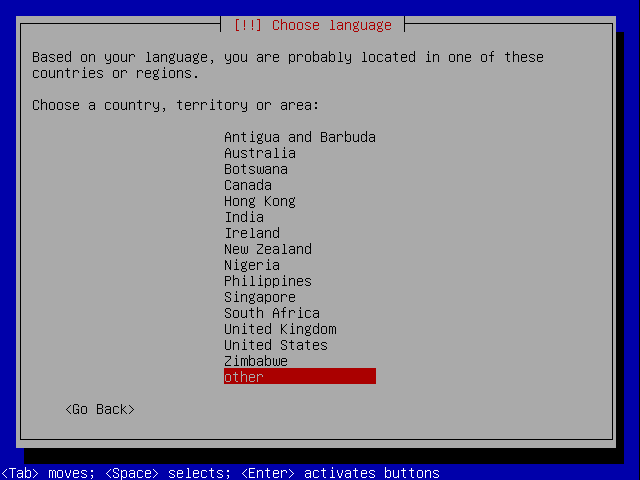
Then select your location:
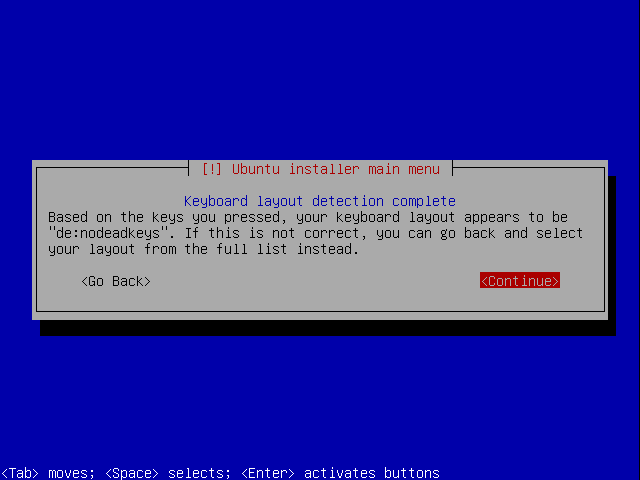
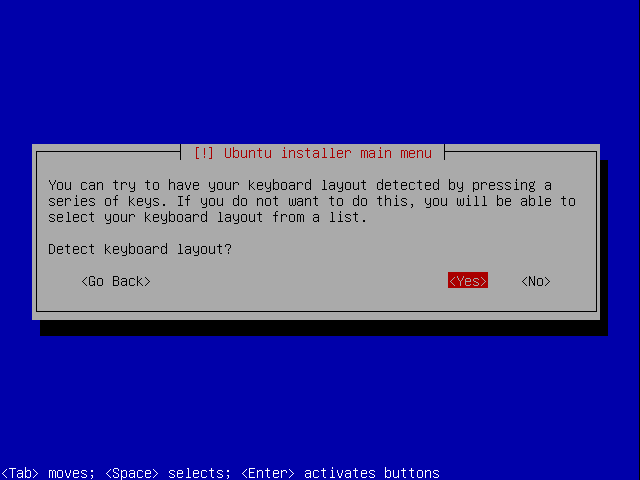
Choose a keyboard layout (you will be asked to press a few keys, and the installer will try to detect your keyboard layout based on the keys you pressed):
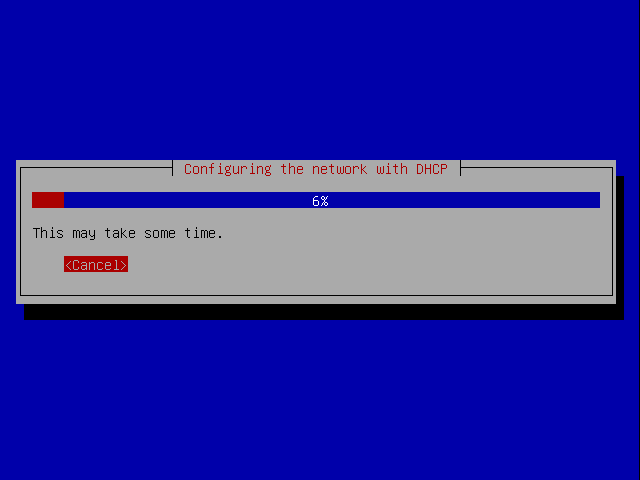
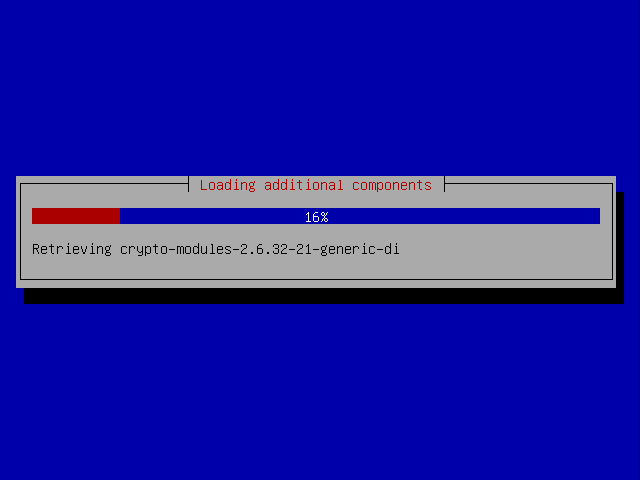
The installer checks the installation CD, your hardware, and configures the network with DHCP if there is a DHCP server in the network:
Sub pages
Suggested articles
22 Comment(s)
Comments
A perfect server without GUI installation? It's so 80s, spare me a joke. RHEL/Fedora that's what I call a perfect server.
GUI ??.. no, thanks !!
gui is only for lamer users..
A server must be ..a server !
"gui is only for lamer users..:
wow ... I like this sentence ..
But then.... where can I find my mouse.......
LOL....
Gui is needed if an easy to use server is targeted to the masses. System resources can be released automatically when computer is not used by the user.
Wrong a GUI is not needed for a well EDUCATED Admin who understands the principles of the protocols and the system they are using to provide services in the server they are working with. The admin needs to be able to troubleshoot problems related to such protocols when things goes wrong and most of the time the complex problems that crop can't be solved via GUI all by it's self, if you want to a GUI stick to an OS that's based on a GUI windows! Linux was not designed with GUI in mind but with security and the ability to accomplish tasks in an efficient manner.
What about a webgui: webmin?
you always need a GUI to solve a crime
Nice !! I love a good GUI flame!
I always held it against windows servers to have a GUI. With linux access to the system was designed from the start to be terminal based with the GUI as more of a program with limited capability. I think of windows as more of an appliance with limited functionality. It can't even share a folder with a system across the internet securely, at least with a fresh install. Linux boxes always feel like real computers with more stuff in them than I could ever fully understand.
Thanks for the input, troll. If you love Fedora so much, go hang out on their pages. BTW, people who have to run their server with a GUI don't know what they're doing.
Mate can you tell me 1 reason why to spare resources on a GUI?
If I wanted a GUI I would stick to Windows, and If I remember well to set-up fedora or RHEL or Centos for so to speak as server the GUI is optional and not reccomended because usualy the server hardware has a very week GPU.
But if you like to set-up a server with GUI and Compiz Fusion be my guest, its your servers feuneral not mine's :)
I totally agree. With GUI running,. it will only eat a whole lot of resources which can be used for other important things. i bet, that guy's a noob. I just wish he / she would just be quite.
an UNIX mainframe from 70' would call you an loser. or l-user. hehe
Hey,
will http://howtoforge.com/build-your-own-video-community-with-lighttpd-and-flowplayer-ubuntu-9.10 tutorial still work after using this one?
Dedicated server refers to a powerful computer that is used solely as a network server or a single computer in a network reserved for network needs.
Why dont just use expert mode when installing ubuntu server? There's alot of config' that we can customize from that mode. From enabling root/set hostname/server/manually configure ip /etc. :]
Why did you not include a screen shot/step that covers the postfix configuration screen? I chose "no configuration", but it seems like it should be in this howto.
FWIW.
Do not use ubuntu 10.04 in production systems unless you have support from Canonical or you really need features available only in this version. 9.10 is well tested and almost completely bugless. I recommend using Debian stable if you don't have money for support. If you plan on using only ISPConfig3 and nothing else, Debian stable has everything you need.
I recommend using dovecot instead of courier and powerdns insted of bind. ISPConfig supports these. I have been running ISPConfig since it first came out, and as long as I stuck to Debian stable I never had problems.
Good luck!
Hello
I have to agree with you. I am following the doc and getting these errors
Errors were encountered while processing:
postfix
courier-pop
courier-pop-ssl
postfix-mysql
rkhunter
courier-imap
courier-imap-ssl
E: Sub-process /usr/bin/dpkg returned an error code (1)
This link at the start of the article seems to be dead.
This one is working but it's 10.04.1 not 10.04. I'll post again if it ends up not working with the steps in this tutorial.
http://releases.ubuntu.com/releases/10.04/ubuntu-10.04.1-server-i386.iso
I follow this tutorial, only my vps works under OpenVZ and i make some tweaks for work nice..
Now i updated to 3.0.3.3 --> its perfect!!!
Thx.
English |
Deutsch