
How to Install Laravel PHP Framework on Ubuntu 24.04
This tutorial exists for these OS versions
- Ubuntu 24.04 (Noble Numbat)
- Ubuntu 22.04 (Jammy Jellyfish)
- Ubuntu 20.04 (Focal Fossa)
- Ubuntu 18.04 (Bionic Beaver)
- Ubuntu 16.04 (Xenial Xerus)
On this page
Laravel is a web application framework based on PHP that is used to build enterprise web applications. It's a free and open web framework that follows model-view-controller (MVC) architecture and is based on Symfony. It provides elegant syntax that allows you to create applications with clean code and is easy to read and understand.
Laravel is an enterprise-grade web framework for building enterprise and robust full-stack web applications. Laravel applications can be delivered quickly without headaches, from the development process to the production.
This guide will teach you how to install the Laravel web framework on the Ubuntu 24.04 server. You will install Laravel with the LAMP Stack (Linux, Apache, MySQL/MariaDB, and PHP) and Composer PHP package manager.
Prerequisites
Before starting this guide, make sure you have the following:
- An Ubuntu 24.04 server.
- A non-root user with administrator privileges
Installing LAMP Stack and Composer
Laravel is a popular PHP web framework for modern web development. So, you must ensure that PHP and other dependencies are installed on your Ubuntu server. In this section, you'll install Laravel with the LAMP Stack (Linux, Apache, MySQL/MariaDB, and PHP) and Composer.
Before installing the package, run the following command to update your Ubuntu repository.
sudo apt update
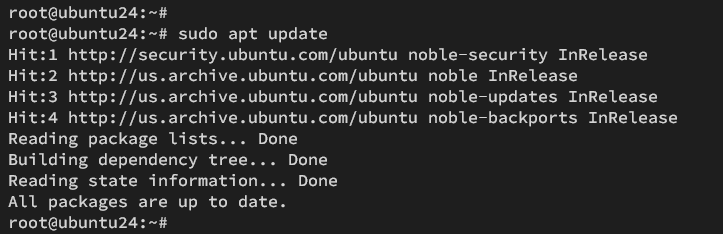
Now run the following command to install Laravel's dependencies, including the LAMP Stack (Linux, Apache, MySQL/MariaDB, and PHP), Composer, and Git.
sudo apt install apache2 mariadb-server php php-curl php-bcmath php-json php-mysql php-mbstring php-xml php-tokenizer php-zip composer git
Type Y to proceed with the installation.

Once the installation is finished, check both Apache and MariaDB service status. Then, check both PHP and Composer versions.
Check the Apache service status with the following command. The default Apache service on Ubuntu should be enabled and running automatically.
sudo systemctl is-enabled apache2
sudo systemctl status apache2
Output:
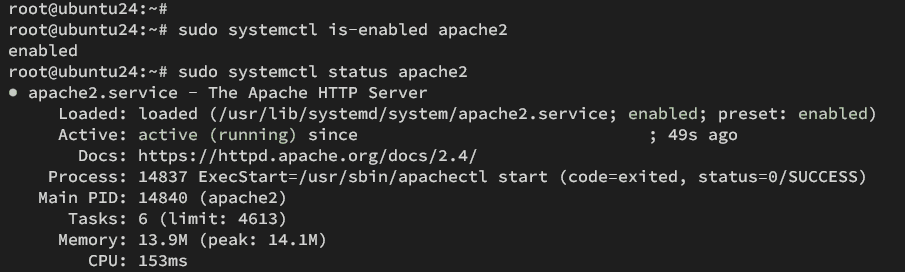
Now check the MariaDB service using the command below. The MariaDB server should be enabled and running on your Ubuntu system.
sudo systemctl is-enabled mariadb
sudo systemctl status mariadb
Output:
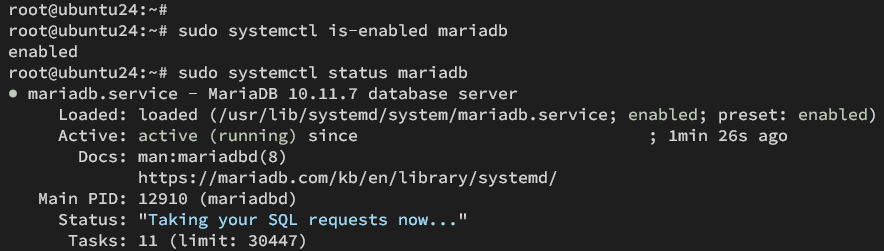
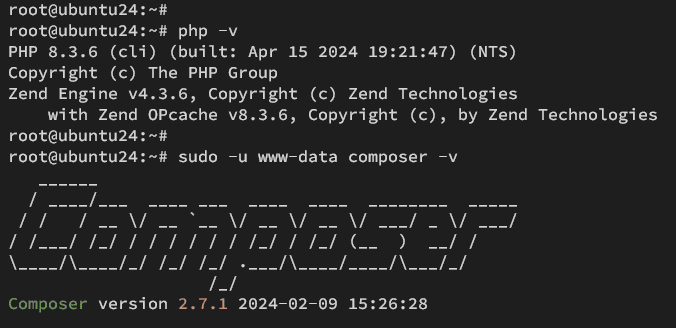
Lastly, check the PHP and Composer versions using the command below. You will see the PHP 8.3 and Composer 2.7.1 installed on your system.
php -v
sudo -u www-data composer -v
Optional: Installing Node.js and NPM (Node.js Package Manager)
Node.js and NPM are required if you're using Laravel with a templating engine such as Blade and JavaScript. In this section, you'll install both Node.js and NPM (Node.js Package Manager) via the Ubuntu repository.
To install Node.js and NPM on your Ubuntu system, run the following:
sudo apt install nodejs npm
Type Y to confirm the installation.

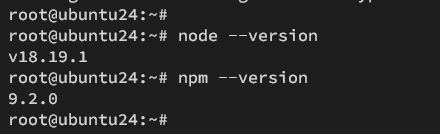
When the installation is finished, enter the command below to check the Node.js and NPM version.
node --version
npm --version
The following output shows that Node.js 18 and NPM 9.5 are installed.
Configuring PHP
To run Laravel, you must ensure some PHP extensions are enabled, such as fileinfo, mbstring, and openssl. So now you load those PHP extensions by modifying the 'php.ini' file.
Using the nano editor, edit the default PHP config file '/etc/php/8.3/apache2/php.ini'.
sudo nano /etc/php/8.3/apache2/php.ini
Uncomment the following lines to enable PHP extensions fileinfo, mbstring, and openssl.
extension=fileinfo
extension=mbstring
extension=openssl
Save the file and exit the editor.
Now run the command below to restart the Apache service and apply the changes on PHP.
sudo systemctl restart apache2
Next, verify PHP extensions fileinfo, mbstring, and openssl with the following command. If those extensions are enabled, each extension name will be shown.
sudo php -m | grep 'fileinfo\|mbstring\|openssl'
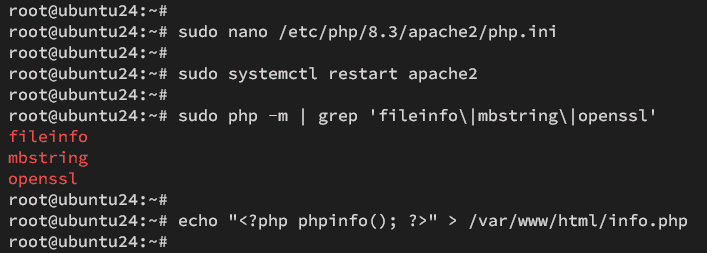
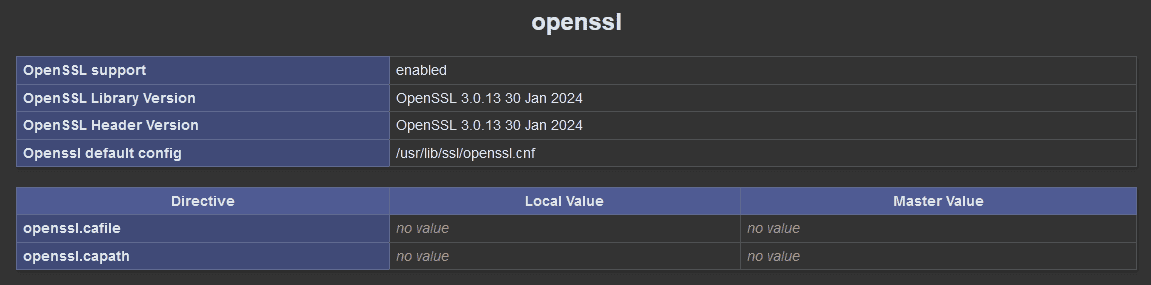
Additionally, you can verify the list of enabled PHP extensions via PHPINFO. Create a new PHPINFO file with the following command.
echo "<?php phpinfo(); ?>" > /var/www/html/info.php
Then, visit http://192.168.5.30/info.php. Check for extensions fileinfo, mbstring, and openssl to ensure those extensions are enabled.
Configuring MariaDB server
After configuring PHP, you need to secure your MariaDB server and create a new database and user for Laravel.
Run the 'mariadb-secure-installation' command below to secure your MariaDB server. Now you will be prompted with the MariaDB server configurations.
sudo mariadb-secure-installation
When prompted, input Y to apply the new configuration or type N to reject it.
- The default MariaDB installation comes without a password. Press ENTER when prompted for the password.
- Now, input Y to set up the MariaDB root password. Then, type the new password for MariaDB and repeat the password.
- Input Y to remove the anonymous user from your MariaDB installation.
- Input Y again when prompted to disable the remote login for the MariaDB root user.
- Input Y to remove the default database test from your MariaDB.
- Lastly, input Y to reload table privileges and apply new changes.
After securing the MariaDB server, you must create a new database and user for your Laravel project.
Log in to the MariaDB server using the command below. Input your MariaDB root password when prompted.
sudo mariadb -u root -p
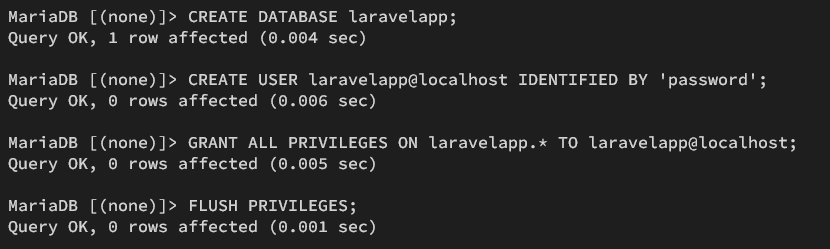
Now run the following queries to create a new database and user 'laravelapp', with the password 'password'.
CREATE DATABASE laravelapp;
CREATE USER laravelapp@localhost IDENTIFIED BY 'password';
GRANT ALL PRIVILEGES ON laravelapp.* TO laravelapp@localhost;
FLUSH PRIVILEGES;
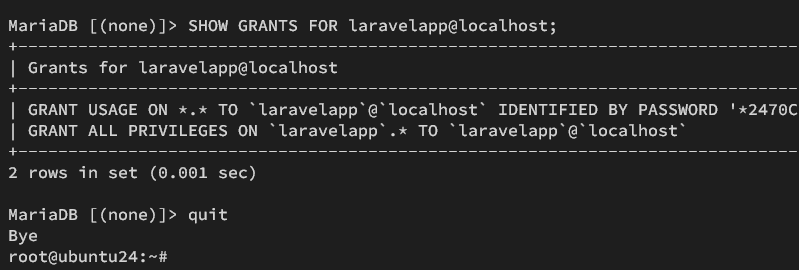
Next, run the following query to verify privileges for user 'laravelapp'. This will ensure your user can access the Laravel database 'laravelapp'.
SHOW GRANTS FOR laravelapp@localhost;
Lastly, type quit to exit from the the MariaDB server.
Installing Laravel via Composer
Now that you have configured PHP and created MySQL/MariaDB database and user, you can install Laravel. In this section, you will set up the project directory, install Laravel via Composer, and integrate Laravel with MySQL/MariaDB database.
First, run the command below to create directories /var/www/.cache (for Composer cache), /var/www/.config (for additional Composer configuration), and /var/www/laravelapp (for your Laravel project).
sudo mkdir -p /var/www/{.cache,.config,laravelapp}
Now change the ownership of /var/www/.cache, /var/www/.config, and /var/www/laravelapp directories to the user 'www-data'.
sudo chown -R www-data:www-data /var/www/{.cache,.config,laravelapp}
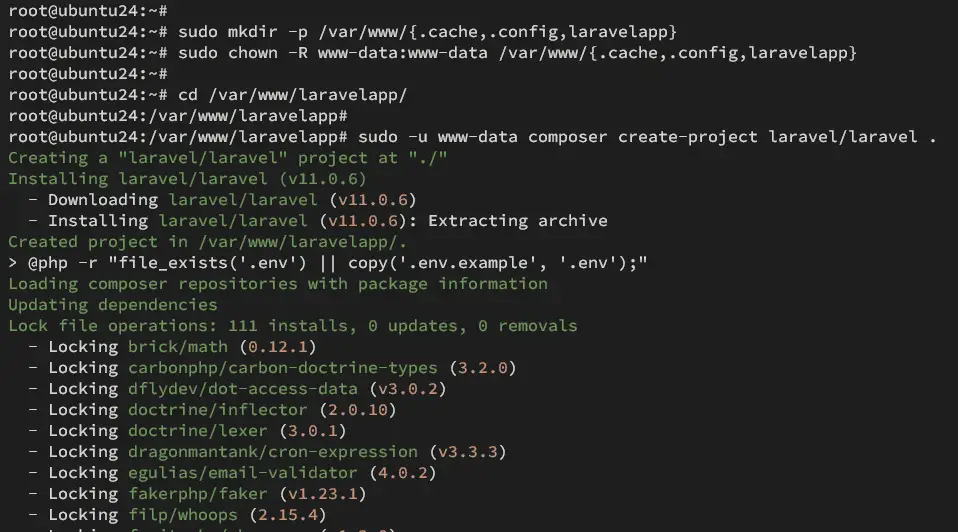
Next, go to the /var/www/laravelapp directory and install Laravel with the Composer command below.
cd /var/www/laravelapp/
sudo -u www-data composer create-project laravel/laravel .
The Laravel installation should begin like the following:
Now open the '.env' file using the nano editor command below.
nano .env
Change the default 'APP_URL' with your local domain name. In this example, Laravel will run on the domain 'laravelapp.local'.
APP_URL=http://laravelapp.local
Change the default 'DB_CONNECTION' to 'mysql', uncomment, and change the database details with your information.
DB_CONNECTION=mysql
DB_HOST=127.0.0.1
DB_PORT=3306
DB_DATABASE=laravelapp
DB_USERNAME=laravelapp
DB_PASSWORD=password
Save and exit the file.
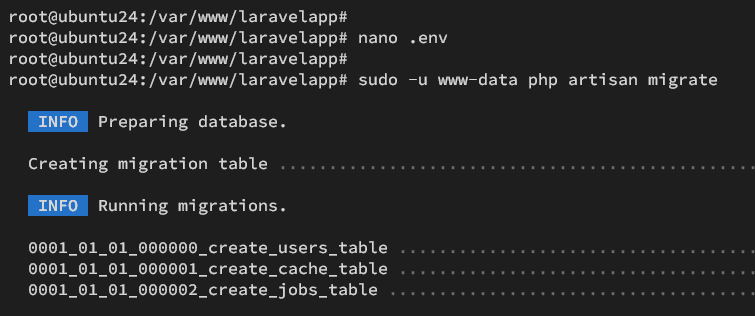
Lastly, run the command below to migrate the database for your Laravel project.
sudo -u www-data php artisan migrate
Output of the Laravel database migration:
Setting up a virtual host for Laravel
In this section, you will set up the virtual host file for Laravel. Ensure that you have the local domain name ready for your Laravel development.
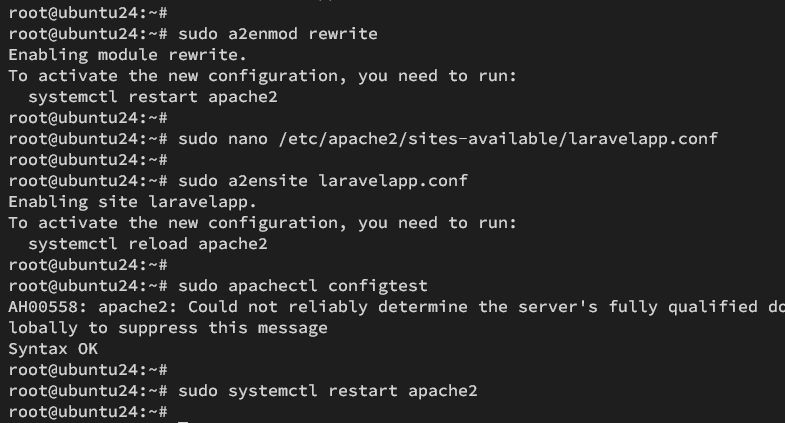
Before creating a virtual host, enable the Apache 'rewrite' module with the command below.
sudo a2enmod rewrite
Create a new virtual host configuration '/etc/apache2/sites-available/laravelapp.conf' with the nano editor.
sudo nano /etc/apache2/sites-available/laravelapp.conf
Add the following configuration and change the ServerName option with your Laravel domain name, such as 'laravelapp.local'.
<VirtualHost *:80>

 ServerAdmin [email protected]
 ServerName laravelapp.local
 DocumentRoot /var/www/laravelapp/public

 <Directory />
 Options FollowSymLinks
 AllowOverride None
 </Directory>
 <Directory /var/www/laravelapp>
 AllowOverride All
 </Directory>

 ErrorLog ${APACHE_LOG_DIR}/error.log
 CustomLog ${APACHE_LOG_DIR}/access.log combined

</VirtualHost>
Save the file and exit the editor.
Now run the command below to activate the 'laravelapp.conf' virtual host and verify your Apache syntax. If no error, you should see the output 'Syntax OK'.
sudo a2ensite laravelapp.conf
sudo apachectl configtest
Restart the Apache service to apply the new Laravel virtual host file. After Apache restarted, your Laravel installation is ready.
sudo systemctl restart apache2
Accessing Laravel Project
At this point, you're ready to access your Laravel installation via the 'hosts' file.
For Linux or MacOS users, modify the '/etc/hosts' file as root privileges. For Windows users, open the file 'C:\Windows\System32\drivers\etc\hosts' as administrator.
Add your Ubuntu server IP address followed by the Laravel domain name like the following:
192.168.5.30 laravelapp.local
Save and exit the file.
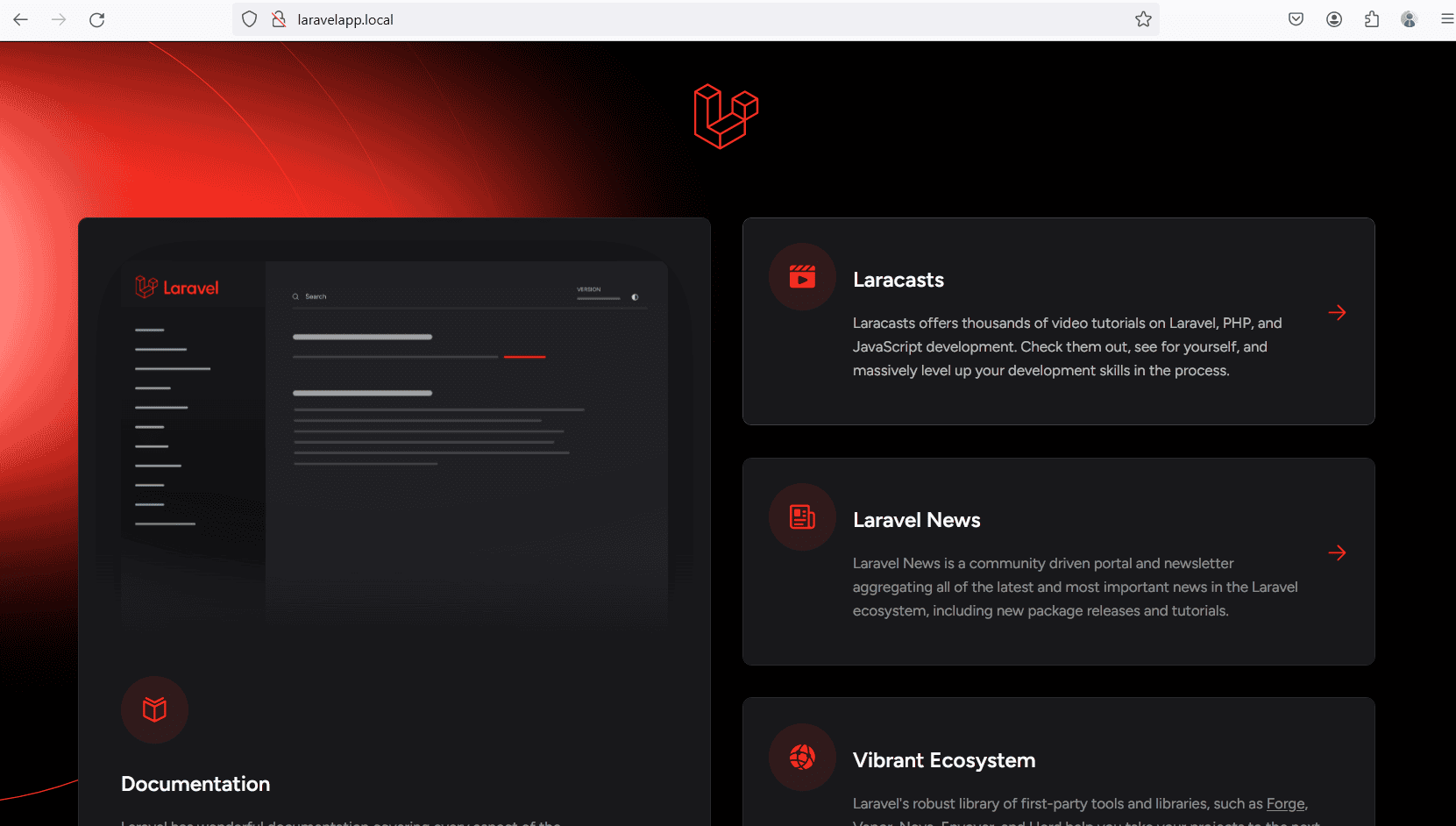
Now visit http://laravelapp.local/ with your web browser. If your Laravel installation is successful, you should get the following page:
Conclusion
Congratulations! You have completed the Laravel installation on Ubuntu 24.04. You've Laravel running with the LAMP Stack (Linux, Apache, MySQL/MariaDB, and PHP) and learned the basic Composer command for creating a project.





