
Installing Ubuntu From A Windows System With Wubi - Page 4
On this page
4 Uninstalling Ubuntu
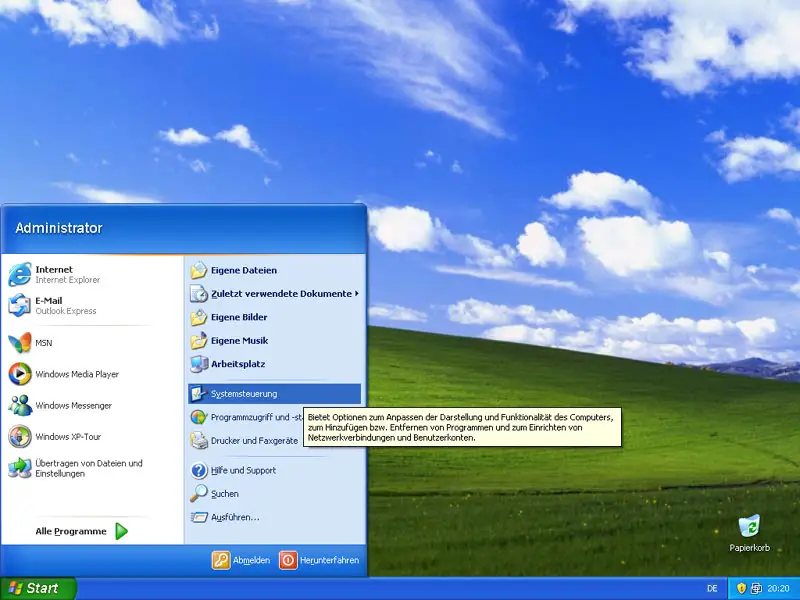
If you like to uninstall Ubuntu, open the Control Center in Windows:
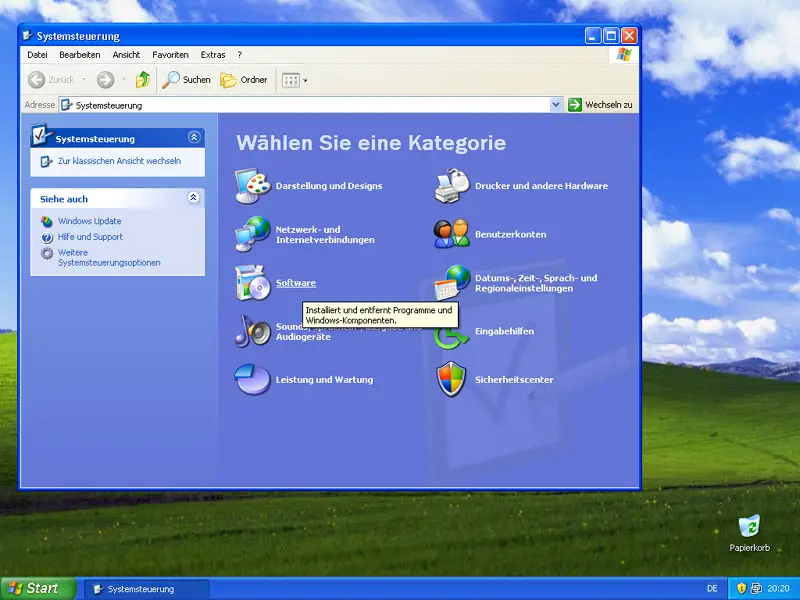
Go to Software:
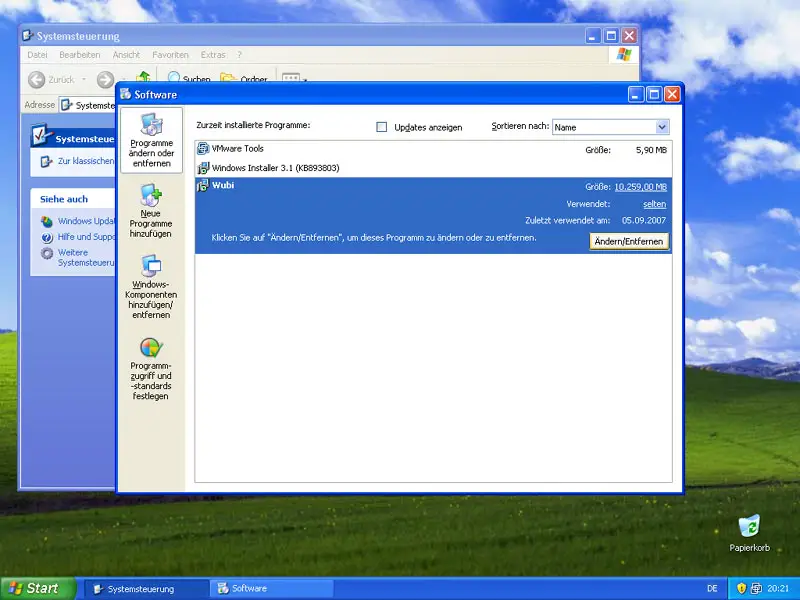
In the Software window, you see a list of all installed software. Find Wubi and click on the Modify/Uninstall button:
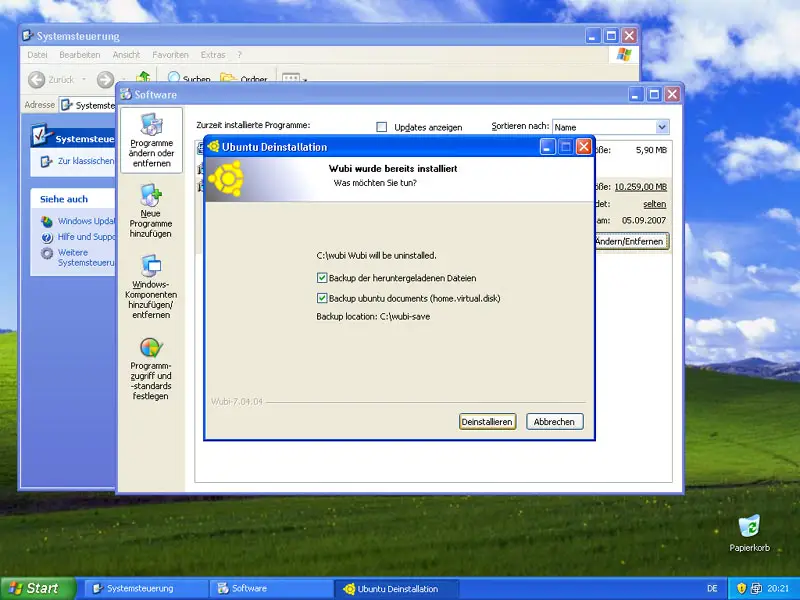
You can now choose if you'd like to back up the downloaded Ubuntu files and the Ubuntu documents (in case you want to reinstall Ubuntu again later on). Make your selection and click on Uninstall:
Wubi is now being uninstalled. Afterwards, you can close the uninstaller and leave the Control Center:
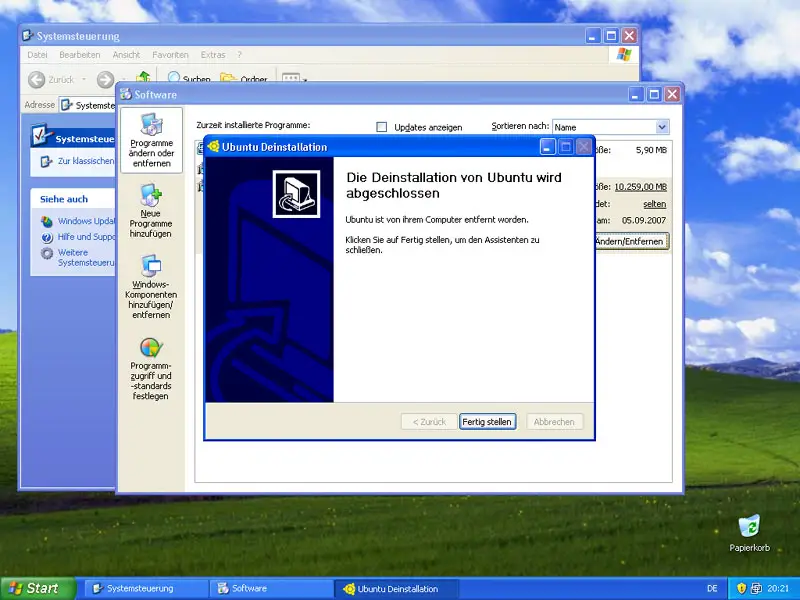
Now when you reboot the system, the boot menu is also gone (because only Windows is left on the system), so your system is in the same state as it was before you installed Ubuntu.
5 Links
- Wubi: http://wubi-installer.org
- Ubuntu: http://www.ubuntu.com





