Installing The Open Source Ticket Request System (OTRS) On Fedora 8
Version 1.0
Author: Oliver Meyer <o [dot] meyer [at] projektfarm [dot] de>
This document describes how to set up the Open Ticket Request System (OTRS) on Fedora 8. Taken from the OTRS page: "OTRS is an Open source Ticket Request System (also well known as trouble ticket system) with many features to manage customer telephone calls and e-mails. The system is built to allow your support, sales, pre-sales, billing, internal IT, helpdesk, etc. department to react quickly to inbound inquiries."
This howto is a practical guide without any warranty - it doesn't cover the theoretical backgrounds. There are many ways to set up such a system - this is the way I chose.
1 Preparation
1.1 Basic System
Set up a basic Fedora 8 system and update it. I used a minimal installation without gui etc. for this howto.
1.2 SELinux
In order that OTRS will work properly SELinux has to be disabled. Let's check if it is disabled.
cat /etc/sysconfig/selinux | grep ^SELINUX=
If it is not disabled, open the corresponding configuration file ...
vi /etc/sysconfig/selinux
... and disable it. The corresponding line should look like this:
SELINUX=disabled
Afterwards reboot the system so that the changes can take effect.
1.3 Hostname
First open the hosts file and link the server's hostname to its IP.
vi /etc/hosts
It should look like this:
# Do not remove the following line, or various programs
# that require network functionality will fail.
127.0.0.1       localhost.localdomain   localhost
192.168.0.100   server1.example.com     server1
::1     localhost6.localdomain6 localhost6
Next set the right hostname in the system configuration.
vi /etc/sysconfig/network
It should look like this:
NETWORKING=yes
HOSTNAME=server1.example.com
Afterwards reboot the system so that the changes can take effect.
2 OTRS
2.1 Get It
Have a look at http://otrs.org/download/ to find out which is the latest version. When I was writing this howto it was version 2.2.5-01.
cd /tmp/
wget http://ftp.otrs.org/pub/otrs/RPMS/fedora/4/otrs-2.2.5-01.i386.rpm
2.2 Installation Part I
Now let's install the package. Dependencies will be resolved automatically.
yum localinstall otrs-2.2.5-01.i386.rpm --nogpgcheck
2.3 MySQL/Apache Start
Add both, the MySQL server and the Apache server, to the autostart and start them.
chkconfig mysqld on
chkconfig httpd on
/etc/init.d/mysqld start
/etc/init.d/httpd start
2.4 MySQL Root User
We have to add a password for the MySQL root user - do it via:
mysqladmin -u root password %sql_root_password%
mysqladmin -h server1.example.com -u root password %sql_root_password%
2.5 Firewall Configuration
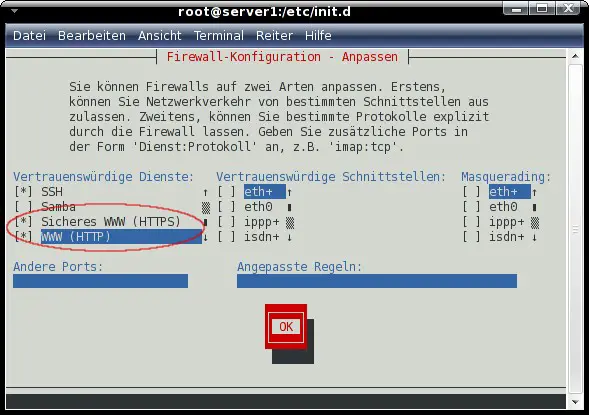
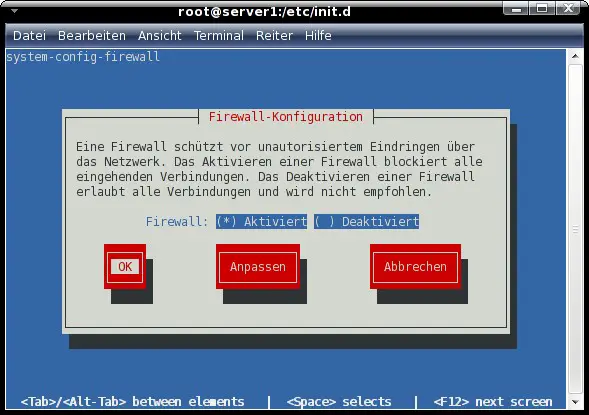
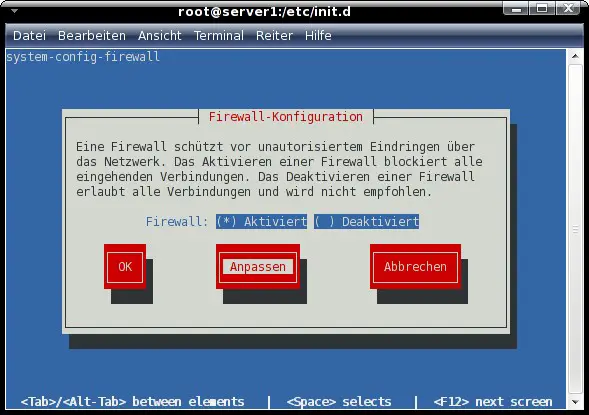
In order to make OTRS accessible from other machines we have to open the ports for HTTP and HTTPS in the firewall.
system-config-firewall-tui
Set HTTP and HTTPS as trusted services.