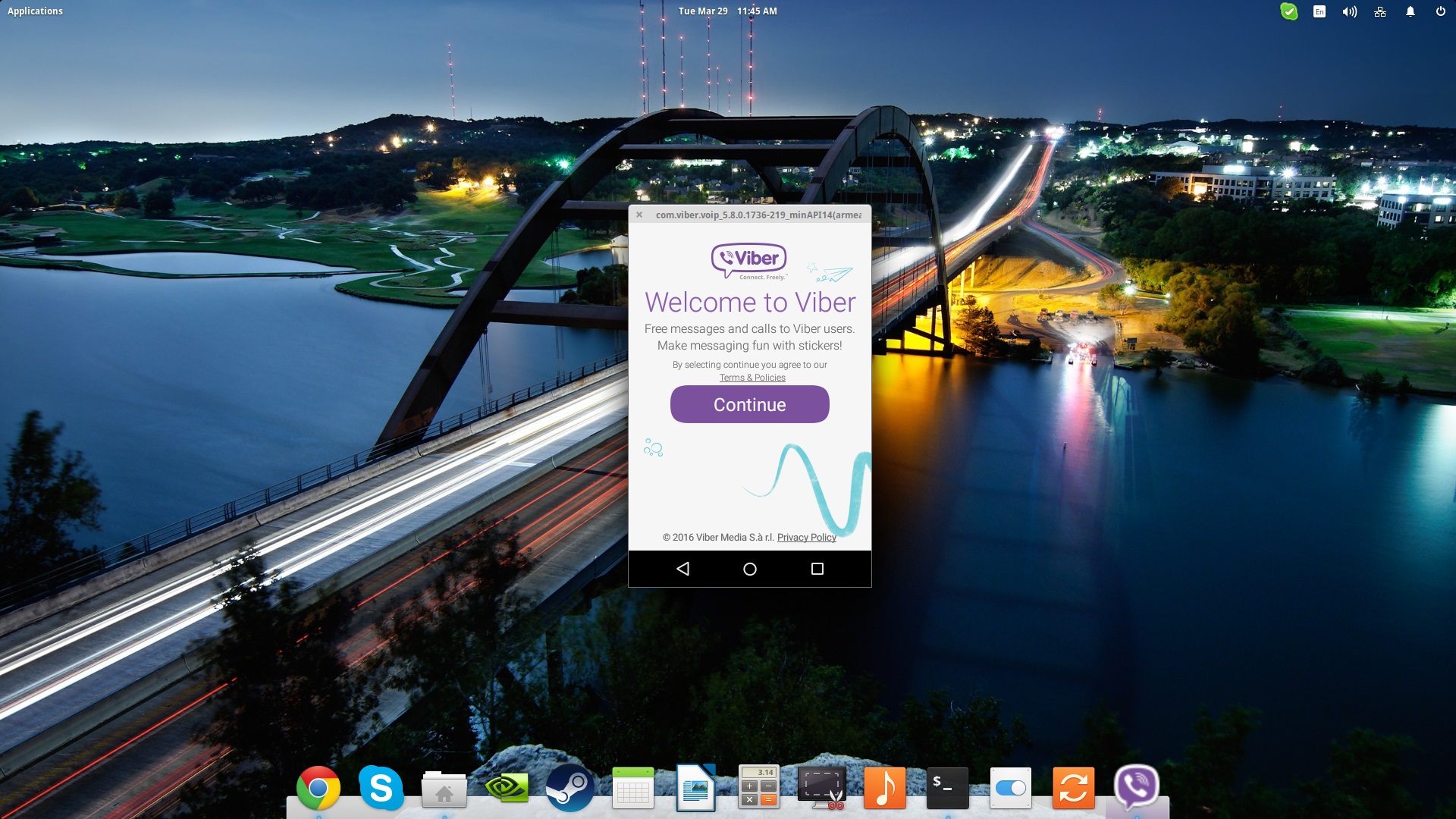
How to install and run Android Apps (APKs) on Linux with Shashlik
Shashlik is basically a set of software components that allow Linux users to install and run Android APKs right on their GNU/Linux distribution. Shashlik achieves that by using a stripped down version of Android instead of emulating one, which is nested inside the user session upon the launching of an installed Android application. The rendering of the graphics in the app is undertaken by the OpenGL infrastructure of our system, so the performance is good for what is well supported.
Unfortunately, Shashlik is still under heavy development and doesn't support many applications yet, but still you may find many useful apps that are working like a charm. The only absolute prerequisites are that you are not running another virtualization process in the same time that you are trying to run Shashlik, that the APK used in Shashlik was built to run on x86 architecture, and that Shashlik is installed on a 64-bit Linux system. Its developers also suggest running their software on the KDE Plasma environment, as they are testing it on this only, but I can also confirm that it works on Pantheon as well (with some relevant error messages).
Installing Shashlik
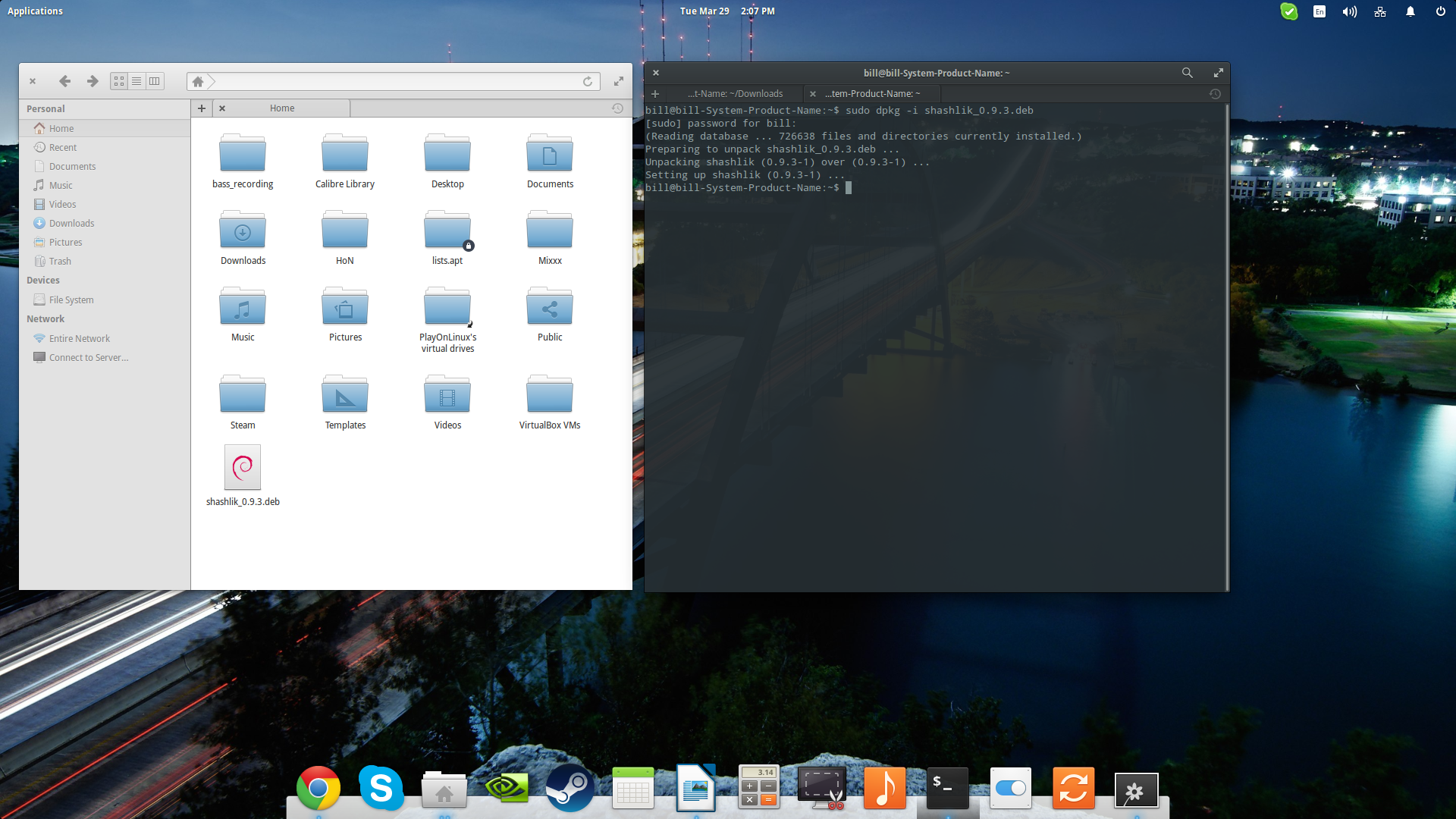
Shashik's latest version at the time of writing this is 0.9.3 which you can download from this web page. There are Debian (Ubuntu) and Arch pre-built packages that you may use depending on your system, while several users of Fedora and Suse systems report that alien-generated RPMs work as well. Ubuntu users may install the downloaded package by opening a terminal on the download location and typing the following command:
sudo dpkg -i shashlik_0.9.3.deb
You may also try to compile Shashlik from source by following the instructions found on the official website, but I wouldn't recommend this option as you will have to move the binaries and libraries in the right locations yourself – at least for now.
Installing and Running Android APKs
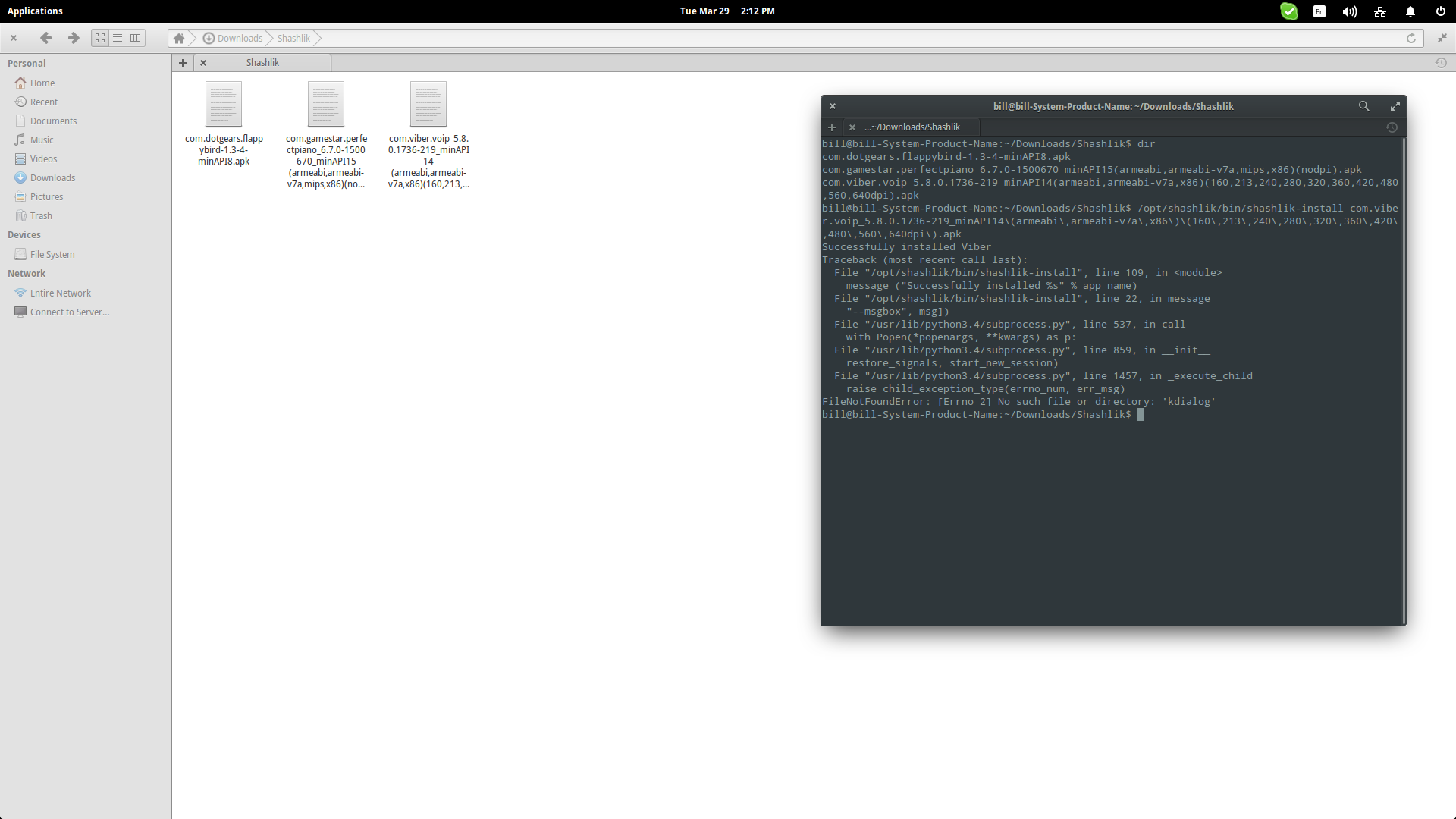
After Shashlik is installed, visit an APK database and download the application that you want to run with Shashlik. Then open a terminal on the location of the downloaded APKs and type the following command to install it to your system: “/opt/shashlik/bin/shashlik-install name_of_apk_file”. As an example, I installed the Viber apk as shown in the following screenshot:
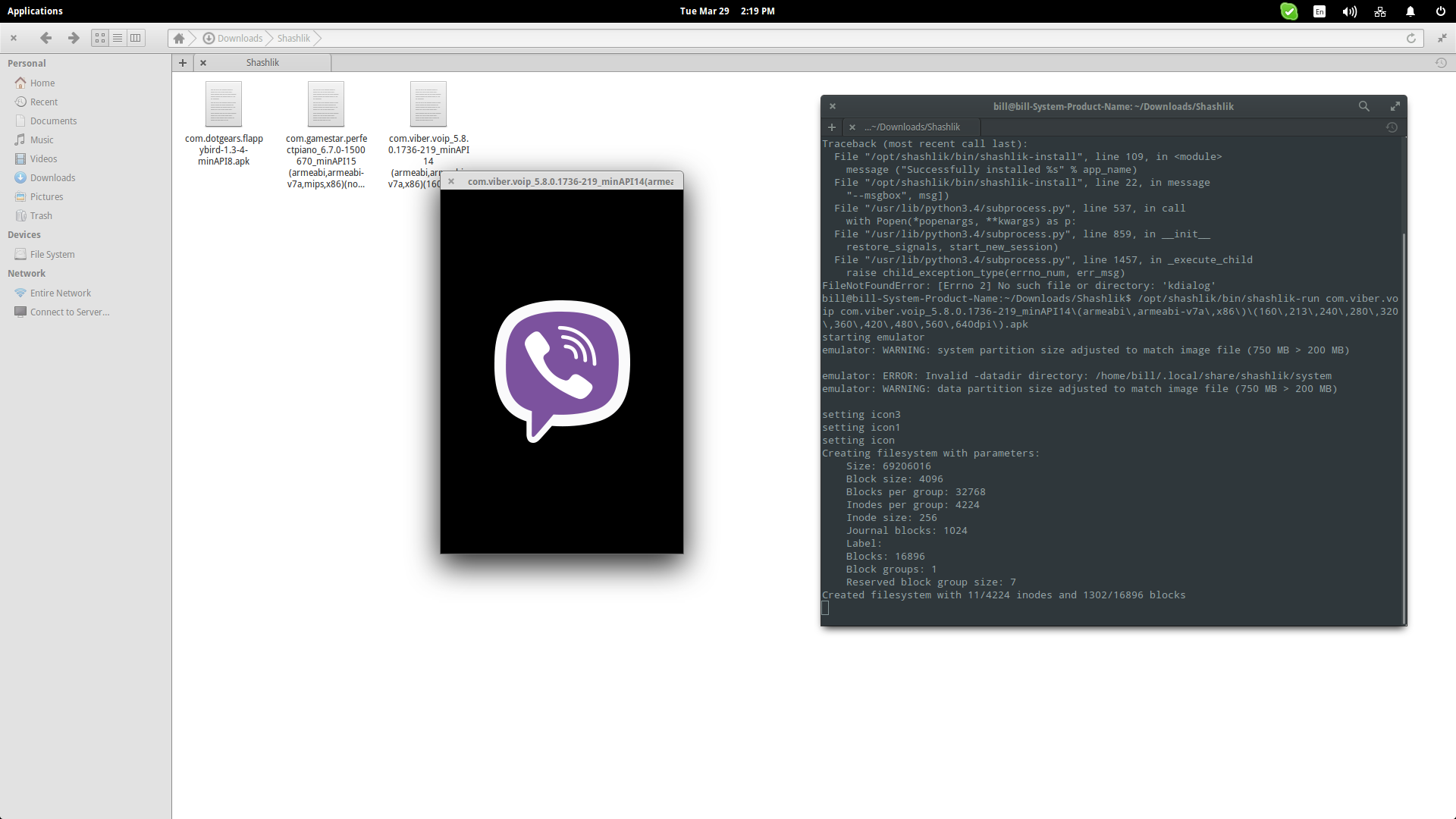
Next step is to run the APK by typing the following command on the same terminal session: “/opt/shashlik/bin/shashlik-run name_of_splash_png name_of_apk_file”. One important thing to note at this point is that during the installation, Shashlik has created and stored some required files in /.local/share/shashlik. Those files include the splash png image file and the userdata.img. Upon launching an APK, Shashlik looks for the file you have indicated in the command. So, if there is a splash.png corresponding to an application named test.apk, the command becomes: “/opt/shashlik/bin/shashlik-run splash test.apk”. Here's how I did it for Viber
To make things simpler, I should point out that the APKs are installed in our system with the command I showed previously, so if you look for them in the applications menu/dash you should find them and run them with a simple click. This however, may not work well for all apps, but if it does it's quite handy. Whatever the case, you should know how to run it from the terminal in order to get the insight needed to solve any issues.

As there is currently no uninstall function implemented, you can manually remove the binaries installed by Shashlik by navigating to /.local/share/applications and deleting the corresponding files. This should remove them from your applications menu.
Landscape Tip
As the software hasn't even reached its first stable version, you can't fiddle with any options that could be critical to the user experience with certain apps. The case of setting the emulator to the landscape screen mode is a usual one, so here's how to do it. Open your file manager as administrator and navigate to /opt/shashlik/bin and open “shashlik.run with your favorite text editor. Then locate the “-noskin” argument and replace it with “-skin 480x320” or any other resolution in the standard ratios.
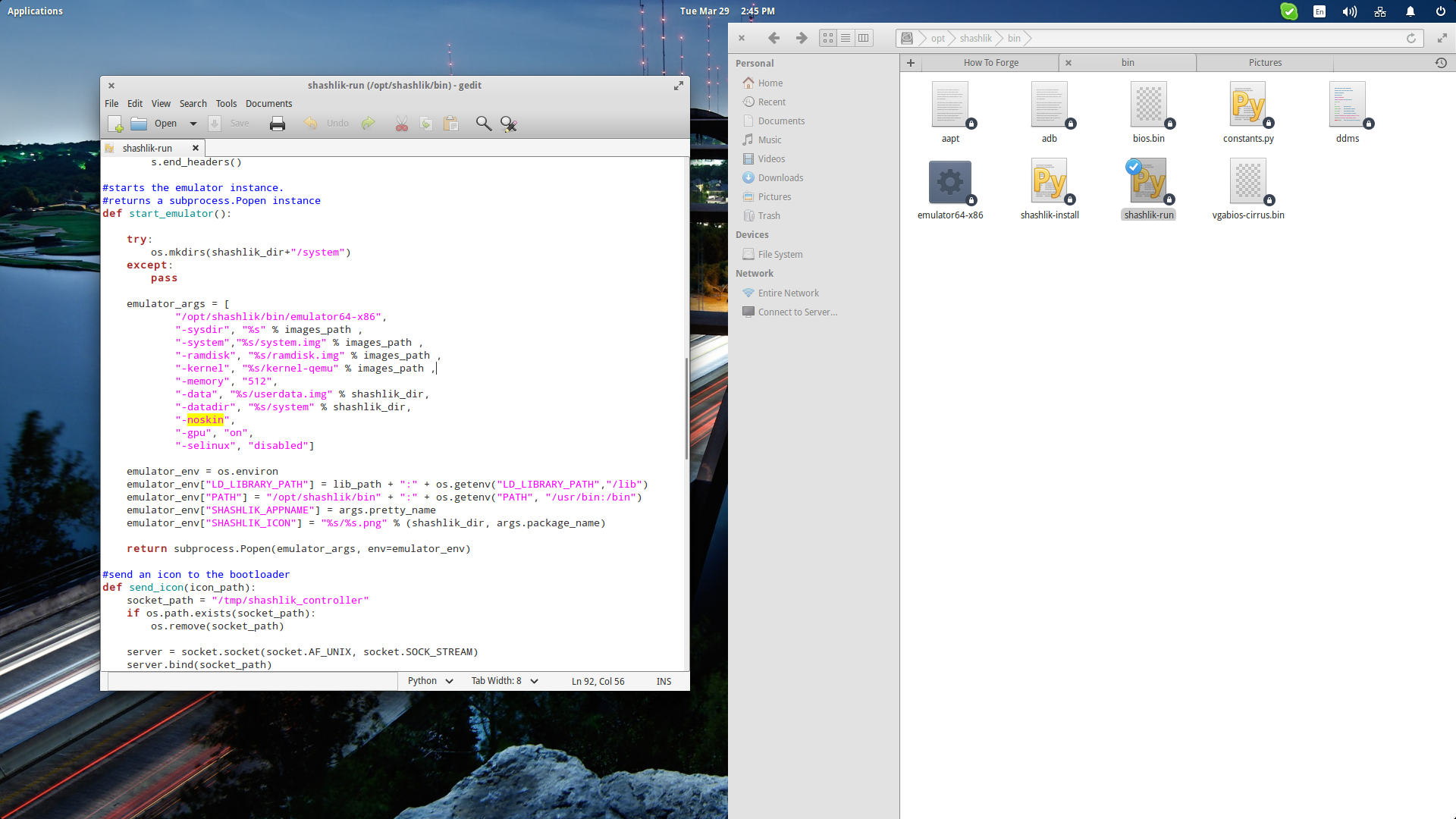
Conclusion
Shashlik may be unstable and not very powerful just yet, but the fact that it is very simple to use doesn't go unnoticed and unappreciated. With time, I am sure that it will become even leaner and even more successful in regards to how many apps it can run. People report demanding 3D games running well on Shashlik which is indicative of what the software can already do. Have fun testing Android apps on Linux, and good luck running them!
Suggested articles
40 Comment(s)
Comments
Yeah! thanks you so much :)
This is amazing!! Thank you for posting this.
thank you!
not working in ubuntu unity 15.10 64bit
not working on linux mint mate 17
(maybe that's obvious? it would be helpful to list the large categories of linux dists that should obviously not work - e.g. is it dependent on kde or just that just happened to be what you used)
thanks for trying though - looking forward to seeing it get further!
Chris
I guess there IS a dependency on kde? Although it was erroring out trying to tell me it was successfully installed!(?!)
Successfully installed Threema
Traceback (most recent call last):
File "/opt/shashlik/bin/shashlik-install", line 109, in <module>
message ("Successfully installed %s" % app_name)
File "/opt/shashlik/bin/shashlik-install", line 22, in message
"--msgbox", msg])
File "/usr/lib/python3.4/subprocess.py", line 533, in call
with Popen(*popenargs, **kwargs) as p:
File "/usr/lib/python3.4/subprocess.py", line 848, in __init__
restore_signals, start_new_session)
File "/usr/lib/python3.4/subprocess.py", line 1446, in _execute_child
raise child_exception_type(errno_num, err_msg)
FileNotFoundError: [Errno 2] No such file or directory: 'kdialog'
how come you installed fedy on your debian OS ?!!
Super excited! Cant wait for resizable windows or at least per application settings such as video players landscape and some apps portrait with different resolutions.
starting emulatorunknown option: -skin 1280x720please use -help for a list of valid options
"Then locate the “-noskin” argument and replace it with “-skin 480x320” or any other resolution in the standard ratios."
Need "-skin", "1280x720"
Your desktop setup kinda' appears cool. Is it gnome modified.
Which theme are you using for your desktop environment?
On ubuntu 12.04 fails with python3-xdg dependency .... ans trying to get it gives error sudo apt-get install python3-xdg Reading package lists... DoneE: Unable to locate package python3-xdg
I get this error whenever I try to install an app:
W/asset (13887): Asset path preschool.apk is neither a directory nor file (type=1).
ERROR: dump failed because assets could not be loaded
Could not get APK info. Broken setup?
Traceback (most recent call last):
File "/opt/shashlik/bin/shashlik-install", line 30, in
universal_newlines=True)
File "/usr/lib/python3.5/subprocess.py", line 626, in check_output
**kwargs).stdout
File "/usr/lib/python3.5/subprocess.py", line 708, in run
output=stdout, stderr=stderr)
subprocess.CalledProcessError: Command '['/opt/shashlik/bin/aapt', 'dump', 'badging', 'preschool.apk']' returned non-zero exit status 1
During handling of the above exception, another exception occurred:
Traceback (most recent call last):
File "/opt/shashlik/bin/shashlik-install", line 32, in
message("Could not get APK info. Broken setup?")
File "/opt/shashlik/bin/shashlik-install", line 22, in message
"--msgbox", msg])
File "/usr/lib/python3.5/subprocess.py", line 557, in call
with Popen(*popenargs, **kwargs) as p:
File "/usr/lib/python3.5/subprocess.py", line 947, in __init__
restore_signals, start_new_session)
File "/usr/lib/python3.5/subprocess.py", line 1541, in _execute_child
raise child_exception_type(errno_num, err_msg)
FileNotFoundError: [Errno 2] No such file or directory: 'kdialog'
I can't found the directory /.local/share/shashlik ist correct ?. Successfully installed WhatsApp
WhatsApp (most recent call last):
File "/opt/shashlik/bin/shashlik-install", line 109, in <module>
message ("Successfully installed %s" % app_name)
File "/opt/shashlik/bin/shashlik-install", line 22, in message
"--msgbox", msg])
File "/usr/lib/python3.4/subprocess.py", line 533, in call
with Popen(*popenargs, **kwargs) as p:
File "/usr/lib/python3.4/subprocess.py", line 848, in __init__
restore_signals, start_new_session)
File "/usr/lib/python3.4/subprocess.py", line 1446, in _execute_child
raise child_exception_type(errno_num, err_msg)
FileNotFoundError: [Errno 2] No such file or directory: 'kdialog'
Thank you
I'm afraid that shashlik only works if using x86 ONLY apk's, and being that ALL Android apk's I know of run on ARM processors, which makes shashlik useless, sorry.
ERROR: This package does not contain x86 native code, and can't run. Please find another APK built for x86
Quote from above text:- "After Shashlik is installed, visit an APK database and download the application that you want to run with Shashlik." here's an APK download site:- https://www.apkfiles.com/
Thank you very much! I've been struggling to play some android games on my laptop since I'm using a BlackBerry10 phone which doesn't run android apps very well. Shashlik is very smooth on my fairly weak laptop (celeron cpu, 2gb of memory, hdd). I'm running bunsenlabs linux btw.
Okay
Thanks you so much ^^
Thank u for Really Amazing work, Keep it up
what i got is a black screen
I have tried this shashlik,
Now am trying to install facebook messanger app (fbm.apk)
Am getting error as
[email protected]:~/Downloads$ /opt/shashlik/bin/shashlik-install fbm.apkThis package does not contain x86 native code, and can't run. Please find another APK built for x86Traceback (most recent call last): File "/opt/shashlik/bin/shashlik-install", line 63, in <module> message("This package does not contain x86 native code, and can't run. Please find another APK built for x86") File "/opt/shashlik/bin/shashlik-install", line 22, in message "--msgbox", msg]) File "/usr/lib/python3.4/subprocess.py", line 537, in call with Popen(*popenargs, **kwargs) as p: File "/usr/lib/python3.4/subprocess.py", line 859, in __init__ restore_signals, start_new_session) File "/usr/lib/python3.4/subprocess.py", line 1457, in _execute_child raise child_exception_type(errno_num, err_msg)FileNotFoundError: [Errno 2] No such file or directory: 'kdialog'[email protected]:~/Downloads$
Please give me a better solution to use any android app in my ubuntu..
thanks
Does not work in LinuxMint 18 C3.2.2 K4.9. shashlik can be installed. App's are also installed, but not open. What a pity! Nevertheless, thanks to the programmers! Maybe the next version works properly. PS: Quote: "one important thing to note at this point is that during the installation, Shashlik has created and stored some required files in /.local/share/shashlik." this is for me the path /home/user/.local/share/shashlik
i can not run the google play services apk. another app requires it.
it doesn't on ubuntu 16.10
the correct syntax is:
"-skin", "480x320",
or
"-skin", "1280x720",
I'm new to Linux in general, So excuse me if this seems like a stupid question..
If the .apk does not create a splash png in .local Do we still include the "run name_of_splash_png" in the second terminal command? I'm trying to install Snapchat but it keeps freezing up a few lines after failing to find the .png
FileNotFoundError: [Errno 2] No such file or directory: '/home/username/.local/share/shashlik/name_of_splash_png.png'
sudo dpkg -i shashlik_0.9.3.deb arquivo nao encontrado cannot access archive erro por favor conserte isso. thank you
Thank you,
Actually my friend talking about it. But your article helps me to know in details about.
Installing shashlik worked fine. I had to solve one dependency; lib32z1, but then it went fine.However after four attempts to install different apk's from different sources, everytime I get: This package does not contain x86 native code, and can't run. Please find another APK built for x86
So I assume that Shashlik is not for my x86 system. Too bad.
nice article,
Actually, it is very easy process to install an android app in PC.
I really enjoy your article. Keep writing and keep sharing..
Nice post!
omg thank you, i was trying to figure out how to get ColorNote on my Linux Mint 18.1 and this worked great. I followed the steps all the way to install and from there i just went to my menu bar and found the app under android apps, and loaded up ColorNote and synced with my account and worked perfectly! Thank You!
didnt work on me....
I did all the steps. I had some mistakes, but they were solved. So the program worked, but the application screen goes black and does not go away. The App Clash Royale happens the same, but I hear the sound of the game working. Can someone help me?
Great idea!! It's a shame it doesn't work... Some APKs don't even install (complaint wrong archteture), others install but only run a blank window (only with android controls - triangule, circle and square).
Errors were encountered while processing:
shashlik_0.9.3.deb
sir i got this error while using dpkg command please help me
on ubuntu 12 I got this error:
shashlik depends on python3-xdg; however: Package python3-xdg is not installed.
Is there any way to install python3-xdg on ubuntu 12?
Ok, I finaly find a solution for my instalation error:
go to this page and download and install python3-xdg.
1. download python3-xdg_0.20-0ubuntu1~ubuntu12.04.1~ppa1_all.deb
2. sudo dpkg -i python3-xdg_0.20-0ubuntu1~ubuntu12.04.1~ppa1_all.deb
3. sudo dpkg -i shashlik_0.9.3.deb
4. enjoy it...
Suppose an app requires 4.4 kitkat or newer to run, what version of android is Shashik?
English |
Deutsch