Ubuntu LAMP Server With Torrentflux In VMware - Page 2
Step 4: Getting it to work
I don't know about you but after rebooting the machine it seems to get stuck at "booting the kernel".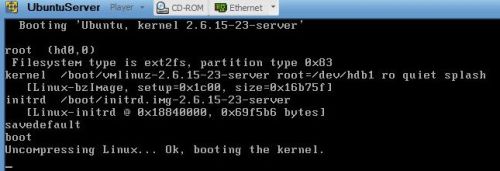
Here's how to fix that
This procedure needs an internet connection, so make sure you have a working one!
Reboot your machine by exiting the machine (press <ctrl><alt>) and choose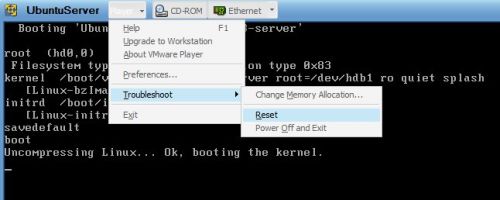
Left-click with your mouse in your machine.
And press <Esc> to enter the boot-menu, choose CD-ROM
After booting from the cd, your're back in the install menu. In this menu choose 'Rescue a broken system'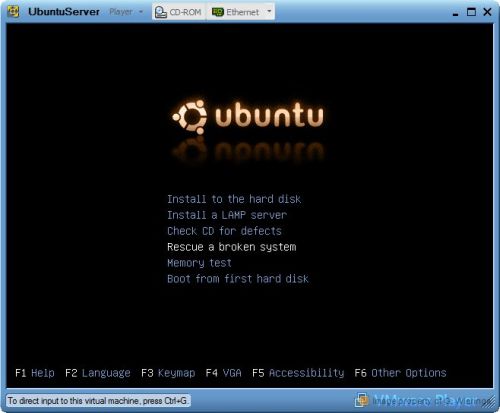
Walk through the familiar looking screens until you get to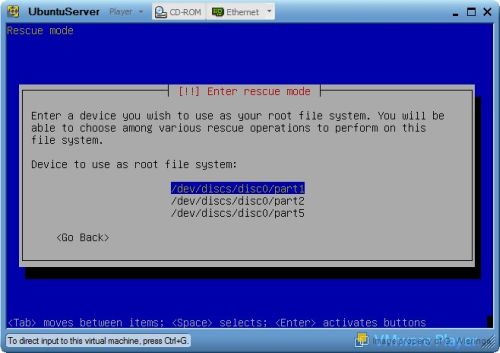
Choose /dev/discs/disc0/part1
Choose Execute a shell in /dev/discs/disc0/part1
and continue in the next screen.
You are now in a console environment where you can execute commands. Enter
sudo apt-get install linux-686
When asked to continue choose 'Y'
When this is done: Congratulations: you just installed a new kernel for linux!
At the prompt type:
exit
You return to the rescue operations screen where you choose 'Reboot the system' Now you should be able to get to the logon screen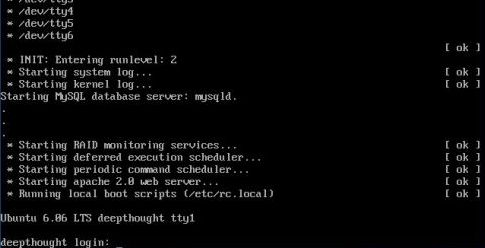
Note
As you probably found out by now: Ubuntu Server does not have a graphical interface. I think that's a good thing so i'll continue this how-to for using the command line.
For some commands you need super-user rights, the command 'sudo' gives you them. A command started with sudo always asks for a password: use your own.
Step 5 (Optional): Make system up-to-date
Logon with your username and password.
sudo apt-get update
sudo apt-get upgrade
In my case this screen appeared: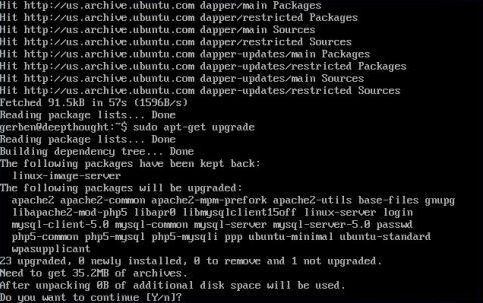
press Y ...Wait patiently untill everything is done installing...
Step 6: Downloading Torrentflux 2.1
On your host, find out a working link for downloading Torrentflux at http://prdownloads.sourceforge.net/torrentflux/torrentflux_2.1.tar.gz?download
Choose a location near you and choose download. Cancel the download and write down the link shown below in blue (haven't found a way to paste text into my vmware-window yet)
back in your machine type:
wget <full link to download>
e.g.
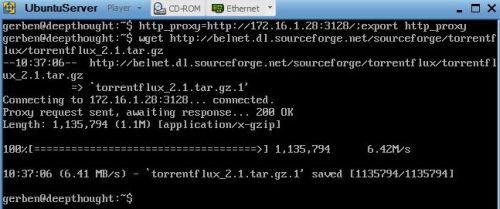
wget http://belnet.dl.sourceforge.net/sourceforge/torrentflux/torrentflux_2.1.tar.gz
If you need to use a proxy server begin with setting up your proxy server in you current environment:
http_proxy=http://<proxyhost>:<proxyport>;export http_proxy
or if you want this to be permanent: edit the /etc/wgetrc and fill the proxy settings there.
To edit the /etc/wgetrc file you need to know how to use vi, this is beyond the scope of this how-to.
Result: