
The Perfect Desktop - Kubuntu 8.04 LTS (Hardy Heron) - Page 5
This tutorial exists for these OS versions
- Kubuntu 12.10 (Quantal Quetzal)
- Kubuntu 12.04 LTS (Precise Pangolin)
- Kubuntu 11.10 (Oneiric Ocelot)
- Kubuntu 11.04 (Natty Narwhal)
- Kubuntu 10.10 (Maverick Meerkat)
- Kubuntu 10.04 (Lucid Lynx)
On this page
13 VMware Server
With VMware Server you can let your old Windows desktop (that you previously converted into a VMware virtual machine with VMware Converter, as described in this tutorial: https://www.howtoforge.com/vmware_converter_windows_linux) run under your Kubuntu desktop. This can be useful if you depend on some applications that exist for Windows only, or if you want to switch to Linux slowly.
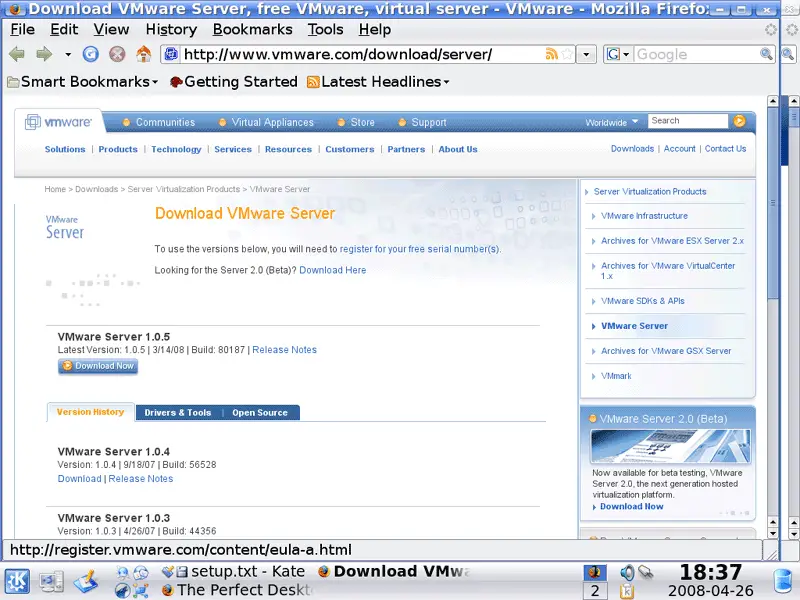
To download VMware Server, go to http://www.vmware.com/download/server/ and click on Download Now:
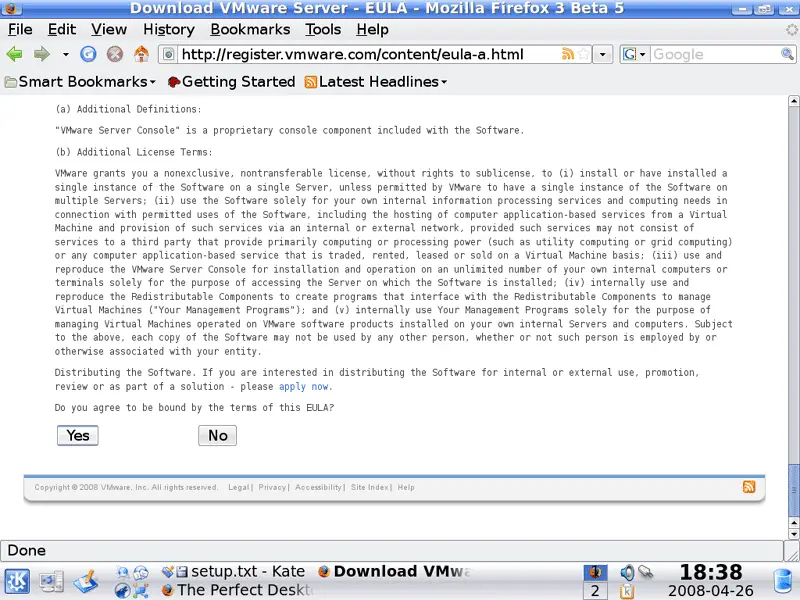
Accept the license agreement by clicking on Yes:
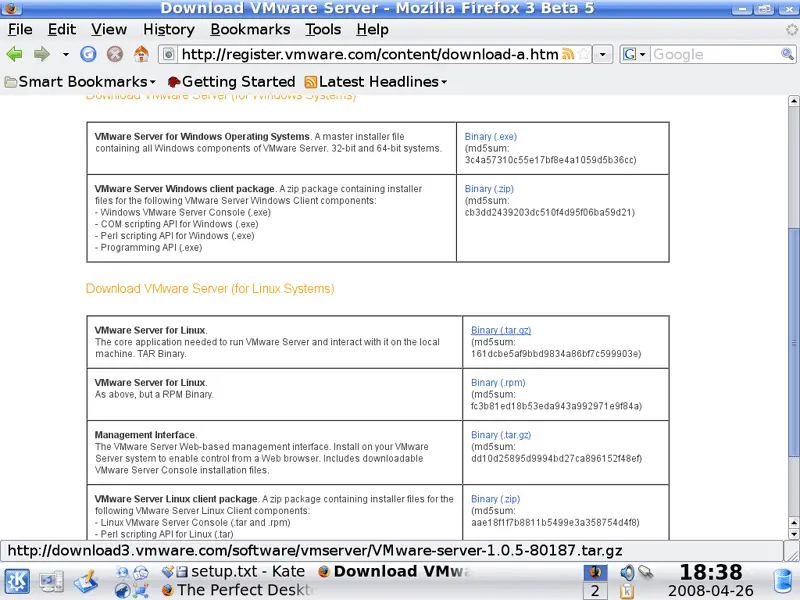
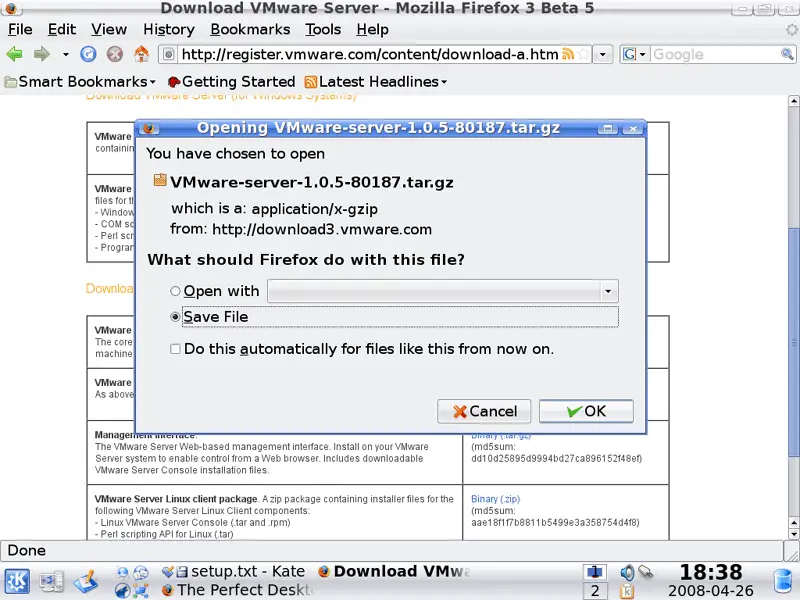
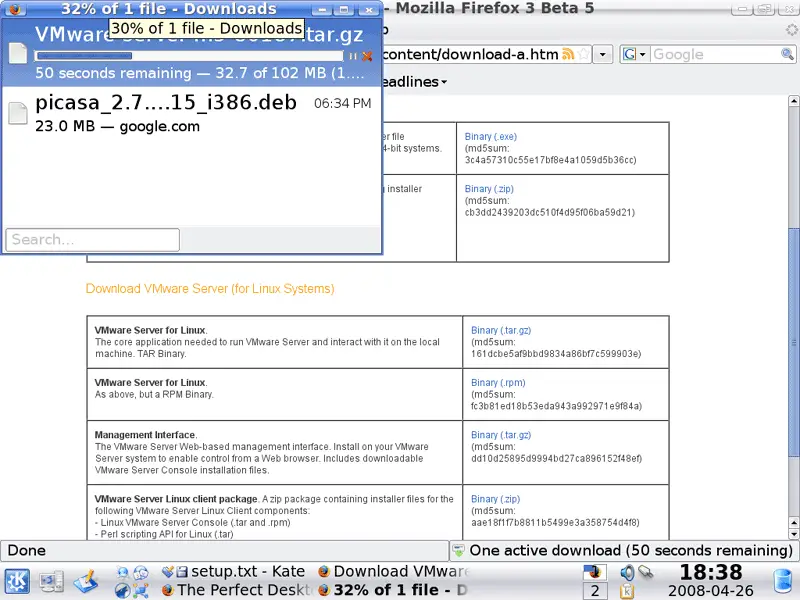
Then download the VMware Server for Linux .tar.gz file (not the rpm file!) to your desktop (e.g. to /home/falko/Desktop):
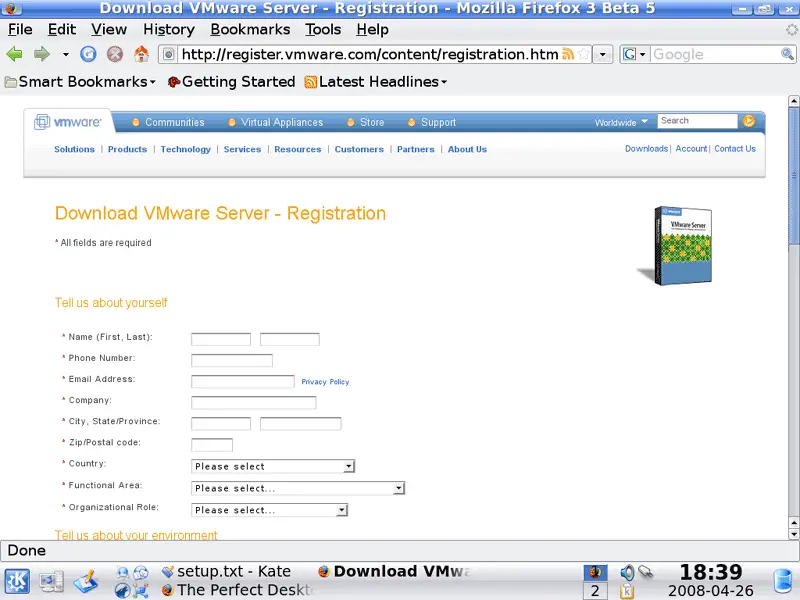
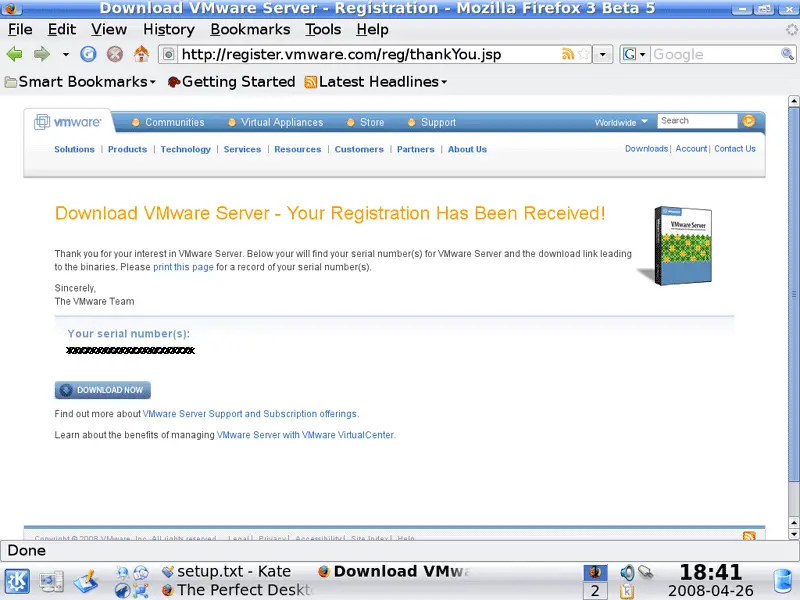
To get the serial number you need to run VMware Server, go to http://register.vmware.com/content/registration.html. Fill in your personal details. Afterwards you will get a page with a serial number for VMware Server. Write it down or print it out:
Then open a terminal (System > Konsole) again.
Run the following command to install some necessary packages:
sudo apt-get install linux-headers-`uname -r` build-essential xinetd
Then go to the location where you saved the VMware Server .tar.gz file, e.g. /home/falko/Desktop (replace falko with your own username!):
cd /home/falko/Desktop
Unpack the VMware Server .tar.gz file and run the installer:
tar xvfz VMware-server-*.tar.gz
cd vmware-server-distrib
sudo ./vmware-install.pl
The installer will ask you a lot of questions. You can always accept the default values simply by hitting <ENTER>.
If the installation aborts with an error like the following one...
Building the vmmon module.
Using 2.6.x kernel build system.
make: Entering directory `/tmp/vmware-config0/vmmon-only'
make -C /lib/modules/2.6.24-16-generic/build/include/.. SUBDIRS=$PWD SRCROOT=$PW
D/. modules
make[1]: Entering directory `/usr/src/linux-headers-2.6.24-16-generic'
CC [M] /tmp/vmware-config0/vmmon-only/linux/driver.o
In file included from /tmp/vmware-config0/vmmon-only/./include/vmware.h:25,
from /tmp/vmware-config0/vmmon-only/linux/driver.c:48:
/tmp/vmware-config0/vmmon-only/./include/vm_basic_types.h:161: error: conflictin
g types for ‘uintptr_t’
include/linux/types.h:40: error: previous declaration of ‘uintptr_t’ was here
In file included from /tmp/vmware-config0/vmmon-only/linux/driver.h:20,
from /tmp/vmware-config0/vmmon-only/linux/driver.c:49:
/tmp/vmware-config0/vmmon-only/./include/compat_wait.h:37:5: warning: "VMW_HAVE_
EPOLL" is not defined
/tmp/vmware-config0/vmmon-only/./include/compat_wait.h:43:5: warning: "VMW_HAVE_
EPOLL" is not defined
In file included from /tmp/vmware-config0/vmmon-only/linux/driver.h:20,
from /tmp/vmware-config0/vmmon-only/linux/driver.c:49:
/tmp/vmware-config0/vmmon-only/./include/compat_wait.h:60: error: conflicting ty pes for ‘poll_initwait’
include/linux/poll.h:65: error: previous declaration of ‘poll_initwait’ was here
/tmp/vmware-config0/vmmon-only/linux/driver.c:147: warning: initialization from incompatible pointer type
/tmp/vmware-config0/vmmon-only/linux/driver.c:151: warning: initialization from incompatible pointer type
/tmp/vmware-config0/vmmon-only/linux/driver.c: In function ‘LinuxDriver_Ioctl’:
/tmp/vmware-config0/vmmon-only/linux/driver.c:1659: error: ‘struct mm_struct’ ha s no member named ‘dumpable’
make[2]: *** [/tmp/vmware-config0/vmmon-only/linux/driver.o] Error 1
make[1]: *** [_module_/tmp/vmware-config0/vmmon-only] Error 2
make[1]: Leaving directory `/usr/src/linux-headers-2.6.24-16-generic'
make: *** [vmmon.ko] Error 2
make: Leaving directory `/tmp/vmware-config0/vmmon-only'
Unable to build the vmmon module.
For more information on how to troubleshoot module-related problems, please
visit our Web site at "http://www.vmware.com/download/modules/modules.html" and
"http://www.vmware.com/support/reference/linux/prebuilt_modules_linux.html".
Execution aborted.
falko@falko-desktop:~/Desktop/vmware-server-distrib$
... you must patch VMware as follows...
cd /tmp
wget http://downloads.howtoforge.com/vmware_server_on_f8_2.6.24/vmware.tar.bz2
tar xvfj vmware.tar.bz2
cd vmware/
sudo cp vm* /usr/lib/vmware/modules/source/
... and resume the installation:
sudo vmware-config.pl
When the installer asks you
In which directory do you want to keep your virtual machine files?
[/var/lib/vmware/Virtual Machines]
you can either accept the default value or specify a location that has enough free space to store your virtual machines.
At the end of the installation, you will be asked to enter a serial number:
Please enter your 20-character serial number.
Type XXXXX-XXXXX-XXXXX-XXXXX or 'Enter' to cancel:
Fill in your serial number for VMware Server.
After the installation, please run:
sudo ln -sf /lib/libgcc_s.so.1 /usr/lib/vmware/lib/libgcc_s.so.1/libgcc_s.so.1
Otherwise VMware Server will refuse to start on Kubuntu 8.04 LTS.
After the successful installation, you can delete the VMware Server download file and the installation directory:
cd /home/falko/Desktop
rm -f VMware-server*
rm -fr vmware-server-distrib/
You will now find VMware Server under System > VMware Server Console:
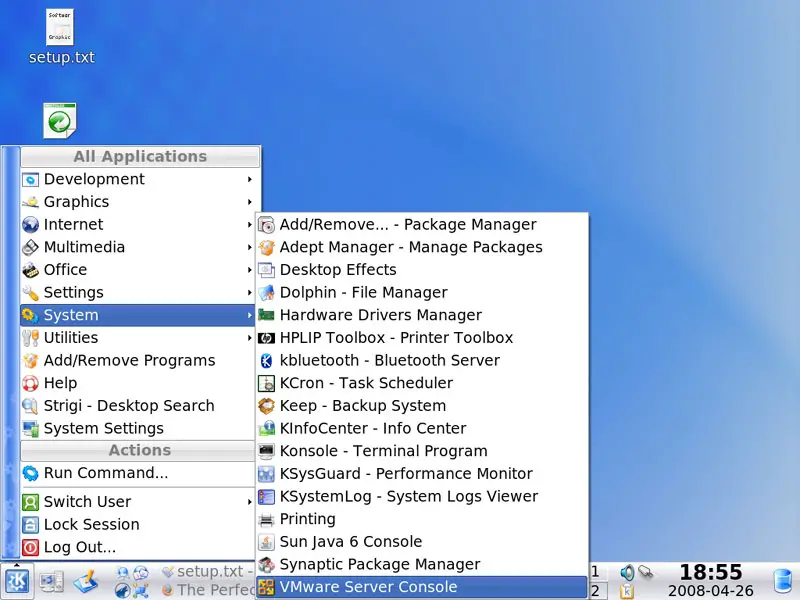
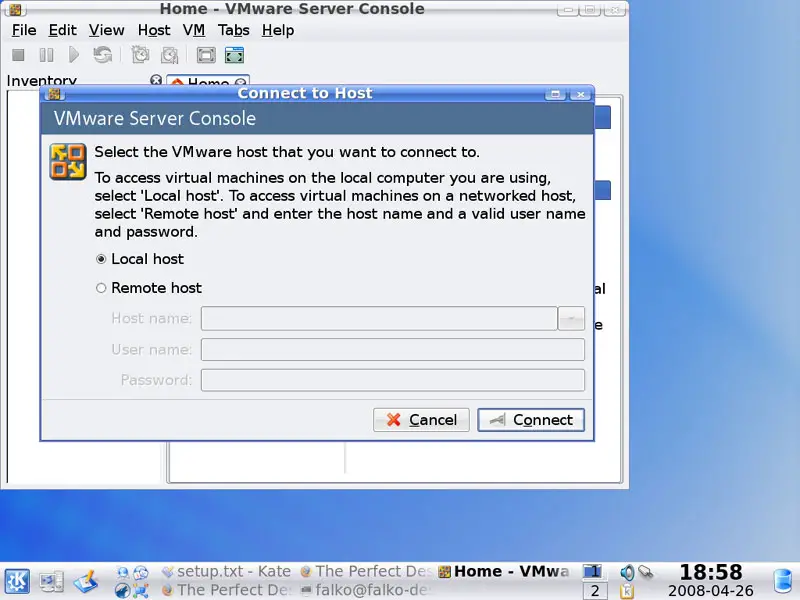
When you start it, select Local host:
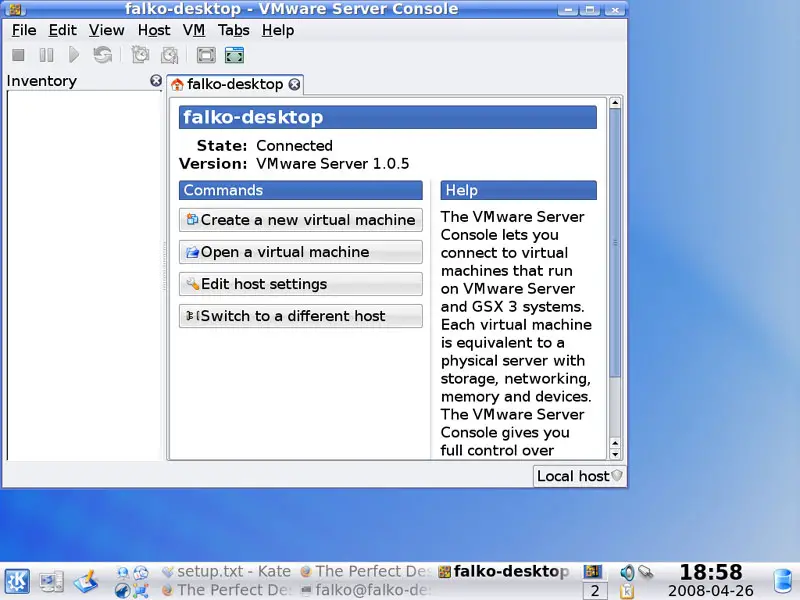
Afterwards, you can create virtual machines (or import your virtual Windows machine that you created with VMware Converter):
14 Inventory (IV)
We have now all wanted applications installed:
Graphics:
[x] The GIMP
[x] F-Spot
[x] Picasa
Internet:
[x] Firefox
[x] Opera
[x] Flash Player
[x] FileZilla
[x] Thunderbird
[x] Evolution
[x] aMule
[x] KTorrent
[x] Azureus
[x] Kopete
[x] Skype
[x] Google Earth
[x] Konversation
Office:
[x] OpenOffice Writer
[x] OpenOffice Calc
[x] Adobe Reader
[x] GnuCash
[x] Scribus
Sound & Video:
[x] Amarok
[x] Audacity
[x] Banshee
[x] MPlayer
[x] Rhythmbox Music Player
[x] gtkPod
[x] XMMS
[x] dvd::rip
[x] Kino
[x] Sound Juicer CD Extractor
[x] VLC Media Player
[x] Helix Player
[x] Totem
[x] Xine
[x] GnomeBaker
[x] K3B
[x] Multimedia-Codecs
Programming:
[x] KompoZer
[x] Bluefish
[x] Quanta Plus
Other:
[x] VMware Server
[x] TrueType fonts
[x] Java
[x] Read/Write support for NTFS partitions
15 Links
- Kubuntu: http://www.kubuntu.org





