HowtoForge - Linux Howtos in English English|HowtoForge.de - Linux-Howtos auf Deutsch Deutsch

The Perfect Setup - Mandrake/Mandriva 10.2

Submitted by falko (Contact Author) (Forums) on Tue, 2005-07-19 00:09. :: Mandriva

This is a "copy & paste" HowTo! The easiest way to follow this tutorial is to use a command line client/SSH client (like PuTTY for Windows) and simply copy and paste the commands (except where you have to provide own information like IP addresses, hostnames, passwords,...). This helps to avoid typos.

The Perfect Setup - Mandrake/Mandriva 10.2

Version 1.0
Author: Falko Timme <ft [at] falkotimme [dot] com>
Last edited: 07/19/2005

This is a detailed description about the steps to be taken to setup a Mandrake 10.2 based server that offers all services needed by ISPs and hosters (web server (SSL-capable), mail server (with SMTP-AUTH and TLS!), DNS server, FTP server, MySQL server, POP3/IMAP, Quota, Firewall, etc.). In addition to that I will show how to use Debian's package manager apt on an rpm-based system because it takes care of package dependencies automagically which can save a lot of trouble.

I will use the following software:

  • Web Server: Apache 2.0.x
  • Mail Server: Postfix (easier to configure than sendmail; has a shorter history of security holes than sendmail)
  • DNS Server: BIND9
  • FTP Server: proftpd
  • POP3/IMAP servers
  • Webalizer for web site statistics

In the end you should have a system that works reliably and is ready for the free webhosting control panel ISPConfig (i.e., ISPConfig runs on it out of the box).

I want to say first that this is not the only way of setting up such a system. There are many ways of achieving this goal but this is the way I take. I do not issue any guarantee that this will work for you!

Requirements

To install such a system you will need the following:

1 The Base System

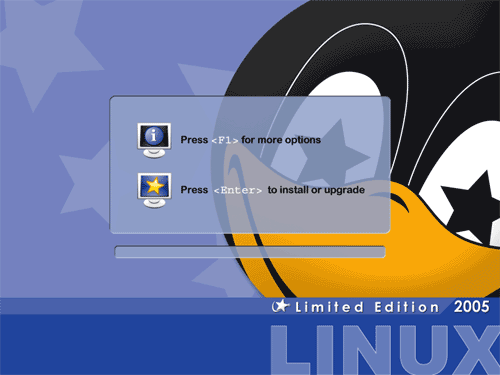
Boot from your Mandrake 10.2 CD (CD 1) or DVD. Press Enter to start the installation:
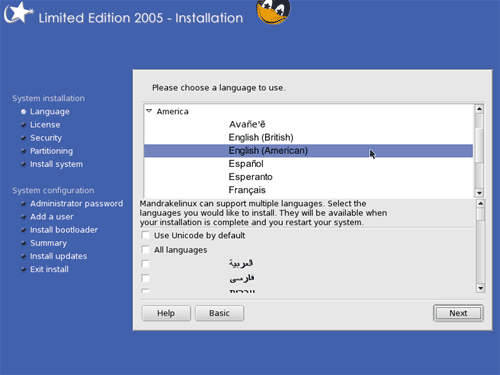
Choose your language next:
Accept the license and click on Next:

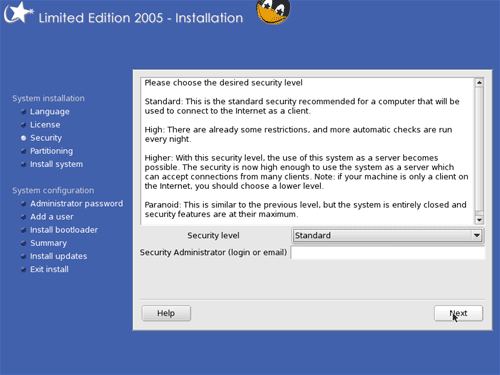
Select Standard as the Security level and leave the field Security Administrator empty:
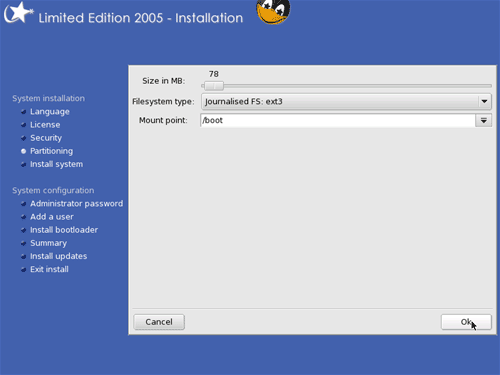
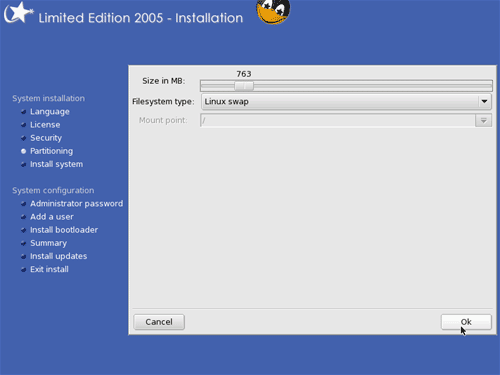
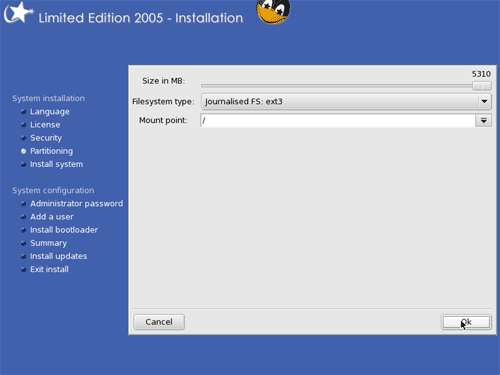
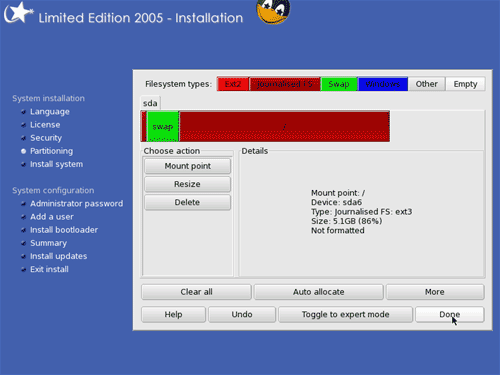
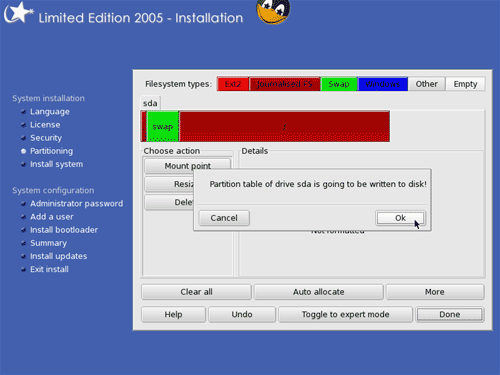
Now we have to partition our hard disk. You can choose to let the Mandrake installer do the partitioning, or you can do it yourself. I want to create a small /boot partition (less than 100 MB) with the file system ext3, a swap partition and a huge / partition (again with ext3):
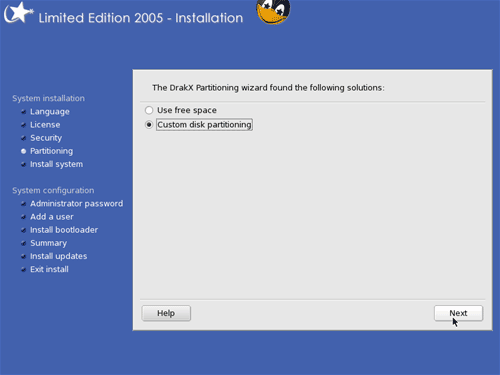
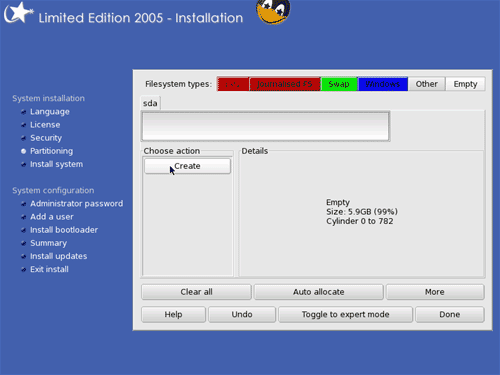
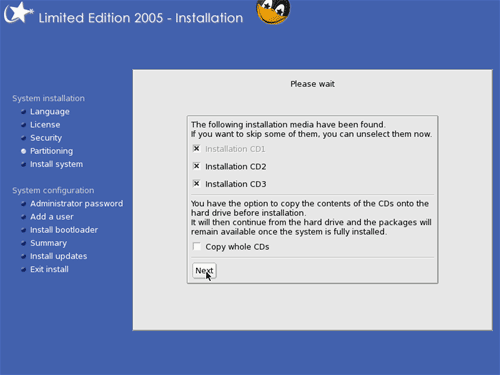
Click on Next if you have all three CDs of the Mandrake Download Edition:
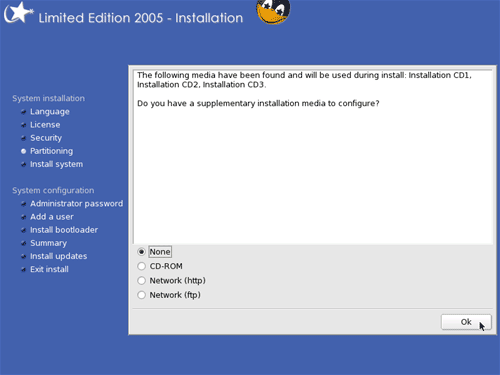
Select None and click on Next:

Comment viewing options

Select your preferred way to display the comments and click "Save settings" to activate your changes.
Please do not use the comment function to ask for help! If you need help, please use our forum: http://www.howtoforge.com/forums
Comments will be published after administrator approval.
Submitted by Anonymous (Contact Author) (Forums) on Sat, 2005-10-29 21:34.
It seems that in most of these ISP Server Setup howtos from here are all the same basically, and apt-get does not work well on any of them, always missing packages, tried diff servers and the same thing
Submitted by Anonymous (Contact Author) (Forums) on Sat, 2005-10-29 21:54.
I followed the howto line by line to setup my webserver and it worked fine for me. Later I got an error installing ispconfig, but the guys in the forum helped me. Have you tried posting your problems there?
Submitted by Anonymous (Contact Author) (Forums) on Tue, 2005-09-27 06:17.

While there's nothing wrong with apt its completely unnecessary to use it on Mandrake/Mandriva as it already has urpmi/RPMDrake, which is just as good as apt. Also all the repositories for Mandrake/Mandriva are made for urpmi as well. To anyone reading this I'd suggest skipping the bit about installing apt and instead head over to http://easyurpmi.zarb.org (or google for 'easyurpmi if that's down) and setup the software repositories. You can then use the urpmi command or the Mandrake Control Centre GUI to install whatever you want.

Other than that its a really good article, I just find it a bit strange that the author spent all this time doing these things on Mandriva but never learnt to use its software installation system.

Submitted by till (Contact Author) (Forums) on Wed, 2005-09-28 08:47.
I don't know why you all have problems with me using apt? In the end it doesn't matter at all if you use apt or urpmi, it's just a matter of what you prefer personally. No reason to start a religious war...
Submitted by Anonymous (Contact Author) (Forums) on Sun, 2006-02-19 01:47.
The difference between apt and urpmi on Mandrake is that urpmi is tested for Mandrake. You shouldn't install apt because you don't need to install apt. All it does is complicate the setup process. For anybody who is interested in using Mandrake/Mandriva, I would suggest reading the other howto, http://www.howtoforge.com/perfect_setup_mandriva_2006. Even if you are installing 10.2, there are very few differences between that and 2006, and that howto actually does things in a way that won't break Mandrake.
Submitted by Anonymous (Contact Author) (Forums) on Fri, 2005-09-23 05:08.

Hello everyone,

         I applaud the effort however this setup should be called a perfect setup for HSP (Hosting Service Provider), An ISP/WISP Provides Dialup, Broadband, Wireless Broadband, hosting, email and such services. And several other packages should be added to this setup one being a billing system (Such as FreeSide) that would allow said ISP/WISP to collect monies on services provided. Also you would need a CRM system such as Request Tracker to track customer care and troubleshooting info. Then there is the ever present Authorization, Accounting, and Authentication part of being an ISP/WISP that needs to be addressed, that would be a Radius Server (such as FreeRadius), How are you going to authenticate a user on your network without that (ldap is not the proper AAA Radius you want)? So not to be a pain but your document although a little light on security is a good start for a beginner, But for the serious ISP/WISP there is a whole lot more to think about. I am in the process of addressing this problem with my own distro and step by step documentation on how to setup an ISP/WISP. There is just not enuf info on how to set this up. Also for you guys who are thinking about it Start with atleast 2 servers and seperate the services offered.

Server 1 - Web, Email, Webmail, Primary DNS and Radius <- Frontend Server

Server 2 - Database, CRM, Billing system and Secondary DNS <- Backend Server

This is not how mine is but it should be.

I know, I am an owner of an ISP/WISP

Michael A Cooper

BCCISP.net

Submitted by Anonymous (Contact Author) (Forums) on Tue, 2005-09-13 01:43.

I'm sorry, but your partitioning scheme is not one that should be installed on a server. Along with the base security level, this is bad news for all concerned. Security level should be set to higher at a minimum, and you should have at minimum the following partitions:

/
/etc
/var
/home
/var/www
/swap


Your article isn't bad, but could use some thought before anyone uses it on a production server.

Submitted by Anonymous (Contact Author) (Forums) on Mon, 2005-09-19 19:32.

even thats too lite.

/

/boot

/etc

/home

/usr

/var/www

/var/mysql

/var/ftp


All services should be in a chroot env. Var and home should be on seperate disks. (that way you can swap out os while leaving data intact).

Submitted by Anonymous (Contact Author) (Forums) on Fri, 2005-10-14 01:56.
I get tired of reading about how it's a good idea to setup your hard drive partitions in in a myriad of different ways. Everyone seems to have an opinion on the matter. What's even worse, depending on who you talk to, everyone has a different idea on the swap partition. In these days of cheap arrays and redundant hard drives, I don't see a reason to be creating all those partitions. You lose a hard drive, you plug another one back in. That way, you don't have to worry about leaving enough room for the /usr partition, or the /var partition and then a couple of years down the road finding out that you really didn't make the partition big enough and now you are screwed. A lot of these ideas are driven by old school hard core linux people, who besides their inability to communicate effectively with other non-linux people will never admit that their ways are flawed. I've been messing with linux for a little over a year, and getting help from linux "experts" is almost like pulling teeth. I really like it when I get comments like "RTFM newbie!" . A lot of the documentation is vague if not downright cryptic. It's getting better though, and those days are coming to an end. If linux is going to survive, these old ideas and the old linux people need to wake up and get with the program!
Submitted by Anonymous (Contact Author) (Forums) on Wed, 2005-12-28 17:24.
Could not have said it better!
1
next page
last page