
Step-by-Step IPP based Print Server using CUPS - Page 3
On this page
3. IPP Client Setup
Client OS: Windows XP/2000
Start -> Settings -> Printers and Faxes
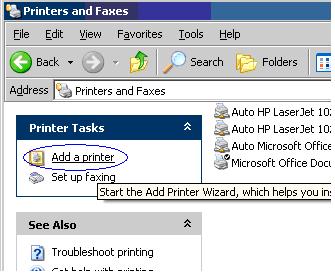
Click on “Add a printer”.
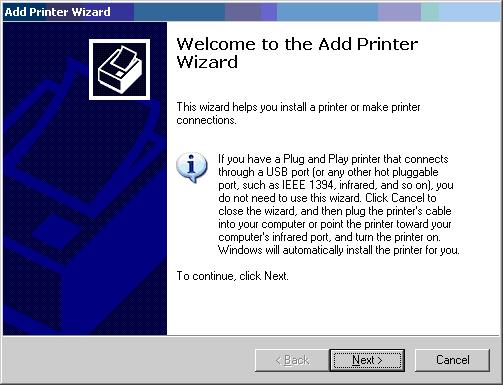
Click on “Next”.
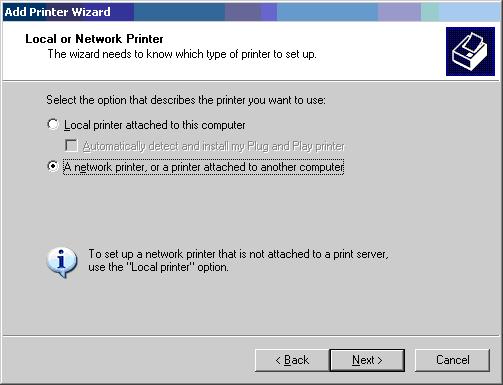
Select option “A network printer, or a printer attached to another computer”.
Click on “Next”.
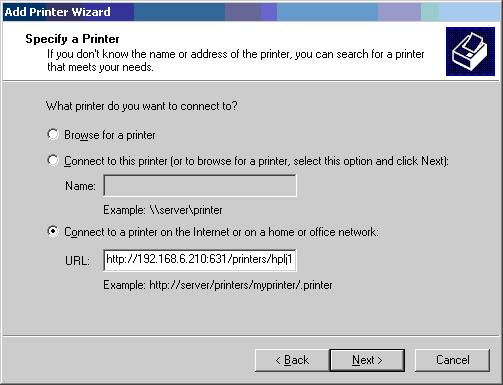
Select third option “Connect to a printer on the Internet or on a home or office
network:”
URL: http://192.168.6.210:631/printers/hplj1020
Note: Specify the URL provided by the administrator.
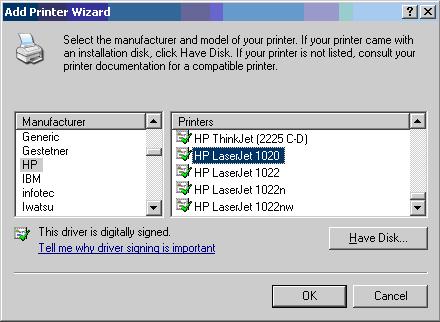
Choose the correct Driver for the printer
For
example: HP LaserJet 1020
Manufacturer: HP
Printer Model: HP LaserJet 1020
Note: If printer model is not found, install the printer drivers first then start from the beginning.
Click on “Ok”.
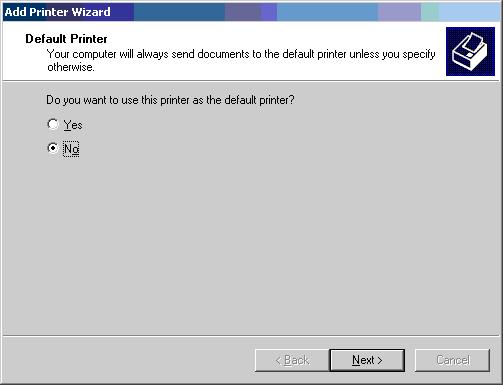
Select “Yes” (If you want to run this printer as default).
Click on “Next”.
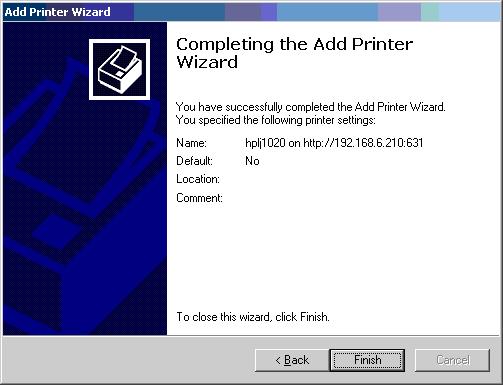
Click on “Finish” to complete the task.
So, you can print your hard copies to the printer which is connected to server somewhere in the world.
- Apreciate your comments.





