
Step-by-Step IPP based Print Server using CUPS - Page 2
On this page
2. Installation/Configuration of printer drivers
Print Driver Installation for PostScript Printer on linux.
Printer Model: HP LaserJet 1020
Operating System: CentOS 4.4
Note: Steps 1 to 9 are differs from printer to printer
Step #1
# cd /tmp
Step #2 - Download print driver for HPLJ1020
# wget -O foo2zjs.tar.gz http://foo2zjs.rkkda.com/foo2zjs.tar.gz
Please go through the reference: http://foo2zjs.rkkda.com/ for more information on different type of printers.
Step #3 - De-compress the file
# tar zxf foo2zjs.tar.gz
Step #4 - Compile it
# cd foo2zjs
# make
Step #6 - Get the driver info for HP LaserJet 1020
# ./getweb 1020
Step #7 - Installation of driver
# make install
Step #8 - Enable it for USB hot plugging feature
# make install-hotplug
Step #9 - Configure HPLJ1020 drivers to cups
# make cups
Step #10 - Configuration of printer using Command Line Interface
# lpadmin -p hplj1020 -E -v /dev/usb/lp0 -m /backup/downloads/foo2zjs/PPD/HP-LaserJet_1020.ppd
- Set it as default (if require)
# /usr/sbin/lpadmin -d hplj1020
- Start printer services
# /usr/bin/enable hplj1020
- Accept printing
# /usr/sbin/accept hplj1020
Step #10 - Configuration of printer using GUI Interface (Preffered)
# printconf-gui
- The above command displays the GUI Interface.
Or we can choose it from
(GNOME)-> Applications -> System Settings -> Printing
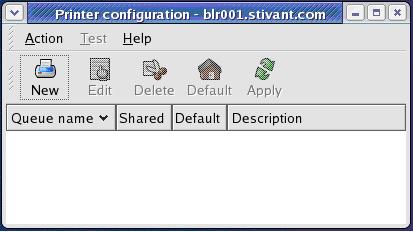
- Click Button “New”.
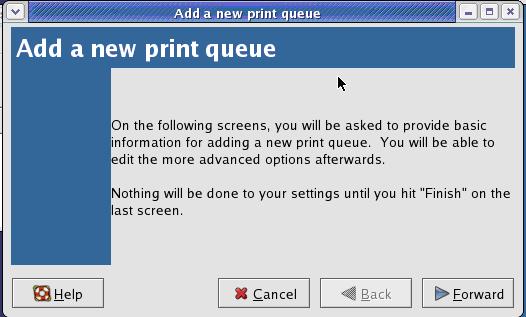
-> Click Button “Forward”.
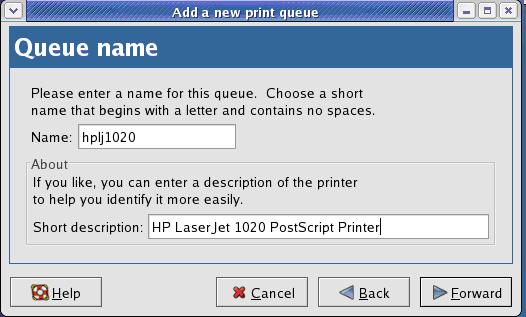
- Name = hplj1020 (choose your own)
- Short description = HP LaserJet 1020 PostScript Printer (choose your own)
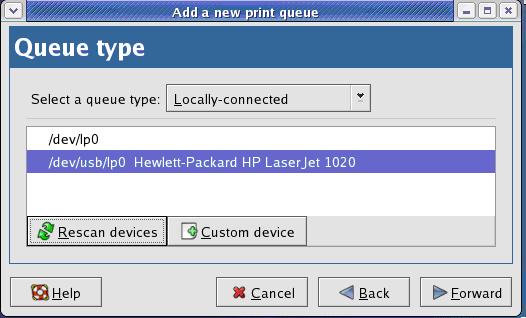
Select the printer.
Note: If the printer is just connected, use button “Rescan devices” to list the printer.
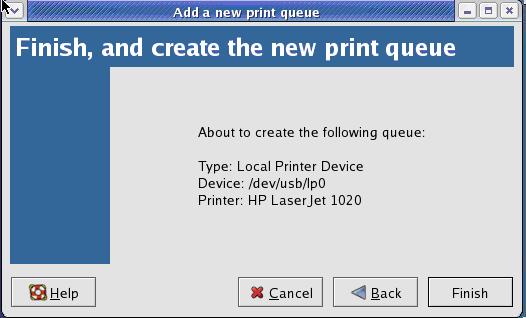
Select the Manufacturer and Model of the printer.
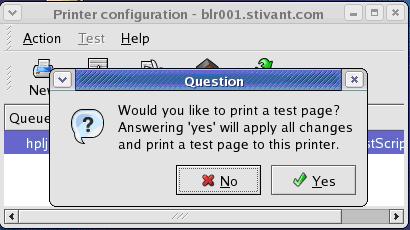
Click the Button “Yes” (for test page).
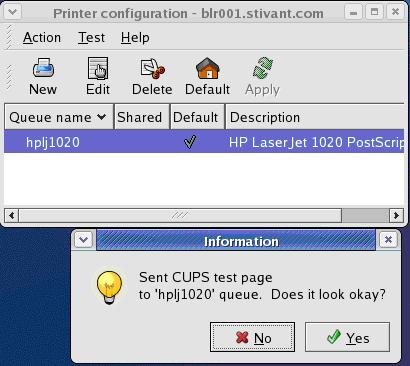
If the test print is ok
Click button “Yes”.





