
Importing Outlook Express Emails Into Thunderbird And Evolution - Page 4
Do you like HowtoForge? Please consider supporting us by becoming a subscriber.
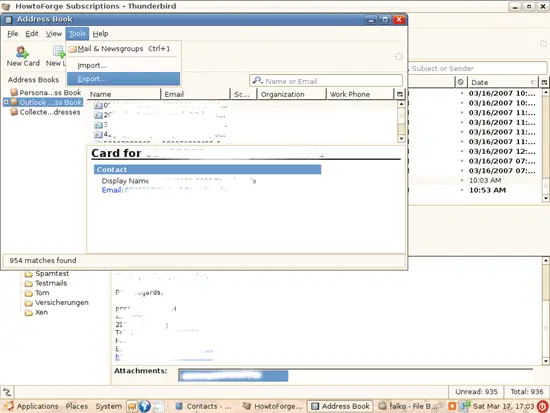
6 Evolution - Importing ContactsTo import the address book into Evolution, we must open Thunderbird on our Linux desktop again. Open Thunderbird's address book and go to Tools > Export...:
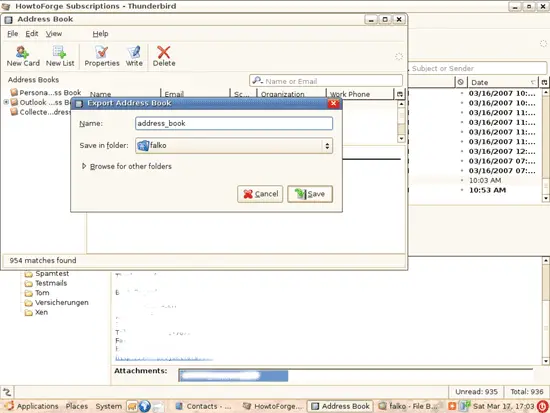
Select a location to store the exported address book:
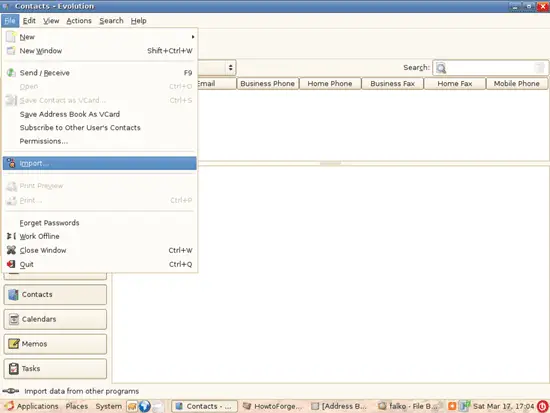
Afterwards, you can close Thunderbird. In Evolution, go to File > Import... again:
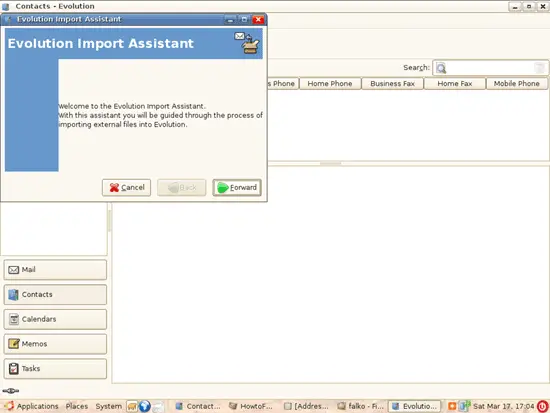
The Evolution Import Assistant comes up again:
Choose Import a single file:
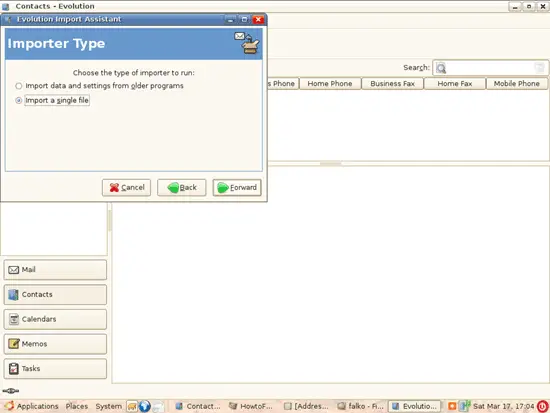
Then pick the address book file you've just created with Thunderbird (it should have the extension .ldif):
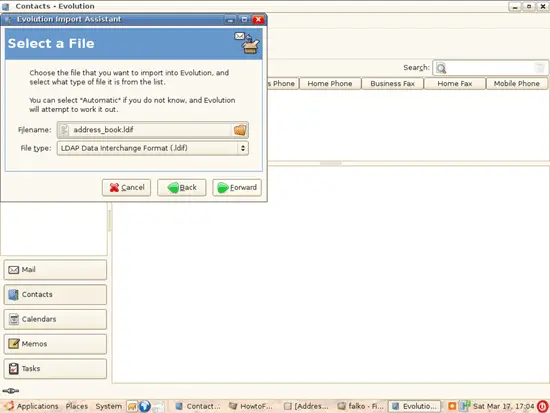
Select On This Computer > Personal as the import location:
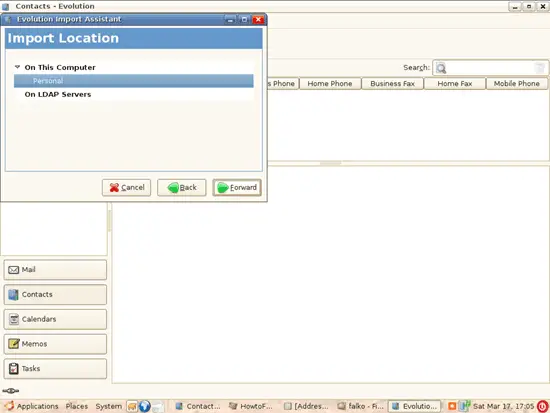
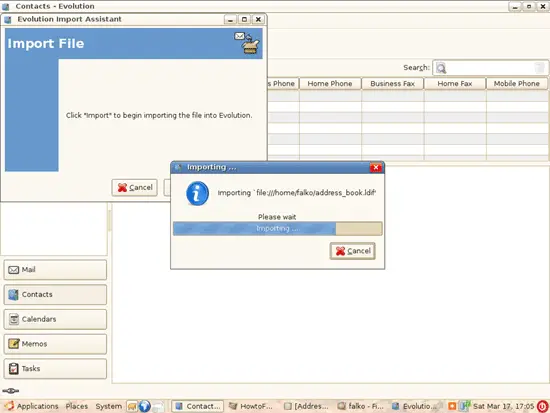
Then click on Import:
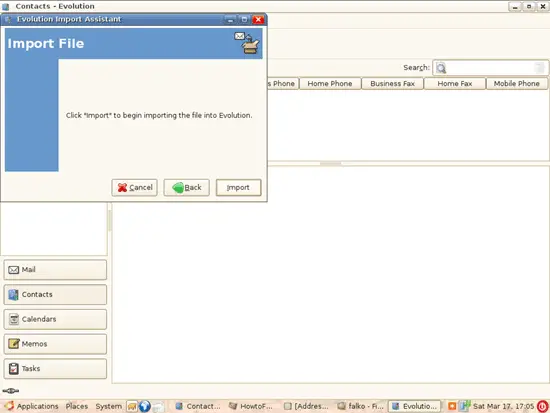
The contacts are being imported:
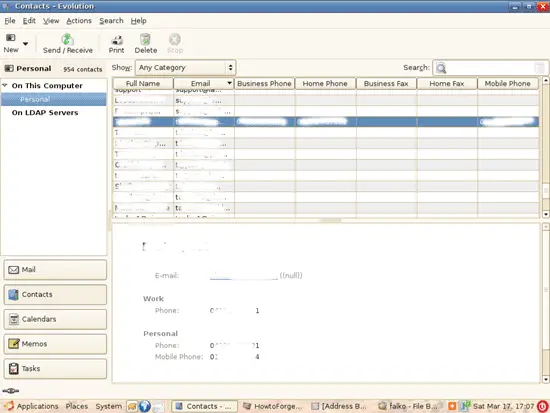
Afterwards, all your Outlook Express contacts should be listed in Evolution:
7 Links
|
Sponsored Links:
Unified Communications: Thoughts, Strategies and Predictions
Join the discussion.
www.seamlessenterprise.com
IP Convergence
Integrate your wireless and wireline networks.
Learn how from the experts at Sprint.
www.seamlessenterprise.com
Wireless & Wireline Integration
Thoughts, strategies and solutions: join the discussion
www.seamlessenterprise.com
Unified Communications 2009
Join the Discussion. Now.
www.seamlessenterprise.com
Join the discussion.
www.seamlessenterprise.com
IP Convergence
Integrate your wireless and wireline networks.
Learn how from the experts at Sprint.
www.seamlessenterprise.com
Wireless & Wireline Integration
Thoughts, strategies and solutions: join the discussion
www.seamlessenterprise.com
Unified Communications 2009
Join the Discussion. Now.
www.seamlessenterprise.com


print: 
Recent comments
23 hours 19 min ago
1 day 48 min ago
1 day 4 hours ago
1 day 7 hours ago
1 day 10 hours ago
1 day 10 hours ago
1 day 11 hours ago
1 day 12 hours ago
1 day 13 hours ago
1 day 13 hours ago
