
Twitter Clients For Ubuntu 8.04 Desktop - Page 2
On this page
2 gtwitter
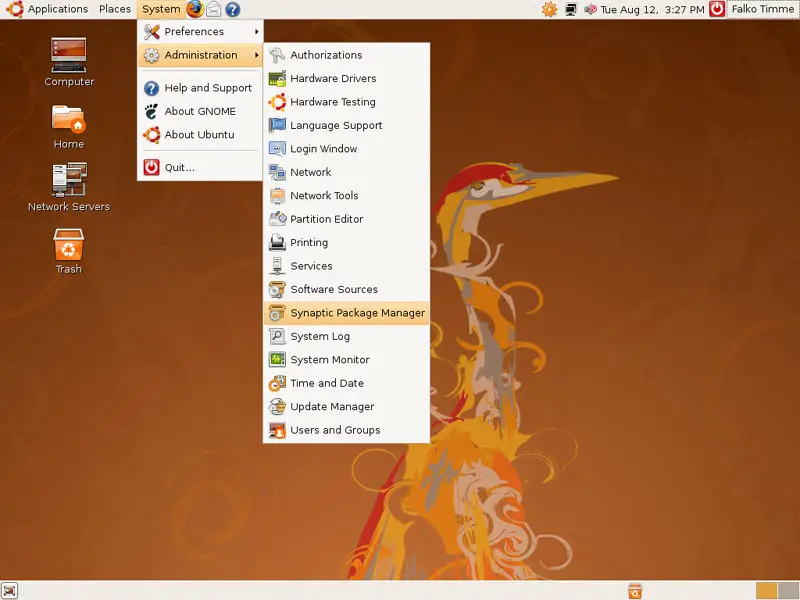
Open the Synaptic Package Manager (System > Administration > Synaptic Package Manager):
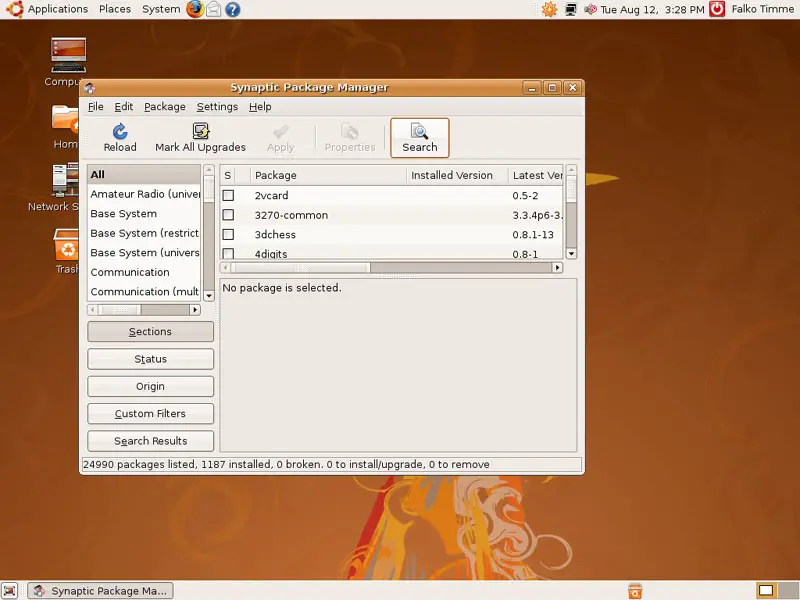
In the Synaptic Package Manager, click on the Search button...
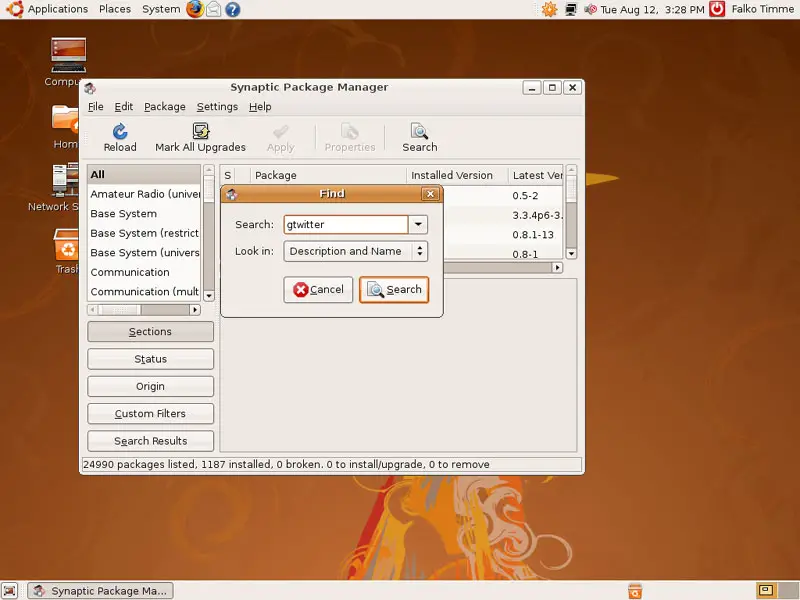
... and type gtwitter in the search box:
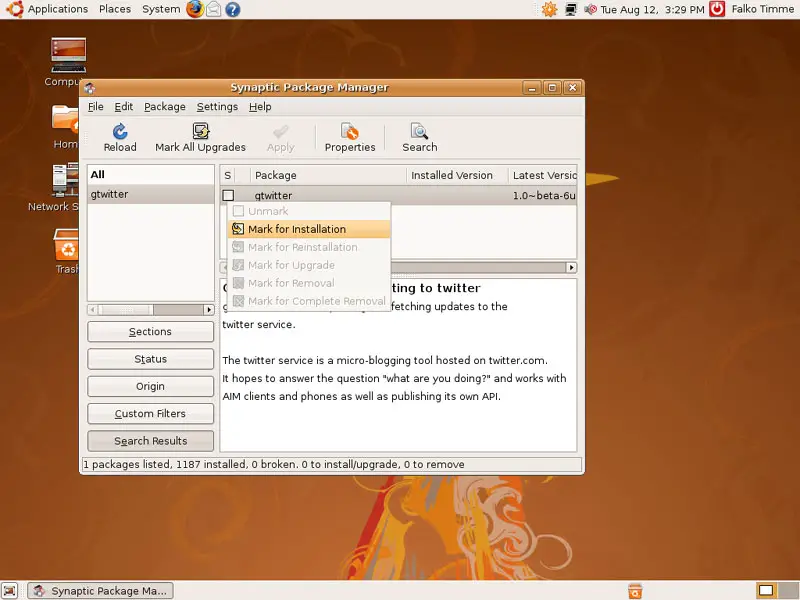
The package gtwitter should appear in the search result. Click on the checkbox left of it and select Mark for Installation from the drop-down menu:
Click on Apply afterwards:
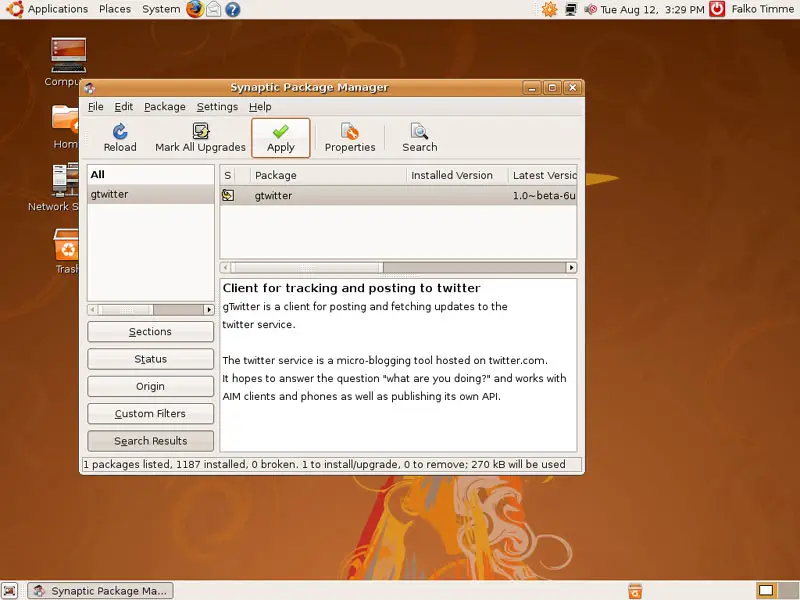
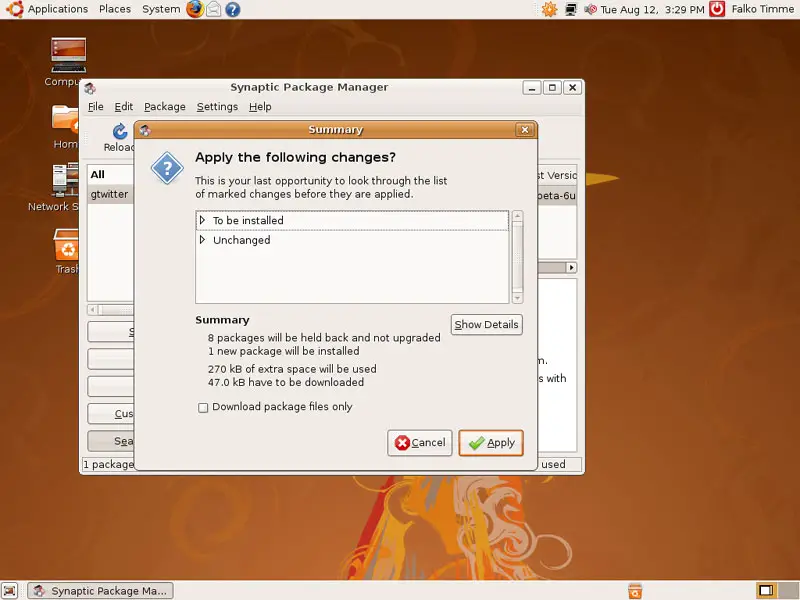
Confirm your selection by clicking on Apply again:
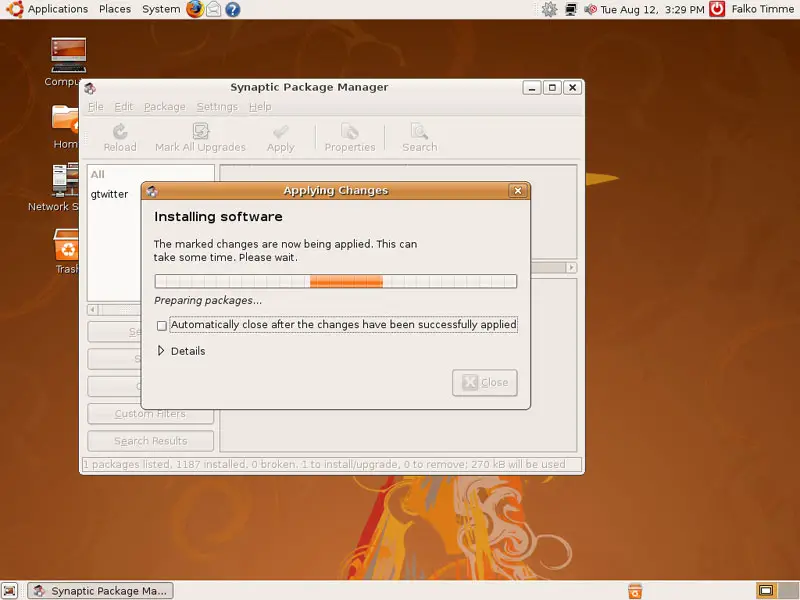
gtwitter is now being downloaded and installed:
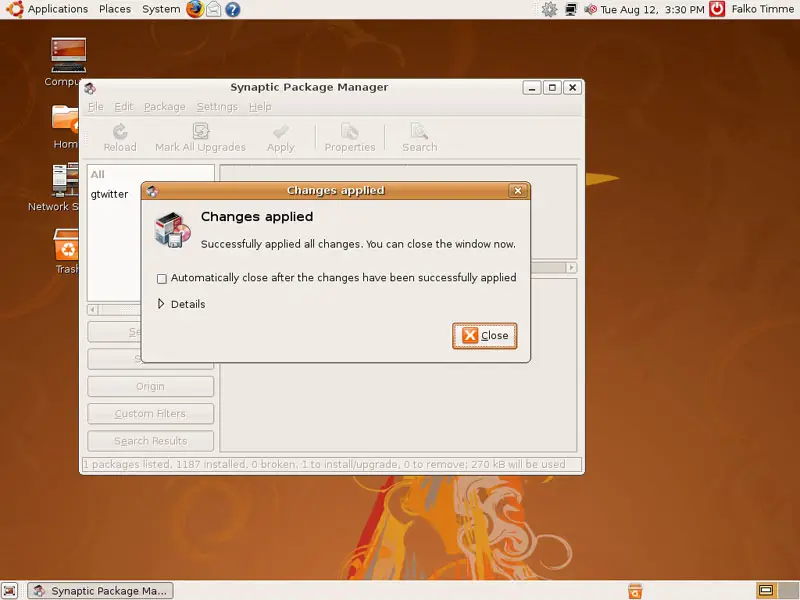
Click on Close after the installation and leave the Synaptic Package Manager:
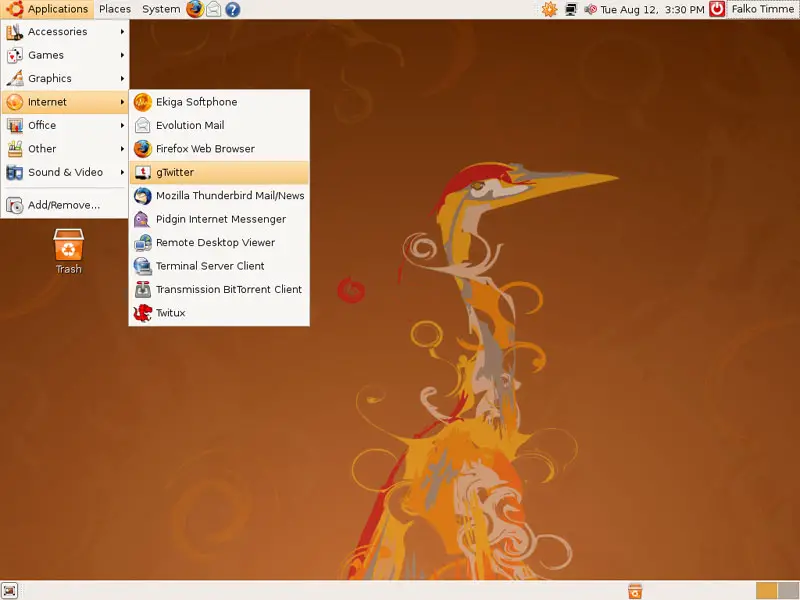
To start gTwitter, go to Applications > Internet > gTwitter:
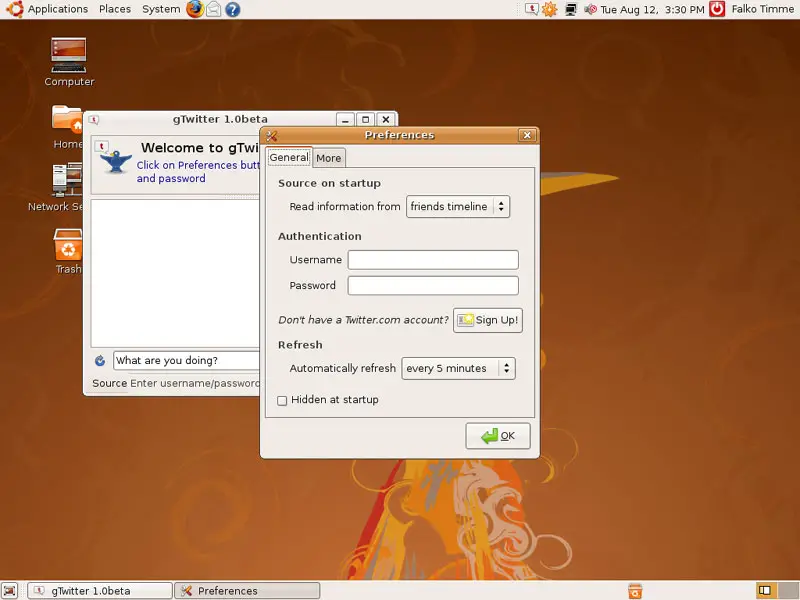
When you run gTwitter for the first time, you are asked to provide your Twitter username and password. You can also select if you want to see your friends timeline or the public timeline, and how often you want gTwitter to refresh the list:
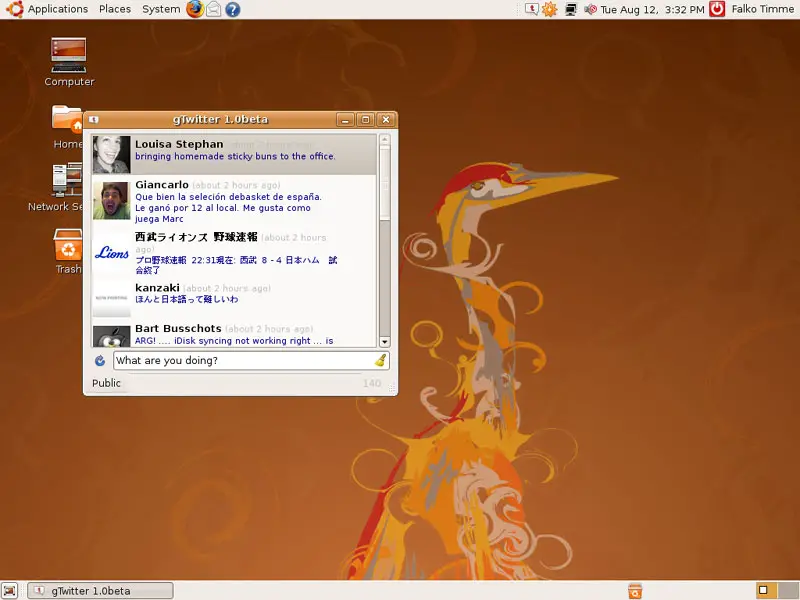
Afterwards, you see the selected timeline. To make a post, write something in the box saying What are you doing? and press ENTER:
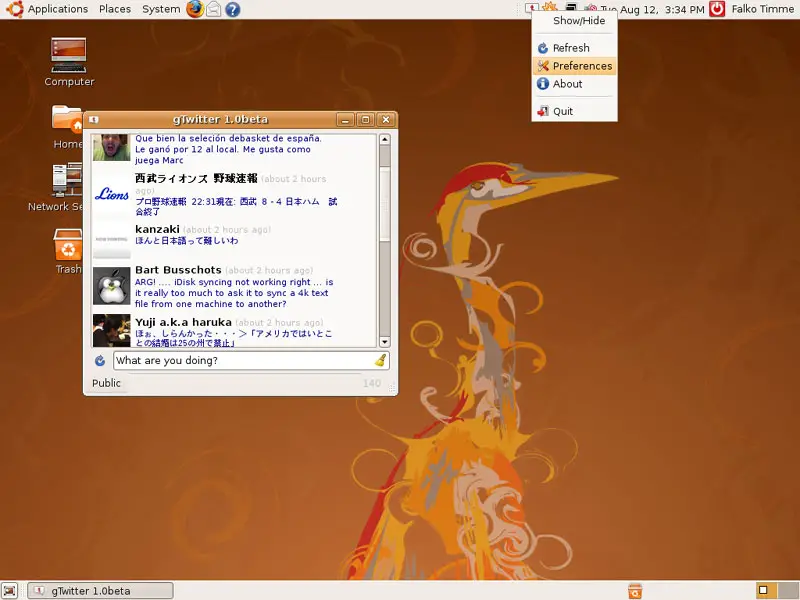
There's also a gTwitter icon in the taskbar. You can change your gTwitter settings by clicking on it and select Preferences:
3 Links
- Twitux: http://live.gnome.org/DanielMorales/Twitux
- gTwitter: http://code.google.com/p/gtwitter
- Twitter: http://twitter.com
- Ubuntu: http://www.ubuntu.com





