
The Perfect Desktop - Debian Lenny - Page 3
This tutorial exists for these OS versions
- Debian 6 (Squeeze)
- Debian 5 (Lenny)
- Fedora 8
- Debian 4 (Etch)
- Fedora 6
On this page
7 Flash Player
Debian Lenny comes with the Flash Player 9 installed by default, but we've just installed Flash Player 10 in the previous chapter (from Debian-Multimedia). Here's how we can disable Flash Player 9 and enable Flash Player 10 in Firefox/Iceweasel:
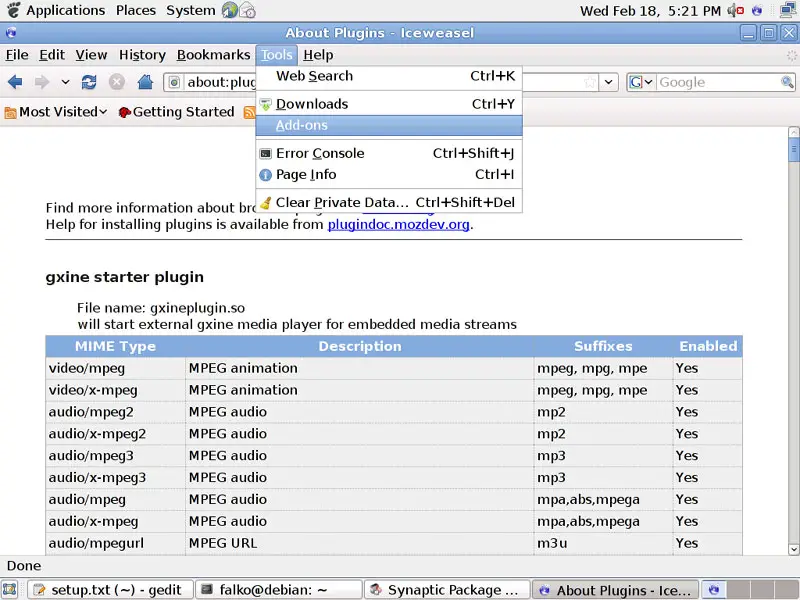
In Firefox/Iceweasel, go to Tools > Add-ons:
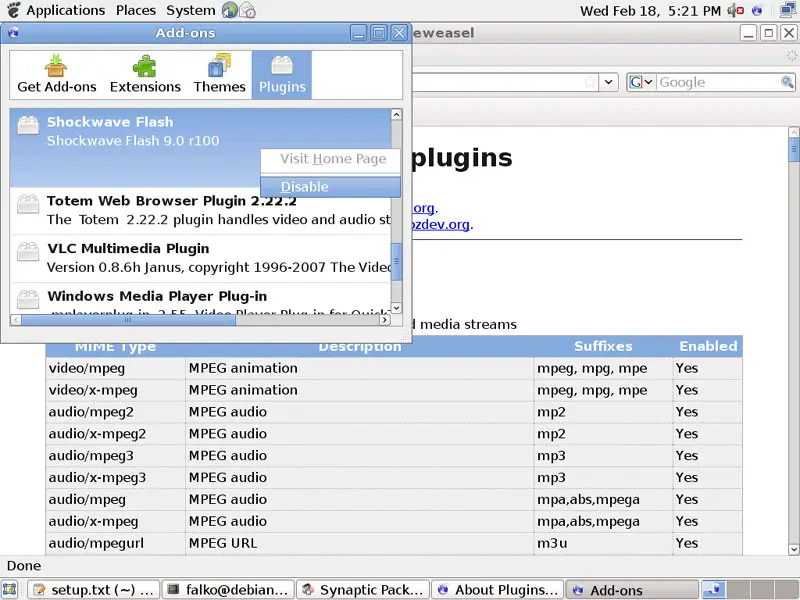
Go to Plugins, right-click on the Shockwave Flash plugin and select Disable:
Afterwards, open a terminal, become root...
su
... and run the following command to copy Flash Player 10 to the Firefox/Iceweasel plugin directory:
cp /usr/lib/flashplayer-mozilla/libflashplayer.so /usr/lib/mozilla/plugins/
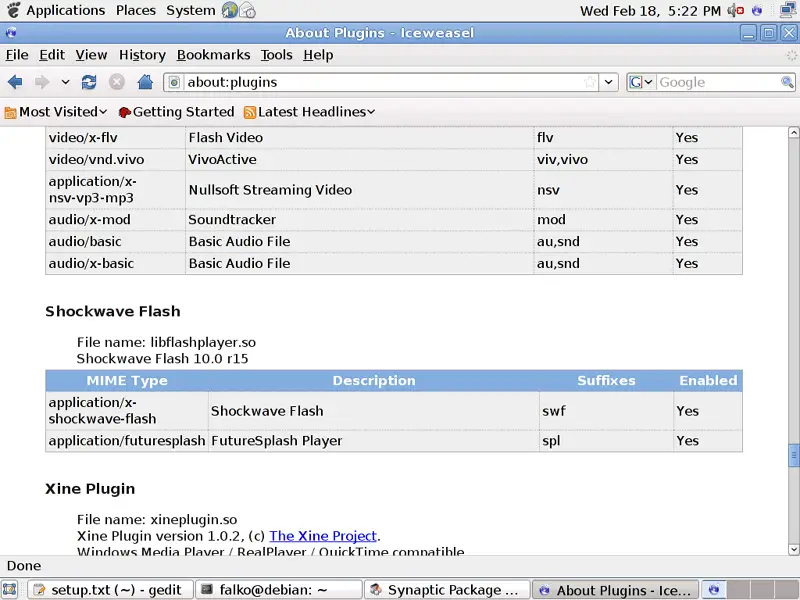
In Firefox/Iceweasel, type about:plugins in the address bar. Firefox/Iceweasel will then list all installed plugins, and it should list the Flash Player (version 10.0r15) among them:
8 TrueType Fonts
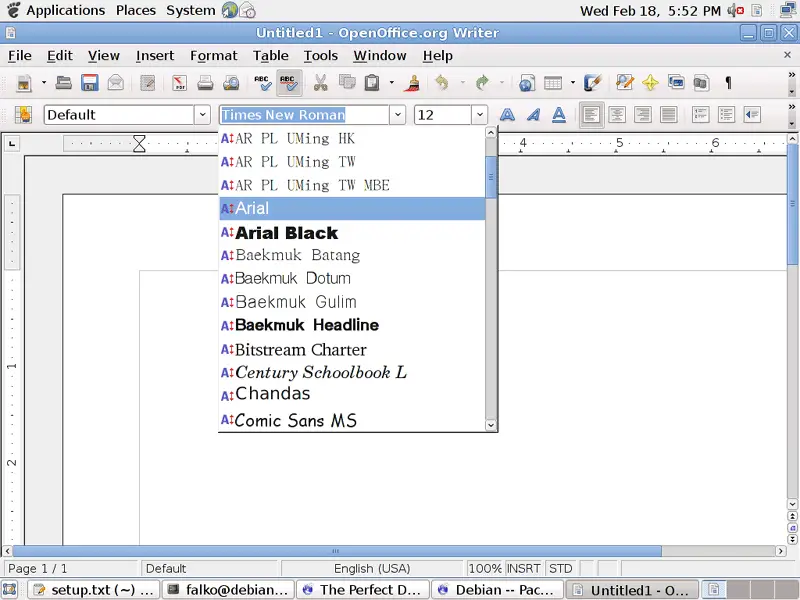
To check if the TrueType fonts have been installed correctly, open a word processor like OpenOffice. You should now find your new Windows fonts there:
9 Inventory (II)
Now let's check again what we have so far by browsing the menus again:
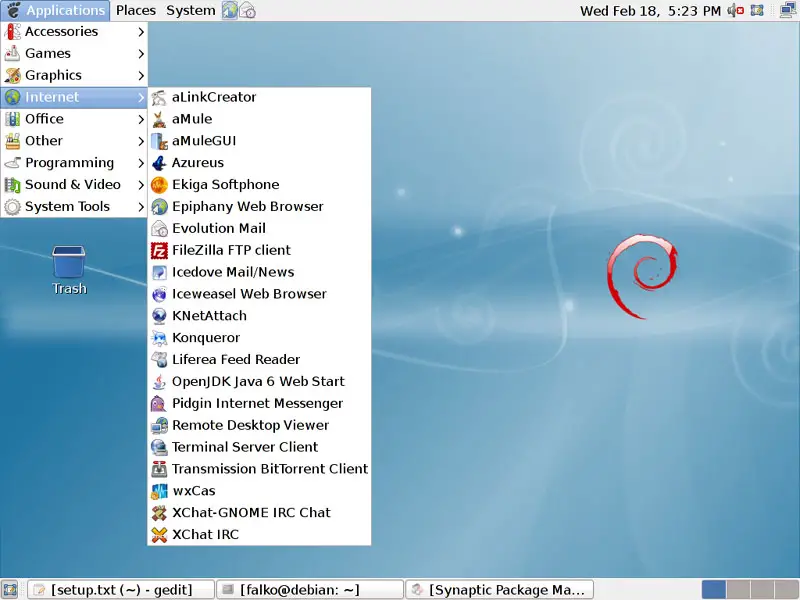
Our inventory should now look like this:
Graphics:
[x] The GIMP
[x] F-Spot
[ ] Picasa
Internet:
[x] Firefox/Iceweasel
[ ] Opera
[x] Flash Player
[x] FileZilla
[x] Thunderbird/Icedove
[x] Evolution
[x] aMule
[x] Transmission BitTorrent Client
[x] Azureus/Vuze
[x] Pidgin
[ ] Skype
[ ] Google Earth
[x] Xchat IRC
Office:
[x] OpenOffice Writer
[x] OpenOffice Calc
[x] Adobe Reader
[x] GnuCash
[x] Scribus
Sound & Video:
[x] Amarok
[x] Audacity
[x] Banshee
[x] MPlayer
[x] Rhythmbox Music Player
[x] gtkPod
[x] XMMS
[x] dvd::rip
[x] Kino
[x] Sound Juicer CD Extractor
[x] VLC Media Player
[x] Real Player
[x] Totem
[x] Xine
[x] Brasero
[x] K3B
[x] Multimedia-Codecs
Programming:
[ ] KompoZer
[x] Bluefish
[x] Quanta Plus
Other:
[ ] VMware Server
[x] TrueType fonts
[x] Java
[x] Read/Write support for NTFS partitions





