Serving CGI Scripts With Nginx On Fedora 15
Version 1.0
Author: Falko Timme  Follow me on Twitter
This tutorial shows how you can serve CGI scripts (Perl scripts) with nginx on Fedora 15. While nginx itself does not serve CGI, there are several ways to work around this. I will outline two solutions: the first is to proxy requests for CGI scripts to Thttpd, a small web server that has CGI support, while the second solution uses a CGI wrapper to serve CGI scripts.
I do not issue any guarantee that this will work for you!
1 Preliminary Note
I'm using the website www.example.com here with the document root /var/www/www.example.com/web/; the vhost configuration is located in /etc/nginx/conf.d/www.example.com.vhost.
2 Using Thttpd
In this chapter I am going to describe how to configure nginx to proxy requests for CGI scripts (extensions .cgi or .pl) to Thttpd. I will configure Thttpd to run on port 8000.
First we install Thttpd. There is a Thttpd package for Fedora 15, but the nginx ThttpdCGI page says that Thttpd should be patched - therefore we download the src.rpm package for Fedora 15, patch it and build a new rpm package from it.
We need to install the tools that are required to build a new rpm package:
yum groupinstall 'Development Tools'
Install yum-utils (the package contains the yumdownloader tool which allows us to download a src.rpm):
yum install yum-utils
Next we download the Thttpd src.rpm package for Fedora 15:
cd /usr/src
yumdownloader --source thttpd
ls -l
[root@server1 src]# ls -l
total 160
drwxr-xr-x. 2 root root   4096 May 18 13:33 debug
drwxr-xr-x. 3 root root   4096 May 25 16:00 kernels
-rw-r--r--  1 root root 155581 Feb 12  2011 thttpd-2.25b-24.fc15.src.rpm
[root@server1 src]#
rpm -ivh thttpd-2.25b-24.fc15.src.rpm
You can ignore the following warnings:
[root@server1 src]# rpm -ivh thttpd-2.25b-24.fc15.src.rpm
   1:thttpd                 warning: user mockbuild does not exist - using root
warning: group mockbuild does not exist - using root
warning: user mockbuild does not exist - using root
warning: group mockbuild does not exist - using root
warning: user mockbuild does not exist - using root
warning: group mockbuild does not exist - using root
warning: user mockbuild does not exist - using root
warning: group mockbuild does not exist - using root
warning: user mockbuild does not exist - using root
warning: group mockbuild does not exist - using root
warning: user mockbuild does not exist - using root
warning: group mockbuild does not exist - using root
warning: user mockbuild does not exist - using root
warning: group mockbuild does not exist - using root
warning: user mockbuild does not exist - using root
warning: group mockbuild does not exist - using root
warning: user mockbuild does not exist - using root
warning: group mockbuild does not exist - using root
########################################### [100%]
[root@server1 src]#
Now we download the patch to the /root/rpmbuild/SOURCES/ directory and modify the /root/rpmbuild/SPECS/thttpd.spec file accordingly:
cd /root/rpmbuild/SOURCES/
wget -O thttpd-2.25b-ipreal.patch http://www.danielclemente.com/amarok/ip_real.txt
cd /root/rpmbuild/SPECS/
vi thttpd.spec
Add the lines Patch3: thttpd-2.25b-ipreal.patch and %patch3 -p1 -b .ipreal:
[...] Patch0: thttpd-2.25b-CVE-2005-3124.patch Patch1: thttpd-2.25b-fixes.patch Patch2: thttpd-2.25b-getline.patch Patch3: thttpd-2.25b-ipreal.patch [...] %prep %setup -q %patch0 -p1 -b .CVE-2005-3124 %patch1 -p1 -b .fixes %patch2 -p1 -b .getline %patch3 -p1 -b .ipreal [...] |
Now we build our Thttpd rpm package as follows:
rpmbuild -ba thttpd.spec
Our Thttpd rpm package is created in /root/rpmbuild/RPMS/x86_64 (/root/rpmbuild/RPMS/i386 if you are on an i386 system), so we go there:
cd /root/rpmbuild/RPMS/x86_64
ls -l
[root@server1 x86_64]# ls -l
total 196
-rw-r--r-- 1 root root  68909 Oct  5 17:16 thttpd-2.25b-24.fc15.x86_64.rpm
-rw-r--r-- 1 root root 129701 Oct  5 17:16 thttpd-debuginfo-2.25b-24.fc15.x86_64.rpm
[root@server1 x86_64]#
Install the Thttpd package as follows:
rpm -ivh thttpd-2.25b-24.fc15.x86_64.rpm
Then we make a backup of the original /etc/thttpd.conf file and create a new one as follows:
mv /etc/thttpd.conf /etc/thttpd.conf_orig
vi /etc/thttpd.conf
# BEWARE : No empty lines are allowed! # This section overrides defaults # This section _documents_ defaults in effect # port=80 # nosymlink # default = !chroot # novhost # nocgipat # nothrottles # host=0.0.0.0 # charset=iso-8859-1 host=127.0.0.1 port=8000 user=thttpd logfile=/var/log/thttpd.log pidfile=/var/run/thttpd.pid dir=/var/www cgipat=**.cgi|**.pl |
This will make Thttpd listen on port 8000 on 127.0.0.1; its document root is /var/www.
Create the system startup links for Thttpd...
chkconfig --levels 235 thttpd on
... and start it:
/etc/init.d/thttpd start
Next create /etc/nginx/proxy.conf:
vi /etc/nginx/proxy.conf
proxy_redirect off; proxy_set_header Host $host; proxy_set_header X-Real-IP $remote_addr; proxy_set_header X-Forwarded-For $proxy_add_x_forwarded_for; client_max_body_size 10m; client_body_buffer_size 128k; proxy_connect_timeout 90; proxy_send_timeout 90; proxy_read_timeout 90; |
Now open your vhost configuration file...
vi /etc/nginx/conf.d/www.example.com.vhost
... and add a location /cgi-bin {} section to the server {} container:
server {
[...]
   location /cgi-bin {
      include proxy.conf;
      proxy_pass http://127.0.0.1:8000;
   }
[...]
}
|
Reload nginx:
/etc/init.d/nginx reload
Because Thttpd's document root is /var/www, location /cgi-bin translates to the directory /var/www/cgi-bin (this is true for all your vhosts, which means each vhost must place its CGI scripts in /var/www/cgi-bin; this is a drawback for shared hosting environments; the solution is to use a CGI wrapper as described in chapter 3 instead of Thttpd).
Create the directory...
mkdir /var/www/cgi-bin
... and then place your CGI scripts in it and make them executable. For testing purposes I will create a small Hello World Perl script (instead of hello_world.cgi you can also use the extension .pl -> hello_world.pl):
vi /var/www/cgi-bin/hello_world.cgi
#!/usr/bin/perl -w

     # Tell perl to send a html header.
     # So your browser gets the output
     # rather then <stdout>(command line
     # on the server.)
print "Content-type: text/html\n\n";

     # print your basic html tags.
     # and the content of them.
print "<html><head><title>Hello World!! </title></head>\n";
print "<body><h1>Hello world</h1></body></html>\n";
|
chmod 755 /var/www/cgi-bin/hello_world.cgi
Open a browser and test the script:
http://www.example.com/cgi-bin/hello_world.cgi
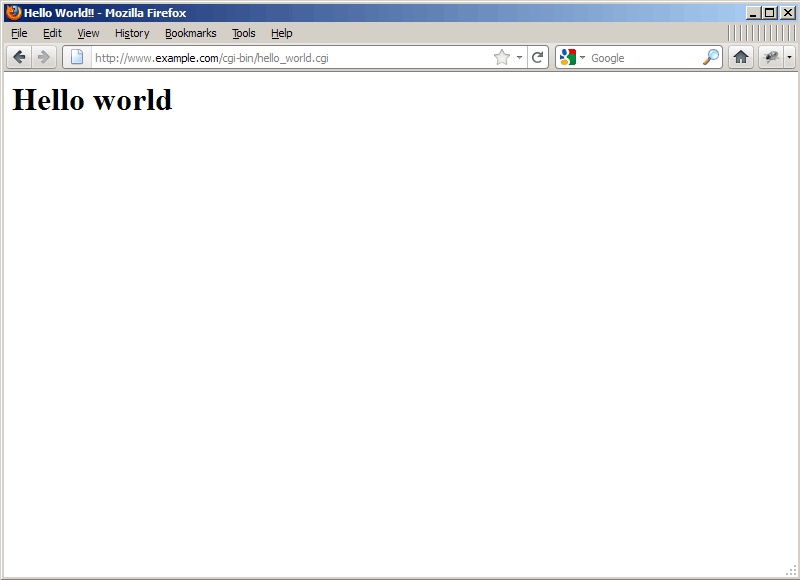
If all goes well, you should get the following output: