
Samba Fileserver With SWAT On Fedora 8 - Page 2
5 Adding And Managing Samba Shares
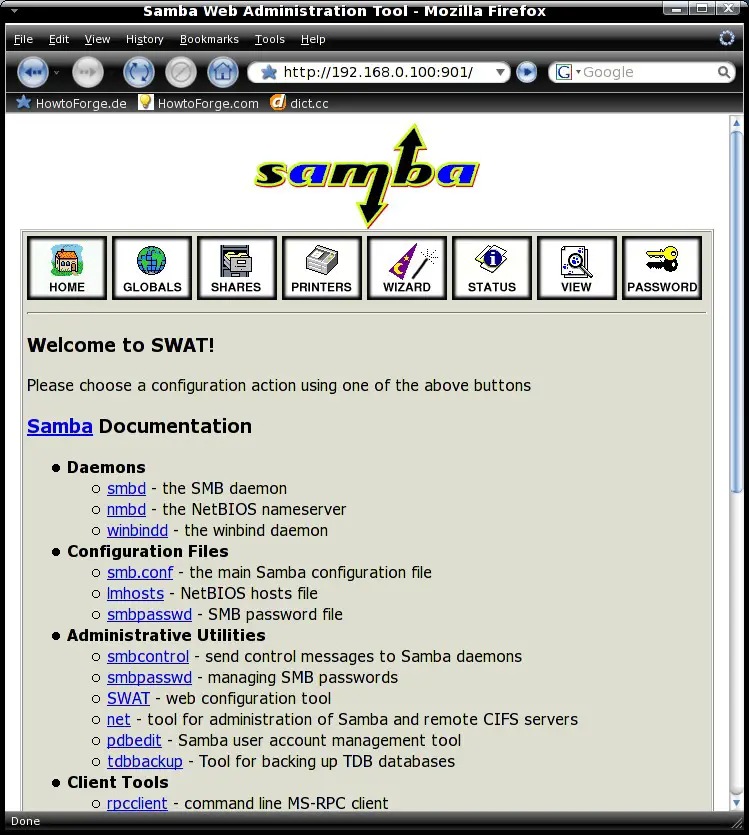
Connect to swat with your preferred browser.
http://%host_ip%:901
E.g.:
http://192.168.0.100:901
The swat webinterface appears:
5.1 Preliminary Note
A share for the user's home directories is created by default - edit it as you like. For example I'll create a share that's accessible by all users. You should have a look at the other swat features - they are all well explained.
5.1.1 Directory
First we have to create the directory that we want to share. Afterwards we change the owner, group and permissions.
mkdir -p /home/shares/allusers/
chown -R root:users /home/shares/allusers/
chmod -R 775 /home/shares/allusers/
5.1.2 Share Configuration
Click on "SHARES" in the swat menu. Afterwards insert a desired name for the new share into the corresponding field and click on "Create Share".
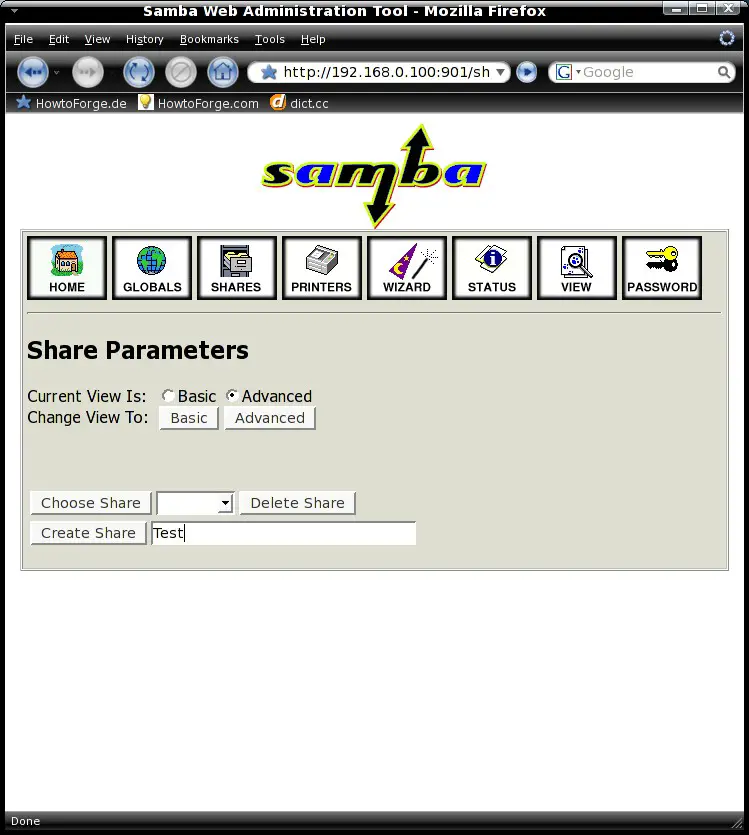
Now change the view to Advanced in the upper menu and edit the settings for the share.
- comment = Share for all users (or something other)
- path = /home/shares/allusers/ (the path to the directory that you created in step 5.1.1)
- valid users = @users
- force group = users
- read only = No (if the users should be able to write to this share)
- create mask = 0660
- security mask = 0660
- directory mask = 0771
- directory security mask = 0771
- available = Yes
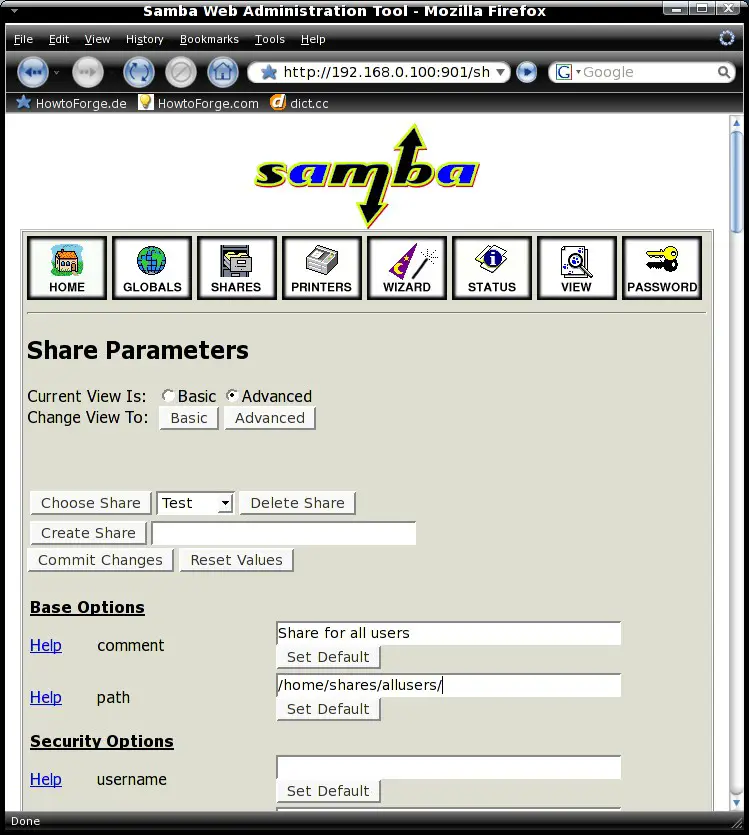
After that click on "Commit Changes" in the upper menu.
6 Adding And Managing Users
6.1 Linux System
Before you can add a user to Samba you have to create a useraccount on the Linux system.
useradd %username% -m -G users
E.g.:
useradd olli -m -G users
If the user shall also be able to access the Linux system, you have to assign a password to the user account. This is not required to access the Samba server - so if the user shall only have access to Samba proceed with step 6.2 .
passwd %username%
E.g.:
passwd olli
Now enter a password for the user.
6.2 Samba
In this step we add an existing user to the Samba user database:
smbpasswd -a %username%
E.g.:
smbpasswd -a olli
Afterwards you should be able access the Samba shares from your Windows workstation(s) via file browser or network drive.
7 Links
- Fedora: http://fedoraproject.org/
- Samba: http://www.samba.org/





