
How To Enable NTFS Write Support (ntfs-3g) On Mandriva 2007 Spring - Page 3
On this page
5 Troubleshooting
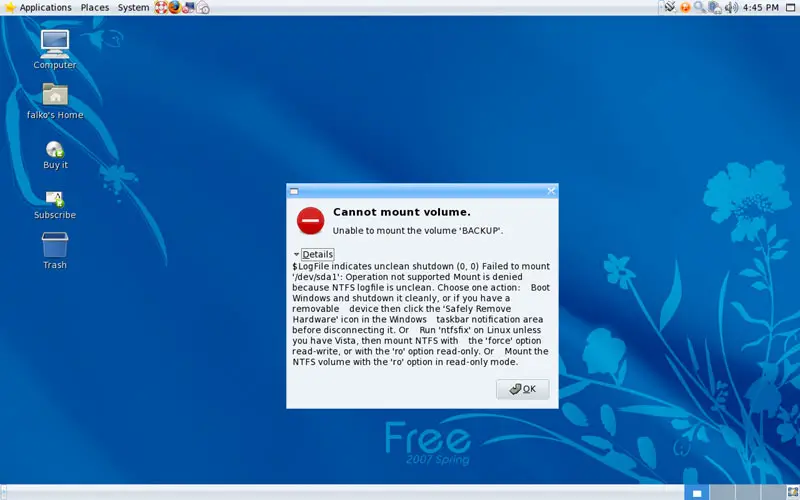
If you plug in your NTFS drive, and it doesn't get mounted, but you see an error message saying something like:
Cannot mount volume.
Unable to mount the volume 'BACKUP'.
$LogFile indicates unclean shutdown (0, 0) Failed to mount '/dev/sda1': Operation not supported Mount is denied because NTFS logfile is unclean. Choose one action: Boot Windows and shutdown it cleanly, or if you have a removable device then click the 'Safely Remove Hardware' icon in the Windows taskbar notification area before disconnecting it. Or Run 'ntfsfix' on Linux unless you have Vista, then mount NTFS with the 'force' option read-write, or with the 'ro' option read-only. Or Mount the NTFS volume with the 'ro' option in read-only mode.
this means that the NTFS drive wasn't safely removed from your Windows system before.
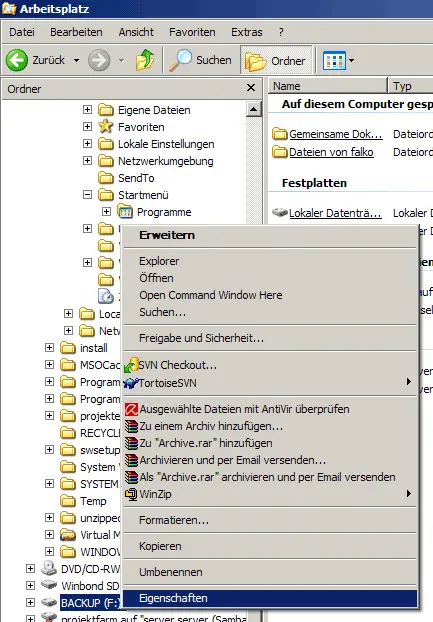
To fix this, we must boot into our Windows system again and plug in our NTFS drive. In the Windows Explorer, right-click on the drive and select Properties:
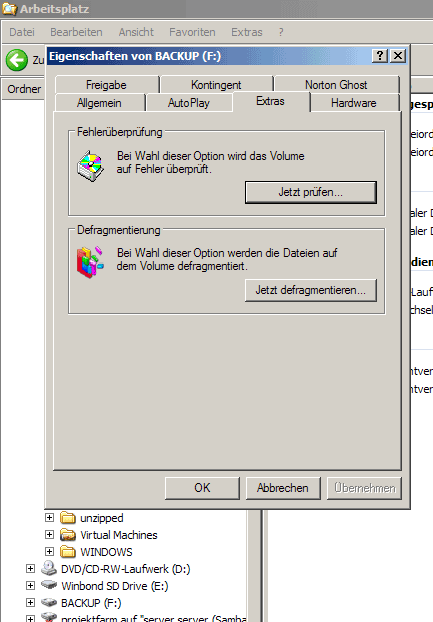
Then go to the Extras tab and select to check the drive for errors (it's the first button saying Jetzt prüfen... in this screenshot (I got a German Windows...)):
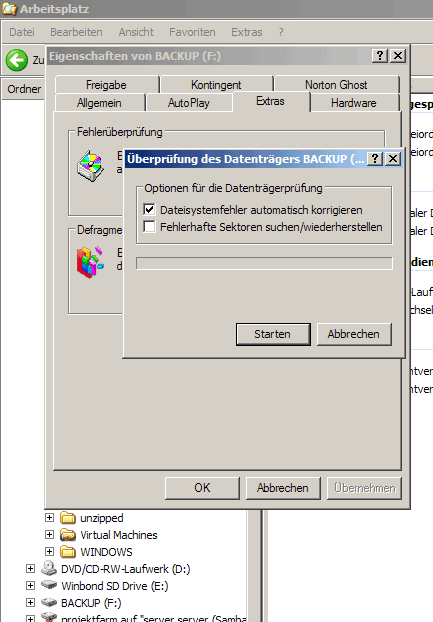
Select the option to automatically correct filesystem errors (Dateisystemfehler automatisch korrigieren):
The drive is now being checked:
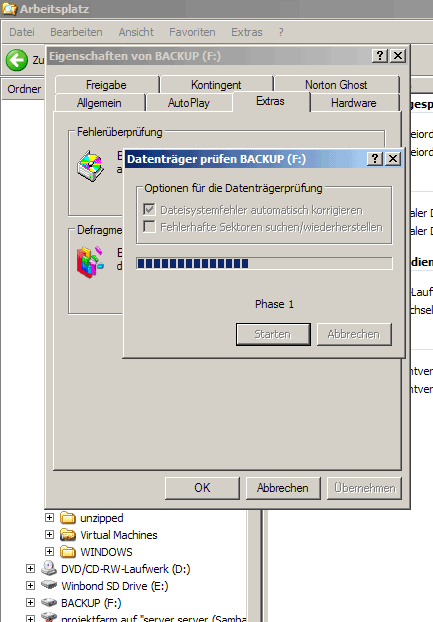
Click on OK afterwards:
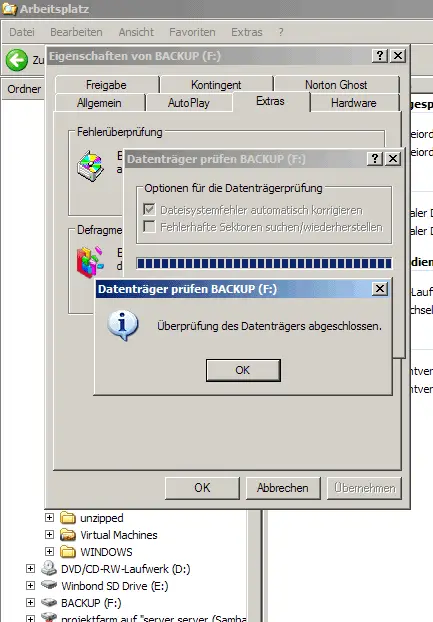
Afterwards, you must safely remove the drive by clicking on the green arrow in the task bar. You should always use this option from now on instead of simply unplugging the drive, because if you simply unplug the drive, you'll get the Cannot mount volume error again in Mandriva.

A few seconds after you've selected to safely remove the drive, Windows tells you that the drive can now be disconnected:
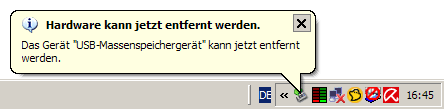
Afterwards, you can connect the drive to your Mandriva system, and it should now be mounted without errors.
6 Links
- ntfs-3g: http://www.ntfs-3g.org
- Mandriva: http://www.mandriva.com/en/community





