Installing Xbox Media Center (XBMC) On Fedora 9 (i386) - Page 2
Do you like HowtoForge? Please consider supporting us by becoming a subscriber.
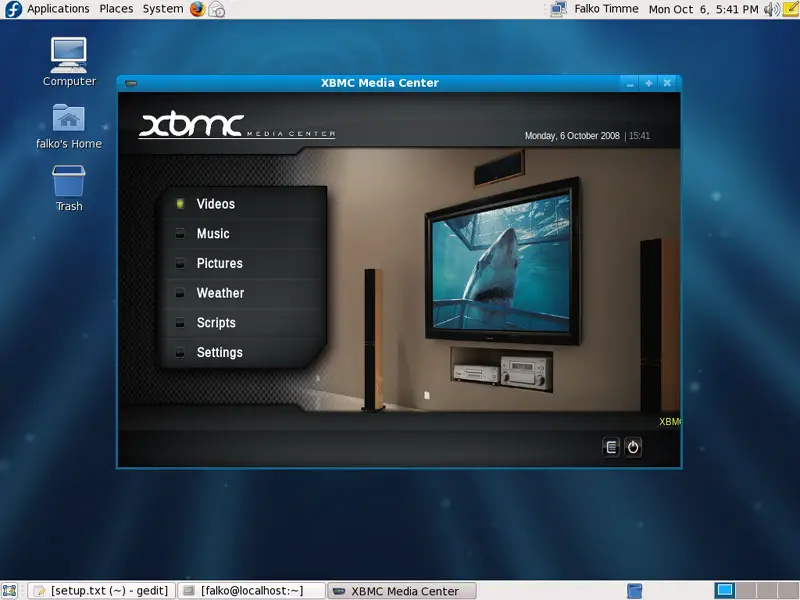
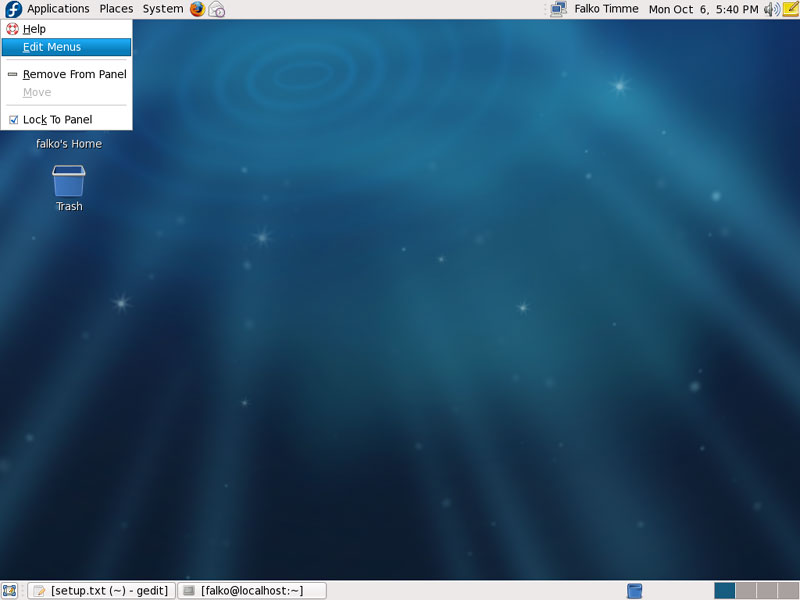
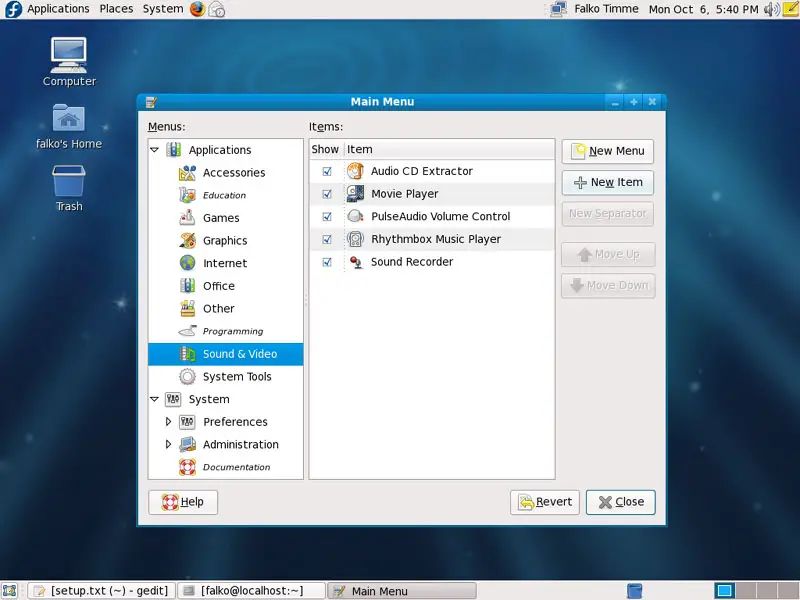
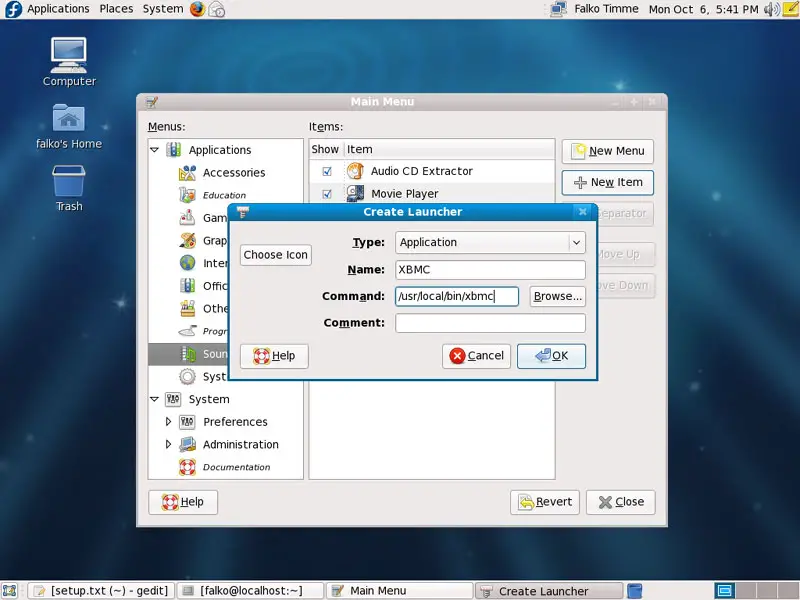
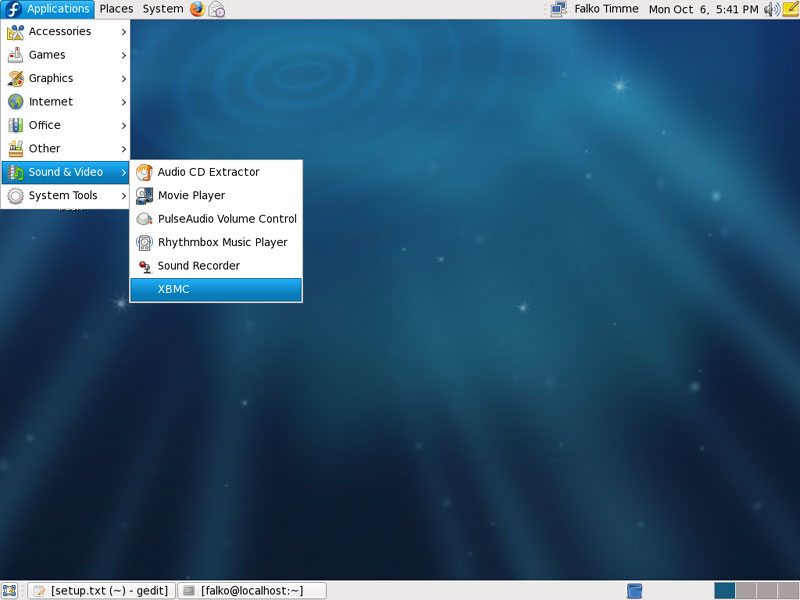
2 Creating A Launcher For XBMCIf you don't want to start XBMC from the command line, you can create a launcher for it. First, we have to find out where the xbmc executable is located, so in the terminal, type: which xbmc This shows you the full path to the xbmc executable (provided that it is located in the PATH): [falko@localhost ~]$ which xbmc Now right-click on Applications and select Edit Menus: Select Sound & Video and click on the New Item button: The Create Launcher window comes up. Fill on XBMC as the Name and the path to the xbmc executable (/usr/local/bin/xbmc in my case) in the Command field and click on OK: Then close the menu editor. Afterwards you can start XBMC by going to Applications > Sound & Video > XBMC:
3 Links
|
Sponsored Links:
Unified Communications: Thoughts, Strategies and Predictions
Join the discussion.
www.seamlessenterprise.com
IP Convergence
Integrate your wireless and wireline networks.
Learn how from the experts at Sprint.
www.seamlessenterprise.com
Wireless & Wireline Integration
Thoughts, strategies and solutions: join the discussion
www.seamlessenterprise.com
Unified Communications 2009
Join the Discussion. Now.
www.seamlessenterprise.com
Red Hat Virtual Experience - a free virtual event. Dec. 9th
Join the discussion.
www.seamlessenterprise.com
IP Convergence
Integrate your wireless and wireline networks.
Learn how from the experts at Sprint.
www.seamlessenterprise.com
Wireless & Wireline Integration
Thoughts, strategies and solutions: join the discussion
www.seamlessenterprise.com
Unified Communications 2009
Join the Discussion. Now.
www.seamlessenterprise.com
Red Hat Virtual Experience - a free virtual event. Dec. 9th


print: 
Recent comments
12 hours 8 min ago
17 hours 56 min ago
19 hours 47 min ago
21 hours 32 min ago
1 day 1 hour ago
1 day 7 hours ago
1 day 7 hours ago
1 day 11 hours ago
1 day 17 hours ago
1 day 22 hours ago