
Installing Lighttpd With PHP5 And MySQL Support On Debian Lenny
This tutorial exists for these OS versions
- Debian 11 (Bullseye)
- Debian 8 (Jessie)
- Debian 7 (Wheezy)
- Debian 6 (Squeeze)
- Debian 5 (Lenny)
- Debian 4 (Etch)
On this page
Lighttpd is a secure, fast, standards-compliant web server designed for speed-critical environments. This tutorial shows how you can install Lighttpd on a Debian Lenny server with PHP5 support (through FastCGI) and MySQL support.
I do not issue any guarantee that this will work for you!
1 Preliminary Note
In this tutorial I use the hostname server1.example.com with the IP address 192.168.0.100. These settings might differ for you, so you have to replace them where appropriate.
2 Installing MySQL 5.0
First we install MySQL 5.0 like this:
aptitude install mysql-server mysql-client
You will be asked to provide a password for the MySQL root user - this password is valid for the user root@localhost as well as [email protected], so we don't have to specify a MySQL root password manually later on:
New password for the MySQL "root" user: <-- yourrootsqlpassword
Repeat password for the MySQL "root" user: <-- yourrootsqlpassword
3 Installing Lighttpd
Lighttpd is available as a Debian package, therefore we can install it like this:
aptitude install lighttpd
Now direct your browser to http://192.168.0.100, and you should see the Lighttpd placeholder page:
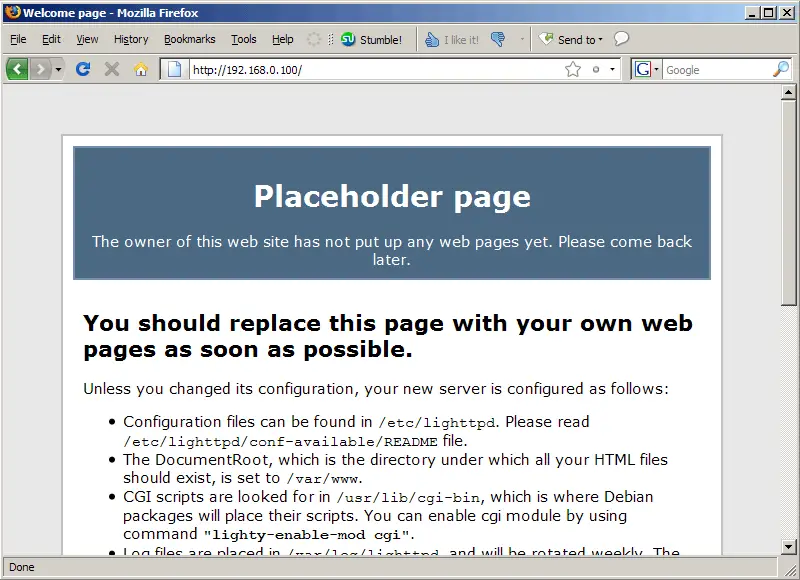
Lighttpd's default document root is /var/www on Debian, and the configuration file is /etc/lighttpd/lighttpd.conf. Additional configurations are stored in files in the /etc/lighttpd/conf-available directory - these configurations can be enabled with the lighttpd-enable-mod command which creates a symlink from the /etc/lighttpd/conf-enabled directory to the appropriate configuration file in /etc/lighttpd/conf-available. You can disable configurations with the lighttpd-disable-mod command.
4 Installing PHP5
We can make PHP5 work in Lighttpd through FastCGI. Fortunately, Debian provides a FastCGI-enabled PHP5 package which we install like this:
aptitude install php5-cgi
5 Configuring Lighttpd And PHP5
To enable PHP5 in Lighttpd, we must modify /etc/php5/cgi/php.ini and add the line cgi.fix_pathinfo = 1 right at the end of the file:
vi /etc/php5/cgi/php.ini
[...] cgi.fix_pathinfo = 1 |
To enable the fastcgi configuration (which is stored in /etc/lighttpd/conf-available/10-fastcgi.conf), run the following command:
lighttpd-enable-mod fastcgi
This creates a symlink /etc/lighttpd/conf-enabled/10-fastcgi.conf which points to /etc/lighttpd/conf-available/10-fastcgi.conf:
ls -l /etc/lighttpd/conf-enabled
server1:/usr/bin# ls -l /etc/lighttpd/conf-enabled
total 0
lrwxrwxrwx 1 root root 44 2009-03-19 15:16 10-fastcgi.conf -> /etc/lighttpd/conf-available/10-fastcgi.conf
server1:/usr/bin#
Then we reload Lighttpd:
/etc/init.d/lighttpd force-reload





