
Installing Google Android SDK 1.0 On Ubuntu 8.04 Desktop - Page 3
4 Creating A First Android Application ("Hello, Android")
This example is taken from http://code.google.com/android/intro/hello-android.html. It's a good test if your Android SDK is working as expected. We will create a small application that displays Hello, Android on an Android phone.
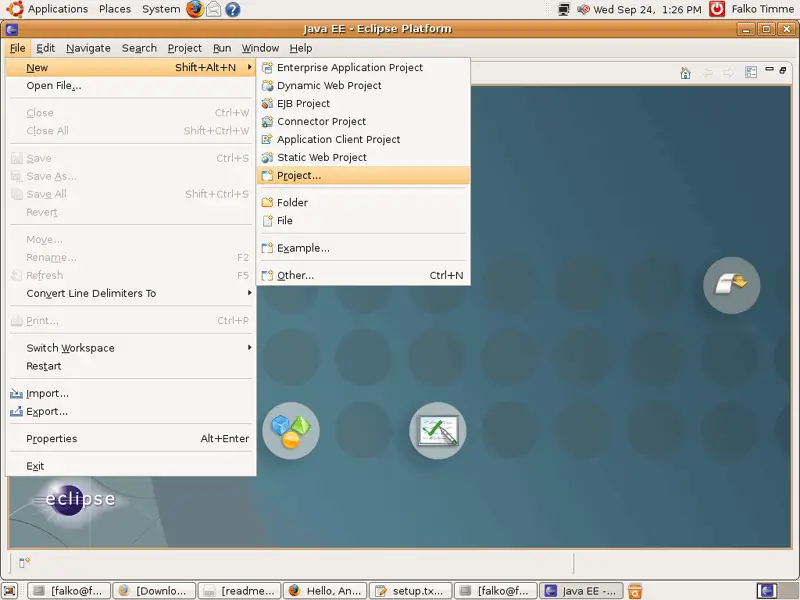
First, we create a new project (File > New > Project...):
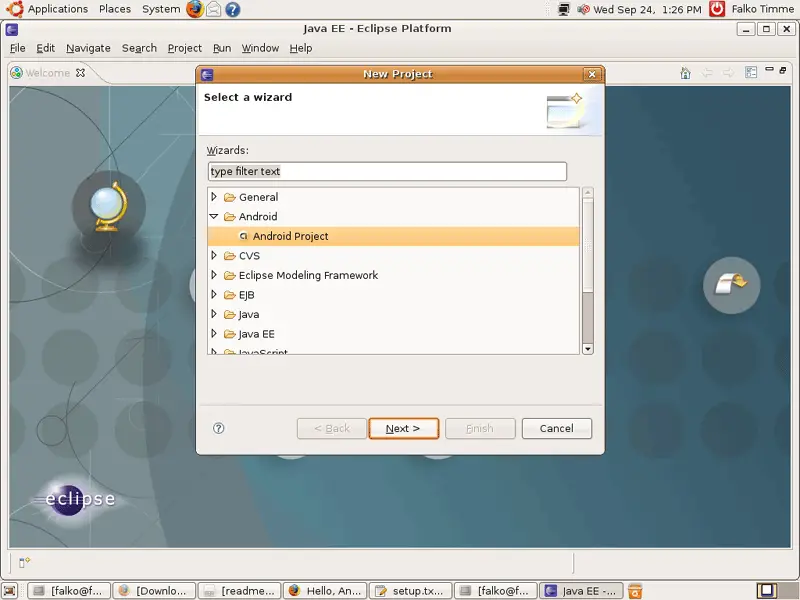
Select Android Project and click on Next >:
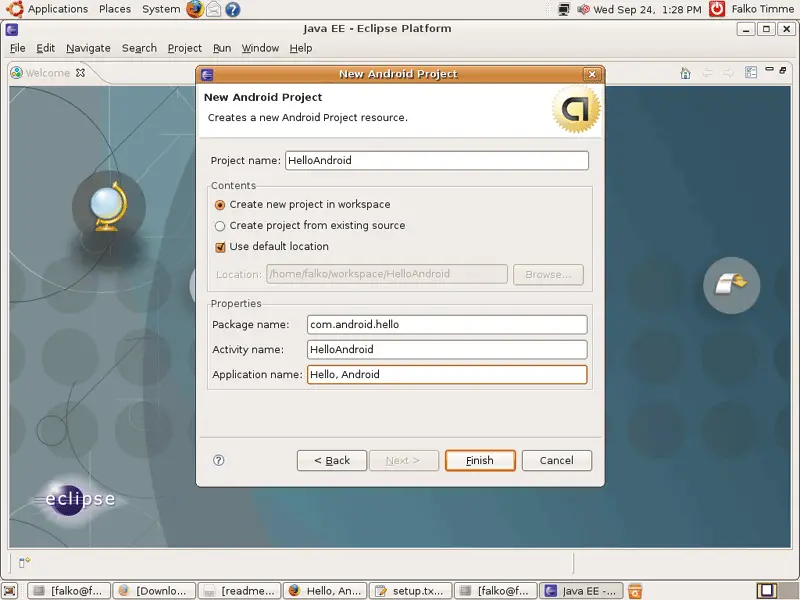
Fill out the project details as follows:
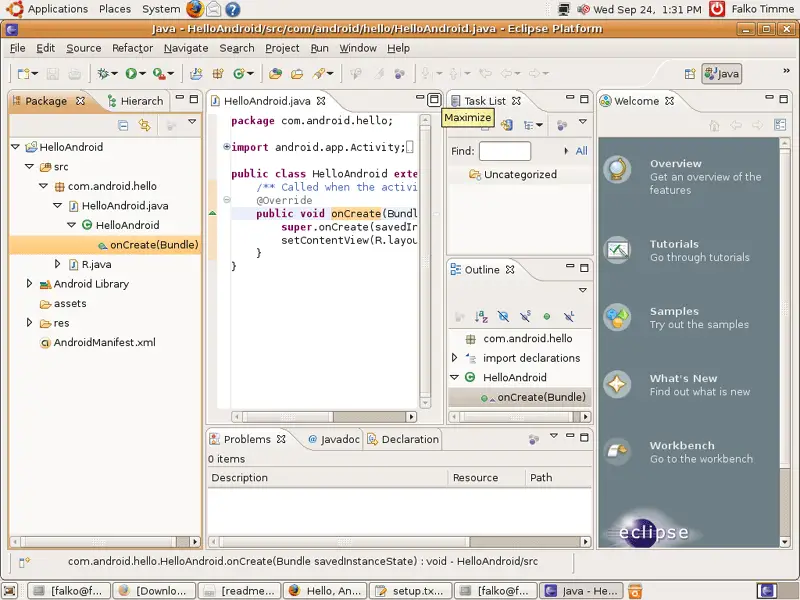
Afterwards, you should see this window (navigate to HelloAndroid > src > com.android.hello > HelloAndroid.java > HelloAndroid > onCreate(Bundle) to see the source code in the source code window). Click on the Maximize icon in the upper right corner of the source code window to maximize it:
You should then see the source code in a bigger window. Modify the code so that it looks as follows:
package com.android.hello;

import android.app.Activity;
import android.os.Bundle;
import android.widget.TextView;

public class HelloAndroid extends Activity {
   /** Called when the activity is first created. */
   @Override
   public void onCreate(Bundle savedInstanceState) {
       super.onCreate(savedInstanceState);
       TextView tv = new TextView(this);
       tv.setText("Hello, Android");
       setContentView(tv);
   }
}
|
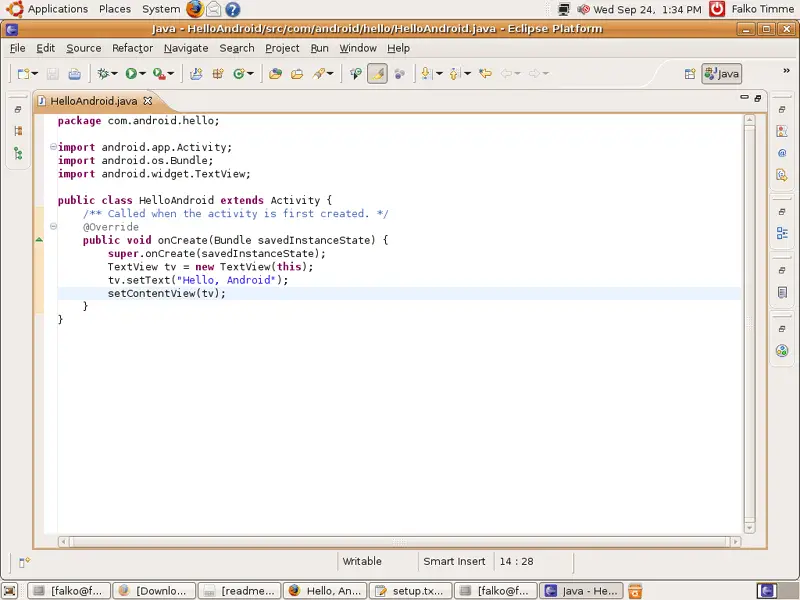
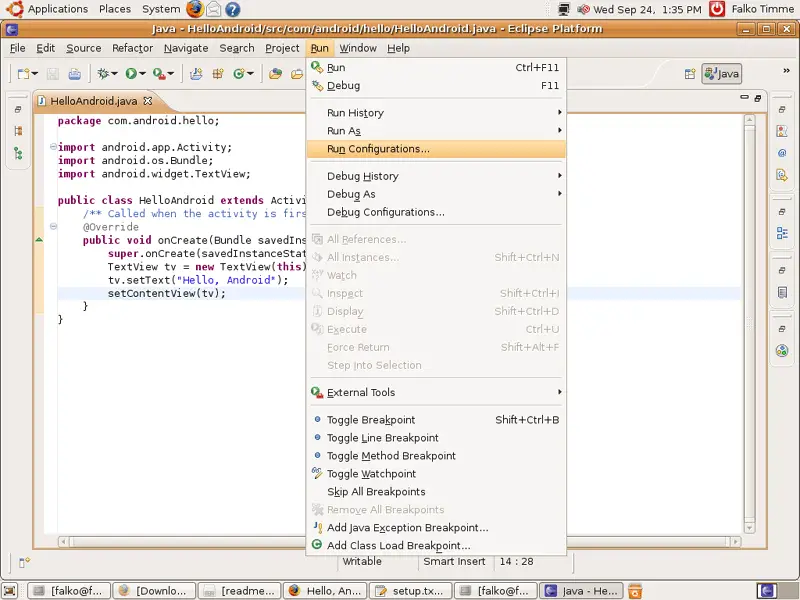
Save the file. To run the code, go to Run > Run Configurations...:
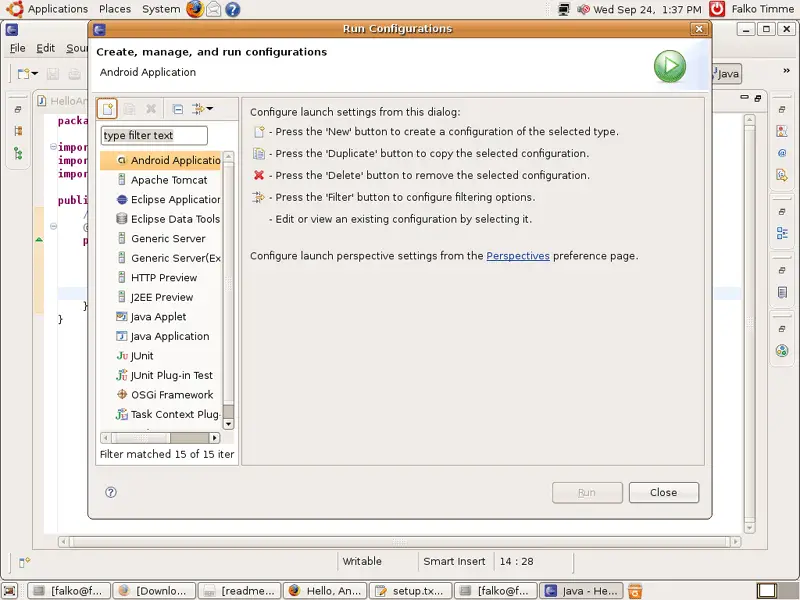
Highlight Android Application and click on the icon in the upper left corner that looks like a white sheet of paper:
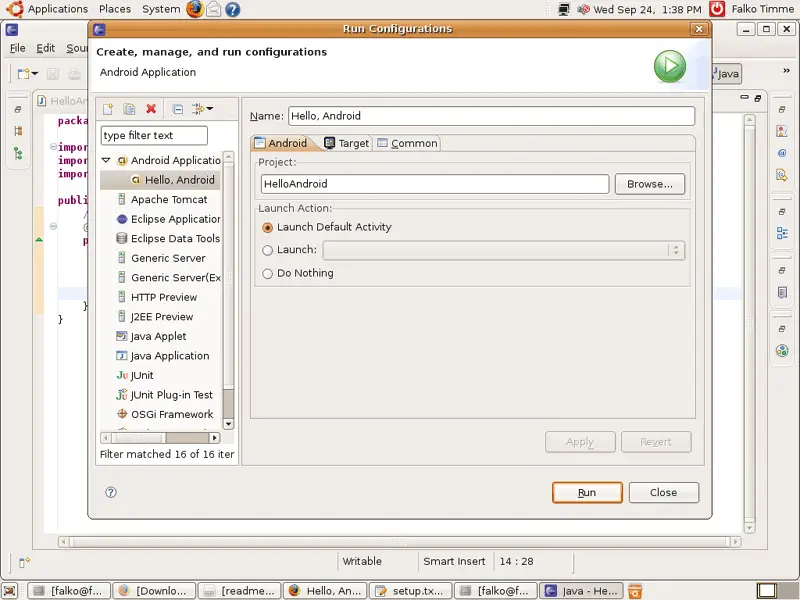
The following window should come up. Fill it out as shown, click on Apply...
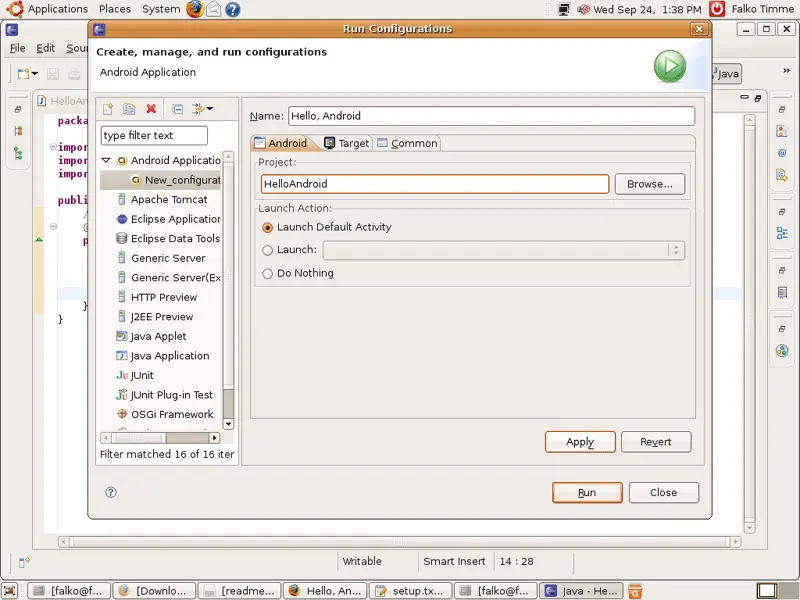
... and then on Run:
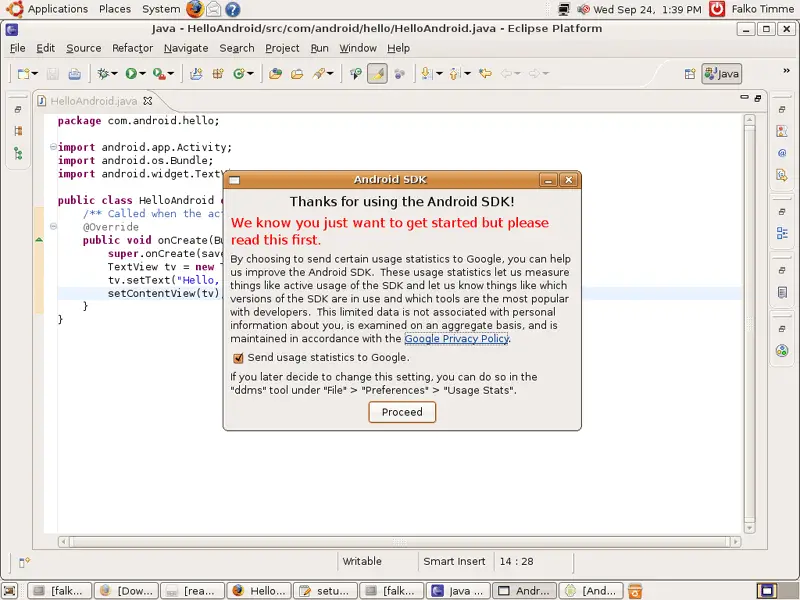
When you do this for the first time, the following message appears. Click on Proceed to continue:
Finally, the Android emulator comes up. It can take a while until the Android phone has started up (so please be patient), but afterwards you should see Hello, Android in the display:
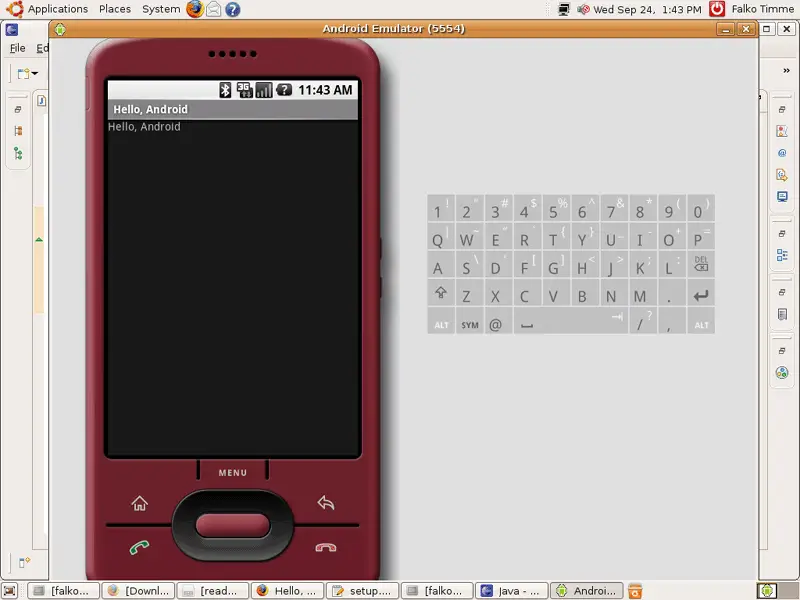
Congratulations, everything is working as expected!
5 Links
- Google Android: http://code.google.com/android
- Ubuntu: http://www.ubuntu.com





