
How To Install Openbravo ERP On Debian Lenny - Page 2
On this page
3 Openbravo ERP Installation
Go to http://sourceforge.net/projects/openbravo/ and download the latest Openbravo ERP installer (select 02-openbravo-installers on the download page), e.g. as follows on an i386 system...
cd /tmp/
wget http://dfn.dl.sourceforge.net/sourceforge/openbravo/OpenbravoERP_2.40-linux-installer.bin
... and like this on an x86_64 system:
cd /tmp/
wget http://dfn.dl.sourceforge.net/sourceforge/openbravo/OpenbravoERP_2.40-linux-x64-installer.bin
Then make the installer executable...
i386:
chmod +x OpenbravoERP_2.40-linux-installer.bin
x86_64:
chmod +x OpenbravoERP_2.40-linux-x64-installer.bin
... and start the Openbravo ERP installation:
i386:
./OpenbravoERP_2.40-linux-installer.bin
x86_64:
./OpenbravoERP_2.40-linux-x64-installer.bin
A text based installer will guide you through the installation. First press a few times ENTER to read the single parts of the license agreement. Type in yes at the end if you agree with it:
Do you accept this license? [y/n]: <-- y
Before the installation begins you'll be asked a few questions - answer them as follows:
Please specify the directory where Openbravo ERP will be installed
[/opt/OpenbravoERP]: <-- ENTER
Please specify a directory for the Openbravo ERP attachments
[/opt/OpenbravoERP/AppsOpenbravo/attachments]: <-- ENTER
Installation mode
Please select the installation mode you wish to perform
[1] Complete
The database and the application server in the same computer
[2] Distributed
The database and the application server in different computers
Please choose an option [1] : <-- ENTER
Please select the installation type you wish to perform
[1] Standard
Installs the database and sets up the application server.
Recommended.
[2] Development
Installs the database and and sets up the application server
through a compilation process.
Recommended for developers.
Please choose an option [1] : <-- ENTER
Please specify the directory where the JDK is located
[/usr/lib/jvm/java-6-sun]: <-- ENTER
Please specify the location where the Ant executable is located
[/usr/share/ant/bin/ant]: <-- ENTER
Please specify the directory where Tomcat is located.
In case of having Tomcat split into 2 directories, select the one containing the webapps directory
[/var/lib/tomcat5.5]: <-- ENTER
Please select a database
[1] PostgreSQL
[2] Oracle
Please choose an option [1] : <-- ENTER
Please specify the directory where the binaries of the PostgreSQL installation are located (psql, pg_restore, vacuumdb)
[/usr/bin]: <-- ENTER
Please enter the IP address of the PostgreSQL database
Database host [localhost]: <-- ENTER
Please enter the port of the PostgreSQL database
Database port [5432]: <-- ENTER
Enter the password for your "postgres" administrator user
Password : <-- yourrootsqlpassword
Retype password : <-- yourrootsqlpassword
Please enter the name of the PostgreSQL database
Database name [openbravo]: <-- ENTER
Please enter a username for the Openbravo ERP PostgreSQL database
Username [tad]: <-- ENTER
Please enter a password for the new database user
Password : <-- tadsqlpassword (a password of your choice)
Retype password : <-- tadsqlpassword
Enter a context name.
This is used in the URL to access Openbravo ERP:
http://<ip_address>:<port>/context_name
Context name [openbravo]: <-- ENTER
Please select the preferred date and time formats
Date format
Date format
[1] DD MM YYYY
[2] MM DD YYYY
[3] YYYY MM DD
Please choose an option [1] : <-- ENTER
Date separator
[1] -
[2] /
[3] .
[4] :
Please choose an option [1] : <-- ENTER
Time format
[1] 12h
[2] 24h
Please choose an option [2] : <-- ENTER
Time separator
[1] :
[2] .
Please choose an option [1] : <-- ENTER
Should the installer populate the database with demo data?
[Y/n]: <-- ENTER
Setup is now ready to begin installing Openbravo ERP on your computer.
Do you want to continue? [Y/n]: <-- ENTER
The installation will take a few minutes, so please be patient:
Please wait while Setup installs Openbravo ERP on your computer.
Installing
0% ______________ 50% ______________ 100%
#########################################
----------------------------------------------------------------------------
Setup has finished installing Openbravo ERP on your computer.
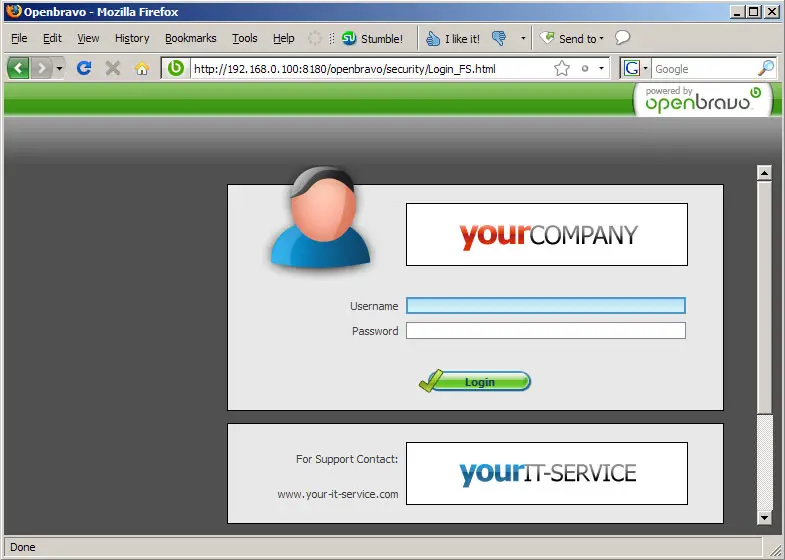
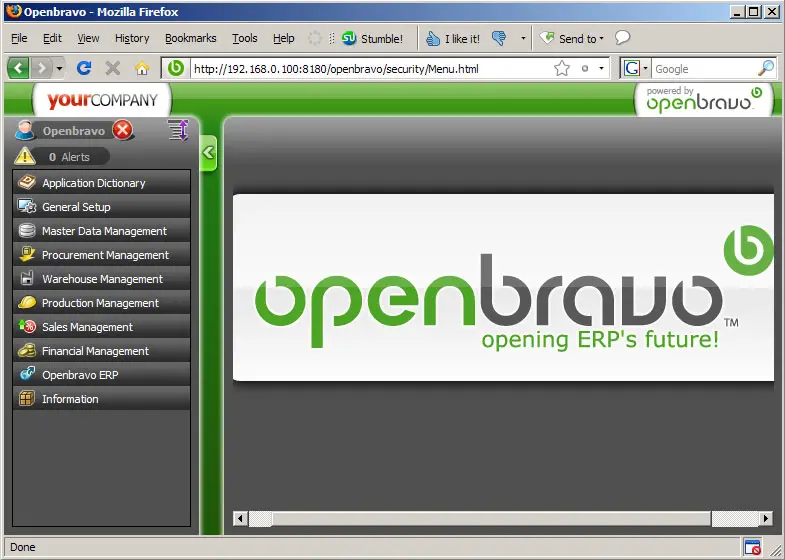
Afterwards you can access Openbravo at http://server1.example.com:8180/openbravo or http://192.168.0.100:8180/openbravo. Log in with the username Openbravo and the password openbravo.
4 Links
- Openbravo: http://www.openbravo.com/
- Openbravo user manual: http://wiki.openbravo.com/wiki/index.php/User_Manual
- Debian: http://www.debian.org/





