
How To Enable Adobe's Flash Player In Google Chrome (Ubuntu 9.04) - Page 2
On this page
2 Enabling The Flash Plugin
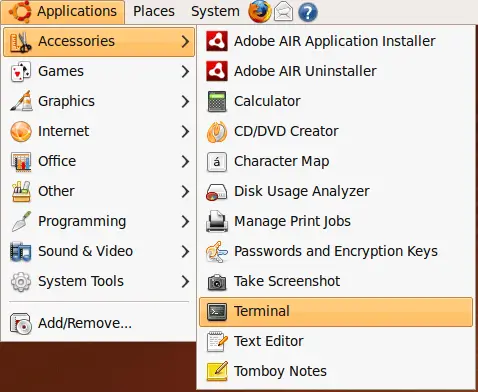
Open a terminal (Applications > Accessories > Terminal):
If the Flash plugin is already installed for Firefox, we have to find out where it is located:
sudo updatedb
sudo locate libflashplayer.so
If it is installed, output should be similar to this one...
falko@falko-desktop:~$ sudo locate libflashplayer.so
/opt/Adobe AIR/Versions/1.0/Resources/libflashplayer.so
/usr/lib/flashplugin-installer/libflashplayer.so
falko@falko-desktop:~$
... which means the Flash plugin is located in /usr/lib/flashplugin-installer/libflashplayer.so. If there's no output, this means that the Flash plugin isn't installed - you can then install it as follows:
sudo aptitude install flashplugin-installer
Now we create a plugins directory for Google Chrome...
sudo mkdir /opt/google/chrome/plugins
... and copy the Flash plugin to it:
sudo cp /usr/lib/flashplugin-installer/libflashplayer.so /opt/google/chrome/plugins
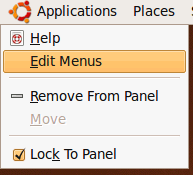
Finally we have to tell the Google Chrome launcher that it should look out for plugins. To do this, we right-click on Applications and select Edit Menus:
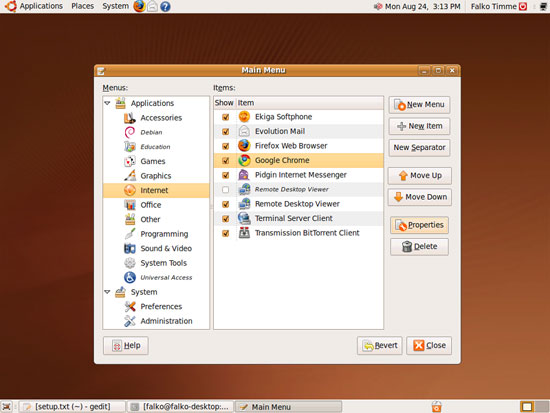
In the Menu Editor, go to Internet > Google Chrome and click on the Properties button:
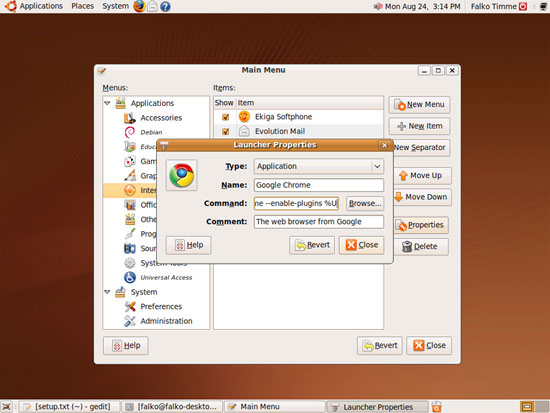
In the Launcher Properties window, replace the contents of the Command field with this line...
/opt/google/chrome/google-chrome --enable-plugins %U
... and click on Close:
Then leave the Menu Editor.
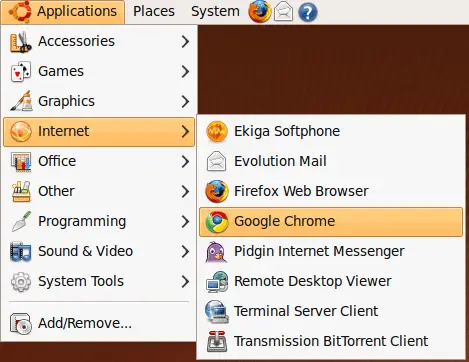
That's it! We can now launch Google Chrome (Applications > Internet > Google Chrome):
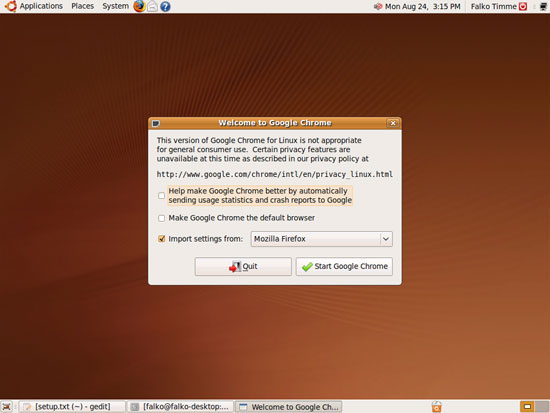
If you start Google Chrome for the first time, you'll see this dialogue. Make your choices and click on Start Google Chrome:
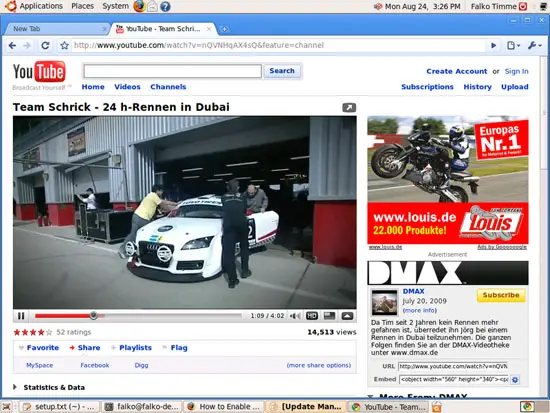
Now go to a web site that has Flash videos (e.g. YouTube), and you should be able to watch them which means that the Flash plugin is working:
3 Links
- Google Chrome for Linux: http://dev.chromium.org/getting-involved/dev-channel
- Adobe Flash Plugin: http://get.adobe.com/flashplayer/
- Ubuntu: http://www.ubuntu.com/





