
ASSP With Embedded ClamAV Integrated Into Postfix With Virtual Users And Domains - Page 2
On this page
6 ASSP Basic Configuration
Now it's time for the initial configuration. Open http://%host%:55555 in your preffered browser. Log in with any name and the password nospam4me.
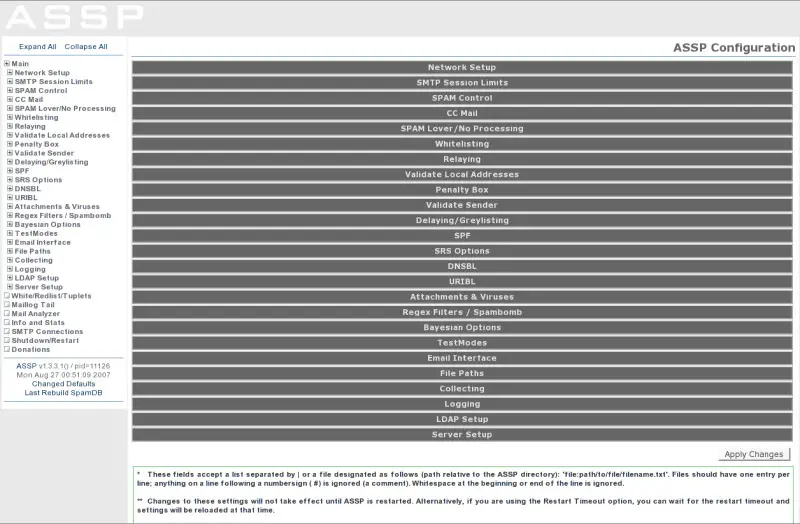
Now open the tab Server Setup. Mark the checkbox Run ASSP as a daemon and next enter nobody for UID and nogroup for GID. Next apply the changes with the corresponding button at the bottom on the right.
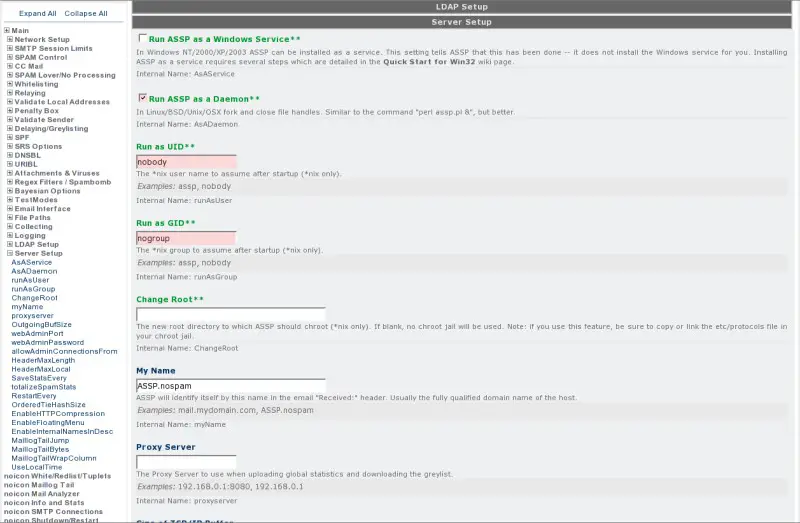
Because the changes to the UID and GID, we have to change the permissions for the ASSP-directory (stop ASSP with strg+c):
chown -R nobody:nogroup /usr/share/assp/
/etc/init.d/assp start
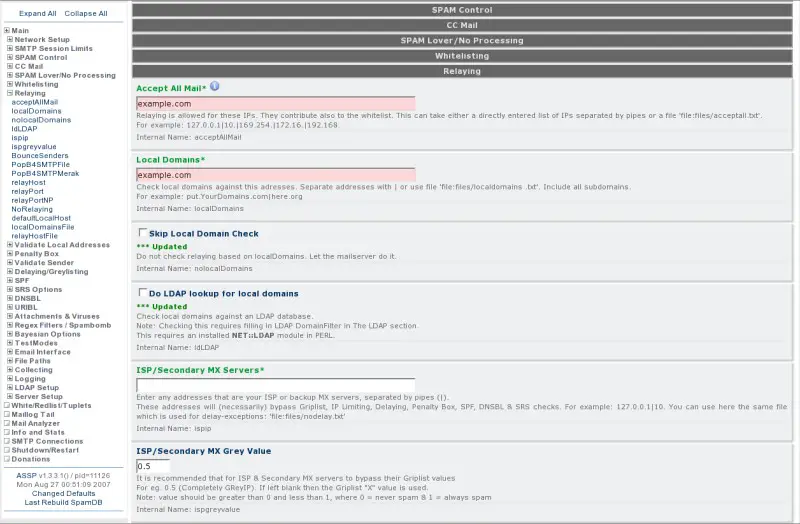
Afterwards open the tab Relaying and add your domain to Accept All Mail and Local Domains. Apply the changes.
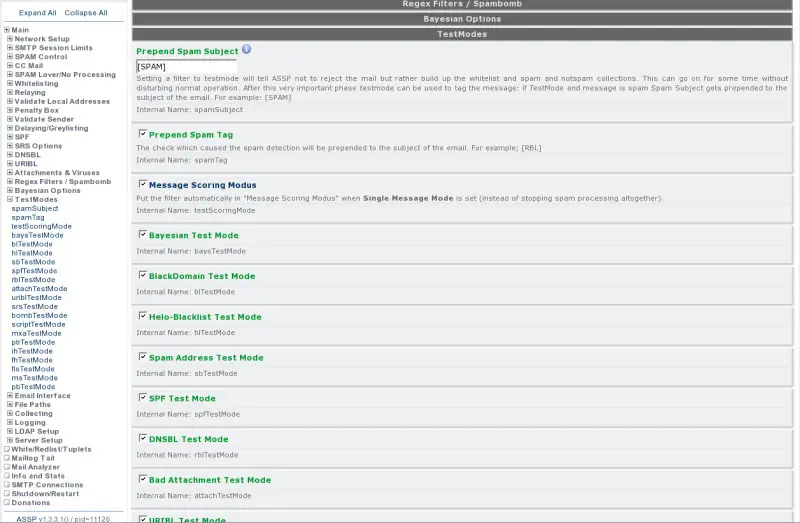
Now open the tab Test Modes and mark all checkboxes. After ASSP has learned 500 - 1000 Mails, detection of spam will be effective, and you can unmark these checkboxes.
7 Install ClamAV
We install ClamAV out of the debian repository:
apt-get install clamav clamav-daemon





