
Integrating XCache Into PHP5 (Debian Etch & lighttpd)
Version 1.0
Author: Falko Timme
This guide explains how to integrate XCache into PHP5 on a Debian Etch system (with lighttpd). From the XCache project page: "XCache is a fast, stable PHP opcode cacher that has been tested and is now running on production servers under high load." It's similar to other PHP opcode cachers, such as eAccelerator and APC.
I do not issue any guarantee that this will work for you!
1 Preliminary Note
I have tested this on a Debian Etch server with the IP address 192.168.0.100 where lighttpd and PHP5 are already installed and working. I'll use lighttpd's default document root /var/www in this tutorial for demonstration purposes. Of course, you can use any other vhost as well, but you might have to adjust the path to the info.php file that I'm using in this tutorial.
2 Checking PHP5's Current State
First, before we install XCache, let's find out about our PHP5 installation. To do this, we create the file info.php in our document root /var/www:
vi /var/www/info.php
<?php phpinfo(); ?> |
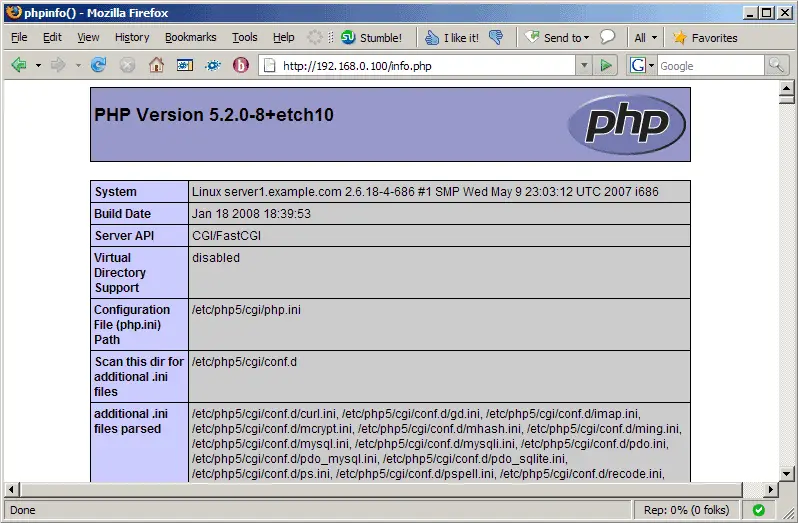
Afterwards, we call that file in a browser: http://192.168.0.100/info.php
As you see, we have PHP 5.2.0 installed...
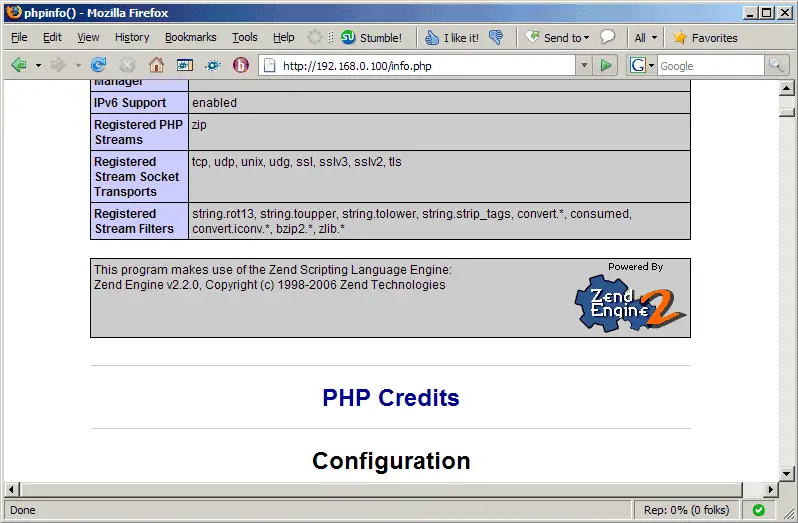
... but XCache isn't mentioned anywhere on the page:
3 Installing XCache
Unfortunately XCache is available as a Debian package only for Debian Lenny (testing) and Sid (unstable), but not for Etch. Therefore we will install the XCache package from Lenny. To do this, open /etc/apt/sources.list and add the line deb http://ftp2.de.debian.org/debian/ lenny main; your /etc/apt/sources.list could then look like this:
vi /etc/apt/sources.list
deb http://ftp2.de.debian.org/debian/ etch main deb-src http://ftp2.de.debian.org/debian/ etch main deb http://ftp2.de.debian.org/debian/ lenny main deb http://security.debian.org/ etch/updates main contrib deb-src http://security.debian.org/ etch/updates main contrib |
Of course (in order not to mess up our system), we want to install packages from Lenny only if there's no appropriate package from Etch - if there are packages from Etch and Lenny, we want to install the one from Etch. To do this, we give packages from Etch a higher priority in /etc/apt/preferences:
vi /etc/apt/preferences
Package: * Pin: release a=etch Pin-Priority: 700 Package: * Pin: release a=lenny Pin-Priority: 650 |
(The terms etch and lenny refer to the appropriate terms in /etc/apt/sources.list; if you're using stable and testing there, you must use stable and testing instead of etch and lenny in /etc/apt/preferences as well.)
Afterwards, we update our packages database:
apt-get update
... upgrade the installed packages:
apt-get upgrade
(You might see the following question:
Do you want to upgrade glibc now? [Y/n] <-- Y
)
...and install php5-xcache:
apt-get install php5-xcache
That's it. Restart lighttpd, and you're done:
/etc/init.d/lighttpd restart
Afterwards, open info.php again in a browser: http://192.168.0.100/info.php
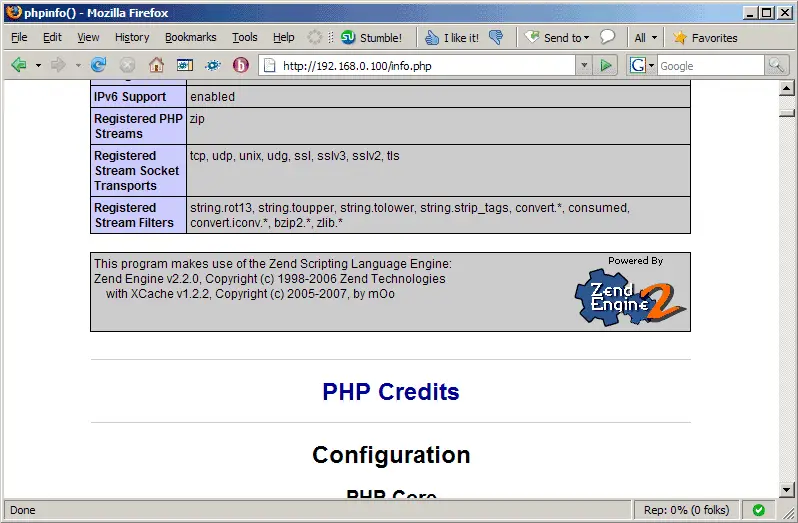
You should now see XCache mentioned on the page which means it has successfully been integrated and is working as expected:
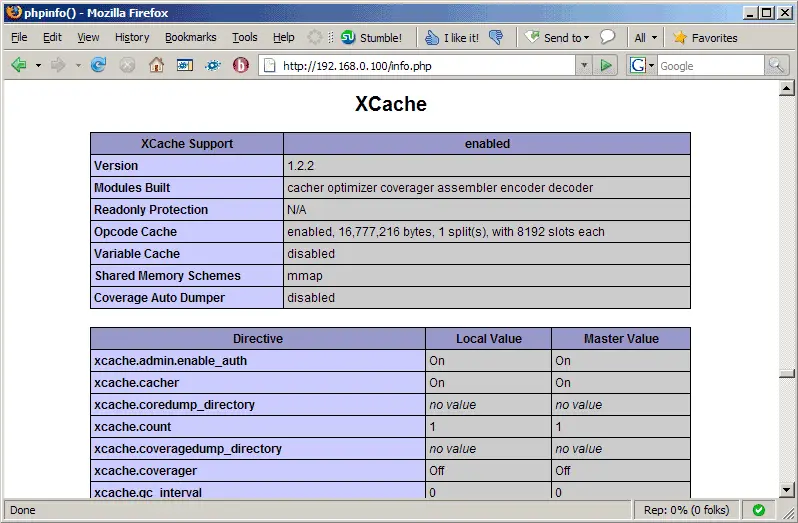
If you want to change the XCache configuration, you can do so by editing /etc/php5/cgi/conf.d/xcache.ini. Don't forget to restart lighttpd afterwards. The configuration options are explained here: http://xcache.lighttpd.net/wiki/XcacheIni
4 Links
- XCache: http://xcache.lighttpd.net
- PHP: http://www.php.net
- lighttpd: http://www.lighttpd.net
- Debian: http://www.debian.org





