
Virtualization With KVM On A Debian Squeeze Server - Page 2
On this page
5 Connecting To The Guest
Ubuntu 10.10 Desktop:
The KVM guest will now boot from the Debian Squeeze Netinstall CD and start the Debian installer - that's why we need to connect to the graphical console of the guest. You can do this with virt-manager on the Ubuntu 10.10 desktop (see KVM Guest Management With Virt-Manager On Ubuntu 8.10).
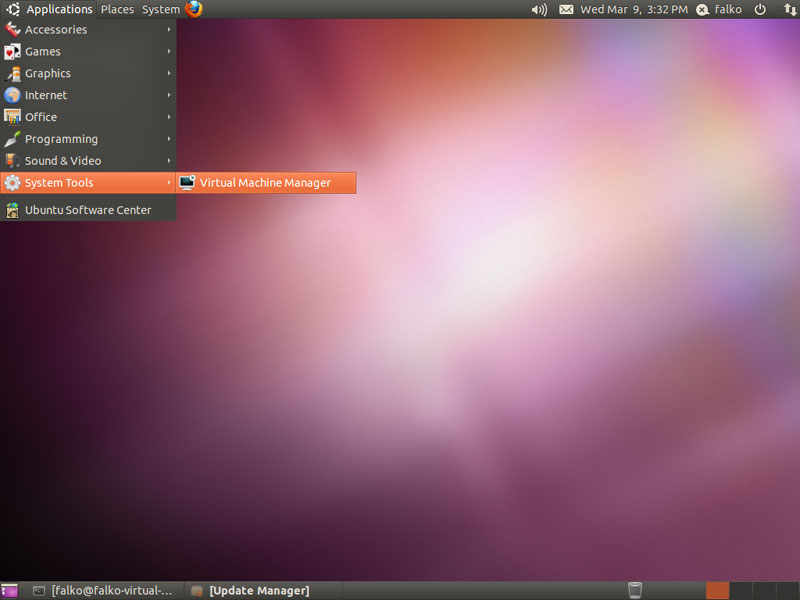
Go to Applications > System Tools > Virtual Machine Manager to start virt-manager:
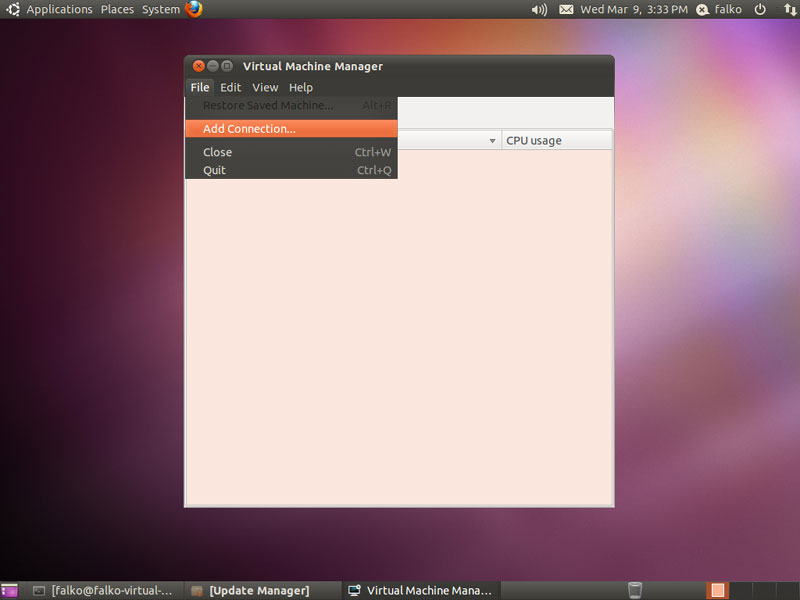
In virt-manager, go to File > Add Connection... to connect to your Debian Squeeze KVM host:
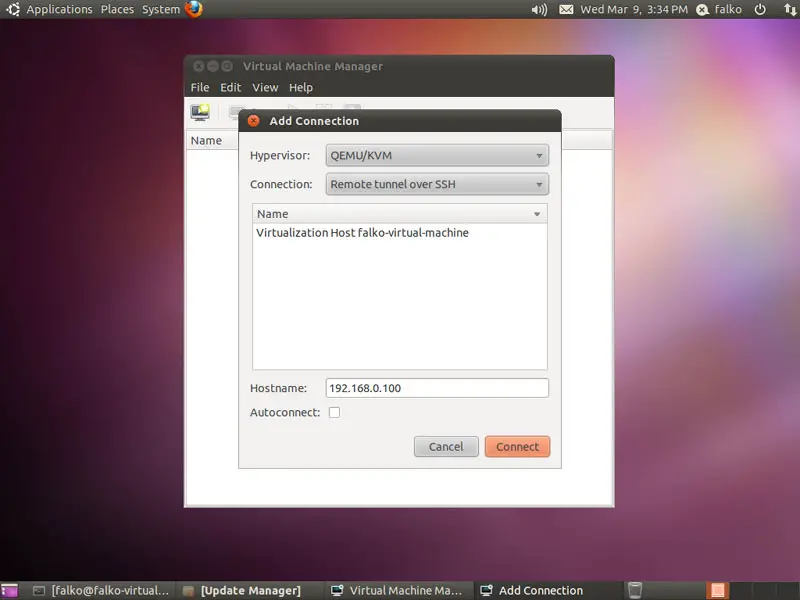
Select QEMU/KVM as Hypervisor, then choose Remote tunnel over SSH in the Connection drop-down menu, type in the hostname (server1.example.com) or IP address (192.168.0.100) of the Debian Squeeze KVM host in the Hostname field, and click on Connect:
If this is the first connection to the remote KVM server, you must type in yes and click on OK:
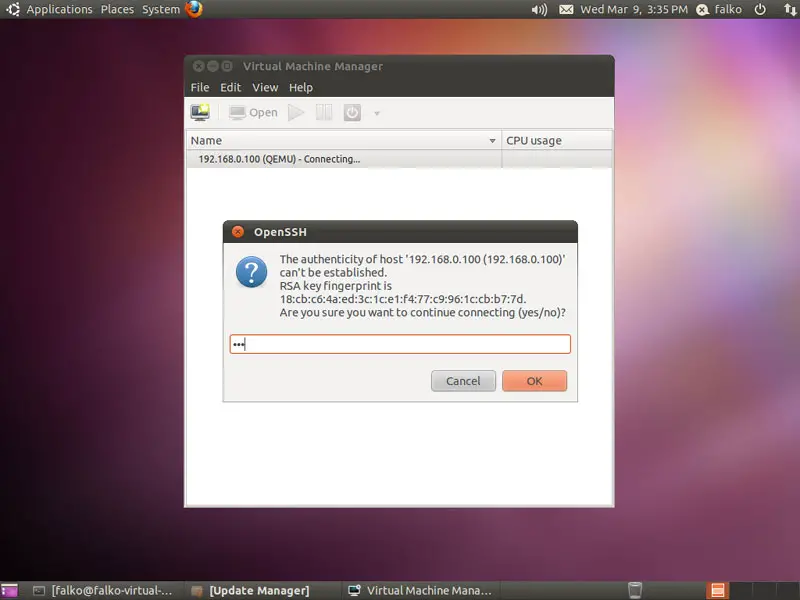
Afterwards type in the root password of the KVM host:
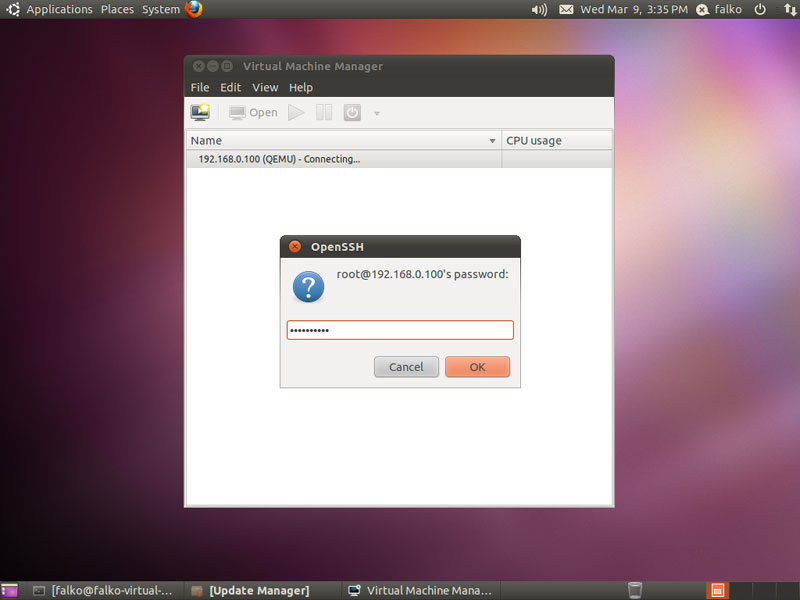
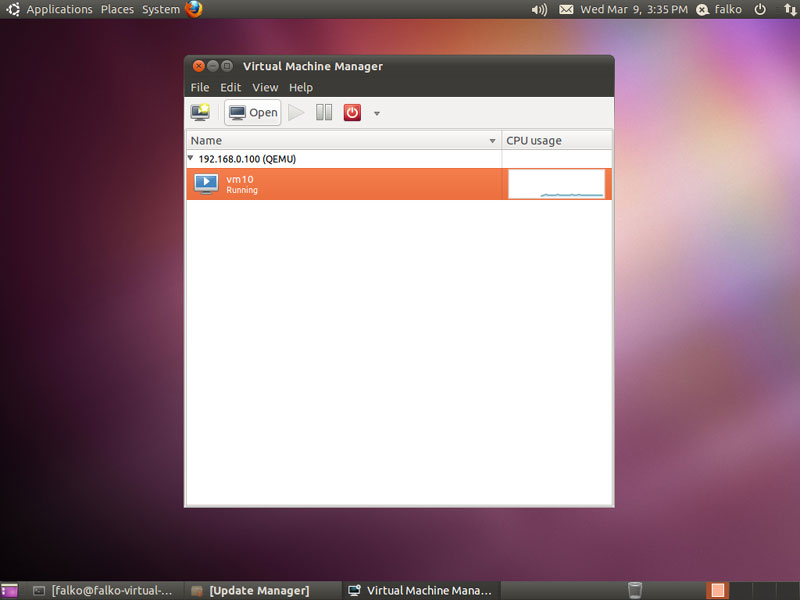
You should see vm10 as running. Mark that guest and click on the Open button to open the graphical console of the guest:
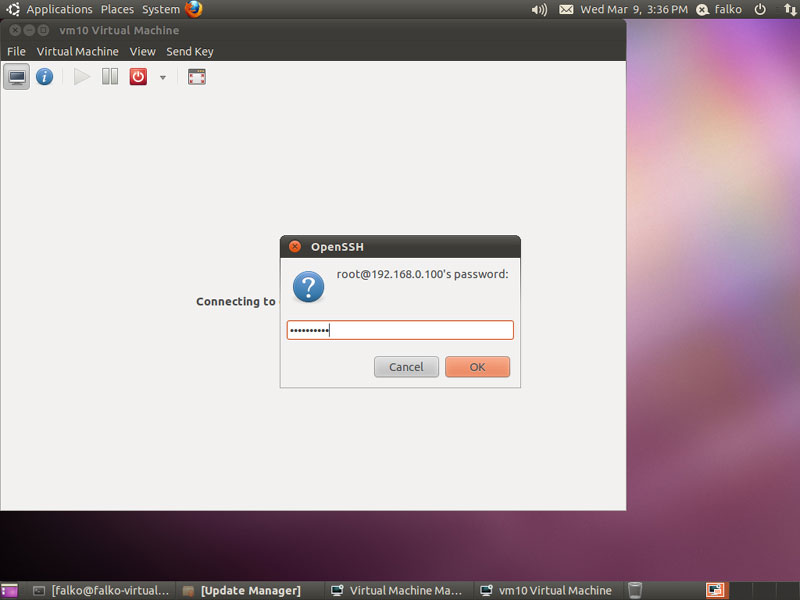
Type in the root password of the KVM host again:
You should now be connected to the graphical console of the guest and see the Debian installer:
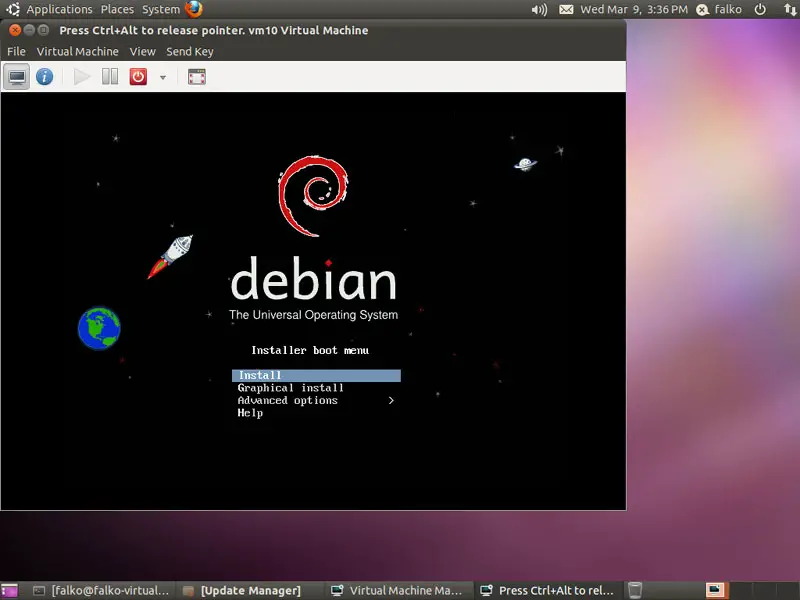
Now install Debian as you would normally do on a physical system. Please note that at the end of the installation, the Debian guest needs a reboot. The guest will then stop, so you need to start it again, either with virt-manager or like this on our Debian Squeeze KVM host command line:
Debian Squeeze KVM Host:
virsh --connect qemu:///system
start vm10
quit
Afterwards, you can connect to the guest again with virt-manager and configure the guest. If you install OpenSSH (package openssh-server) in the guest, you can connect to it with an SSH client (such as PuTTY).





