Flash Player 9 on Linux (Ubuntu Dapper Drake)
It was tested on Ubuntu Dapper Drake (on an x86 - 32 bit machine)
1.install wine
sudo apt-get install wine
2. install msttcorefonts (optional)
sudo apt-get install msttcorefonts
3. Download firefox version for windows . (We have to wait for the native flash 9 plugin.
Read More about flash 9 on linux development on the adobe's blog)
wget
http://ftp-mozilla.netscape.com/pub/mozilla.org/firefox/releases/1.5.0.6/win32/en-US/Firefox%20Setup%201.5.0.6.exe
run the setup
wine Firefox\ Setup\ 1.5.0.6.exe
4.Download the adobe's flash 9 setup
wget http://fpdownload.macromedia.com/get/flashplayer/current/install_flash_player.exe
Start the setup with wine
wine install_flash_player.exe
point the plugins directory to c:\Program Files\Mozilla Firefox\plugins
5.start firefox with
wine .wine/drive_c/Program\ Files/Mozilla\ Firefox/firefox.exe
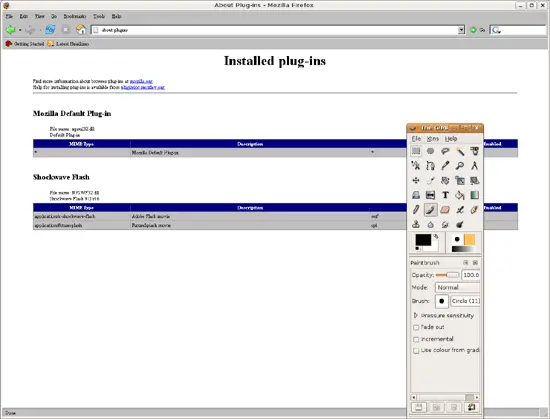
write about:plugins in the Url bar