
Speeding Up Perl Scripts With SpeedyCGI/PersistentPerl On Debian Etch
Version 1.0
Author: Falko Timme
This tutorial shows how to install and use SpeedyCGI (also known as PersistentPerl) on a Debian Etch system. SpeedyCGI is a way to run Perl scripts persistently, which can make them run much more quickly. It keeps the Perl interpreter running, and during subsequent runs, this interpreter is used to handle new executions instead of starting a new Perl interpreter each time.
This document comes without warranty of any kind! I do not issue any guarantee that this will work for you!
1 Preliminary Note
I have tested this on a Debian Etch system (with Apache2 installed) with a virtual host www.example.com (document root: /var/www/web1/web) which is configured to run Perl scripts in the /var/www/web1/cgi-bin directory. The paths used here might differ from your setup, so adjust them where appropriate.
In the following I will show you three different ways of using SpeedyCGI for your Perl scripts.
2 Installing SpeedyCGI
To install SpeedyCGI together with the SpeedyCGI Apache2 module, we simply run:
apt-get install libapache2-mod-speedycgi speedy-cgi-perl
and restart Apache afterwards:
/etc/init.d/apache2 force-reload
3 Using SpeedyCGI
First we create a normal "Hello World!" Perl script to see if Perl is working. At the end of the script, we use some special code that is executed only if SpeedyCGI is used. This helps us to determine when we are in "SpeedyCGI mode" and when in normal "Perl mode". I create the script in my cgi-bin directory, /var/www/web1/cgi-bin:
vi /var/www/web1/cgi-bin/speedy-test.cgi
#!/usr/bin/perl

### Your Script Here.  For example:
print "Content-type: text/html\n\n<h1>Hello World!</h1>\n";

##
## Optionally, use the CGI::SpeedyCGI module for various things
##

# See if we are running under SpeedyCGI or not.
if (eval {require CGI::SpeedyCGI} && CGI::SpeedyCGI->i_am_speedy) {
  print "<br>Running under speedy=", CGI::SpeedyCGI->i_am_speedy ? 'yes' : 'no', "\n";
}
|
We must make the script executable:
chmod 755 /var/www/web1/cgi-bin/speedy-test.cgi
(If you are using suExec, you will also have to change the owner and group of the script to match the suExec user and group of this vhost.)
Now we can call that script in a browser (http://www.example.com/cgi-bin/speedy-test.cgi). You should see Hello World!, nothing else:
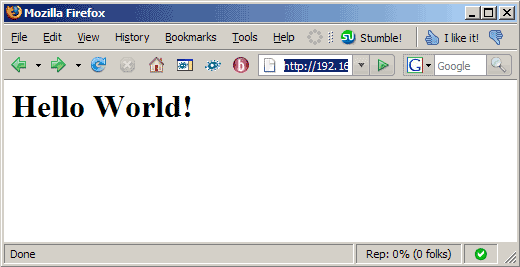
So Perl scripts are working, but SpeedyCGI isn't being used yet.
Now let's learn about the three methods to use SpeedyCGI.
3.1 Telling Apache To Execute All Perl Scripts Through SpeedyCGI
The first method is to tell Apache that it should execute all Perl scripts through SpeedyCGI if the Perl scripts are in a certain location. We will create an alias /speedy/ that points to our cgi-bin directory, and when we use the /speedy/ address in our browser, the Perl script gets executed by SpeedyCGI, whereas when we use /cgi-bin/, the script is run without SpeedyCGI.
Open the file where your Apache vhost location for www.example.com is located, and add the following lines to it (if you are using ISPConfig, you can simply paste the following lines into the Apache Directives field of the respective vhost):
Alias /speedy/ /var/www/web1/cgi-bin/ <Location /speedy> SetHandler speedycgi-script Options ExecCGI allow from all </Location> |
Restart Apache afterwards (you don't have to do this if you're using ISPConfig):
/etc/init.d/apache2 restart
Now open http://www.example.com/cgi-bin/speedy-test.cgi - you should see Hello World! only which means SpeedyCGI is not being used:
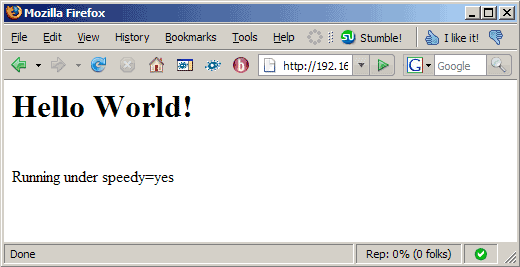
Then go to http://www.example.com/speedy/speedy-test.cgi, and you should see that the script is now being executed through SpeedyCGI:
3.2 Changing The Shebang Line Of The Perl Scripts
The second way of using SpeedyCGI is to simply change the shebang line in the Perl scripts from #!/usr/bin/perl to #!/usr/bin/speedy. That way, you don't have to reconfigure Apache:
vi /var/www/web1/cgi-bin/speedy-test.cgi
#!/usr/bin/speedy

### Your Script Here.  For example:
print "Content-type: text/html\n\n<h1>Hello World!</h1>\n";

##
## Optionally, use the CGI::SpeedyCGI module for various things
##

# See if we are running under SpeedyCGI or not.
if (eval {require CGI::SpeedyCGI} && CGI::SpeedyCGI->i_am_speedy) {
  print "<br>Running under speedy=", CGI::SpeedyCGI->i_am_speedy ? 'yes' : 'no', "\n";
}
|
Open http://www.example.com/cgi-bin/speedy-test.cgi in a browser, and you should see that SpeedyCGI is being used:
3.3 Changing The File Extension
The third way is to change the file extension of Perl scripts from .cgi to something like .speedy and tell Apache to run all .speedy files through SpeedyCGI.
So let's create the script /var/www/web1/cgi-bin/speedy-test.speedy (an exact copy of /var/www/web1/cgi-bin/speedy-test.cgi):
vi /var/www/web1/cgi-bin/speedy-test.speedy
#!/usr/bin/perl

### Your Script Here.  For example:
print "Content-type: text/html\n\n<h1>Hello World!</h1>\n";

##
## Optionally, use the CGI::SpeedyCGI module for various things
##

# See if we are running under SpeedyCGI or not.
if (eval {require CGI::SpeedyCGI} && CGI::SpeedyCGI->i_am_speedy) {
  print "<br>Running under speedy=", CGI::SpeedyCGI->i_am_speedy ? 'yes' : 'no', "\n";
}
|
We must make the script executable:
chmod 755 /var/www/web1/cgi-bin/speedy-test.speedy
(If you are using suExec, you will also have to change the owner and group of the script to match the suExec user and group of this vhost.)
Open the file where your Apache vhost location for www.example.com is located, and add the following lines to it (if you are using ISPConfig, you can simply paste the following lines into the Apache Directives field of the respective vhost):
AddHandler speedycgi-script .speedy <Location /> Options ExecCGI </Location> |
Restart Apache afterwards (you don't have to do this if you're using ISPConfig):
/etc/init.d/apache2 restart
Open http://www.example.com/cgi-bin/speedy-test.speedy in a browser, and you should see that SpeedyCGI is being used:
4 Links
- SpeedyCGI: http://daemoninc.com/SpeedyCGI
- Debian: http://www.debian.org





