Setting Up An Android App Build Environment With Eclipse, Android SDK, PhoneGap (Ubuntu 11.04) - Page 3
On this page
5 Installing PhoneGap
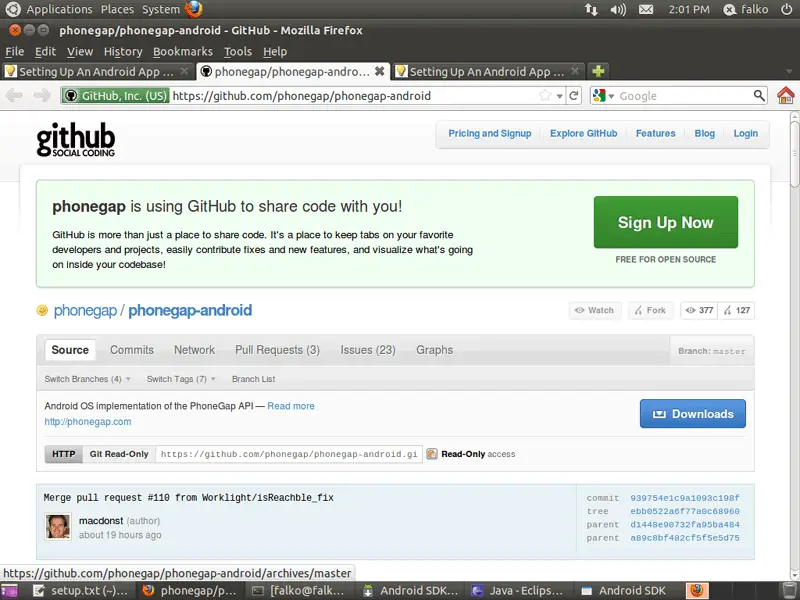
To install PhoneGap, open Firefox and go to https://github.com/phonegap/phonegap-android. Click on the Downloads button:
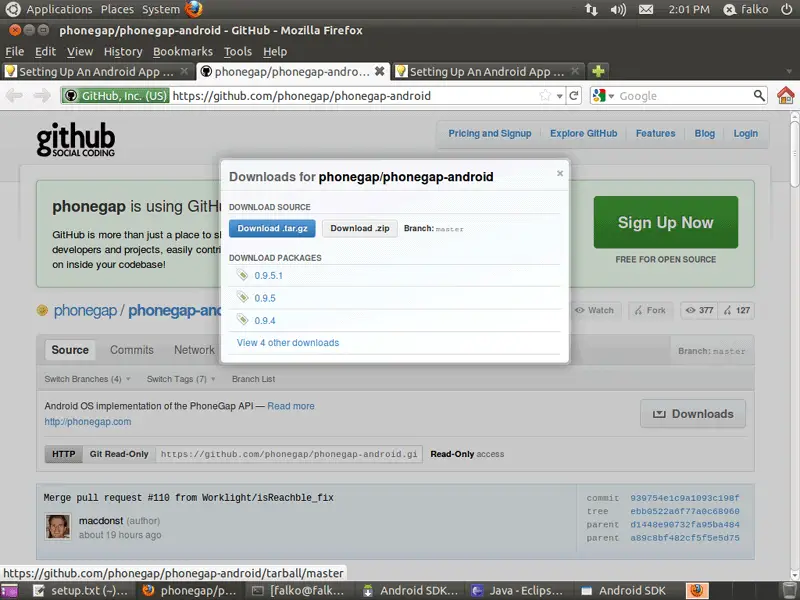
Select Download .tar.gz from the overlay that comes up:
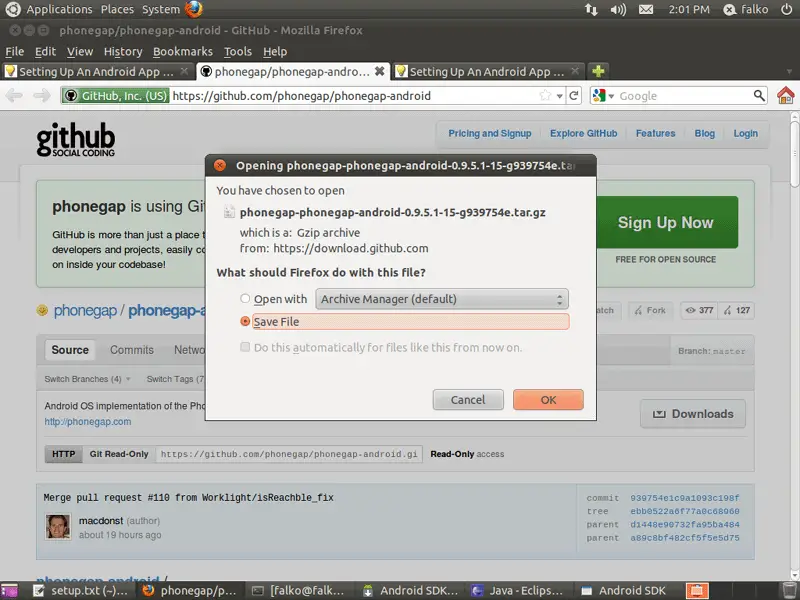
In the Firefox download dialogue, please choose Save File:
After the download has finished, go to the directory where the download has been saved (e.g. ~/Downloads/):
cd ~/Downloads/
Take a look at the directory's contents to learn how the PhoneGap download is named:
ls -l
falko@falko-virtual-machine:~/Downloads$ ls -l
total 11200
-rw-r--r-- 1 falko falko 11467178 2011-06-21 14:01 phonegap-phonegap-android-0.9.5.1-15-g939754e.tar.gz
falko@falko-virtual-machine:~/Downloads$
As you see, in my case it is named phonegap-phonegap-android-0.9.5.1-15-g939754e.tar.gz. Now lets uncompress the file:
tar xvfz phonegap-phonegap-android-0.9.5.1-15-g939754e.tar.gz
In my case this creates the directory phonegap-phonegap-android-939754e inside the Downloads directory. I want to move that directory to my home directory and rename it to phonegap-phonegap-android:
mv phonegap-phonegap-android-939754e ~/phonegap-phonegap-android
We must add the bin directory inside $HOME/phonegap-phonegap-android to our PATH variable, therefore we edit ~/.profile again:
cd ~
gedit ~/.profile
Replace the previously added PATH variable with this one:
[...] PATH="$HOME/android-sdk-linux_x86/tools:$HOME/android-sdk-linux_x86/platform-tools:$HOME/phonegap-phonegap-android/bin:$PATH" |
To make the change effective, run:
export PATH="$HOME/android-sdk-linux_x86/tools:$HOME/android-sdk-linux_x86/platform-tools:$HOME/phonegap-phonegap-android/bin:$PATH"
Now we are finished with setting up our Android development environment; finally we can start doing things with it!
6 Starting An Android Emulator
The Android SDK comes with an emulator so that you can test your apps in the emulator instead of on a real Android device. To create an emulator, we first need to know which Android versions (targets) are available:
android list targets
falko@falko-virtual-machine:~$ android list targets
Available Android targets:
id: 1 or "android-3"
     Name: Android 1.5
     Type: Platform
     API level: 3
     Revision: 4
     Skins: HVGA (default), QVGA-L, HVGA-P, HVGA-L, QVGA-P
id: 2 or "android-4"
     Name: Android 1.6
     Type: Platform
     API level: 4
     Revision: 3
     Skins: HVGA, QVGA, WVGA854, WVGA800 (default)
id: 3 or "android-7"
     Name: Android 2.1-update1
     Type: Platform
     API level: 7
     Revision: 2
     Skins: HVGA, QVGA, WQVGA400, WVGA854, WQVGA432, WVGA800 (default)
id: 4 or "android-8"
     Name: Android 2.2
     Type: Platform
     API level: 8
     Revision: 2
     Skins: HVGA, QVGA, WQVGA400, WVGA854, WQVGA432, WVGA800 (default)
id: 5 or "android-10"
     Name: Android 2.3.3
     Type: Platform
     API level: 10
     Revision: 1
     Skins: HVGA, QVGA, WQVGA400, WVGA854, WQVGA432, WVGA800 (default)
id: 6 or "android-11"
     Name: Android 3.0
     Type: Platform
     API level: 11
     Revision: 1
     Skins: WXGA (default)
id: 7 or "android-12"
     Name: Android 3.1
     Type: Platform
     API level: 12
     Revision: 2
     Skins: WXGA (default)
falko@falko-virtual-machine:~$
I will now create an emulator called mySim for Android 2.3.3 (id 5 or android-10):
android create avd -n mySim -t android-10
falko@falko-virtual-machine:~$ android create avd -n mySim -t android-10
Android 2.3.3 is a basic Android platform.
Do you wish to create a custom hardware profile [no] <-- ENTER
Created AVD 'mySim' based on Android 2.3.3,
with the following hardware config:
hw.lcd.density=240
vm.heapSize=24
hw.ramSize=256
falko@falko-virtual-machine:~$
To start the emulator, run:
emulator -avd mySim -scale 0.75
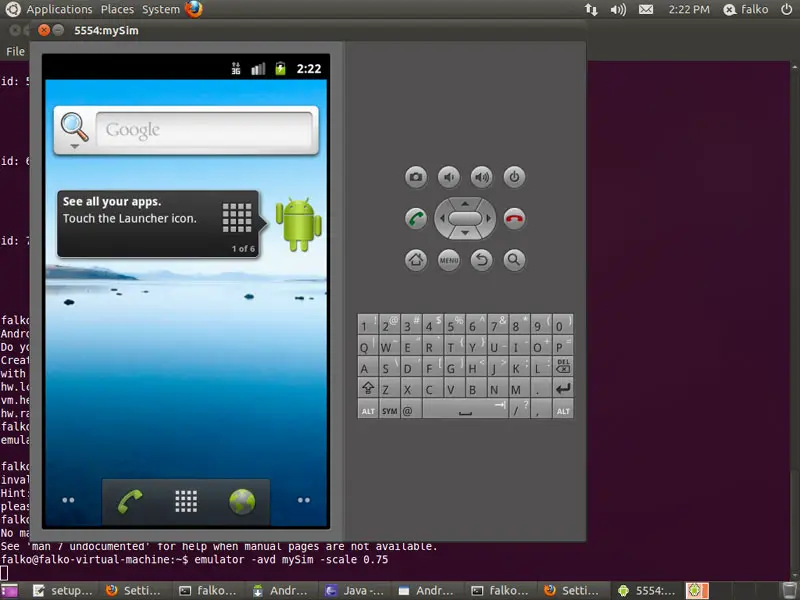
It can take a few minutes until the emulator is up and running, but then it should look as follows: