Step 18: Setting up the LVM device
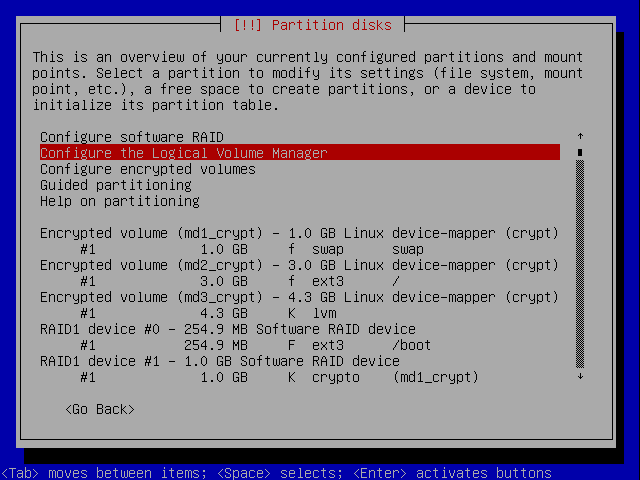
Back at the main partition screen, select now to configure the Logical Volume Manager:
(JavaScript must be enabled in your browser to view the large image as an image overlay.)
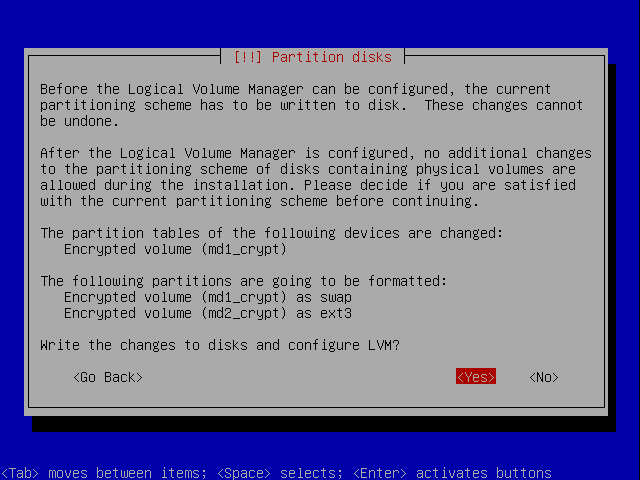
The changes need to be written again to disk:
(JavaScript must be enabled in your browser to view the large image as an image overlay.)
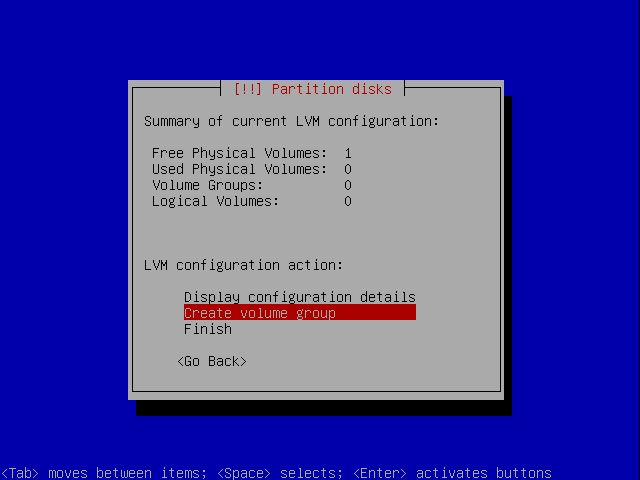
Now select to create a LVM group:
(JavaScript must be enabled in your browser to view the large image as an image overlay.)
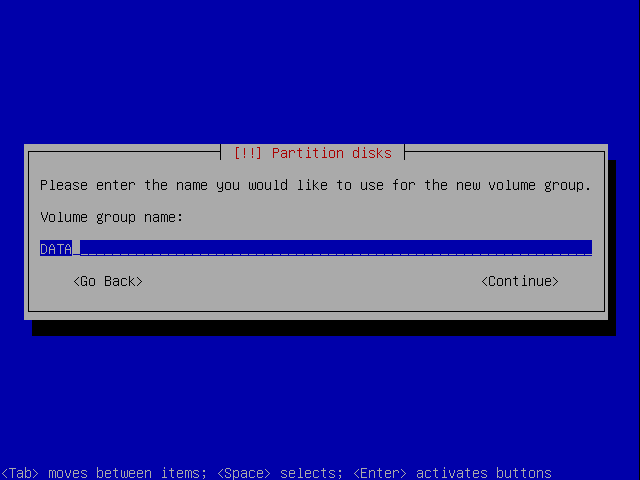
Enter a name for the group. I used DATA:
(JavaScript must be enabled in your browser to view the large image as an image overlay.)
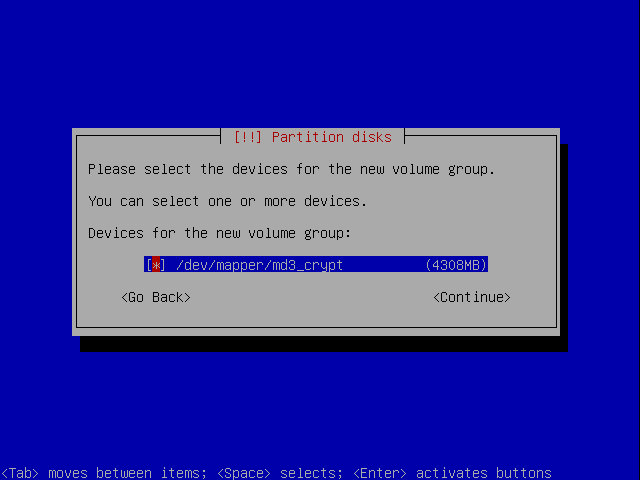
Assign a device to it:
(JavaScript must be enabled in your browser to view the large image as an image overlay.)
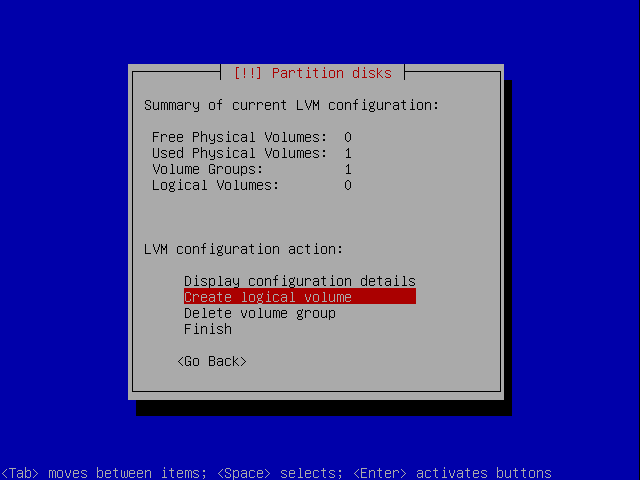
Now create a logical volume:
(JavaScript must be enabled in your browser to view the large image as an image overlay.)
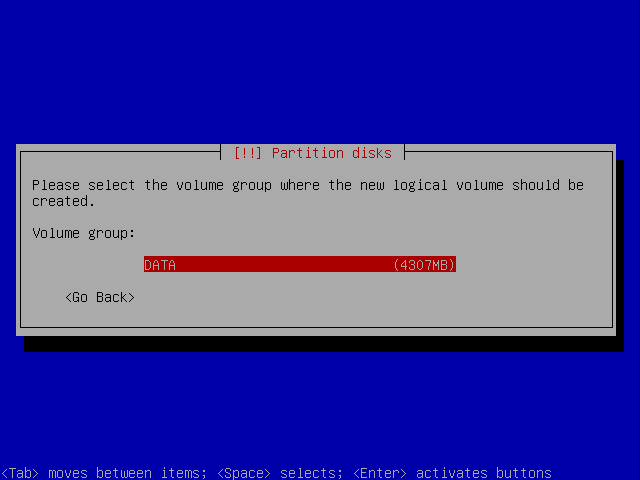
Select to which group it shall belong::
(JavaScript must be enabled in your browser to view the large image as an image overlay.)
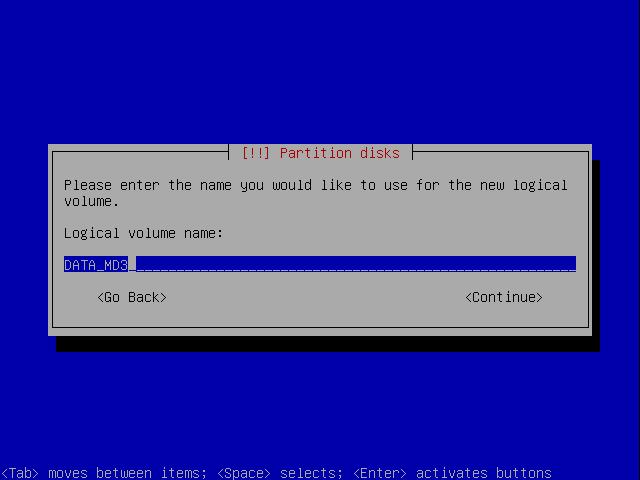
Give it a name. I just used the group name and the raid device (md3) as name:
(JavaScript must be enabled in your browser to view the large image as an image overlay.)
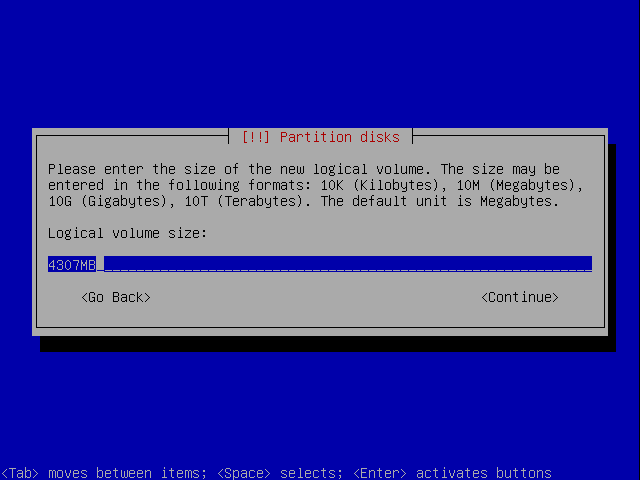
Say how much space it shall be using from the group (by default it's set to use max. size):
(JavaScript must be enabled in your browser to view the large image as an image overlay.)
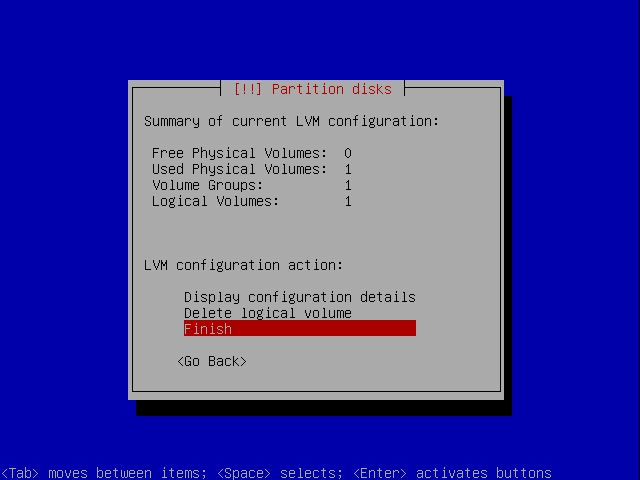
And you're done setting up the LVM:
(JavaScript must be enabled in your browser to view the large image as an image overlay.)
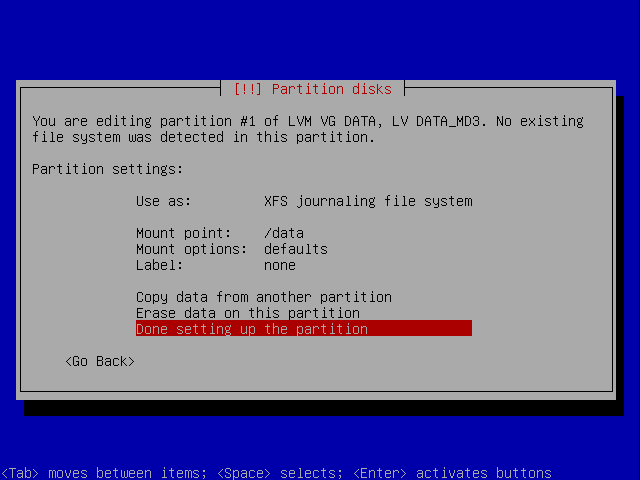
Step 19: Setting up the /data partition
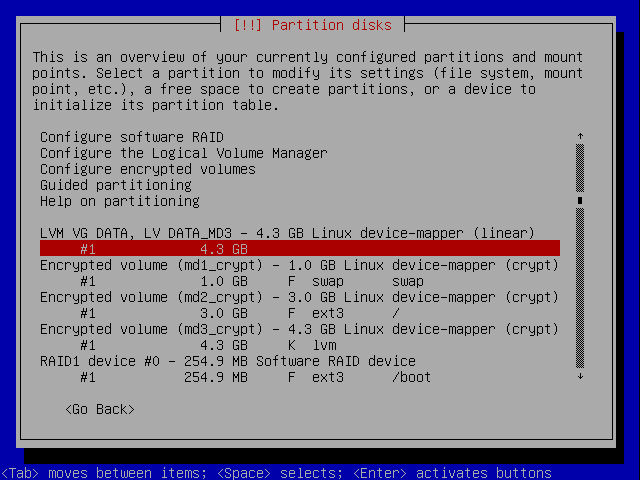
Back at the main partition screen, select now logical volume:
(JavaScript must be enabled in your browser to view the large image as an image overlay.)
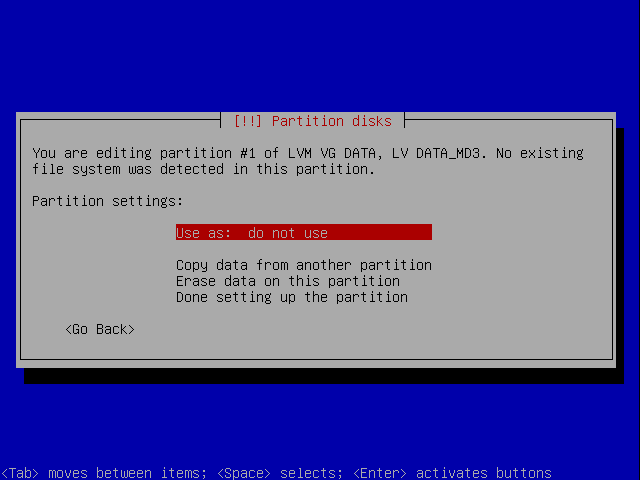
Select "Use as":
(JavaScript must be enabled in your browser to view the large image as an image overlay.)
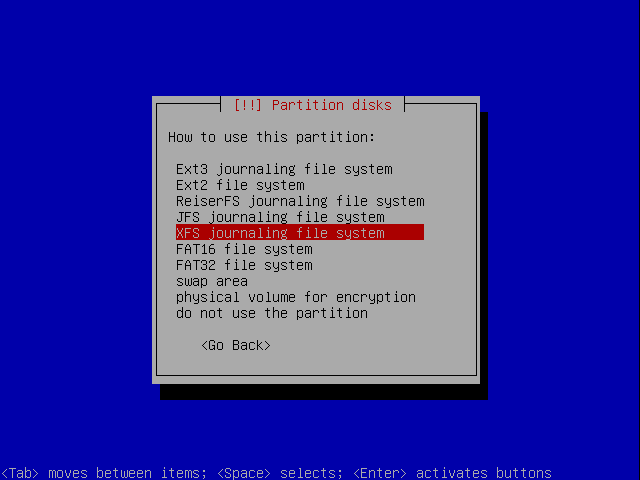
Select the filesystem. I prefer XFS as it has better overall performance according to debian administrator :
(JavaScript must be enabled in your browser to view the large image as an image overlay.)
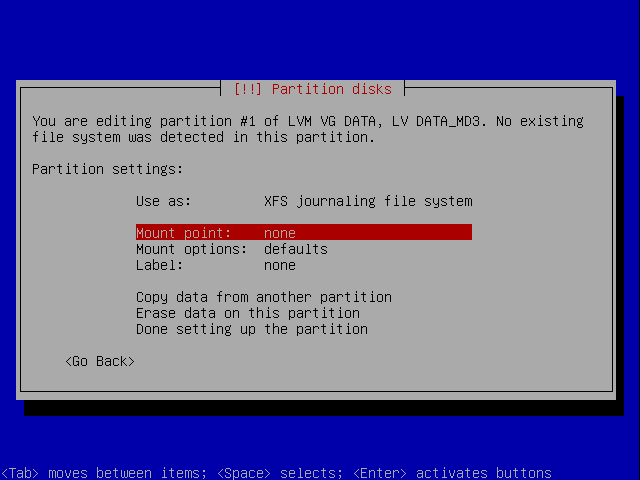
Select mount point:
(JavaScript must be enabled in your browser to view the large image as an image overlay.)
You could use /srv or manually set one. I chose the manual way::
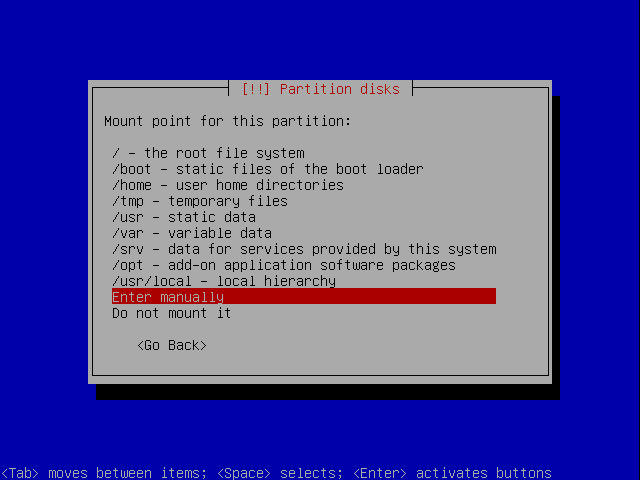
(JavaScript must be enabled in your browser to view the large image as an image overlay.)
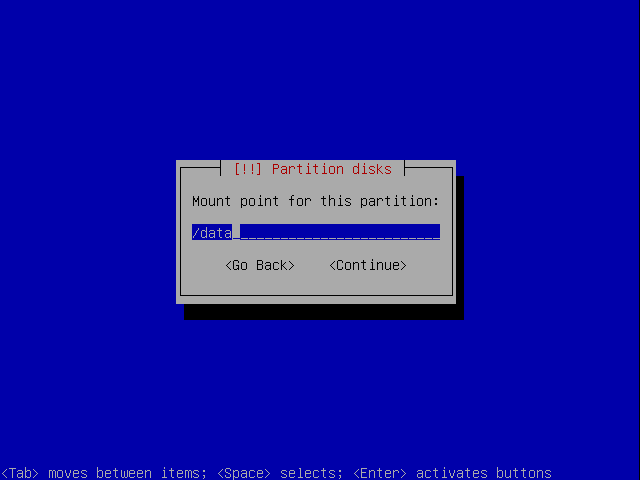
I set it to /data:
(JavaScript must be enabled in your browser to view the large image as an image overlay.)
Now you're done with this one:
(JavaScript must be enabled in your browser to view the large image as an image overlay.)
Step 20: Finishing the partitioning
Back at the main partition screen, scroll down and select to finish the partitioning:
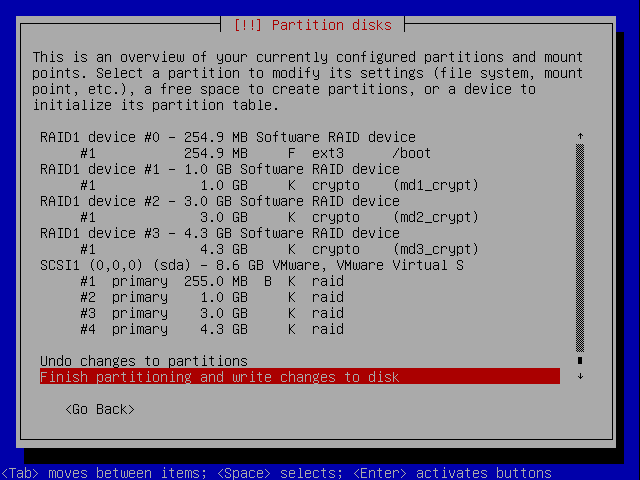
(JavaScript must be enabled in your browser to view the large image as an image overlay.)
Select yes to write the changes to disk:
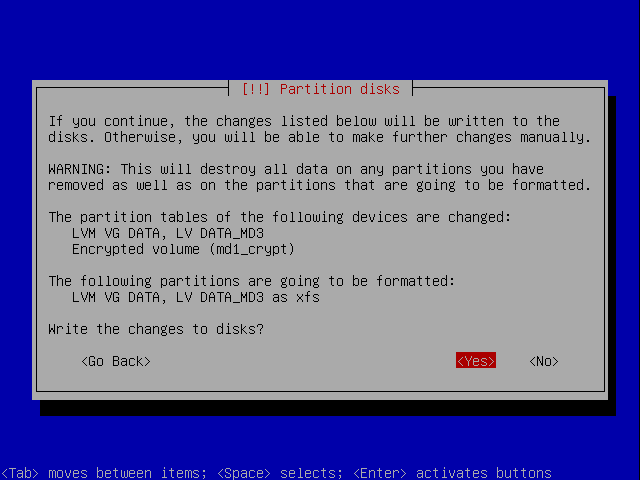
(JavaScript must be enabled in your browser to view the large image as an image overlay.)
Continue with the installation.
Set Up A Fully Encrypted Raid1 LVM System - Page 5
Set Up A Fully Encrypted Raid1 LVM System - Page 7
Recent comments
10 hours 56 min ago
20 hours 51 min ago
1 day 2 hours ago
1 day 7 hours ago
1 day 12 hours ago
1 day 14 hours ago
1 day 15 hours ago
1 day 15 hours ago
1 day 19 hours ago
1 day 20 hours ago