
The Perfect Server - OEL 5.4 [ISPConfig 3]
Version 1.0
Author: Josep Cols <josep [at] cols [dot] name>
This tutorial shows how to prepare a OEL 5.4 (Oracle Enterprise Linux) server for the installation of ISPConfig 3, and how to install ISPConfig 3 on a distributed configuration. OEL is a clone of RedHat ES, so, both are very similar. ISPConfig 3 is a webhosting control panel that allows you to configure the following services through a web browser: Apache web server, Postfix mail server, MySQL, PureFTPd, SpamAssassin, ClamAV, and many more.
This installation shows how to install a distributed installation with:
A computer as database server.
Another computer as Webserver, Ftpserver and Webmail.
And a third computer as email server.
All this distributed configuration is monitored and managed by a unique and integrated ISPConfig 3 console.
Please note that this setup does not work for ISPConfig 2! It is valid for ISPConfig 3 only!
I do not issue any guarantee that this will work for you!
Index
1 Requirements
2 How to download the O.S. Software
3 How to install the base O.S.
4 Install Mysql
5 Install Webserver and Ftpserver
6 Install Email server
7 Install Squirrelmail Webmail
1 Requirements
In order to do the complete installation, you need:
3 32 bits/Intel Computers, may be virtual ones, where to install the software. If you install on VMs and the VM does not allow to install a Linux OEL O.S., try to configure the VM as RedHat 5.4.
All of them will be configured on the same subnet and all must have access to the Internet to download sofware online.
For this tutorial we use the hostnames:
mysql.netbck.com with the IP address 192.168.1.211
http.netbck.com with the IP address 192.168.1.212
email.netbck.com with the IP address 192.168.1.213
The gateway 192.168.1.1
And the nameservers 62.42.230.22, 62.42.63.52
These settings might differ for you, so you have to replace them where appropriate.
User needed for the installation
All the installation must be made using the user root.
2 How to download the O.S. Software
Oracle distributes the OEL under the GNU License, so, you can download ad use this software. However, this license does not entitle you to support.
You can download the Oracle Enterprise Linux 5.4 at http://edelivery.oracle.com/linux. In order to download the software, you don't need to register or login, but it is needed to accept the Legal Terms of the sotware.
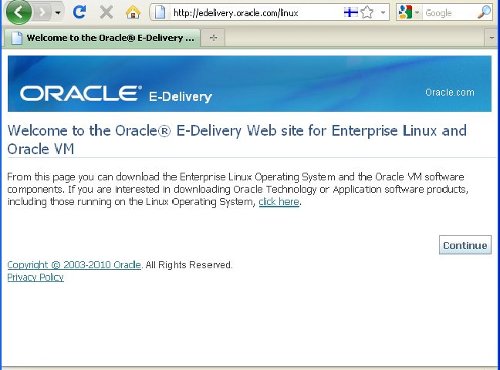
When you go to address http://edelivery.oracle.com/linux, you can see the Welcome page: click on the Continue button.
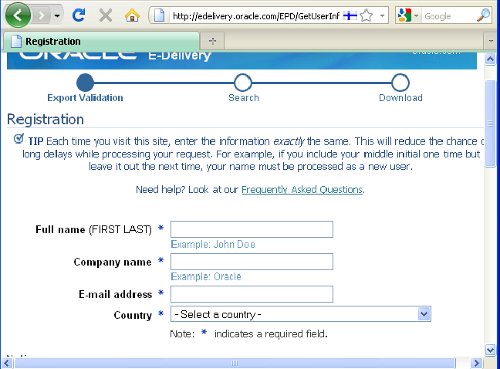
On this page you must identify yourself.
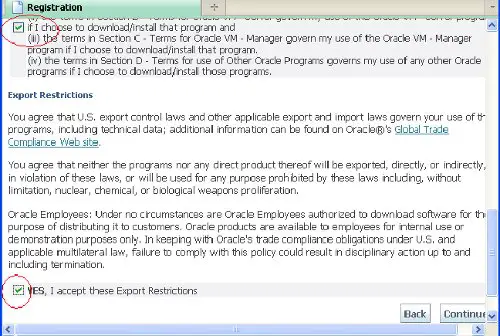
Now, you must scroll down this page and agree (check) two check-boxes, marked with a red circle on the image, and Continue.
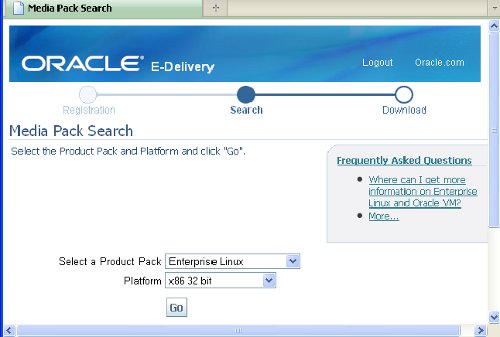
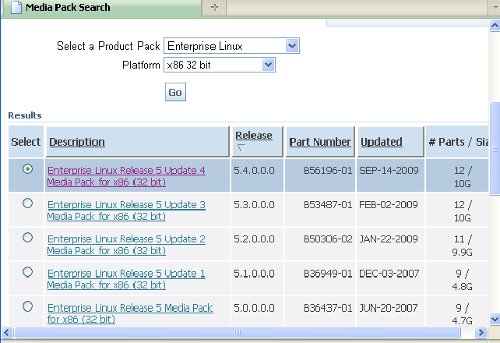
In this screen you must select the product to download.
The product pack selected must be Enterprise Linux and the platform selected must be x86 32bits
Now, press the GO button.
On the same page, now appears a list of available versions.
Click on Enterprise Linux Release 5 Update 4 Media Pack for x86 (32 bits):
On this page there is a list of CDs/DVDs because OEL is available as:
5 binary CDs
5 source CDs
1 binary DVD
1 source DVD
We will use the binary DVD to install because is the easiest way to install.
If needed, scroll down the page, search the entry entitled Enterprise Linux Release 5 Update 4 for x86 (32 bits) - DVD and press the dowload button.
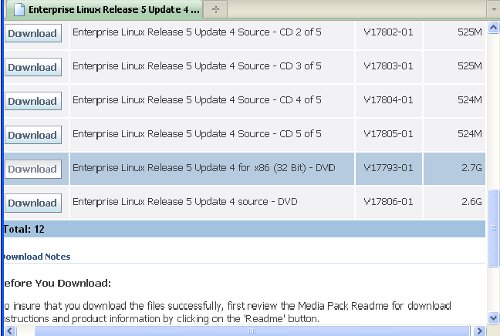
If asked for, select to save the file V17793-01.zip to disk, ... wait until the file V17793-01.zip downloads (2.7 Gb) .... and unzip it:
unzip V17793-01.zip
Now the iso DVD image Enterprise-R5-U4_server-i386-dvd.iso is available. You can create a Boot DVD with this image or use this image directly to install on a VM.





