
Managing Packages And Repositories With Yum And Yumex On Fedora 7
Version 1.0
Author: Oliver Meyer <o [dot] meyer [at] projektfarm [dot] de>
This article explains how to improve/optimize/speed up package installation with Yum, install packages with "Yum Extender" (a GUI for Yum with extensive features to manage packages), and manage different external package repositories - with focus on prevention of problems with different repositories - on Fedora 7.
This howto is meant as a practical guide; it does not cover the theoretical backgrounds. They are treated in a lot of other documents in the web.
This document comes without warranty of any kind! I want to say that this is not the only way of setting up such a system. There are many ways of achieving this goal but this is the way I take. I do not issue any guarantee that this will work for you!
1 Yum
1.1 Speed Up Yum
To ensure that yum always uses the fastest available mirror for a repository (if it has more than one mirror) you can install the package yum-fastestmirror. This will decrease the time for downloads in many cases.
yum install yum-fastestmirror
1.2 Broken Dependencies
To avoid problems with dependencies in the first place you can install the package yum-skip-broken - packages with dependency problems will just be skipped.
yum install yum-skip-broken
1.3 Kernel Modules
To prevent your system from updating the kernel if you have kernel-modules installed which are not available yet for the new kernel, you can install the two packages yum-fedorakmod and yum-kernel-module.
yum install yum-fedorakmod yum-kernel-module
2 Repositories
There are different repositories available for Fedora 7 - the problem is: some of these repositories have different versions of packages with equal names. Just mixing such repositories will end up in a mess sooner or later. So premeditate which repositories you add.
If you want or need to mix varoius repositories there are some possibilities to handle this:
If you only need a few packages from mixed repositories you should disable them by default and enable them only if you want to install a package. Don't use them for systemwide updates! To disable a repository, go to /etc/yum.repos.d/, open the *.repo file of your choice and set enable to 0.
e.g.
[atrpms]
name=Fedora Core $releasever - $basearch - ATrpms
baseurl=http://dl.atrpms.net/f$releasever-$basearch/atrpms/stable
gpgkey=http://ATrpms.net/RPM-GPG-KEY.atrpms
gpgcheck=1
enabled=0
To enable a repository temporarily to install or update a package:
yum --enablerepo=$repository $action $package
e.g.
yum --enablerepo=atrpms install vlc
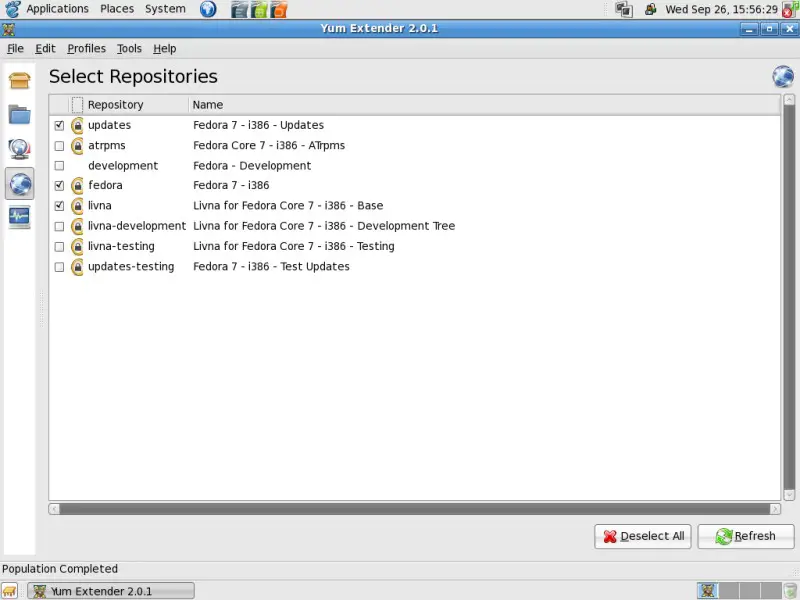
Or simply mark the corresponding checkbox in the Yum Extender - have a look at step 3.1.
You want all? Possible... Then you have to install and configure one of the following packages:
yum-priorities (detailed information at http://wiki.centos.org/PackageManagement/Yum/Priorities)
or
yum-protectbase (detailed information at http://wiki.centos.org/PackageManagement/Yum/ProtectBase)
Some well-known repositories:
2.1 Livna
An extension of the Fedora repository(s). It provides multimedia applications, video drivers for nvidia and ati cards and some other packages.
Homepage: http://rpm.livna.org/
Architecture: i386, x86_64, ppc
List of packages: i386, x86_64, ppc
Fedora 7 release-rpm: http://rpm.livna.org/fedora/7/i386/livna-release-7-2.noarch.rpm
2.2 KDE-Redhat
Provides packages only for KDE.
Homepage: http://kde-redhat.sourceforge.net/
Architecture: i386, x86_64 ( not all packages )
List of packages: i386, x86_64
Fedora release-rpm: http://apt.kde-redhat.org/apt/kde-redhat/fedora/kdeforge.repo
2.3 Freshrpms
Provides multimedia applications, video drivers for nvidia and ati cards and some other packages.
Homepage: http://freshrpms.net/
Architecture: i386, x86_64, ppc
List of packages: http://bordeaux.freshrpms.net/
Fedora 7 release-rpm: http://ftp.freshrpms.net/pub/freshrpms/fedora/linux/7/freshrpms-release/freshrpms-release-1.1-1.fc.noarch.rpm
2.4 RPMforge
A joint project from a few maintainers of other repositories like Dag, Dries or Freshrpms. It provides different kinds of packages.
Homepage: http://rpmforge.net/
Architecture: i386, x86_64, ppc ( Yellow Dog Linux ), SPARC ( Aurora Linux ), Alpha ( Fedora Core 2 )
List of packages: http://rpmforge.net/user/packages/
2.5 ATRPMS
Provides different kinds of packages for all versions of Fedora, RHEL and RHL 7.3/8.
Homepage: http://atrpms.net/
Architecture: i386, x86_64, ppc
List of packages: http://atrpms.net/dist/
Fedora 7 release-rpm (i386): http://dl.atrpms.net/all/atrpms-package-config-117-5.fc7.i386.rpm
Fedora 7 release-rpm (x86_64): http://dl.atrpms.net/all/atrpms-package-config-117-5.fc7.x86_64.rpm
Fedora 7 release-rpm (ppc): http://dl.atrpms.net/all/atrpms-package-config-117-5.fc7.ppc.rpm
2.6 Kwizart
Provides packages for various WLAN drivers ( also rare models ) and special software like hotkey- and ACPI drivers for various notebooks. It also contains packages for Freevo. Deemed compatible to the Livna repository.
Homepage: http://kwizart.free.fr/blog/
Architecture: i386, x86_64
List of packages: http://kwizart.free.fr/fedora/7/i386/repodata/
Fedora 7 release-rpm: http://kwizart.free.fr/fedora/kwizart-release-7.noarch.rpm
2.7 Adobe
Provides the proprietary Flash plugin.
Homepage: http://macromedia.mplug.org/
Architecture: i386
List of packages: http://macromedia.mplug.org/rpm/RPMS.macromedia/
Release-rpm: http://linuxdownload.adobe.com/adobe-release/adobe-release-i386-1.0-1.noarch.rpm
2.8 Suspend2
Provides packages for suspend2 - described as the Linux equivalent of Windows' hibernate functionality. Interesting for notebook users.
Homepage: http://mhensler.de/swsusp/index_en.php
Architecture: i386
List of packages: http://mhensler.de/swsusp/download/yum/fc7/
Repository-file: http://mhensler.de/swsusp/download/suspend2.repo
2.9 Gstreamer
Provides packages for gstreamer directly from the developers.
Homepage: http://gstreamer.freedesktop.org/
Architecture: i386, x86_64
List of packages: http://gstreamer.freedesktop.org/pkg/fedora/
Repository-file (gstreamer-deps): http://gstreamer.freedesktop.org/download/gstreamer-0.10-deps.repo
Repository-file (gstreamer-gst): http://gstreamer.freedesktop.org/download/gstreamer-0.10-gst.repo
Repository-file (gstreamer-apps): http://gstreamer.freedesktop.org/download/gstreamer-0.10-apps.repo
2.10 Freevo
Provides packages for the HTPC surface freevo.
Homepage: http://freevo.sourceforge.net/
Architecture: i386
From the Freevo wiki: "Currently Freevo RPMs for FC6/F7 are available from the kwizart repository, which is dependent on additional packages from rpm.livna.org.WARNING: You SHOULD NOT mix packages from Livna with those from FreshRPMs, as doing so will lead to RPM package conflicts and other dependency issues."
2.11 PlanetCCRMA
Provides packages for professional audio usage.
Homepage: http://ccrma.stanford.edu/planetccrma/software/
Architecture: i386
List of packages: http://ccrma.stanford.edu/planetccrma/mirror/fedora/linux/planetccrma/7/i386/
Signature:
rpm --import http://ccrma.stanford.edu/planetccrma/RPM-GPG-KEY.planetccrma.txt
Fedora 7 release-rpm: http://ccrma.stanford.edu/planetccrma/mirror/fedora/linux/planetccrma/7/i386/planetccrma-repo-1.0-3.fc7.ccrma.noarch.rpm
2.12 Dribble
Provides packages for different games and emulators. Depending on the Livna repository.
Homepage: http://dribble.org.uk/
Architecture: i386, x86_64, ppc
List of Packages: http://dribble.org.uk/listrpms9.html
Fedora 6/7 release-rpm: http://dribble.org.uk/repo/dribble-release-5-3.noarch.rpm
2.13 Dell (OMSA)
Provides packages for "Dell OpenManage Server Administrator" and other Dell packages (inofficial).
Homepage: http://linux.dell.com/yum/software/
Architecture: i386, x86_64
List of packages: http://linux.dell.com/repo/software/fc7/
Software-repository:
wget -q -O - http://linux.dell.com/repo/software/bootstrap.cgi | bash
Hardware-repository ( OMSA ):
wget -q -O - http://linux.dell.com/repo/hardware/bootstrap.cgi | bash
2.14 Didier
Provides packages for the window manager enlightenment E17 ( beta )
Homepage: http://sps.nus.edu.sg/~didierbe/index.html
Architecture: i386, x86_64 ( only Fedora 7 )
List of packages: i386, x86_64
Fedora 7 release-rpm: http://sps.nus.edu.sg/~didierbe/share/dc-f7-yum-repo-1.0-1.fc7.noarch.rpm
2.15 Jpackage
Provides many packages for java applications.
Homepage: http://jpackage.org/
Architecture: noarch
List of packages: http://mirrors.dotsrc.org/jpackage/1.6/generic/free/repodata/
Repository-file: http://jpackage.org/jpackage.repo
2.16 Skype
Provides Skype ( currently v1.4.x beta ).
Homepage: http://www.skype.com/
Repository-data:</p> <pre>[skype] name=Skype Repository baseurl=http://download.skype.com/linux/repos/fedora/updates/i586/ gpgkey=http://www.skype.com/products/skype/linux/rpm-public-key.asc</pre> <img src="data:image/gif;base64,R0lGODlhAQABAIAAAAAAAP///yH5BAEAAAAALAAAAAABAAEAAAIBRAA7" class="mce-pagebreak" data-mce-resize="false" data-mce-placeholder />
3 Yum Extender
Yum Extender - also known as yumex - is a GUI for Yum with extensive features to manage packages. Install yumex:
yum install yumex
Afterwards yumex is available via the Gnome Applications menu:
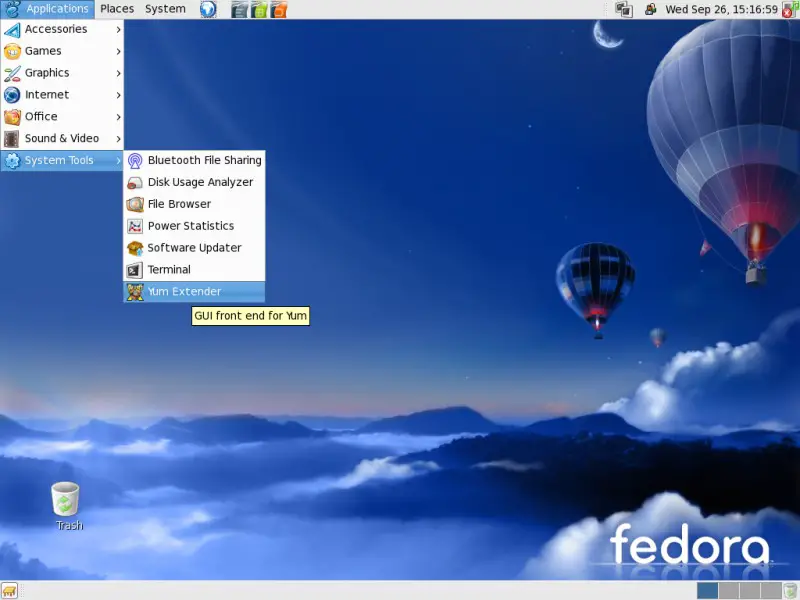
By default yumex updates its package information on every startup.
3.1 Tabs On The Left
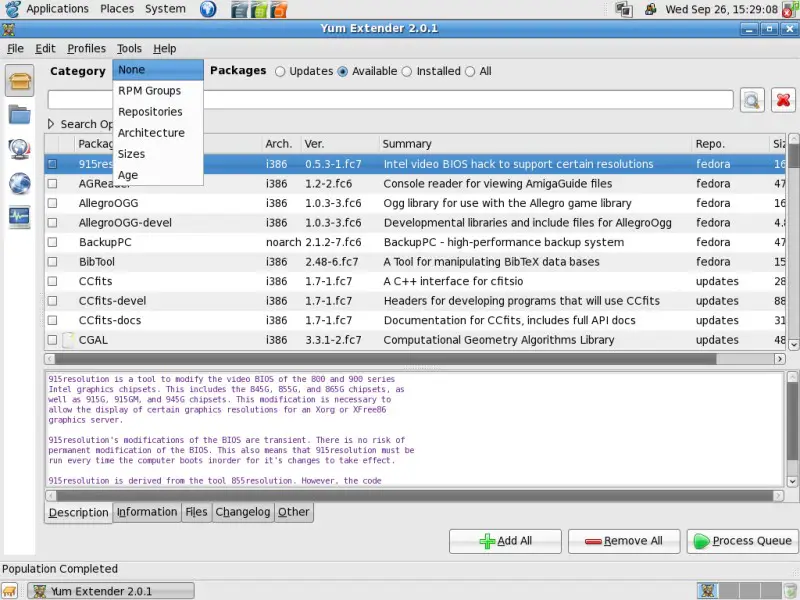
On the first tab you have options to select packages (optional by category) for update, installation or deinstallation. You can search for packages by scrolling the package lists or simply enter a search term into the corresponding field. If you mark a package by clicking on it, additional information will be shown in the lower area. When you mark the checkbox of a package, the package will be added to the package queue. Once you are ready you can execute the operations in the package queue by clicking on the button Process Queue in the lower right corner.
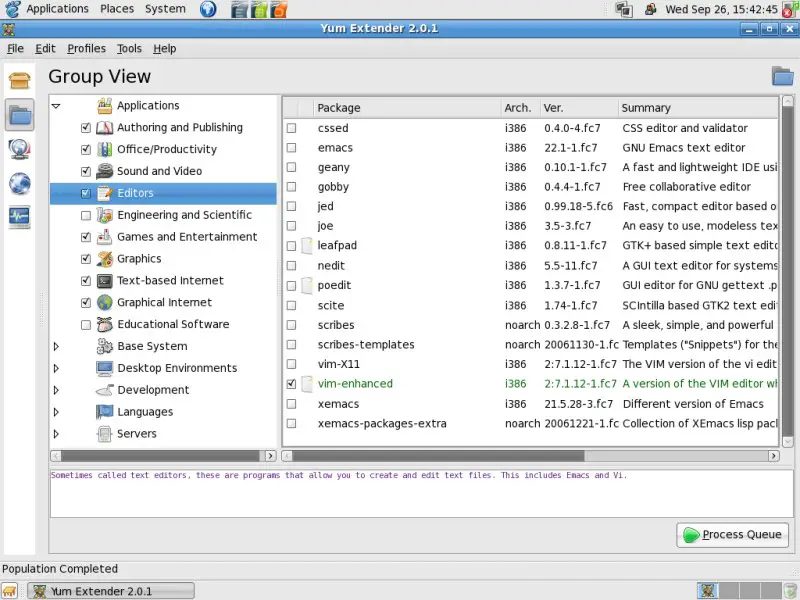
The second tab gives you the option to select packages sorted by group. The further handling is almost the same as the first tab - except of the possibility to select recommended packages from a package group by marking the checkbox of the group.
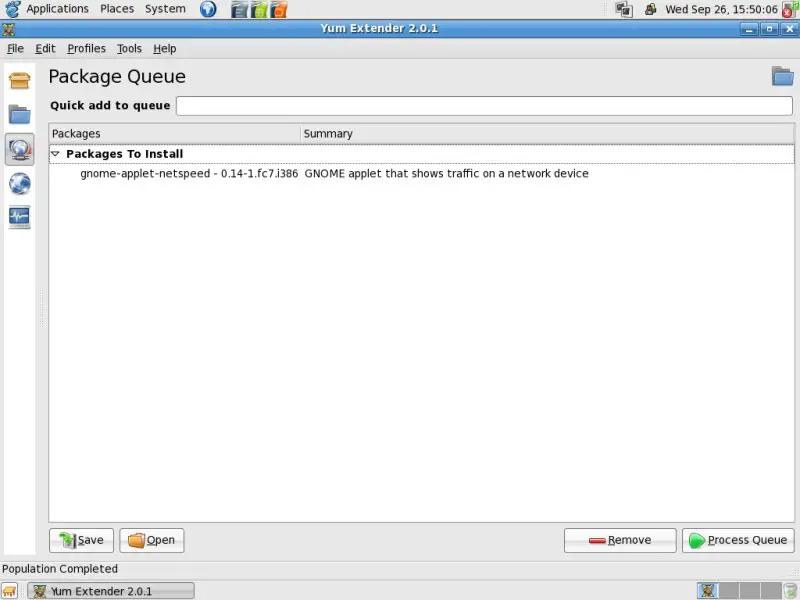
The third tab contains the package queue. Here you can see all packages that you selected for update, installation or deinstallation. You can remove packages or simply add known packages via the Quick add to queue field. You also have the option to save the queue to use it for other machines or load a queue file that you saved on another machine.
The fourth tab shows you all repositories on your system and which are enabled or disabled by default. You have the option to enable or disable one or more repositories (temporarily for this yumex session). You have to refresh yumex by clicking the corresponding button at the bottom on the right to make the changes effective. Afterwards the new package lists are available on the tabs one and two.
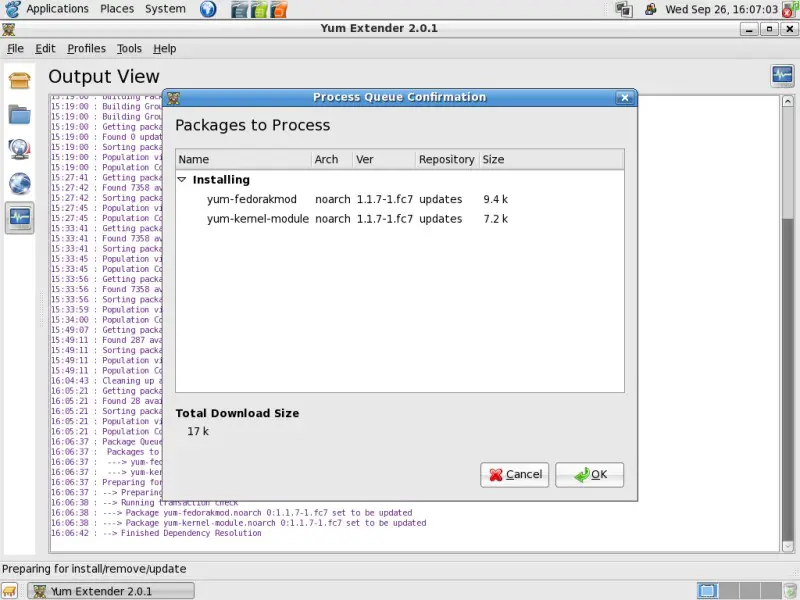
The sixth tab shows you the processing output. You'll be informed about every operation.
3.2 Preferences
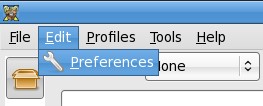
The preferences are available in the upper menu.
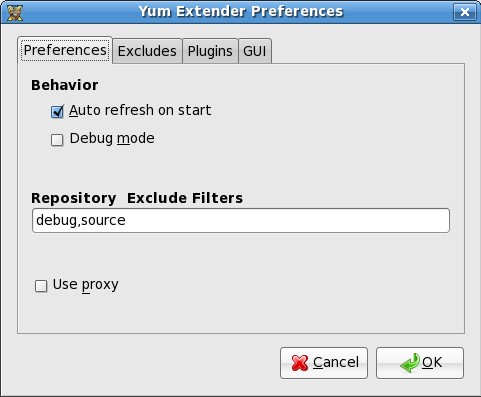
On the first tab Preferences you can adjust the behavior, add or remove repository exclude filters, and if you want or need to use a proxy. (Note: If you mark the checkbox a new field will appear where you can insert your proxy url.)
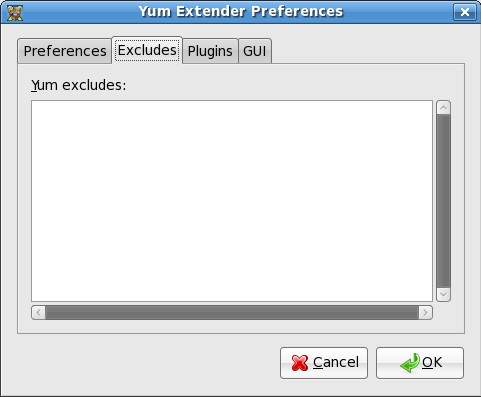
The second tab Excludes gives you the option to add packages that will be excluded. You have the possibility to insert wildcards (e.g.: kernel*).
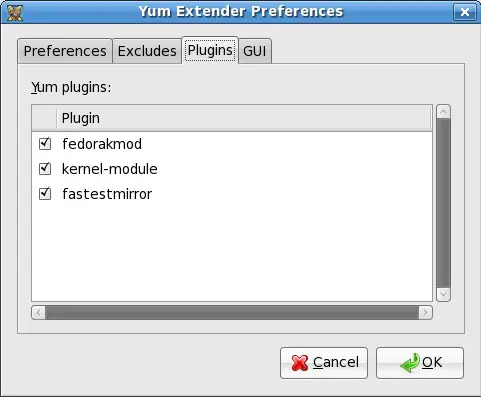
The third tab Plugins shows you all additional yum plugins. You have the option to disable or enable one or more plugins.
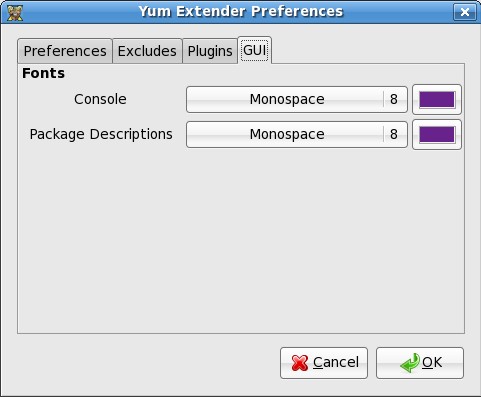
On the fourth tab GUI you can adjust the settings for the GUI fonts and their colors.
3.3 Profiles
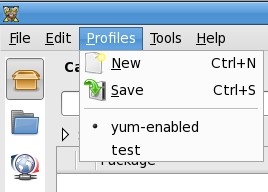
The settings for profiles are available in the upper menu. You can add profiles to save different sets of settings.
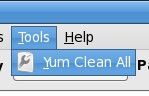
3.4 Tools
The tools are available in the upper menu. By default there is only one tool available - Yum Clean All. If you click on this button, any cached packages and all of the files which yum uses to determine the remote availability of packages will be eliminated. This will force yum to download all headers next time it is run.
4 Links
- Fedora: http://fedoraproject.org/
- Yum wiki: http://fedoraproject.org/wiki/Tools/yum
- Yum Extender: http://www.yum-extender.org/





