
Installing Lighttpd With PHP5 And MySQL Support On Fedora 8
Version 1.0
Author: Falko Timme
Lighttpd is a secure, fast, standards-compliant web server designed for speed-critical environments. This tutorial shows how you can install Lighttpd on a Fedora 8 server with PHP5 support (through FastCGI) and MySQL support.
I do not issue any guarantee that this will work for you!
1 Preliminary Note
In this tutorial I use the hostname server1.example.com with the IP address 192.168.0.100. These settings might differ for you, so you have to replace them where appropriate.
2 Installing MySQL 5.0
First we install MySQL 5.0 like this:
yum install mysql mysql-server
Then we create the system startup links for MySQL (so that MySQL starts automatically whenever the system boots) and start the MySQL server:
chkconfig --levels 235 mysqld on
/etc/init.d/mysqld start
Create a password for the MySQL user root (replace yourrootsqlpassword with the password you want to use):
mysqladmin -u root password yourrootsqlpassword
Then check with
netstat -tap | grep mysql
on which addresses MySQL is listening. If the output looks like this:
tcp 0 0 localhost.localdo:mysql *:* LISTEN 2713/mysqld
which means MySQL is listening on localhost.localdomain only, then you're safe with the password you set before. But if the output looks like this:
tcp 0 0 *:mysql *:* LISTEN 2713/mysqld
you should set a MySQL password for your hostname, too, because otherwise anybody can access your database and modify data:
mysqladmin -h server1.example.com -u root password yourrootsqlpassword
3 Installing Lighttpd
Lighttpd is available as a Fedora package, therefore we can install it like this:
yum install lighttpd
Then we create the system startup links for Lighttpd (so that Lighttpd starts automatically whenever the system boots) and start it:
chkconfig --levels 235 lighttpd on
/etc/init.d/lighttpd start
Now direct your browser to http://192.168.0.100, and you should see the Lighttpd placeholder page:
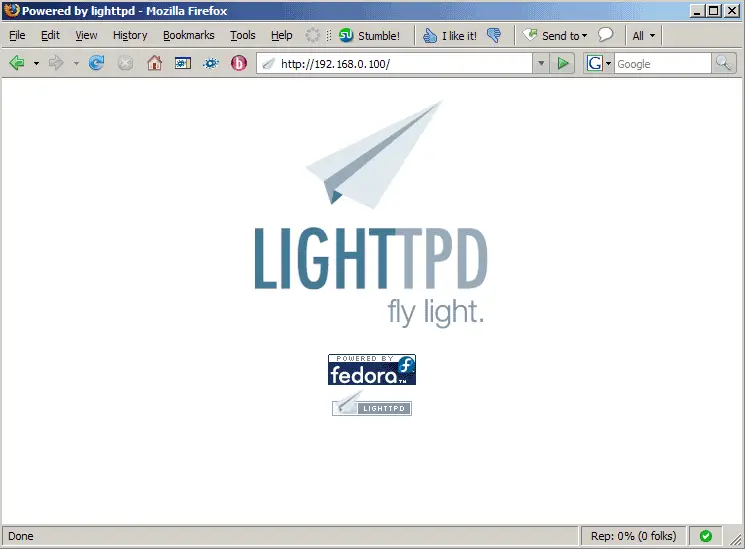
Lighttpd's default document root is /srv/www/lighttpd on Fedora, and the configuration file is /etc/lighttpd/lighttpd.conf.
4 Installing PHP5
We can make PHP5 work in Lighttpd through FastCGI. Therefore we install the packages lighttpd-fastcgi and php-cli:
yum install lighttpd-fastcgi php-cli
5 Configuring Lighttpd And PHP5
To enable PHP5 in Lighttpd, we must modify two files, /etc/php.ini and /etc/lighttpd/lighttpd.conf. First we open /etc/php.ini and add the line cgi.fix_pathinfo = 1 right at the end of the file:
vi /etc/php.ini
[...] cgi.fix_pathinfo = 1 |
Then we open /etc/lighttpd/lighttpd.conf and uncomment "mod_fastcgi", in the server.modules stanza:
vi /etc/lighttpd/lighttpd.conf
[...]
server.modules              = (
#                               "mod_rewrite",
#                               "mod_redirect",
#                               "mod_alias",
                                "mod_access",
#                               "mod_cml",
#                               "mod_trigger_b4_dl",
#                               "mod_auth",
#                               "mod_status",
#                               "mod_setenv",
                                "mod_fastcgi",
#                               "mod_proxy",
#                               "mod_simple_vhost",
#                               "mod_evhost",
#                               "mod_userdir",
#                               "mod_cgi",
#                               "mod_compress",
#                               "mod_ssi",
#                               "mod_usertrack",
#                               "mod_expire",
#                               "mod_secdownload",
#                               "mod_rrdtool",
                                "mod_accesslog" )
[...]
|
and then, further down the file, there's a fastcgi.server stanza which we uncomment as well:
[...]
#### fastcgi module
## read fastcgi.txt for more info
## for PHP don't forget to set cgi.fix_pathinfo = 1 in the php.ini
fastcgi.server             = ( ".php" =>
                               ( "localhost" =>
                                 (
                                   "socket" => "/var/run/lighttpd/php-fastcgi.socket",
                                   "bin-path" => "/usr/bin/php-cgi"
                                 )
                               )
                            )
[...]
|
Then we restart Lighttpd:
/etc/init.d/lighttpd restart





