Installing VirtualBox 2.0.0 On Ubuntu 8.04 Desktop
Version 1.0
Author: Falko Timme
This tutorial shows how you can install Sun xVM VirtualBox on an Ubuntu 8.04 desktop. With VirtualBox you can create and run guest operating systems ("virtual machines") such as Linux and Windows under a host operating system. There are two ways of installing VirtualBox: from precompiled binaries that are available for some distributions and come under the PUEL license, and from the sources that are released under the GPL. This article will show how to set up VirtualBox 2.0.0 from the precompiled binaries.
As of version 2.0.0 VirtualBox supports 32 and 64bit host and guest operating systems (if you want to install 64bit guests your processor must support hardware virtualization and, of course, the host operating system must be 64bit as well).
This document comes without warranty of any kind! I want to say that this is not the only way of setting up such a system. There are many ways of achieving this goal but this is the way I take. I do not issue any guarantee that this will work for you!
Installing VirtualBox From Precompiled Binaries
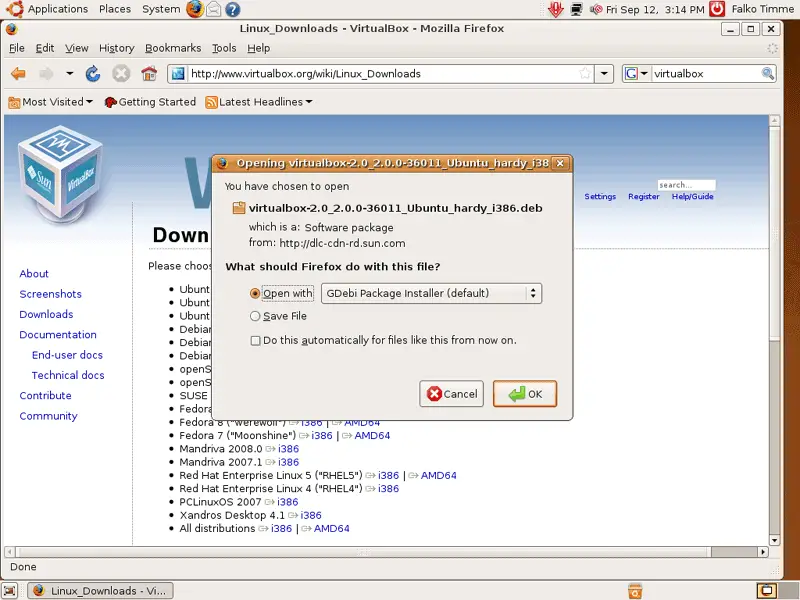
Open Firefox and go to http://www.virtualbox.org/wiki/Linux_Downloads. For Ubuntu 8.04, click on the i386 or AMD64 link (depending on if you have a 32 or 64 bit host operating system) right of Ubuntu 8.04 ("Hardy Heron"):
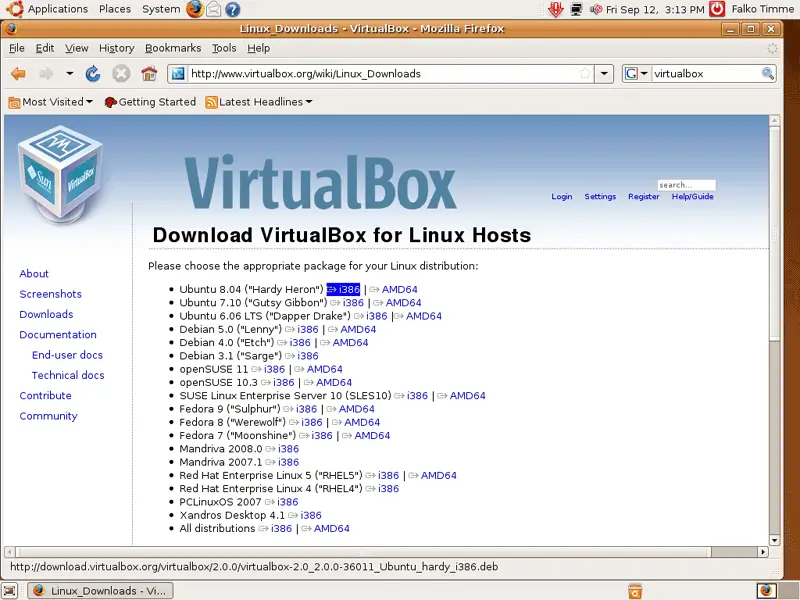
In the Firefox download dialogue, select Open with GDebi Package Installer (default):
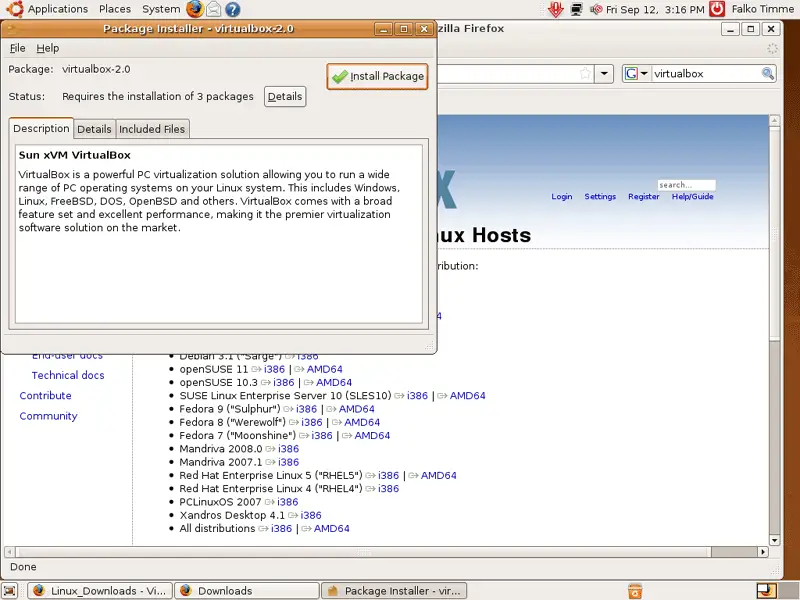
After the VirtualBox has been downloaded, a Package Installer window opens. Click on Install Package:
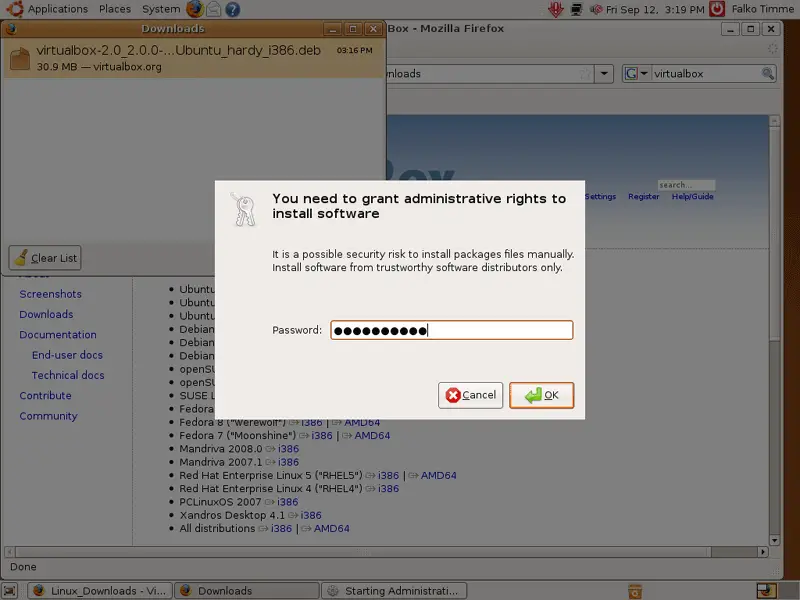
Type in your password:
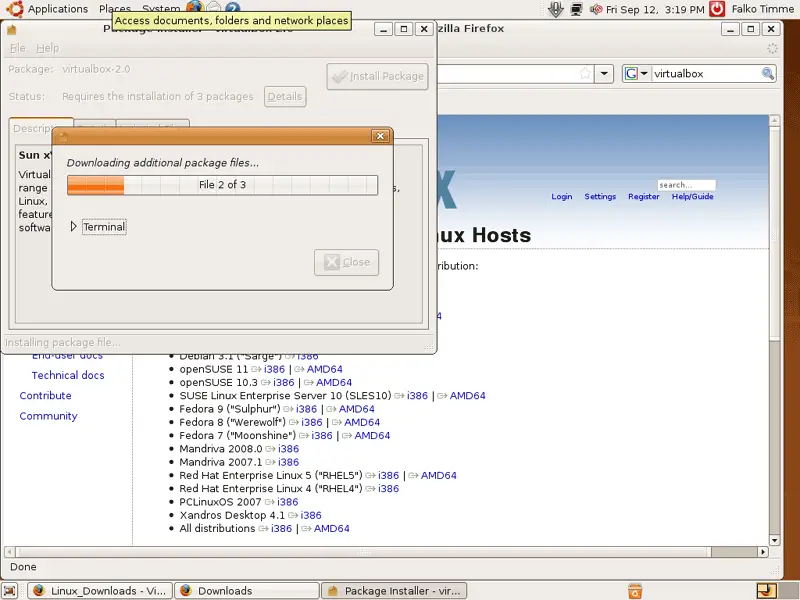
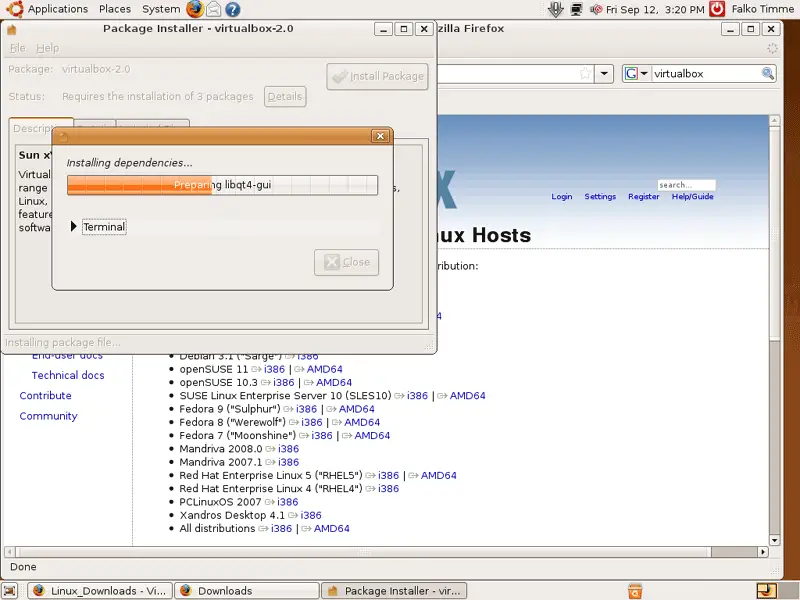
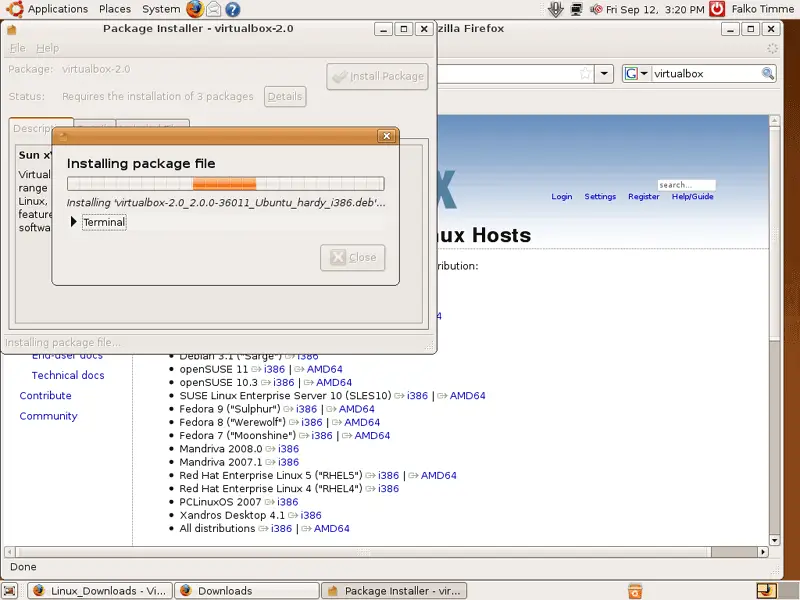
Afterwards, VirtualBox and its dependencies are being installed: