
Installing NVIDIA Drivers On Debian Lenny Manually
Introduction
Installing NVIDIA drivers on Debian Lenny requires a little extra work compared to doing so in other distributions like Ubuntu, due to the lack of some required packages in the default installation.
Getting NVIDIA Driver
Go to the NVIDIA official web site. Navigate to the drivers section. Choose the latest appropriate driver depending on your Linux platform (32- or 64-bit) and your graphic card model. Download the driver to your /home/username directory (or any other place of your choice).
Installing the Required Packages
The packages which are required for installing NVIDIA drivers and are not included in Debian Lenny by default are make, gcc and linux-headers-xxx. In order to install these packages, insert the first Debian installation DVD into your optical drive, open the Terminal and run the following command as root:
# apt-get install make gcc gcc-4.1 linux-headers* -y
Note: It is assumed that you have the Debian DVD 1 as one of your software repositories, the case which is satisfied by default.
Debian kernel was compiled with gcc version 4.1. When you try to install NVIDIA driver with the other versions of gcc than 4.1, that will prevent you from installation, that's why we've installed gcc-4.1.
Installing NVIDIA Driver
Now everything's ready to install the driver. Open the Terminal and run the following command as root to stop the gdm:
# /etc/init.d/gdm stop
You will leave the graphical environment. With logged in as root, change the current working directory to the one you've just stored the driver into:
# cd /home/username/
if you have stored the driver there. If not, cd to the other directory.
You have to ask the BASH to use the gcc version 4.1; set the CC environmental variable to use gcc-4.1:
# export CC=/usr/bin/gcc-4.1
Now install the driver:
# sh NVIDIA-Linux-xxxxxxx-pkgx.run
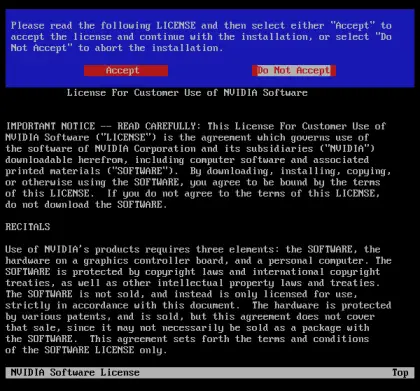
Restart the gdm to log in and re-enter the graphical environment.
# gdm
You may now install compiz and enjoy its nice effects.





