Installing Joomla 1.5.6 On A Lighttpd Web Server (Debian Etch)
Version 1.0
Author: Falko Timme
This guide explains how you can install Joomla 1.5.6 on a lighttpd web server on Debian Etch. Joomla comes with an .htaccess file with mod_rewrite rules (for Apache) (to enable search-engine friendly URLs) that do not work on lighttpd. Fortunately Joomla has a built-in method to make search-engine friendly URLs work on lighttpd as well.
I do not issue any guarantee that this will work for you!
1 Preliminary Note
I have tested this on a Debian Etch server where lighttpd and PHP5 are already installed and working (e.g. like in this tutorial). I'll use the hostname www.example.com and the document root /var/www/web1/web (where I will install Joomla) with the user web1_admin and the group web1 in this tutorial for demonstration purposes. Of course, you can use any other vhost as well, but you might have to adjust your lighttpd.conf.
2 Creating The Document Root And the User/Group
If your document root and the web user/group don't already exist, you can create them as follows:
groupadd web1
useradd -s /bin/bash -d /var/www/web1 -m -g web1 web1_admin
passwd web1_admin
mkdir /var/www/web1/web
chown web1_admin:web1 /var/www/web1/web
3 Installing Prerequsites
The Joomla sources come as a zip file, so we must install unzip. In addition to that, Joomla needs an FTP server if the Joomla files are owned by another user/group than the web server is running as (user www-data, group www-data on Debian) to avoid permission problems when Joomla tries to change its configuration file. Because I want to use the user web1_admin and the group web1 for the Joomla web site, I must install an FTP server (e.g. ProFTPd) as well (you don't have to do this if you already have a working FTP server on the system).
apt-get install unzip proftpd
4 Configuring Lighttpd And PHP
Because I want to install Joomla in /var/www/web1/web and not in the default document root /var/www, I open /etc/lighttpd/lighttpd.conf and change server.document-root; in addition to that I add a directive for server.error-handler-404 (I want to run only this Joomla web site on the server, so I can change this in the global configuration - if you're using virtual hosts, you must adjust your vhost configuration instead):
vi /etc/lighttpd/lighttpd.conf
[...] ## a static document-root, for virtual-hosting take look at the ## server.virtual-* options server.document-root = "/var/www/web1/web/" server.error-handler-404 = "/index.php" [...] |
Restart lighttpd afterwards:
/etc/init.d/lighttpd restart
Next we open /etc/php5/cgi/php.ini and set display_errors to Off:
vi /etc/php5/cgi/php.ini
[...] display_errors = Off [...] |
We restart lighttpd again:
/etc/init.d/lighttpd restart
5 Installing Joomla 1.5.6
We can install Joomla 1.5.6 to /var/www/web1/web as follows:
cd /var/www/web1/web
wget http://joomlacode.org/gf/download/frsrelease/8232/30034/Joomla_1.5.6-Stable-Full_Package.zip
unzip Joomla_1.5.6-Stable-Full_Package.zip
chown -R web1_admin:web1 *
touch configuration.php
chown www-data:www-data configuration.php
chmod 644 configuration.php
Then we log in to MySQL...
mysql -u root -p
... and create a Joomla database (I name it joomla) and a database user for that database (I name it joomlauser and use the password password for it - please use a password of your choice on your installation):
CREATE DATABASE joomla;
GRANT ALL PRIVILEGES ON joomla.* TO joomlauser@localhost IDENTIFIED BY 'password';
GRANT ALL PRIVILEGES ON joomla.* TO [email protected] IDENTIFIED BY 'password';
FLUSH PRIVILEGES;
quit;
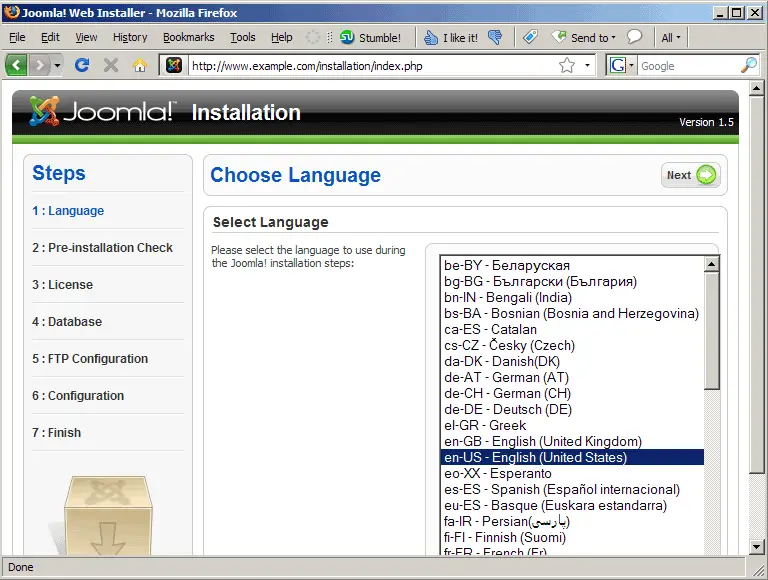
Next open a browser and go to http://www.example.com to start Joomla's installation wizard. Select your language and click on Next:
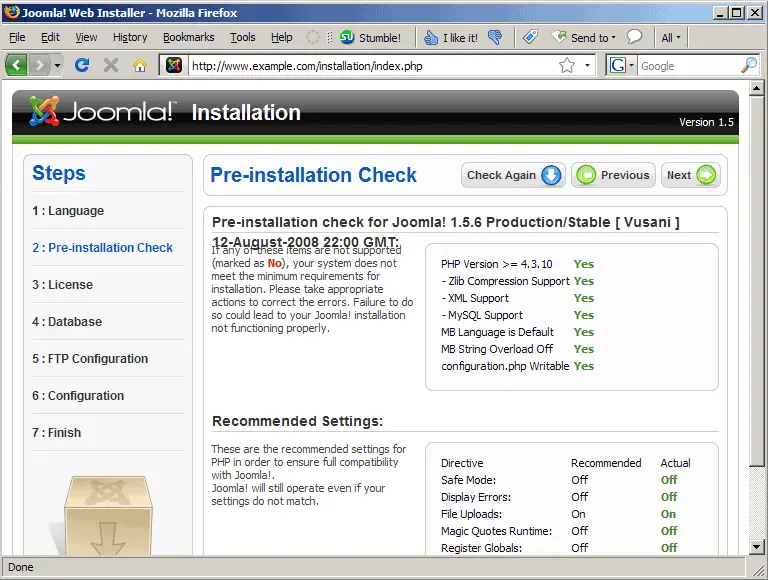
In the next step Joomla checks if your server fulfills all requirements. Click on Next (unless you see something red on that page):
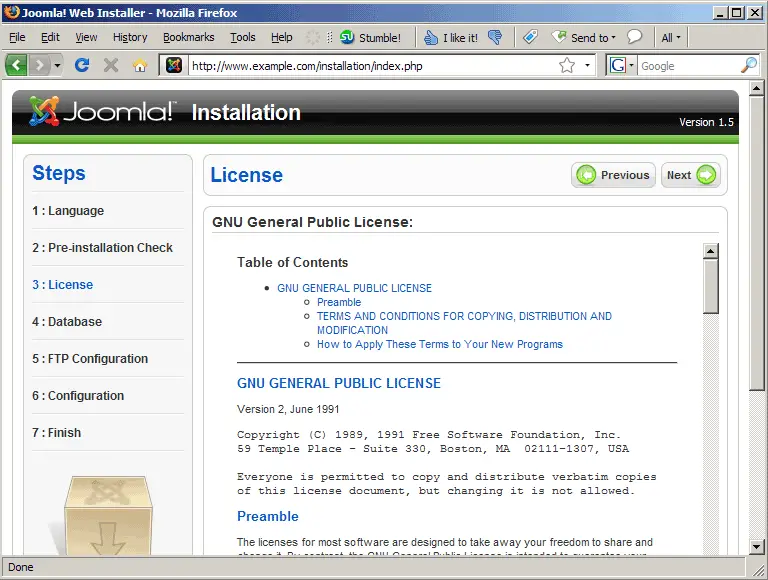
Click on Next to accept the license:
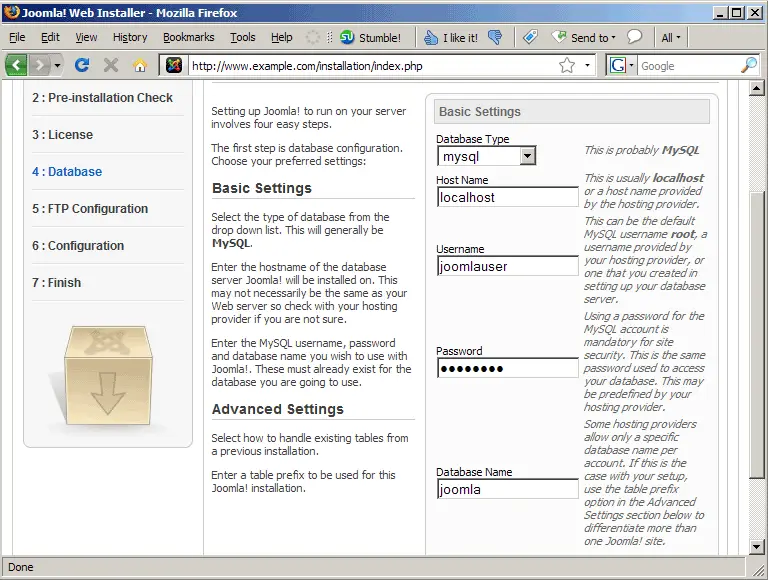
Now fill in the database details and click on Next: