
How To Simulate Network Devices Using SNMP Simulator
This tutorial explains how you can simulate network devices for testing purposes with the free Verax SNMP Simulator. Verax SNMP agent simulator is a tool that can simulate multiple SNMPv1/v2c agents on a single host on standard 161 port through multi-netting. It allows IT personnel to build virtual, simulated networks of devices without purchasing any additional hardware, for instance for testing purposes. Individual simulated agent responses can be initially retrieved from existing devices and modified at runtime by user defined rules.
Requirements And Tools Used
The Verax SNMP Agent Simulator can be installed on 32 and 64 bit Linux distributions including: SuSE, RedHat Enterprise and Debian using i386 and x64 architectures. It can be also installed in any operating environment supporting Java 1.6 or higher (AS/400, FreeBSD and others).
Before the installation you should check:
- RAM: at least 128 MB (depending on the number of SNMP agents).
- Disk space: at least 100 MB (depending on the number of SNMP agents).
- TCP/IP network connection.
Tools Used (Free):
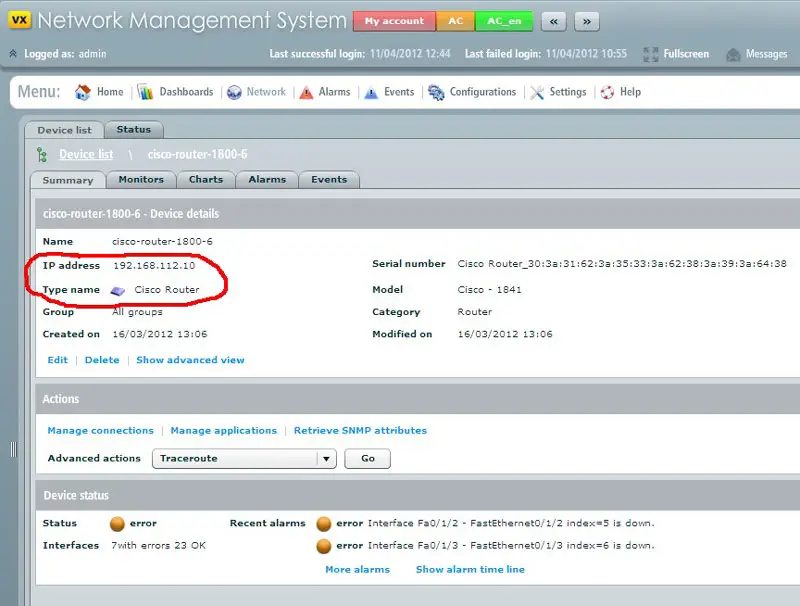
- Monitoring Tool (Verax NMS Express: http://www.veraxsystems.com/en/products/nms)
- Verax SNMP Agent Simulator (http://www.veraxsystems.com/en/products/snmpsimulator)
Installation
The installation process consists of the following steps:
- Download and unzip vxsnmpsimulator-1.0.1.zip file.
- Unzip and copy package content to installation directory e.g.: /usr/local/vxsnmpsimulator
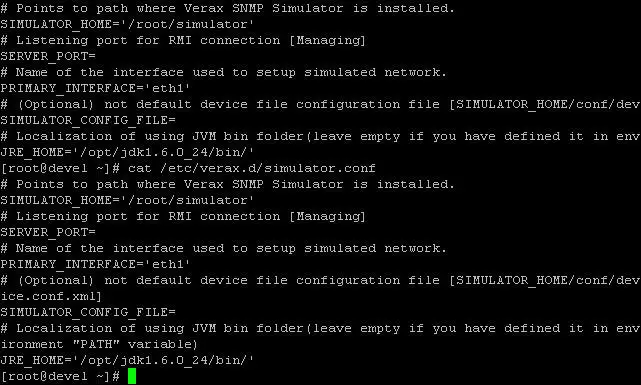
- Move simulator.conf file to: /etc/verax.d/ (create the /etc directory if it does not exist)
- Open simulator.conf, find a line with SIMULATOR_HOME variable and change the variable to point to the installation directory as required, e.g.: SIMULATOR_HOME=”/usr/local/vxsnmpsimulator”
- If running on Linux, copy simulatord file to /etc/init.d directory.
- If running on Linux, give execute permission to the file:
chmod +x /etc/init.d/simulatord
- Make sure that java is in the PATH environment variable (the simulator scripts invoke java without any path prefix).
At this stage simulator is ready to run, but it is recommended to edit device.conf.xml file first. Otherwise, the default configuration will be used.
Managing Simulator Service
- Starting the Verax SNMP Simulator:
Issue the following command in the terminal window shell:
service simulatord start
On Linux, the simulation process runs as a background daemon and can be managed as any other service (e.g. can be configured to be started on system startup). On Windows it runs as a foreground process started by the simulator.bat batch file.
NOTE: Once simulator is started log file will be created. Log file will be located in instalation folder of simulator. - Stopping the Verax SNMP Simulator: Issue the following command in the terminal window shell:
service simulatord stop
- Opening the simulator management console: Issue the following command in the terminal window shell:
service simulatord console
Working With Simulator Management Console
- Connecting to the simulator service: Once the management console has been opened, it asks for the connection details
(the console may connect to multiple servers). By default, the simulator service
process is running on the same server as the management console – in such a case
confirm the default parameters by pressing “y” at the prompt:
Read default connection parameters? [y/n]
The default connection parameters are: 127.0.0.1:43500 (localhost as the host name and 43500 for TCP port).
Once connected, use HELP command to see available options. - Management Console commands: Management Console provides two levels of management:
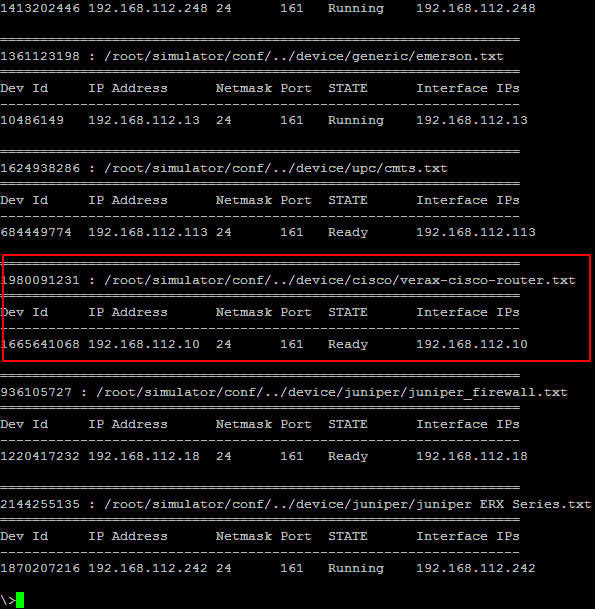
Level 1 – for management of device types supported by the simulator (add and remove device type, start and stop devices). Device type is considered as a group of devices using the same SNMP record file.
Level 2 – for management of devices (agent instances) under current device type (start, stop, add, remove devices).
A specific set of commands is available for each level. In order to see all available commands for the current level, use HELP command.
Managing Virtual Interfaces
The simulator requires virtual interfaces to run simulated devices. Each simulated device has a separate IP address assigned to a separate virtual interface. Virtual interfaces must be configured before starting the simulator. Currently Verax SNMP Simulator supports automatic interface management for Linux only.
Issue the following command in the terminal window shell:
service simulatord console
SNMP Record Files
Each simulated network device is represented by set of SNMP objects which are exposed by the simulator and can be read by external applications (e.g. by network management system). SNMP objects are kept in files called SNMP record files. Each SNMP record file contains SNMP objects representing a single device type (e.g. Cisco switch).
SNMP record file is a plain text file in which one line represents one SNMP object. Single line in this file has the following format:
OID = TYPE: VALUE [MODIFIER]
Where:
• OID – numerical identifier of SNMP
objects e.g. “.1.3.6.1.2.1.2.1.0”,
• TYPE – type of object defined by
SMI (for data types see the table below),
• VALUE – value of the object,
• MODIFIER – optional modifier of
object value
Additional Info (SNMP Modifier Types)
If more than one device is simulated based on the same SNMP record file, each device will expose the same SNMP object values. To differentiate object values, separate SNMP record files with different values can be created (which often requires a lot of manual work) or modifiers can be applied. Using modifiers requires the user to familiarize himself with the modifier syntax, however it speeds up the process of defining simulated devices especially for large networks. Modifier is an optional element in object definition in SNMP record file that follows object value and modifies it.
There are two types of modifiers:
Pre-loaded modifier – object value is modified upon simulator start when SNMP record files have been loaded. This modifier generates constant value of object which will be returned on every object read operation.
Post-loaded modifier – object value is modified on every object read operation. The value returned will be different each time it was read. This modifier can be used to simulate performance counters or other objects representing constantly changing metrics.





