
How To Password-Protect Directories With mod_auth_mysql On Apache2 (Debian Squeeze)
Version 1.0
Author: Falko Timme
 Follow me on Twitter
This guide explains how to password-protect web directories (with users from a MySQL database) with mod_auth_mysql on Apache2 on a Debian Squeeze server. It is an alternative to the plain-text password files provided by mod_auth and allows you to use normal SQL syntax to create/modify delete users. You can also configure mod_auth_mysql to authenticate against an existing MySQL user table.
I do not issue any guarantee that this will work for you!
1 Preliminary Note
I use the vhost http://www.example.com here with the vhost configuration file /etc/apache2/sites-available/www.example.com.vhost and the document root /var/www/www.example.com/web. I want to password-protect the directory /var/www/www.example.com/web/protecteddir in this tutorial (translates to http://www.example.com/protecteddir/).
2 Installing MySQL, mod_auth_mysql
To install MySQL and mod_auth_mysql, we run:
apt-get install mysql-server mysql-client libapache2-mod-auth-mysql
You will be asked to provide a password for the MySQL root user:
New password for the MySQL "root" user: <-- yourrootsqlpassword
Repeat password for the MySQL "root" user: <-- yourrootsqlpassword
Afterwards, enable the mod_auth_mysql module:
a2enmod auth_mysql
Restart Apache:
/etc/init.d/apache2 restart
3 Configuring mod_auth_mysql
You can find the documentation for mod_auth_mysql in the /usr/share/doc/libapache2-mod-auth-mysql directory. To read it, you have to gunzip the DIRECTIVES.gz and USAGE.gz files:
cd /usr/share/doc/libapache2-mod-auth-mysql
 gunzip DIRECTIVES.gz
 vi DIRECTIVES
gunzip USAGE.gz
 vi USAGE
Having read these two files, we create a MySQL database called examplecomdb in which we will create the table mysql_auth which will contain our users and passwords. In addition to that we create the MySQL user examplecom_admin - this user will be used by mod_auth_mysql to connect to MySQL later on:
mysqladmin -u root -p create examplecomdb
mysql -u root -p
GRANT SELECT, INSERT, UPDATE, DELETE ON examplecomdb.* TO 'examplecom_admin'@'localhost' IDENTIFIED BY 'examplecom_admin_password';
 GRANT SELECT, INSERT, UPDATE, DELETE ON examplecomdb.* TO 'examplecom_admin'@'localhost.localdomain' IDENTIFIED BY 'examplecom_admin_password';
 FLUSH PRIVILEGES;
(Replace examplecom_admin_password with a password of your choice.)
USE examplecomdb;
create table mysql_auth (
 username char(25) not null,
 passwd char(32),
 groups char(25),
 primary key (username)
 );
(Of course, you can as well use existing tables holding your user credentials, and you can as well have additional fields in the table, such as a field that defines if a user is active or not, for example.)
Now we insert the user test into our mysql_auth table with the password test (MD5 encrypted); this user belongs to the group testgroup:
INSERT INTO `mysql_auth` (`username`, `passwd`, `groups`) VALUES('test', MD5('test'), 'testgroup');
Then we leave the MySQL shell:
quit;
I want to create an .htaccess file in the /var/www/www.example.com/web/protecteddir directory which will contain the mod_auth_mysql configuration, and to do this, I must first modify our vhost configuration so that the .htaccess file is allowed to contain authentication directives. We can either do this with the line AllowOverride AuthConfig or AllowOverride All (which allows .htaccess to override all settings in the vhost configuration, not only authentication settings):
vi /etc/apache2/sites-available/www.example.com.vhost
[...]
        <Directory /var/www/www.example.com/web/protecteddir>
                AllowOverride AuthConfig
        </Directory>
[...]
|
(You can leave the above configuration out if AllowOverride AuthConfig or AllowOverride All are already set for the parent directory /var/www/www.example.com/web - /var/www/www.example.com/web/protecteddir inherits these settings unless something else is set inside a <Directory /var/www/www.example.com/web/protecteddir>...</Directory> container.)
Reload Apache:
/etc/init.d/apache2 reload
Now we create our .htaccess file:
vi /var/www/www.example.com/web/protecteddir/.htaccess
AuthBasicAuthoritative Off AuthUserFile /dev/null AuthMySQL On AuthName "Authentication required" AuthType Basic Auth_MySQL_Host localhost Auth_MySQL_User examplecom_admin Auth_MySQL_Password examplecom_admin_password AuthMySQL_DB examplecomdb AuthMySQL_Password_Table mysql_auth Auth_MySQL_Username_Field username Auth_MySQL_Password_Field passwd Auth_MySQL_Empty_Passwords Off Auth_MySQL_Encryption_Types PHP_MD5 Auth_MySQL_Authoritative On require valid-user |
The AuthBasicAuthoritative Off and AuthUserFile /dev/null are there to prevent that you get errors like these ones in your Apache error log (/var/log/apache2/error.log):
[Wed Jun 11 17:02:45 2008] [error] Internal error: pcfg_openfile() called with NULL filename
 [Wed Jun 11 17:02:45 2008] [error] [client 127.0.0.1] (9)Bad file descriptor: Could not open password file: (null)
If you have additional fields in your MySQL table that define if a user is allowed to log in or not (e.g. a field called active), you can add the Auth_MySQL_Password_Clause directive, e.g.:
[...] Auth_MySQL_Password_Clause " AND active=1" [...] |
(It is important that the string within the quotation marks begins with a space!)
The require valid-user directive makes that each user listed in the mysql_auth table can log in as long as he/she provides the correct password. If you only want certain users to be allowed to log in, you'd use something like
[...] require user jane joe [...] |
instead. And if you only want members of certain groups to be allowed to log in, you'd use something like this:
[...] require group testgroup [...] |
That's it! Now try to access http://www.example.com/protecteddir/, and you should be asked for a username and password:
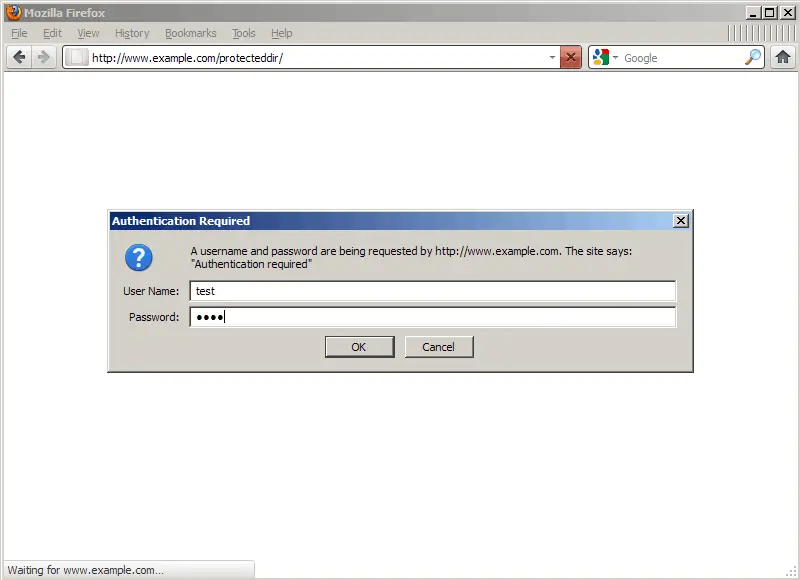
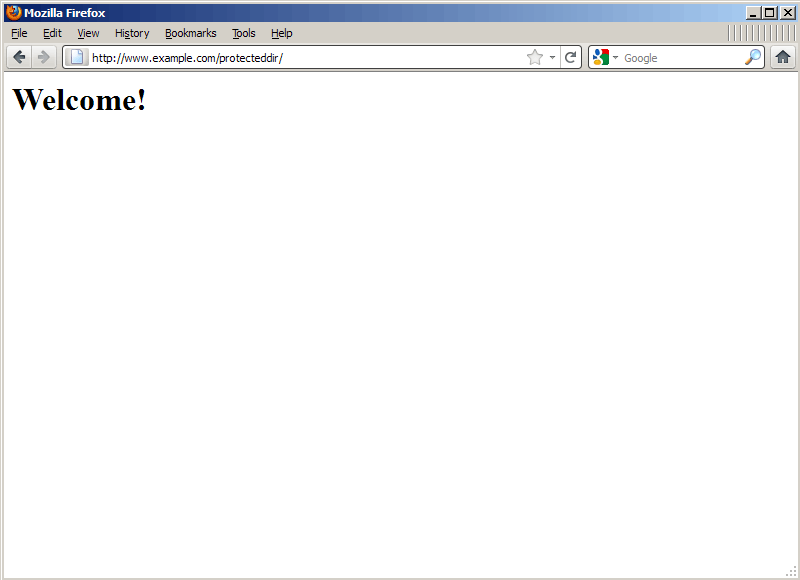
Instead of using an .htaccess file, it's also possible to place the mod_auth_mysql configuration directly in the vhost configuration. If you prefer this, delete the .htaccess file...
rm -f /var/www/www.example.com/web/protecteddir/.htaccess
... open the vhost configuration file:
vi /etc/apache2/sites-available/www.example.com.vhost
Add the following section (or modify your existing <Directory /var/www/www.example.com/web/protecteddir>...</Directory> container) - please note that this time we don't need the line AllowOverride AuthConfig or AllowOverride All because we don't use an .htaccess file anymore):
[...]
        <Directory /var/www/www.example.com/web/protecteddir>
                AuthBasicAuthoritative Off
                AuthUserFile /dev/null
                AuthMySQL On
                AuthName "Authentication required"
                AuthType Basic
                Auth_MySQL_Host localhost
                Auth_MySQL_User examplecom_admin
                Auth_MySQL_Password examplecom_admin_password
                AuthMySQL_DB examplecomdb
                AuthMySQL_Password_Table mysql_auth
                Auth_MySQL_Username_Field username
                Auth_MySQL_Password_Field passwd
                Auth_MySQL_Empty_Passwords Off
                Auth_MySQL_Encryption_Types PHP_MD5
                Auth_MySQL_Authoritative On
                require valid-user
        </Directory>
[...]
|
Reload Apache:
/etc/init.d/apache2 reload
4 Links
- Apache: http://httpd.apache.org/
- Debian: http://www.debian.org/
- mod_auth_mysql: http://modauthmysql.sourceforge.net/





