
How To Migrate Mailboxes Between IMAP Servers With imapcopy
Version 1.0
Author: Falko Timme
 Follow me on Twitter
This guide explains how you can migrate mailboxes between IMAP servers with imapcopy. imapcopy lets you copy recursively all email messages and folders from one imap account to another. It supports the protocols imap and imaps.
I do not issue any guarantee that this will work for you!
1 Preliminary Note
I'm using two Debian or Ubuntu servers here (the procedure should be the same for other distributions, only the installation of Java - which is required by imapcopy - will differ):
- server1.example.com (source)
- server2.example.com (target)
I want to migrate the mailbox [email protected] (username: [email protected], password: secret) on server1.example.com to the mailbox [email protected] on server2.example.com (username and password are the same as on server1.example.com).
A note for Ubuntu users:
Because we must run all the steps from this tutorial with root privileges, we can either prepend all commands in this tutorial with the string sudo, or we become root right now by typing
sudo su
2 Before We Start
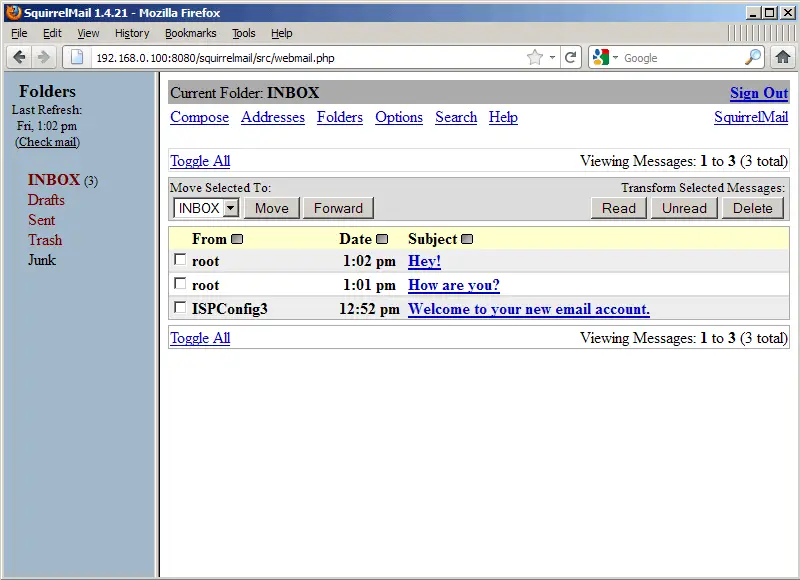
Before we start, let's take a look at both mailboxes to see what's in them (you can do this with an email client such as Outlook, Thunderbird, or a web-based email client such as SquirrelMail - I'm using SquirrelMail here).
server1.example.com:
server2.example.com:
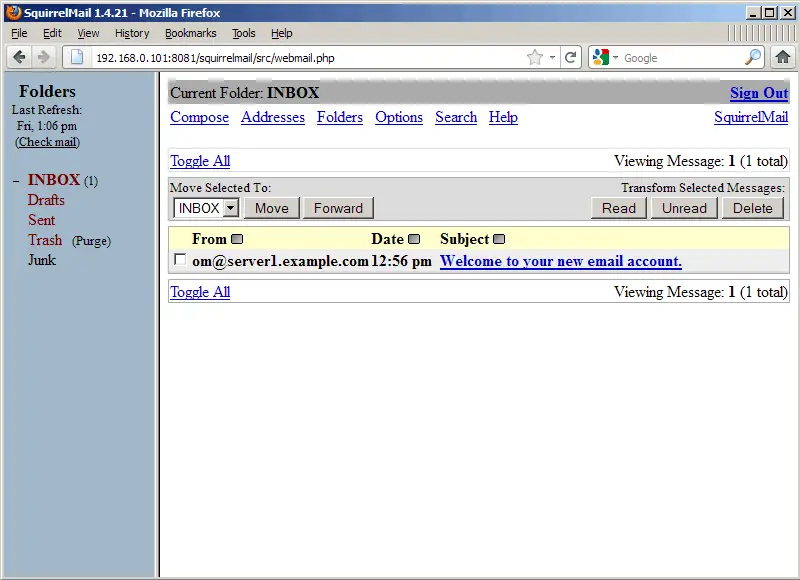
After the migration, the three messages on server1.example.com should be available on server2.example.com.
3 imapcopy Installation
It doesn't matter if we install imapcopy on server1.example.com or server2.example.com - we can even install it on a third, uninvolved server.
Java is needed by imapcopy, so we install the package openjdk-6-jre now. In addition, make sure that unzip is installed so that we can uncompress the imapcopy package:
apt-get install openjdk-6-jre unzip
Next we download and install imapcopy in the /usr/local/imapcopy/ directory as follows:
cd /usr/local/
 mkdir imapcopy
 cd imapcopy
 wget http://imapcopy.googlecode.com/files/imapCopy0.3.1.zip
 unzip imapCopy0.3.1.zip
Now we have to make the /usr/local/imapcopy/imapCopy.sh script executable:
chmod +x /usr/local/imapcopy/imapCopy.sh
4 Doing The Migration
imapcopy usage is as follows:
/usr/local/imapcopy/imapCopy.sh protocol://user[:password]@server[:port] protocol://user[:password]@server[:port]
Protocols can be imap or imaps.
If usernames are email addresses, replace @ with %40. So the command to copy email messages from [email protected] on server1.example.com to [email protected] on server2.example.com is:
/usr/local/imapcopy/imapCopy.sh imap://sales%40example.com:[email protected] imap://sales%40example.com:[email protected]
Here's a sample output:
root@server1:/usr/local/imapcopy# /usr/local/imapcopy/imapCopy.sh imap://sales%40example.com:[email protected] imap://sales%40example.com:[email protected]
 2011-09-30 13:28:27,751  INFO ImapCopier - Starting
 2011-09-30 13:28:27,751 DEBUG ImapCopier - Parameters length:2
 2011-09-30 13:28:27,751 DEBUG ImapCopier - opening conections
 2011-09-30 13:28:27,751 DEBUG ImapCopier - opening imap conection to server1.example.com
 2011-09-30 13:28:28,737 DEBUG ImapCopier - opening imap conection to server2.example.com
 2011-09-30 13:28:28,998 DEBUG ImapCopier - Creating target Folder: Drafts
 2011-09-30 13:28:29,030 DEBUG ImapCopier - Copying 0 messages from Drafts Folder
 2011-09-30 13:28:29,033 DEBUG ImapCopier - Creating target Folder: Junk
 2011-09-30 13:28:29,058 DEBUG ImapCopier - Copying 0 messages from Junk Folder
 2011-09-30 13:28:29,059 DEBUG ImapCopier - Creating target Folder: Trash
 2011-09-30 13:28:29,061 DEBUG ImapCopier - Copying 0 messages from Trash Folder
 2011-09-30 13:28:29,061 DEBUG ImapCopier - Creating target Folder: Sent
 2011-09-30 13:28:29,120 DEBUG ImapCopier - Copying 0 messages from Sent Folder
 2011-09-30 13:28:29,527 DEBUG ImapCopier - Copying 3 messages from INBOX Folder
 root@server1:/usr/local/imapcopy#
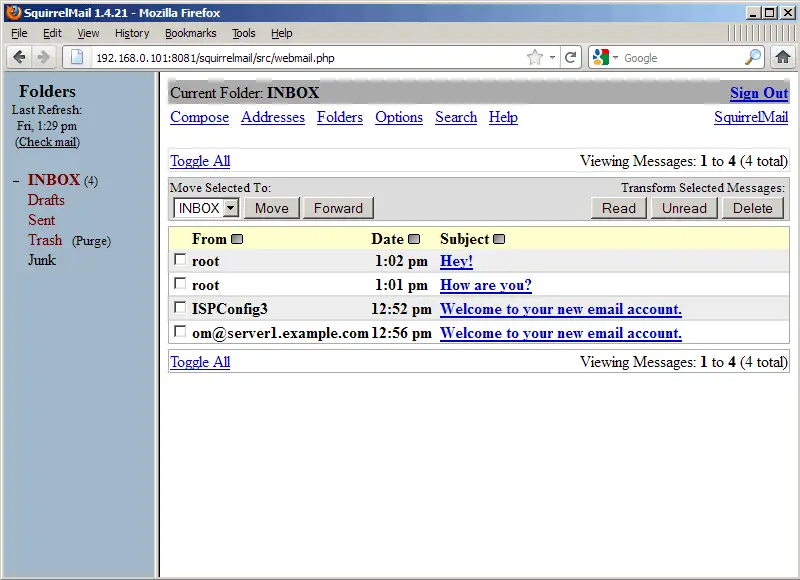
On the target server (server2.example.com), you should now see the messages from server1.example.com:
server2.example.com:
5 Links
- imapcopy: http://code.google.com/p/imapcopy/





