
How To Migrate Mailboxes Between IMAP Servers With IMAP TOOLS
Version 1.0
Author: Falko Timme  Follow me on Twitter
This guide explains how you can migrate mailboxes between IMAP servers with IMAP TOOLS. IMAP TOOLS is a collection of Perl scripts that allow you to do various tasks with IMAP servers and also POP3 servers. In this article I will focus on the scripts imapcopy.pl (copies messages and mailboxes from one IMAP server to another) and pop3toimap.pl (copies POP3 messages to an IMAP server). Both scripts support SSL. If you specify port 993 (995 for POP3) then an SSL connection is initiated. If the port number is 143 (110 for POP3) then it will try a non-SSL connection. With any other value the port will be tested to see if it supports SSL. If so, SSL will be used to make the connection; otherwise a non-SSL connection will be made.
I do not issue any guarantee that this will work for you!
1 Preliminary Note
I'm using two servers here:
- server1.example.com (source)
- server2.example.com (target)
I want to migrate the mailbox [email protected] (username: [email protected], password: secret) on server1.example.com to the mailbox [email protected] on server2.example.com (username and password are the same as on server1.example.com).
2 Before We Start
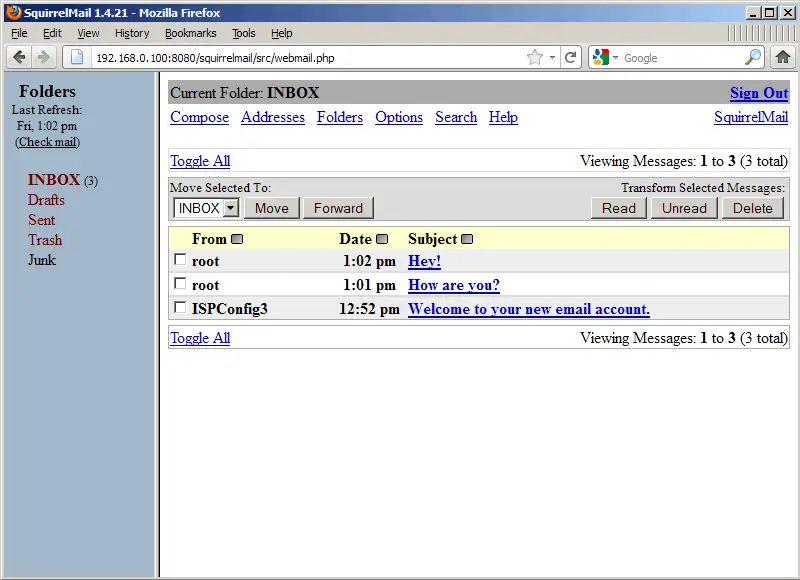
Before we start, let's take a look at both mailboxes to see what's in them (you can do this with an email client such as Outlook, Thunderbird, or a web-based email client such as SquirrelMail - I'm using SquirrelMail here).
server1.example.com:
server2.example.com:
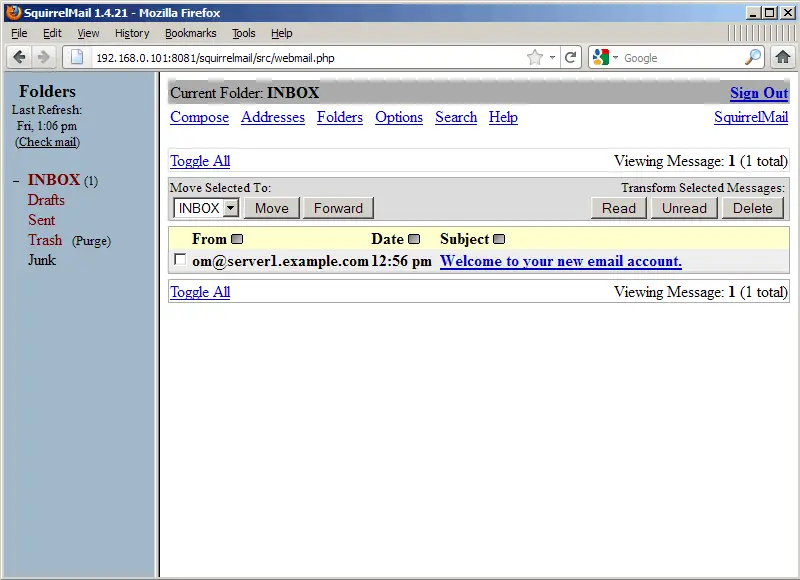
After the migration, the three messages on server1.example.com should be available on server2.example.com.
3 IMAP TOOLS Installation
It doesn't matter if we install IMAP TOOLS on server1.example.com or server2.example.com - we can even install it on a third, uninvolved server.
We download and install the IMAP TOOLS scripts in the /usr/local/imap_tools/ directory as follows:
cd /usr/local/
mkdir imap_tools
cd imap_tools
wget http://www.athensfbc.com/imap_tools/files/imap_tools_V1.105.tar.gz
tar xvfz imap_tools_V1.105.tar.gz
Now we have to make the Perl scripts executable:
chmod +x /usr/local/imap_tools/*.pl
4 Migrating Email Messages From One IMAP Server To Another IMAP Server With imapcopy.pl
imapcopy.pl usage is as follows:
/usr/local/imap_tools/imapcopy.pl -S host1[:port]/user1/password1 -D host2[:port]/user2/password2
So the command to copy email messages from [email protected] on server1.example.com to [email protected] on server2.example.com is:
/usr/local/imap_tools/imapcopy.pl -S server1.example.com/[email protected]/secret -D server2.example.com/[email protected]/secret
Here's a sample output:
root@server1:/usr/local/imap_tools# /usr/local/imap_tools/imapcopy.pl -S server1.example.com/[email protected]/secret -D server2.example.com/[email protected]/secret
/usr/local/imap_tools/imapcopy.pl starting
Connected to server1.example.com on port 143
Authenticating to server1.example.com as [email protected]
Connected to server2.example.com on port 143
Authenticating to server2.example.com as [email protected]
Number of mailboxes to process: 5
   Drafts mailbox is empty
   Junk mailbox is empty
   Trash mailbox is empty
   Sent mailbox is empty
   Copied 3 messages to INBOX
Copied 3 total messages
root@server1:/usr/local/imap_tools#
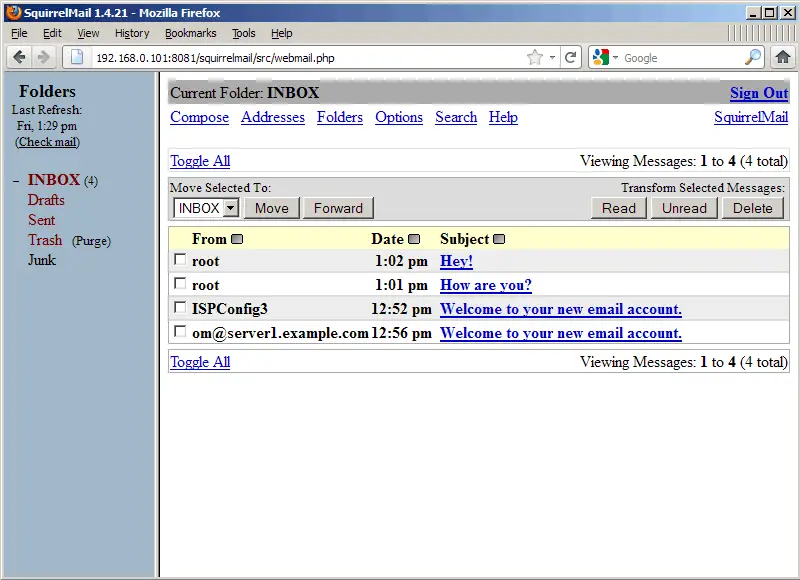
On the target server (server2.example.com), you should now see the messages from server1.example.com:
server2.example.com:
5 Migrating Email Messages From A POP3 Server To An IMAP Server With pop3toimap.pl
pop3toimap.pl usage is as follows:
/usr/local/imap_tools/pop3toimap.pl -p POP3host[:port] -i IMAPhost[:port] -u users_file
users_file has the following format:
popUsername password imapUsername password
So let's create the file /usr/local/imap_tools/users_file that contains the login details:
vi /usr/local/imap_tools/users_file
[email protected] secret [email protected] secret |
The command to copy email messages from [email protected] on the POP3 server server1.example.com to [email protected] on the IMAP server server2.example.com is:
/usr/local/imap_tools/pop3toimap.pl -p server1.example.com -i server2.example.com -u /usr/local/imap_tools/users_file
If you get errors like
Unexpected response to SELECT INBOX. command: 1 NO Mailbox does not exist, or must be subscribed to.
unexpected APPEND response: 1 NO Access denied for APPEND on INBOX. (ACL "i" required)
open pop3toimap.pl...
vi /usr/local/imap_tools/pop3toimap.pl
... and comment out line 123 ($mailbox = 'INBOX' unless $mailbox;) and add line 124 ($mailbox = 'INBOX';):
[...]
   foreach $msgnum ( @popMsgList ) {
      if ( $range ) {
         Log("msgnum $msgnum") if $debug;
         next if $msgnum < $lower;
         next if $msgnum > $upper;
      }
      Log("Fetching POP message $msgnum") if $debug;
      $msg = getPOPMsg( $msgnum, $p_conn );

      getFlag( \$msg, \$flag );
      getDate( \$msg, \$date );

      next if $msg eq '';

      #$mailbox = 'INBOX' unless $mailbox;
      $mailbox = 'INBOX';
      selectMbx( $mailbox, $i_conn );

      if ( insertMsg(*msg, $mailbox, $date, $flag, $i_conn ) ) {
         $copied++;
         $grandTotal++;
         Log("$copied messages migrated") if $copied/100 == int($copied/100);

         #  Delete the message from the POP server if the delete flag is set
         deletePOPMsg( $msgnum, $p_conn ) if $delete;

      }
   }
[...]
|
Then run the
/usr/local/imap_tools/pop3toimap.pl -p server1.example.com -i server2.example.com -u /usr/local/imap_tools/users_file
command again.
Here's a sample output:
root@server1:/usr/local/imap_tools# /usr/local/imap_tools/pop3toimap.pl -p server1.example.com -i server2.example.com -u /usr/local/imap_tools/users_file
pop3toimap 1.3 starting
There are 1 users to be migrated
Connected to server1.example.com on port 110
Connected to server2.example.com on port 143
Migrating [email protected] on server1.example.com to [email protected] on server2.example.com (3 messages)

       Summary of POP3 -> IMAP migration

Users migrated  1
Total messages  3
Total bytes     2912

root@server1:/usr/local/imap_tools#
On the target server (server2.example.com), you should now see the messages from server1.example.com:
server2.example.com:
6 Links
- IMAP TOOLS: http://www.athensfbc.com/imap_tools/





