
How To Integrate DropBox Into Thunar (Fedora 18/XFCE)
Version 1.0
Author: Falko Timme  Follow me on Twitter
Thunar is the default file manager for XFCE desktops. While it is easy to integrate DropBox into Nautilus, the default file manager for GNOME, it is not so trivial for Thunar. This guide explains how to use DropBox with the Thunar file manager on a Fedora 18 XFCE desktop.
I do not issue any guarantee that this will work for you!
To integrate Dropbox into the Thunar file explorer, open a terminal, and as a normal user, run the following commands:
su -c 'yum install thunarx-python Thunar-devel wget'
Install development tools:
su -c 'yum groupinstall "Development Tools"'
cd ~ && wget -O - "http://www.dropbox.com/download?plat=lnx.x86" | tar xzf -
cd ~ && wget -O - "http://www.dropbox.com/download?plat=lnx.x86_64" | tar xzf -
cd ~ && wget -O - "http://softwarebakery.com/maato/files/thunar-dropbox/thunar-dropbox-0.2.0.tar.bz2" | tar xjf -
cd thunar-dropbox-0.2.0
./waf configure --prefix=/usr
./waf build
su -c './waf install'
Start the Dropbox daemon:
~/.dropbox-dist/dropboxd &
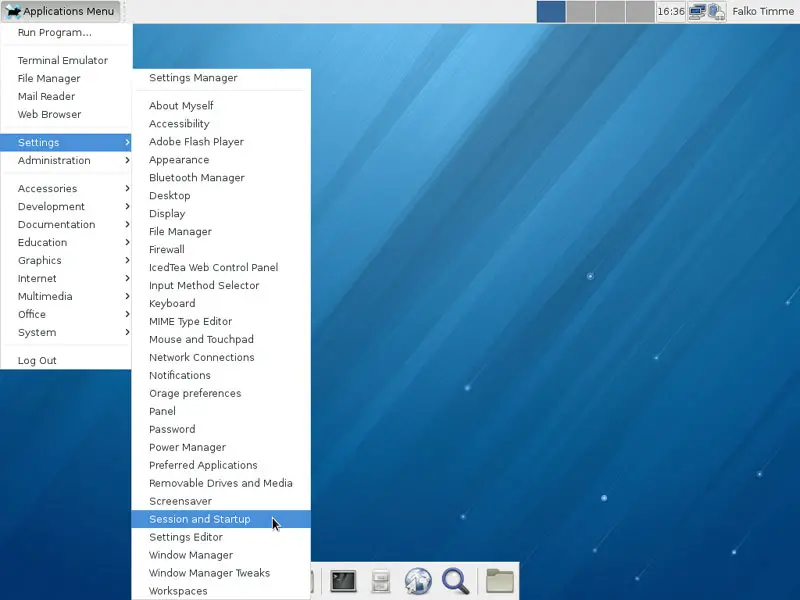
To make Dropbox start automatically when you login, go to Settings > Session and Startup and open the Application Autostart tab where you click on the Add button:
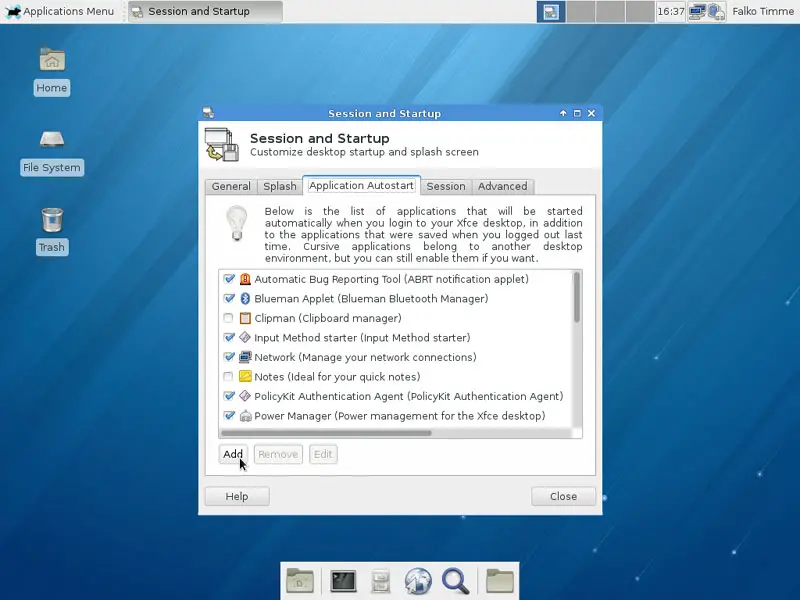
Create a new entry as follows:
Name: Dropbox
Description: Online file storage and sharing
Command: /home/falko/.dropbox-dist/dropboxd (make sure you use the correct username)
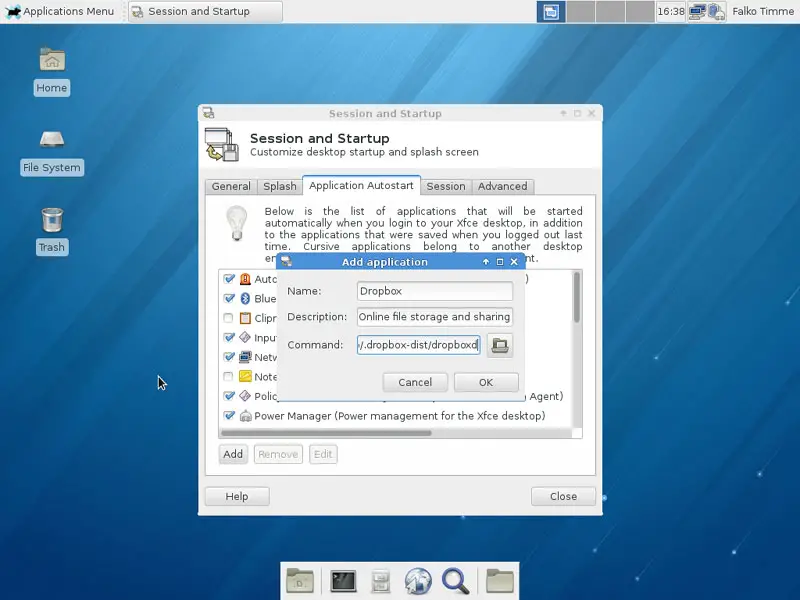
Then create Send To actions for Thunar as follows:
mkdir -p ~/.local/share/Thunar/sendto
leafpad ~/.local/share/Thunar/sendto/dropbox_folder.desktop
[Desktop Entry] Type=Application Version=1.0 Exec=cp -dr %F /home/your_username_here/Dropbox/%F Icon=dropbox Name=Dropbox |
leafpad ~/.local/share/Thunar/sendto/dropbox_public_folder.desktop
[Desktop Entry] Type=Application Version=1.0 Exec=cp -dr %F /home/your_username_here/Dropbox/Public/%F Icon=dropbox Name=Dropbox Public |
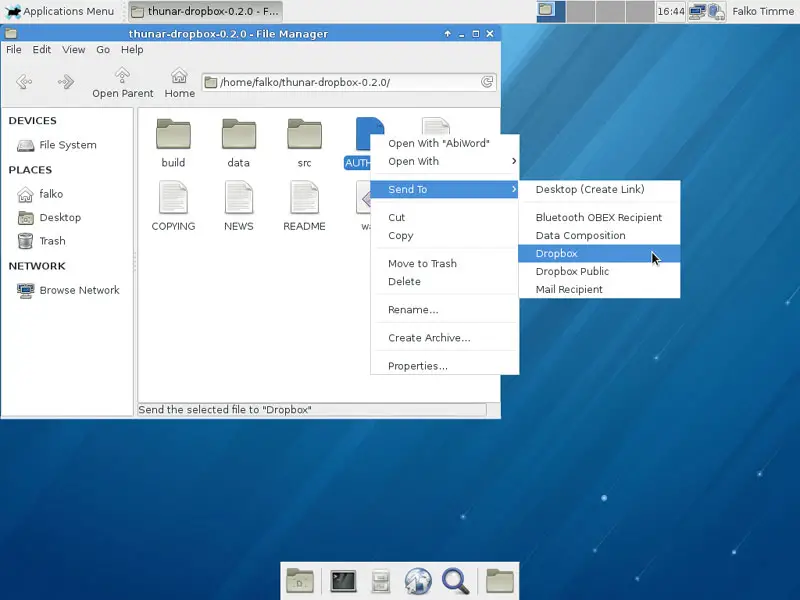
That's it - you can now use Dropbox from Thunar:
Links
- Fedora Linux: http://fedoraproject.org/
- XFCE: http://www.xfce.org/
- Thunar: http://docs.xfce.org/xfce/thunar/start
- DropBox: https://www.dropbox.com/





