
How To Install Ailurus 10.05 On Fedora
Ailurus is a small GPL application which helps install some nice software, clean yum cache, backup yum, etc. Currently Ailurus is available for Fedora 11, 12 and 13.
This simple tutorial will explain how to install Ailurus, and how to solve the problems.
1. Installation
Open web page http://homerxing.fedorapeople.org/
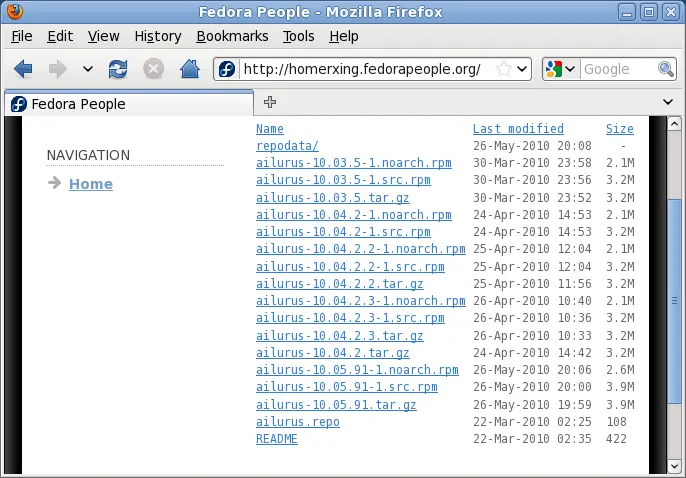
Click the link ailurus-10.05.91-1.noarch.rpm to download that package to your computer.
Install the package by double-clicking it.
2. Install an extension (optional)
Ailurus cannot install any software which is closed source. If you really want to see Adobe Flash, Google Chrome, Google Earth, etc. in Ailurus, you can manually install an extension.
wget 'http://github.com/homerxing/Ailurus/raw/master/unfree/for_fedora.py' -O ~/.config/ailurus/for_fedora.py
3. Launch Ailurus
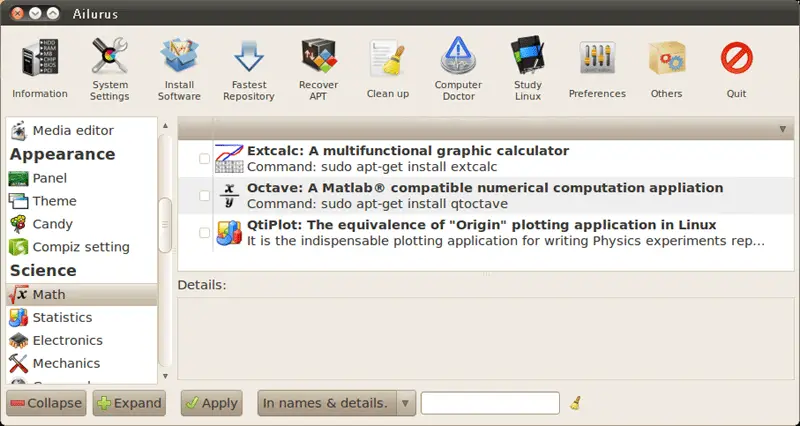
Click menu Applications -> System Tools -> Ailurus.
4. Problems and solutions
4.1 If you encounter this error:
<type 'exceptions.TypeError'> : Fewer items found in D-Bus signature than in Python arguments
The reason is that D-Bus backend API changed from version 10.04 to version 10.05. After that we install a newer Ailurus, the old D-Bus backend is still running. Please restart your computer. Then Ailurus works fine.
4.2 If you encounter this error:
UnknownMethodException: org.freedesktop.DBus.Error.UnknownMethod: Unknown method: drop_priviledge is not a valid method of interface cn.ailurus.Interface
The solution is also to restart computer. The reason is the same.
Reference:





