
How To Fix The Sound Issues Between Skype 2.0 And Pulseaudio On Fedora 9
Version 1.0
Author: Oliver Meyer <o [dot] meyer [at] projektfarm [dot] de>
The main problem with Pulseaudio and Skype on Fedora 9 (maybe also on other distributions) is stuttering, crackling sound. This document describes how to fix the sound issues between Skype 2.0 and Pulseaudio on Fedora 9.
This howto is a practical guide without any warranty - it doesn't cover the theoretical backgrounds. There are many ways to set up such a system - this is the way I chose.
1 Users & Groups
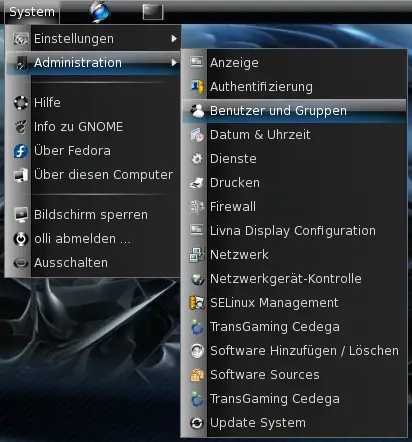
First you have to add your useraccount to the pulseaudio groups. The settings for users and groups are available in the GNOME system menu.
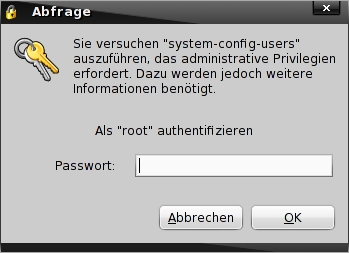
Enter the root password.
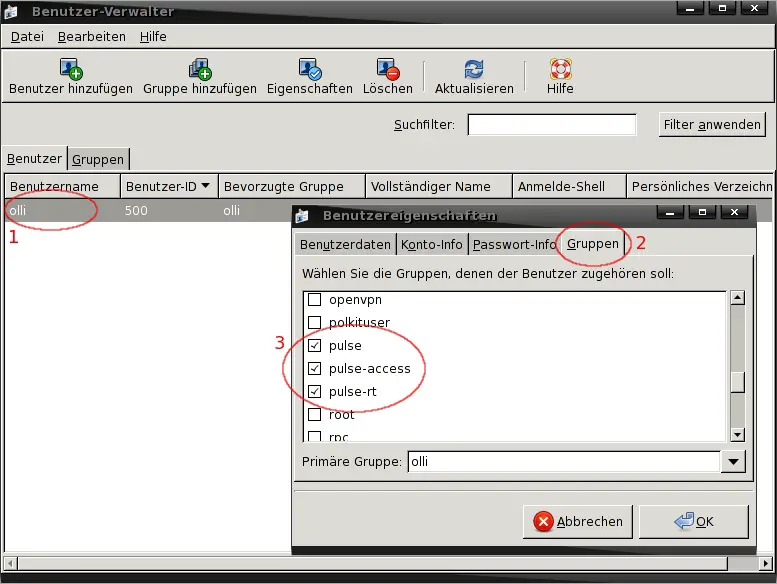
Double click on your username, click on "Groups" and add your useraccount to the groups pulse, pulse-rt and pulse-access.
2 Skype Settings
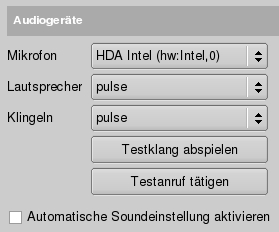
Open the Skype options and switch to the audio settings. Set all devices, except your microphone, to pulse. Setting the microphone to pulse would result in very high CPU load. Please note that I'm using the standard Skype version - not the static OSS version. I tried it but the sound quality was incredibly bad.
3 Pulseaudio Settings
The main problem with Pulseaudio and Skype on Fedora 9 (maybe also on other distributions) is stuttering, crackling sound. This stuttering and crackling appears only with Skype - all other applications are working without any problems. We can fix this by changing pulseaudio's resample method and some other settings.
su -
%root_password%
vi /etc/pulse/daemon.conf
Add the following lines at the end of the file:
high-priority = yes
nice-level = -11
realtime-scheduling = yes
realtime-priority = 5
resample-method = src-sinc-best-quality
After that log out and back in again for the changes to take effect. Now the stuttering should be gone and also most of the crackling. On my system the stuttering is reduced to 0% and the crackling to more or less 10%.
4 Links
- Pulseaudio: http://www.pulseaudio.org/
- Skype: http://www.skype.com/intl/de/download/skype/linux/





