
How To Configure PureFTPd To Accept TLS Sessions On Debian
FTP is a very insecure protocol because all passwords and all data are transferred in clear text. By using TLS, the whole communication can be encrypted, thus making FTP much more secure. This article explains how to configure PureFTPd to accept TLS sessions on a Debian server. This tutorial is compatible with all Debian versions up to Debian 12 (Bookworm).
1 Preliminary Note
You should have a working PureFTPd setup on your Debian Server, e.g. as shown in this tutorial: Virtual Hosting With PureFTPd And MySQL (Incl. Quota And Bandwidth Management) On Debian Lenny.
2 Installing OpenSSL
OpenSSL is needed by TLS; to install OpenSSL, we simply run:
apt install openssl
3 Configuring PureFTPd
If you want to allow FTP and TLS sessions, run
echo 1 > /etc/pure-ftpd/conf/TLS
If you want to accept TLS sessions only (no FTP), run
echo 2 > /etc/pure-ftpd/conf/TLS
instead.
To not allow TLS at all (only FTP), either delete /etc/pure-ftpd/conf/TLS or run
echo 0 > /etc/pure-ftpd/conf/TLS
4 Creating The SSL Certificate For TLS
In order to use TLS, we must create an SSL certificate. I create it in /etc/ssl/private/, therefore I create that directory first:
mkdir -p /etc/ssl/private/
Afterwards, we can generate the SSL certificate as follows:
openssl req -x509 -nodes -days 7300 -newkey rsa:2048 -keyout /etc/ssl/private/pure-ftpd.pem -out /etc/ssl/private/pure-ftpd.pem
Country Name (2 letter code) [AU]: <-- Enter your Country Name (e.g., "DE").
State or Province Name (full name) [Some-State]:<-- Enter your State or Province Name.
Locality Name (eg, city) []:<-- Enter your City.
Organization Name (eg, company) [Internet Widgits Pty Ltd]:<-- Enter your Organization Name (e.g., the name of your company).
Organizational Unit Name (eg, section) []:<-- Enter your Organizational Unit Name (e.g. "IT Department").
Common Name (eg, YOUR name) []:<-- Enter the Fully Qualified Domain Name of the system (e.g. "server1.example.com").
Email Address []:<-- Enter your Email Address.
Change the permissions of the SSL certificate:
chmod 600 /etc/ssl/private/pure-ftpd.pem
Finally restart PureFTPd:
service pure-ftpd-mysql restart
That's it. You can now try to connect using your FTP client; however, you should configure your FTP client to use TLS - see the next chapter how to do this with FileZilla.
5 Configuring FileZilla For TLS
In order to use FTP with TLS, you need an FTP client that supports TLS, such as FileZilla.
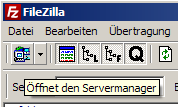
In FileZilla, open the Server Manager:
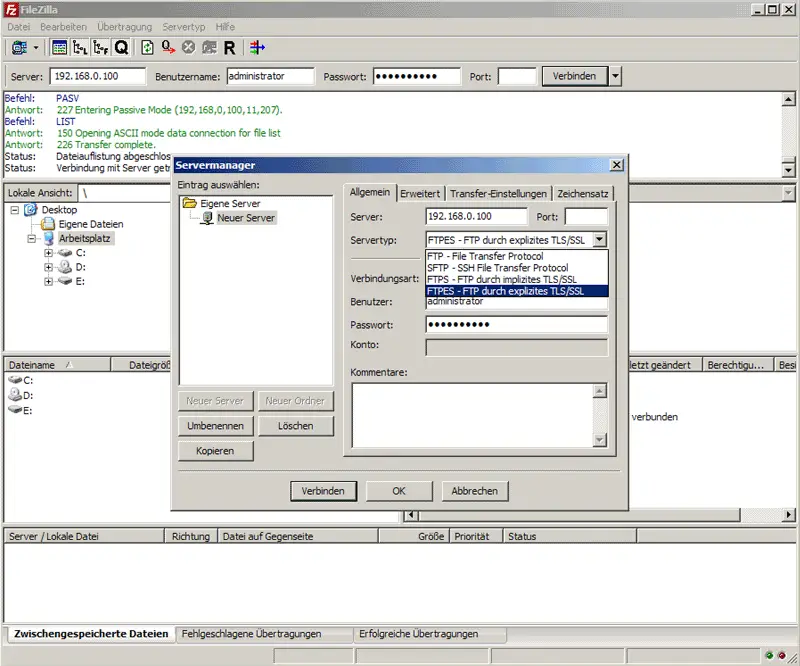
Select the server that uses PureFTPd with TLS; in the Server Type drop-down menu, select FTPES instead of normal FTP:
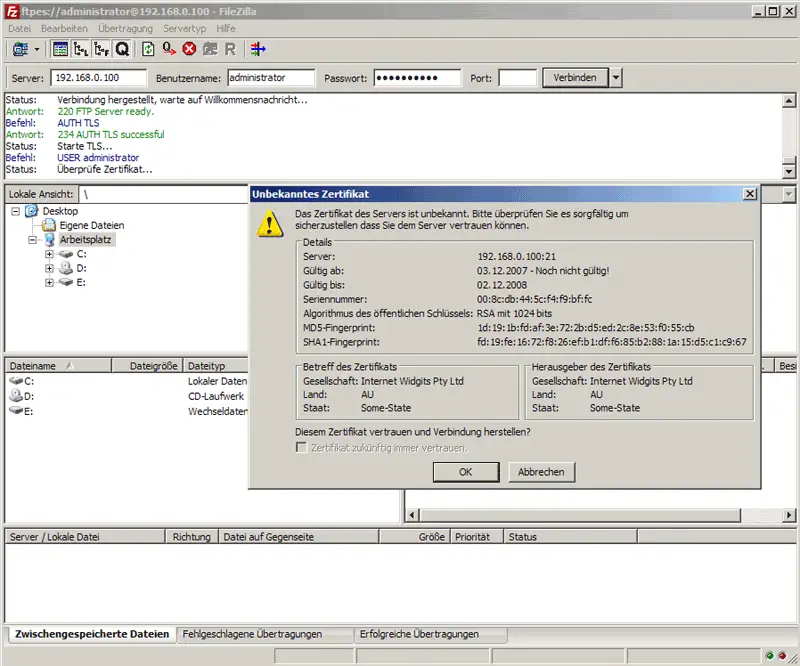
Now you can connect to the server. If you do this for the first time, you must accept the server's new SSL certificate:
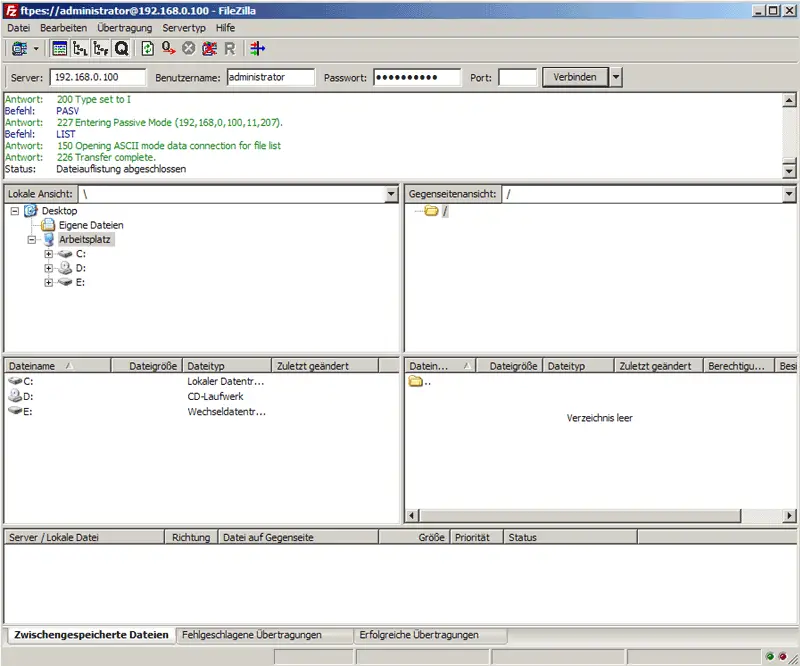
If everything goes well, you should now be logged in on the server:
6 Links
- PureFTPd: http://www.pureftpd.org/
- FileZilla: http://filezilla-project.org/
- Debian: http://www.debian.org/





