
How To Automatically Shut Down Your Computer After A Download Finishes
Sometimes you want to download something but don't want to wait until it finishes so you can shut down the computer. In this case you can use Sentinella. Install it with the following command:
sudo apt-get install sentinella
Now you can see Sentinella under the System menu of your desktop. Launch it and you will see something like this:
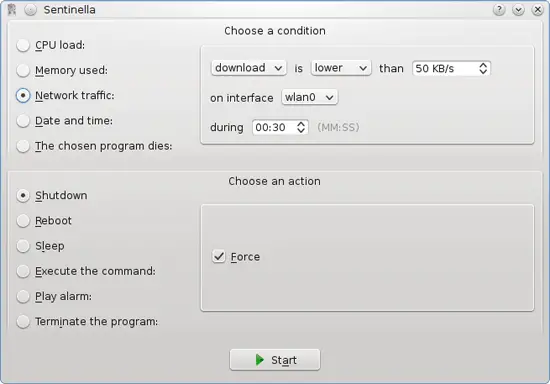
Use the same settings as in the screenshot but make sure you choose your main network interface. Just press the Start button and that's it!





