
How To Get Ubuntu System Facts With Facter

Do you like HowtoForge? Please consider supporting us by becoming a subscriber.
Submitted by gg234 (Contact Author) (Forums) on Fri, 2008-03-14 13:01. :: Ubuntu

How To Get Ubuntu System Facts With Facter

Author:- http://www.ubuntugeek.com

Facter is a cross-platform Ruby library for retrieving facts from operating systems. It supports multiple resolution mechanisms, any of which can be restricted to working only on certain operating systems or environments. Facter is especially useful for retrieving things like operating system names, IP addresses, MAC addresses, and SSH keys. It is easy to extend Facter to include your own custom facts or to include additional mechanisms for retrieving facts.


Install Facter On Ubuntu

sudo apt-get install facter

This will complete the installation.


Using Facter

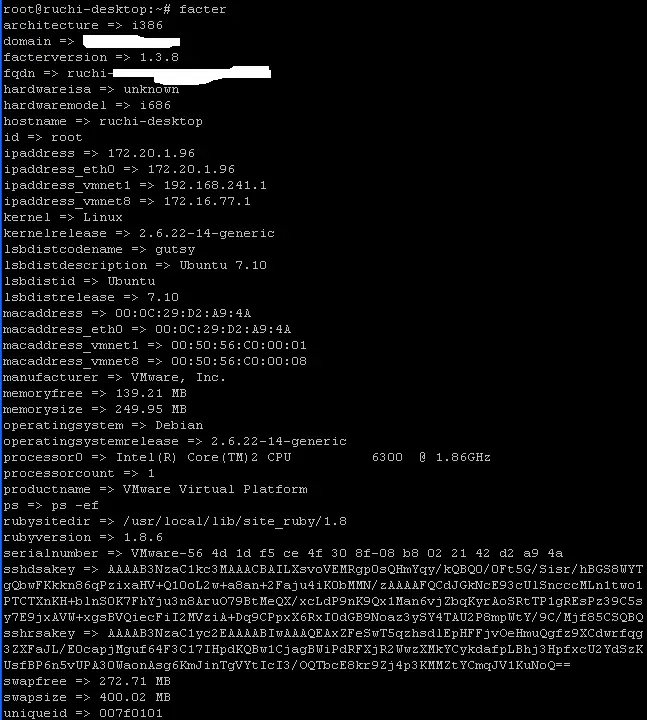
If you want to view your system facts just type the following command from your terminal:

facter

Output looks like below:

Please do not use the comment function to ask for help! If you need help, please use our forum.
Comments will be published after administrator approval.
Sponsored Links: Turn your desk phone and mobile phone into one with Sprint Mobile Integration.
www.seamlessenterprise.com

One number. One voicemail. Seize the lead. Sprint Mobile Integration.
www.seamlessenterprise.com

One Number. One Voicemail.
Make it easier for clients to reach you. Turn your desk phone and mobile phone into one with Sprint Mobile Integration.
www.seamlessenterprise.com

One number. One voicemail. Sprint Mobile Integration.
www.seamlessenterprise.com

AT&T Synaptic Compute as a Service. Boost your power on demand.

Trial: IBM Cognos Express Reporting, Analysis & Planning
