
How do I edit files on the command line?
Authors: Falko Timme, Himanshu Arora, Till Brehm
In this tutorial, we will show you how to edit files on the command line. This article covers three command-line editors, vi (or vim), nano, and emacs. These editors are available on all Linux distributions like Arch Linux, CentOS, Debian, Fedora, and Ubuntu.
Editing Files with Vi or Vim Command Line Editor
To edit files on the command line, you can use an editor such as vi. To open the file, run
vi /path/to/file
Now you see the contents of the file (if there is any. Please note that the file is created if it does not exist yet.).
As an example. I opened the /etc/passwd file with vi:
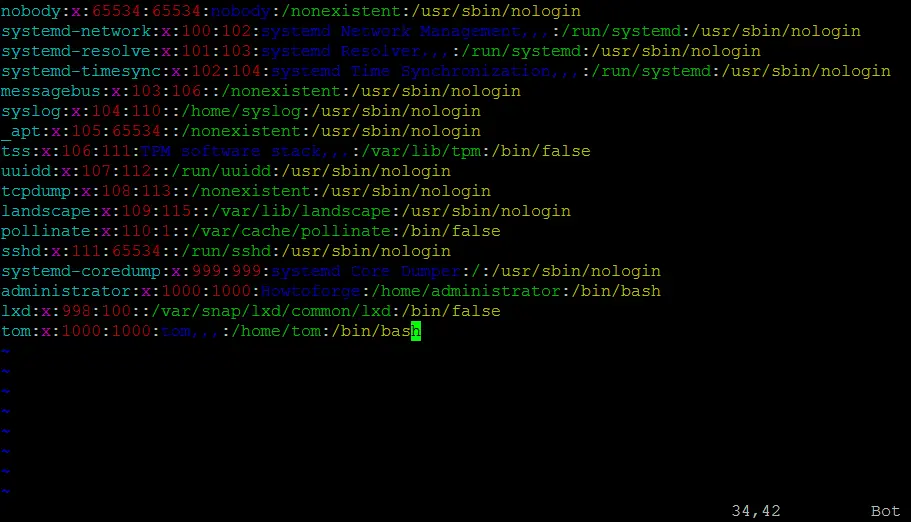
The most important commands in vi are these:
Press i to enter the Insert mode. Now you can type in your text.
To leave the Insert mode press ESC.
To delete the character that is currently under the cursor you must press x (and you must not be in Insert mode because if you are you will insert the character x instead of deleting the character under the cursor). So if you have just opened the file with vi, you can immediately use x to delete characters. If you are in Insert mode you have to leave it first with ESC.
If you have made changes and want to save the file, press :x (again you must not be in Insert mode. If you are, press ESC to leave it).
If you haven't made any changes, press :q to leave the file (but you must not be in Insert mode).
If you have made changes, but want to leave the file without saving the changes, press :q! (but you must not be in Insert mode).
Please note that during all these operations you can use your keyboard's arrow keys to navigate the cursor through the text.
So that was all about the vi editor. Please note that the vim editor also works more or less in the same way, although if you'd like to know vim in depth, head here.
Editing Files with Nano Command Line Editor
Next up is the Nano editor. You can invoke it simply by running the 'nano' command:
nano
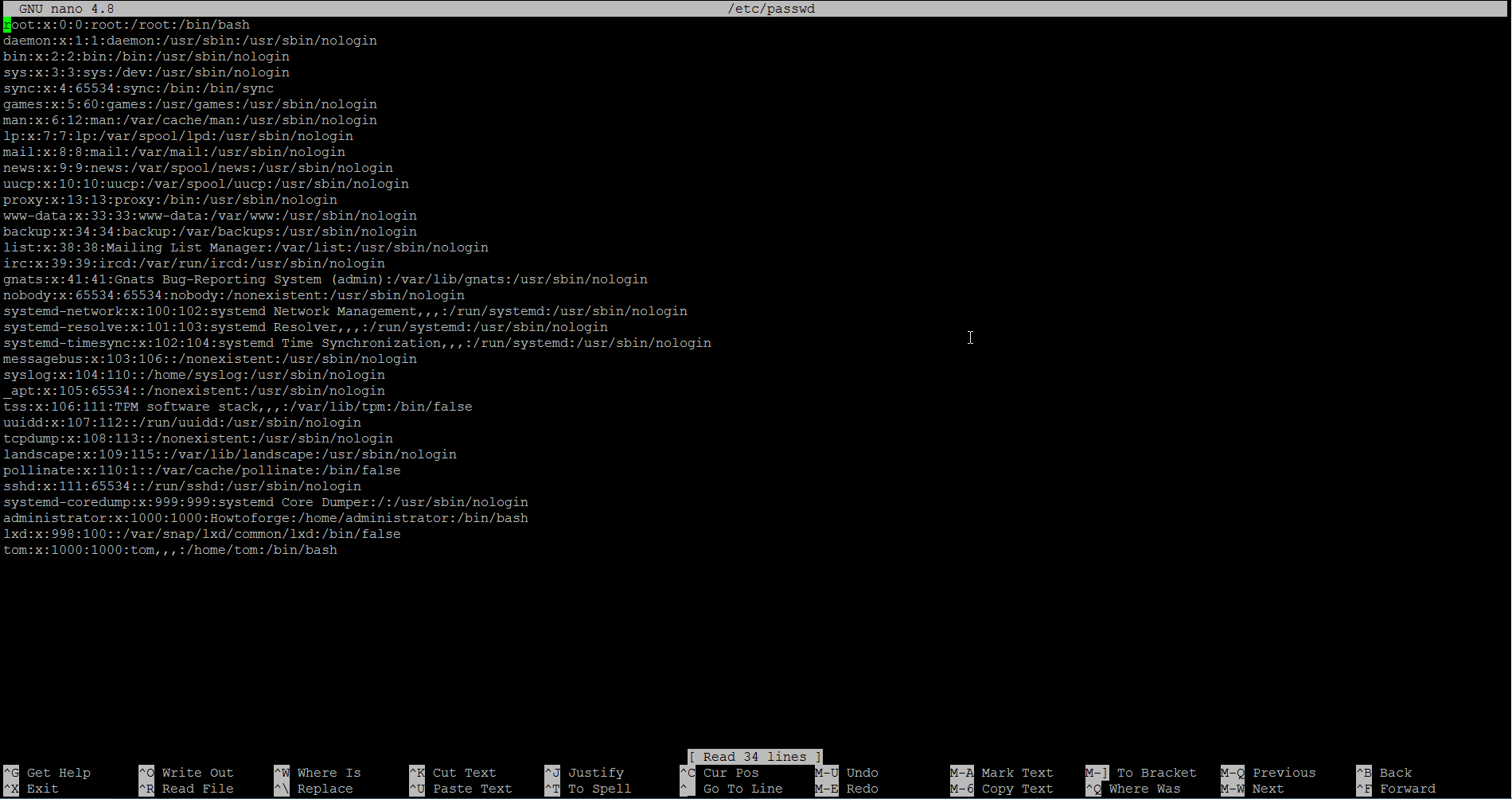
Here's how the nano UI looks like:
You can also launch the editor directly with a file.
nano [filename]
For example:
nano test.txt
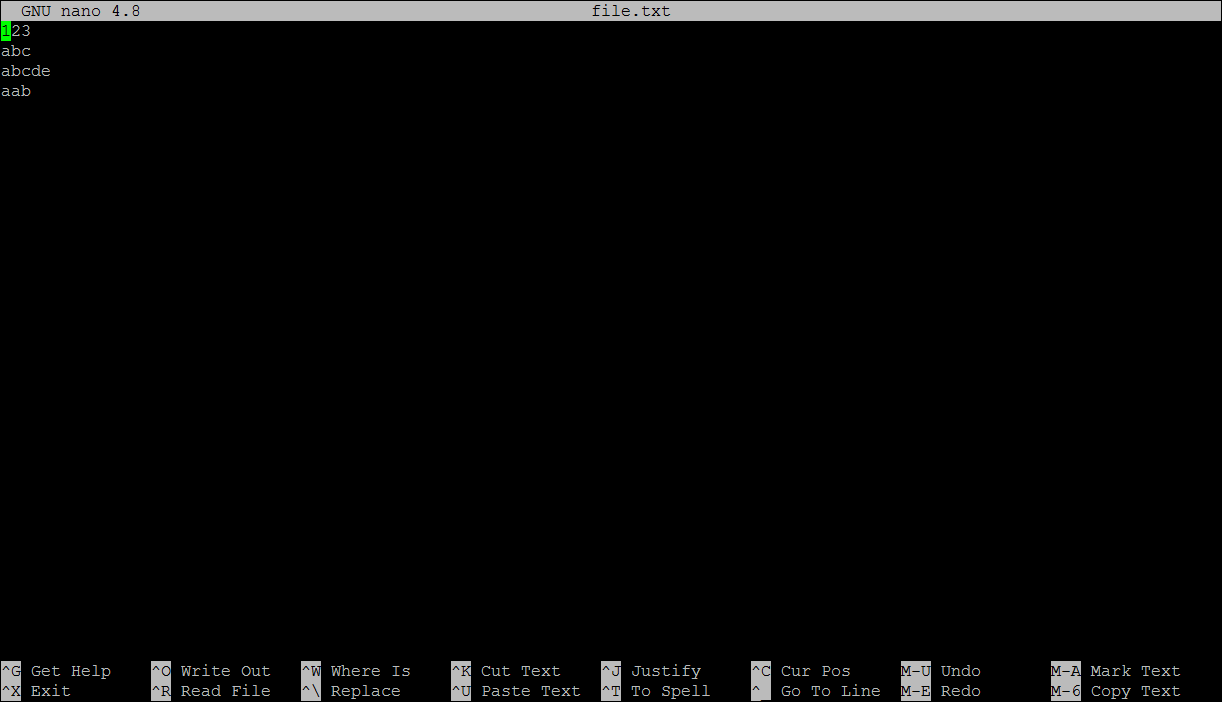
The UI, as you can see, is broadly divided into four parts. The line at the top shows editor version, the file being edited, and the editing status. Then comes the actual edit area where you'll see the contents of the file. The highlighted line below the edit area shows important messages, and the last two lines are really helpful for beginners as they show keyboard shortcuts that you use to perform basic tasks in nano.
So here's a quick list of some of the shortcuts that you should know upfront.
Use arrow keys to navigate the text, the Backspace key to delete text, and Ctrl+o to save the changes you make. When you try saving the changes, nano will ask you for confirmation (see the line below the main editor area in screenshot below):
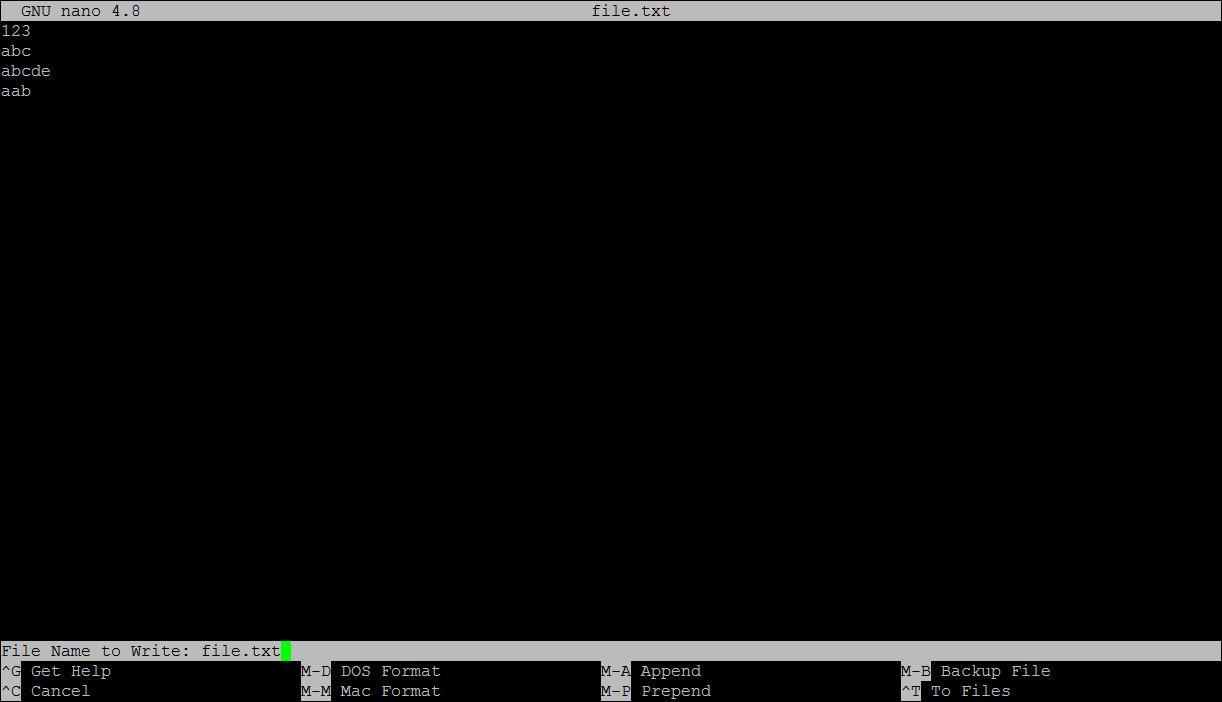
Note that at this stage, you also have an option to save in different OS formats. Pressing Altd+d enables the DOS format, while Atl+m enables the Mac format.
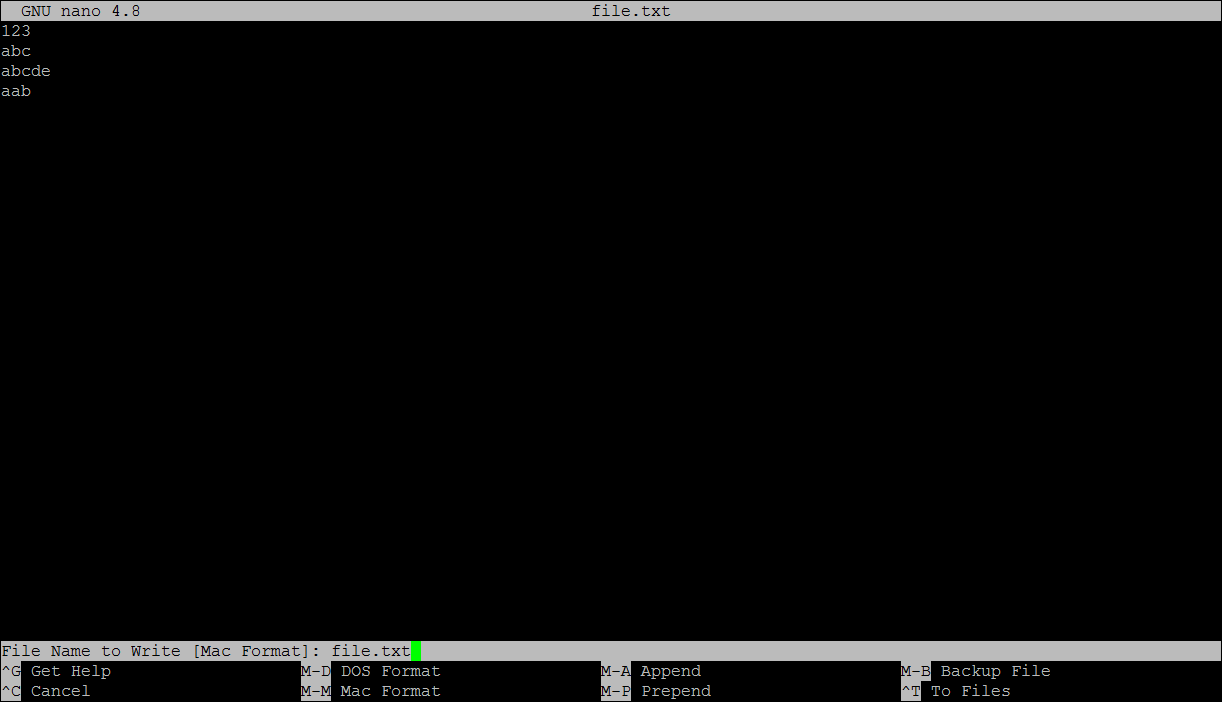
Press enter and your changes will be saved.
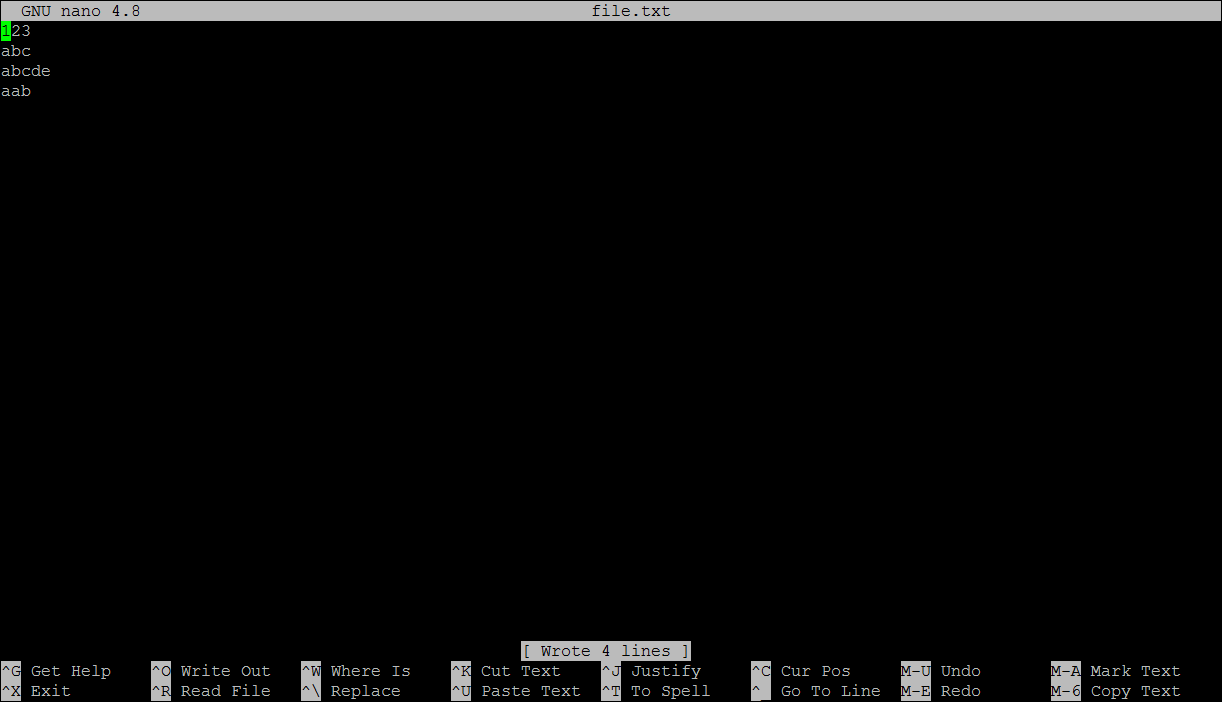
Moving on, to cut and paste lines of text use Ctrl+k and Ctrl+u. These keyboard shortcuts can also be used to cut and paste individual words, but you'll have to select the words first, something you can do by pressing Alt+A (with the cursor under the first character of the word) and then using the arrow to key select the complete word.
Now comes search operations. A simple search can be initiated using Ctrl+w, while a search and replace operation can be done using Ctrl+\.
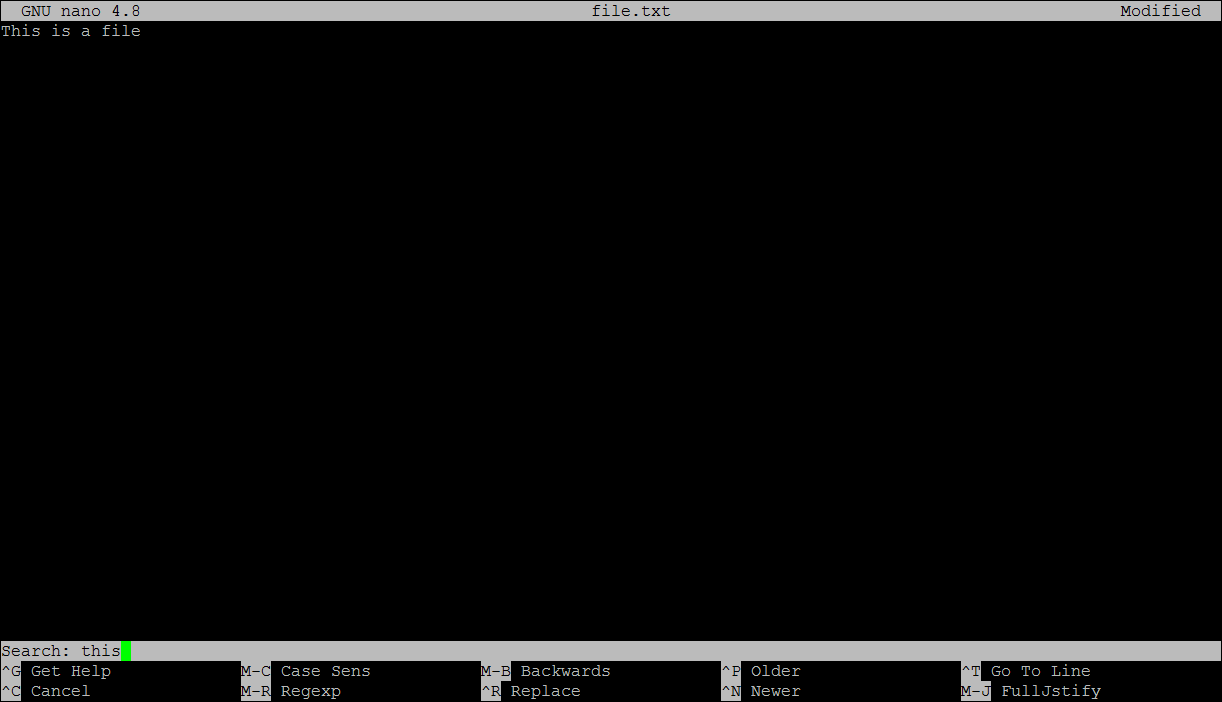
So those were some of the basic features of nano that should give you a head start if you're new to the editor. For more details, read our comprehensive coverage here.
Editing Files with Emacs Command Line Editor
Next comes Emacs. If not already, you can install the editor on your system using the following command:
sudo apt-get install emacs
Like nano, you can directly open a file to edit in emacs in the following way:
emacs -nw [filename]
Note: The -nw flag makes sure emacs launches in bash itself, instead of a separate window which is the default behavior.
For example:
emacs -nw test.txtHere's the editor's UI:
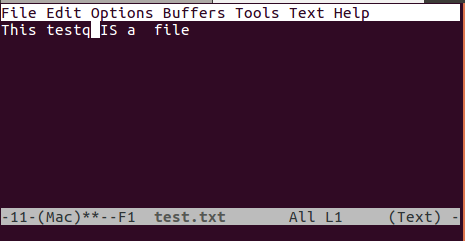
Like nano, the emacs UI is also divided into several parts. The first part is the top menu area, which is similar to the one you'd see in graphical applications. Then comes the main edit area, where the text (of the file you've opened) is displayed.
Below the edit area sits another highlighted bar that shows things like name of the file, editing mode ('Text' in screenshot above), and status (** for modified, - for non-modified, and %% for read only). Then comes the final area where you provide input instructions, see output as well.
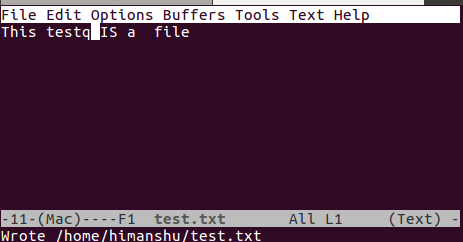
Now coming to basic operations, after making changes, if you want to save them, use Ctrl+x followed by Ctrl+s. The last section will show you a message saying something on the lines of 'Wrote ........' . Here's an example:
Now, if you want to discard changes and quit the editor, use Ctrl+x followed by Ctrl+c. The editor will confirm this through a prompt - see screenshot below:
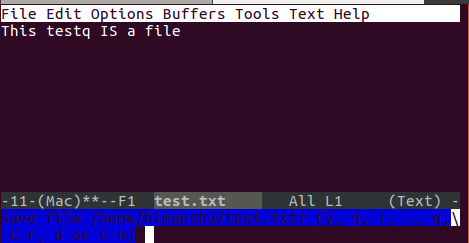
Type 'n' followed by a 'yes' and the editor will quit without saving the changes.
Please note that Emacs represents 'Ctrl' as 'C' and 'Alt' as 'M'. So, for example, whenever you see something like C-x, it means Ctrl+x.
As for other basic editing operations, deleting is simple, as it works through the Backspace/Delete keys that most of us are already used to. However, there are shortcuts that make your deleting experience smooth. For example, use Ctrl+k for deleting complete line, Alt+d for deleting a word, and Alt+k for a sentence.
Undoing is achieved through 'Ctrl+x' followed by 'u', and to re-do, press Ctrl+g followed by Ctrl+_. Use Ctrl+s for forward search and Ctrl+r for reverse search.
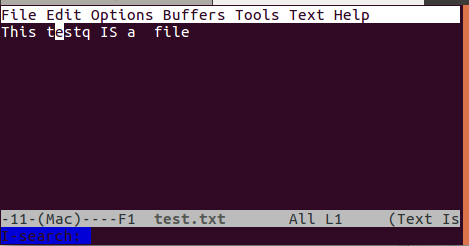
Moving on, to launch a replace operation, use the Alt+Shift+% keyboard shortcut. You'll be asked for the word you want to replace. Enter it. Then the editor will ask you for the replacement. For example, the following screenshot shows emacs asking user about the replacement for the word 'This'.
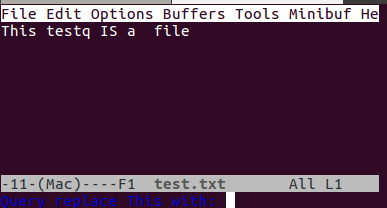
Input the replacement text and press Enter. For each replacement operation emacs will carry, it'll seek your permission first:
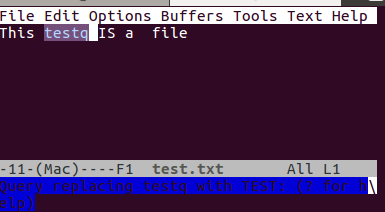
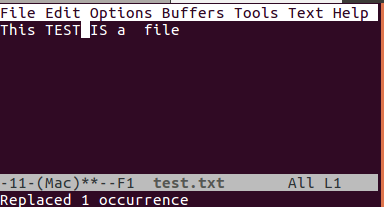
Press 'y' and the word will be replaced.
So that's pretty much all the basic editing operations that you should know to start using emacs. Oh, and yes, those menus at the top - we haven't discussed how to access them. Well, those can be accessed using the F10 key.
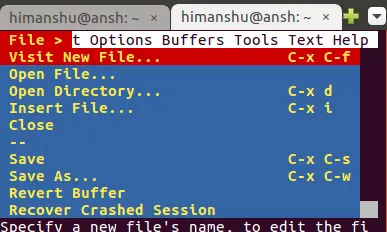
To come out of these menus, press the Esc key three times.





