
Integrating eAccelerator Into PHP5 (Debian Etch)
Version 1.0
Author: Falko Timme
This guide explains how to integrate eAccelerator into PHP5 on a Debian Etch system. From the eAccelerator project page: "eAccelerator is a free open-source PHP accelerator, optimizer, and dynamic content cache. It increases the performance of PHP scripts by caching them in their compiled state, so that the overhead of compiling is almost completely eliminated. It also optimizes scripts to speed up their execution. eAccelerator typically reduces server load and increases the speed of your PHP code by 1-10 times."
This document comes without warranty of any kind! I do not issue any guarantee that this will work for you!
1 Preliminary Note
I have tested this on a Debian Etch server with the IP address 192.168.0.100 where Apache2 and PHP5 are already installed and working. I'll use Apache's default document root /var/www in this tutorial for demonstration purposes. Of course, you can use any other vhost as well, but you might have to adjust the path to the info.php file that I'm using in this tutorial.
2 Checking PHP5's Current State
First, before we install eAccelerator, let's find out about our PHP5 installation. To do this, we create the file info.php in our document root /var/www:
vi /var/www/info.php
<?php phpinfo(); ?> |
Afterwards, we call that file in a browser: http://192.168.0.100/info.php
As you see, we have PHP 5.2.0 installed...
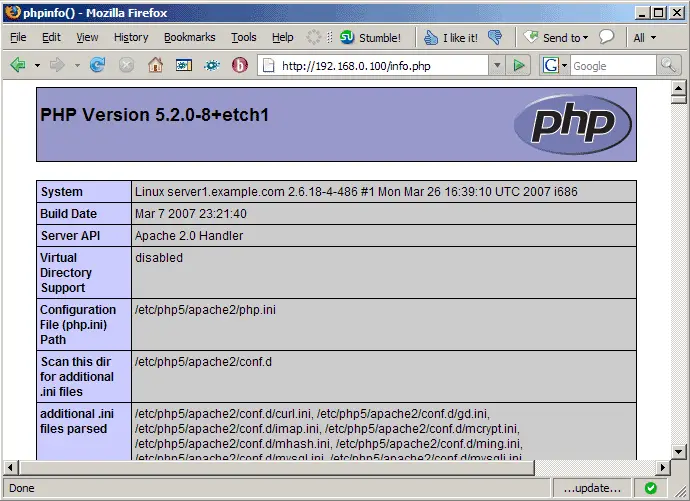
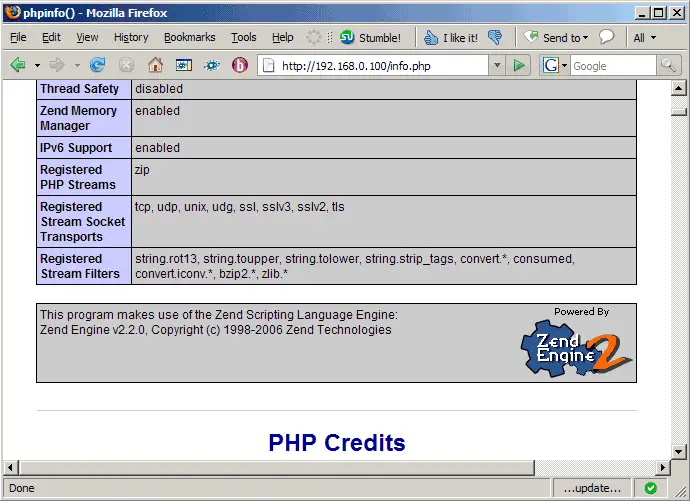
... but eAccelerator isn't mentioned anywhere on the page:
3 Installing eAccelerator
Unfortunately, there's no eAccelerator package for Debian Etch in the official repositories, therefore we must compile and install it from the sources. Before we can do this, we need to install some prerequisites:
apt-get install build-essential php5-dev
Now we can download and install eAccelerator like this (make sure that you get the latest version from the eAccelerator web site):
cd /tmp
wget http://bart.eaccelerator.net/source/0.9.5.2/eaccelerator-0.9.5.2.tar.bz2
tar xvfj eaccelerator-0.9.5.2.tar.bz2
cd eaccelerator-0.9.5.2
phpize
./configure
make
make install
eAccelerator is now installed. Now we have to tell our PHP installation that it should make use of eAccelerator. On Debian Etch, the configuration files for the various PHP 5 modules are stored in the /etc/php5/conf.d directory, and this directory is referenced in the main PHP5 configuration file /etc/php5/apache2/php.ini, meaning all files in /etc/php5/conf.d are read in whenever Apache is started/restarted. So all we do is create the file /etc/php5/conf.d/eaccelerator.ini:
vi /etc/php5/conf.d/eaccelerator.ini
extension="eaccelerator.so" eaccelerator.shm_size="16" eaccelerator.cache_dir="/var/cache/eaccelerator" eaccelerator.enable="1" eaccelerator.optimizer="1" eaccelerator.check_mtime="1" eaccelerator.debug="0" eaccelerator.filter="" eaccelerator.shm_max="0" eaccelerator.shm_ttl="0" eaccelerator.shm_prune_period="0" eaccelerator.shm_only="0" eaccelerator.compress="1" eaccelerator.compress_level="9" |
(You can read up on the various configuration settings on this page: http://www.eaccelerator.net/wiki/Settings.)
As you see, we are using the disk cache directory /var/cache/eaccelerator which we must create now and make it world-writable:
mkdir -p /var/cache/eaccelerator
chmod 0777 /var/cache/eaccelerator
Afterwards, we restart Apache so that our new PHP configuration takes effect:
/etc/init.d/apache2 restart
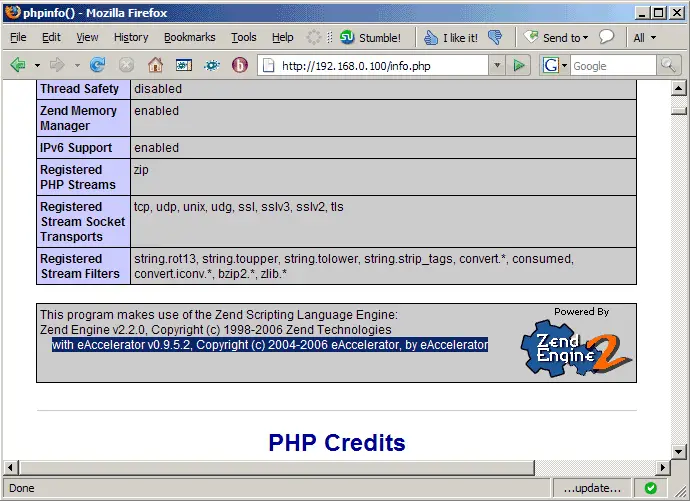
Afterwards, open info.php again in a browser: http://192.168.0.100/info.php
You should now see eAccelerator mentioned on the page which means it has successfully been integrated and is working as expected (I've marked the eAccelerator line in the below screenshot for better visibility):
4 Links
- eAccelerator: http://www.eaccelerator.net
- PHP: http://www.php.net
- Debian: http://www.debian.org





