
How To Install VMware Server On Debian 4.0 (Etch) - Page 2
5 Installing The VMware Management Interface
The VMware Management Interface is a Web-based management tool that allows you to
- monitor the state of virtual machines and the VMware Server host on which they are running.
- control (power on, suspend, resume, reset and power off) the virtual machines on that host.
- view details about each virtual machine, including system summary, hardware information, any connected users and a log of recent events.
(Please note: it cannot be used to create virtual machines. To do this, you must install the VMWare console (available for Windows and Linux) on a client PC.)
cd /tmp
tar xvfz VMware-mui-*.tar.gz
cd vmware-mui-distrib
./vmware-install.pl
Again, you are asked a few questions. Most of the time you can accept the default values:
Creating a new installer database using the tar3 format.
You must read and accept the End User License Agreement to continue.
Press enter to display it. <-- [ENTER]
... license text ...
Do you accept? (yes/no) <-- yes
Thank you.
Installing the content of the package.
In which directory do you want to install the binary files?
[/usr/bin] <-- /usr/bin
What is the directory that contains the init directories (rc0.d/ to rc6.d/)?
[/etc] <-- /etc
What is the directory that contains the init scripts?
[/etc/init.d] <-- /etc/init.d
In which directory do you want to install the VMware Management Interface
files? [/usr/lib/vmware-mui] <-- /usr/lib/vmware-mui
The path "/usr/lib/vmware-mui" does not exist currently. This program is going
to create it, including needed parent directories. Is this what you want?
[yes] <-- yes
In which directory would you like to install the documentation files?
[/usr/lib/vmware-mui/doc] <-- /usr/lib/vmware-mui/doc
The path "/usr/lib/vmware-mui/doc" does not exist currently. This program is
going to create it, including needed parent directories. Is this what you want?
[yes] <-- yes
The installation of VMware Management Interface 1.0.1 build-29996 for Linux
completed successfully. You can decide to remove this software from your system
at any time by invoking the following command:
"/usr/bin/vmware-uninstall-mui.pl".
Before running VMware Management Interface for the first time, you need to
configure it by invoking the following command:
"/usr/bin/vmware-config-mui.pl". Do you want this program to invoke the command
for you now? [yes] <-- yes
Configuring httpd.conf to run Apache as:
User: www-data and Group: nogroup
Set the number of minutes before a http session times out. (This is the length
of time before someone connecting to VMware Management Interface will be logged
out) [60] <-- 60
Generating SSL Server Certificate
Starting httpd.vmware: done
The configuration of VMware Management Interface completed successfully.
The VMware Management interface is now installed on your system.
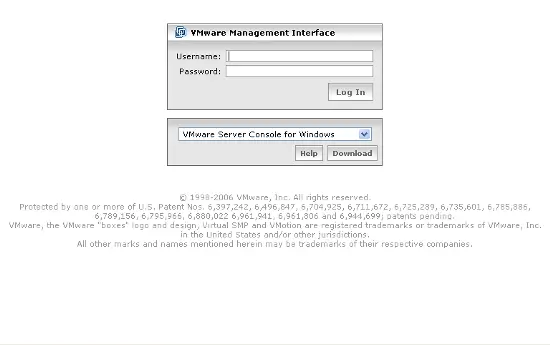
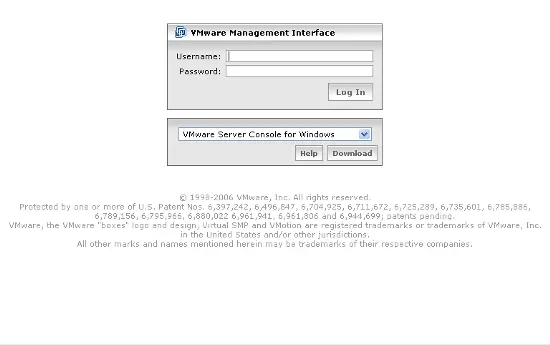
You will now be able to login the the VMware management interface with the URL:
https://192.168.0.100:8333/
To login use the username root and the password of your root system user.
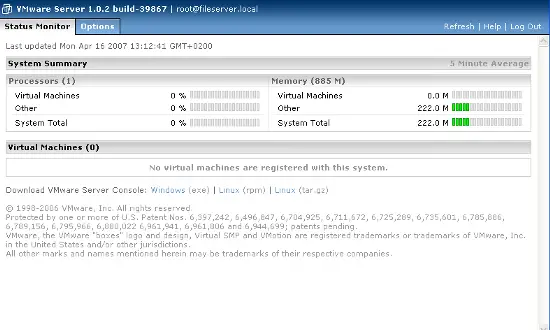
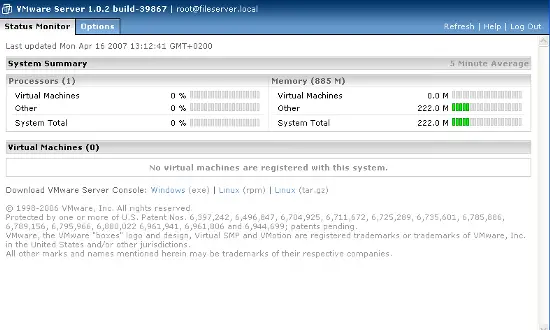
This interface shows status information of the installed VM instances and you are able to start and stop VM instances:
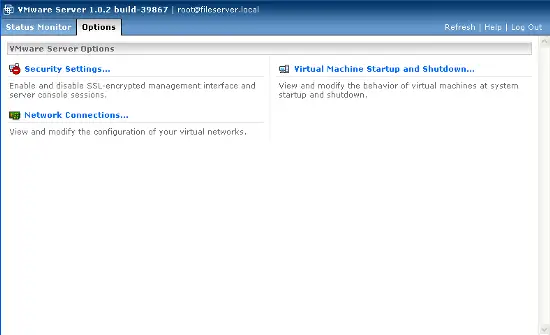
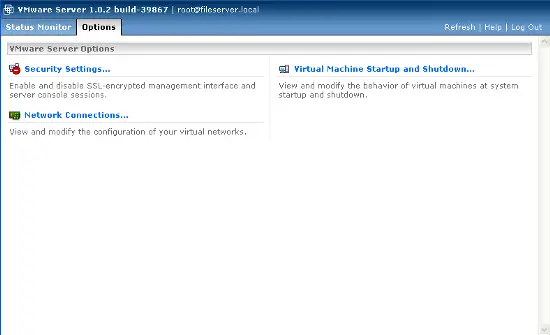
To create new VM instances, use the VMware Server client package which is availabe as Linux and Windows GUI application.
There are many ready-to-run appliances for the VMware server available, for example the ISPConfig webhosting appliance based on the HowtoForge Perfect Setup for Debian 3.1:
http://www.vmware.com/vmtn/appliances/directory/342
Many other appliances can be found in the VMWare Appliances directory:
http://www.vmware.com/vmtn/appliances/
6 Creating A Virtual Machine
We use the VMWare Server client package for Linux or Windows to create a new virtual machine on our VMware server. You can download the appropriate package for your workstation operating system (Windows/Linux) on http://www.vmware.com/download/server. I'm using Windows on my workstation. To install the Windows package, just download the VMWare Server client for Windows package (it it a zip file), unzip it, and run the VMware-console .exe file. Afterwards, just start the VMware Server console. It detects all available VMware Servers in your network; select the one to which you want to connect (in our case it's our Debian Etch system with the IP address 192.168.0.100):
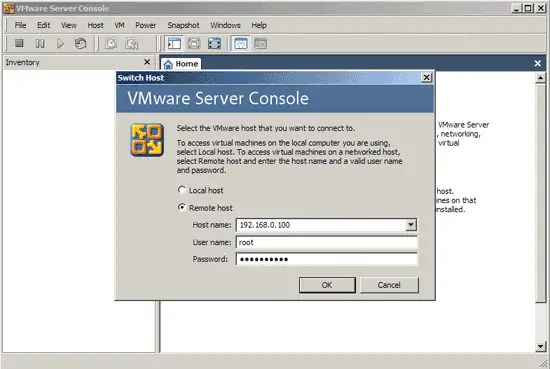
Login to your server with the IP address or hostname, the user root and the root password.
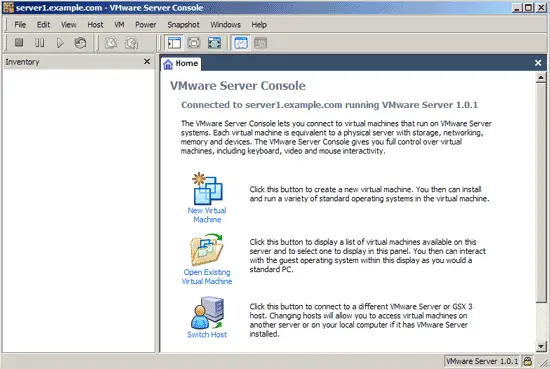
Click on New Virtual Machine and follow the whizard. The wizard asks you to select:
- Operating system (Linux, Windows, Novell Netware, Solaris or other operating system)
- Operating system version
- Location and virtual machine name. The folder /var/vm that we created in the setup is preselected.
- Networking: If you want the virtual machine to be part of the same network than the server itself, select bridged networking.
If you want to use a virtual NAT, select Network address translation. - Enter the size of your virtual harddisk. I recommend to disable the option that creates the virtual harddisk in full size instantly, the harddisk will then grow with the data that you store inside up to the max. size you selected.
- After you finished the VM creation wizard, put the boot disk of the operating system you want to install in the CD / DVD drive of your server and start the VM.
All trademarks belong to their respective owners. We thank VMware Inc. for the permission to write this Howto.
7 Links
- VMware Server: http://www.vmware.com/products/server
- Debian: http://www.debian.org
- VMware Appliance Directory http://www.vmware.com/vmtn/appliances/





