
Build A Free, Full-Featured Mail Server On Gentoo Linux With iRedMail
Summary
We're going to set up a free, full-featured mail server on Gentoo Linux, all mail service related components are free and open source, and you own all data. The installation process is extremly easy and smooth.
By following this tutorial, you will have below major software and services ready for production use:
- Postfix: SMTP service
- Dovecot: POP3/POP3S, IMAP/IMAPS, Managesieve service
- Apache: Web server
- MySQL: Storing mail accounts and application data
- Amavisd, SpamAssassin, ClamAV: Anti-spam, anti-virus
- Roundcube: Webmail
- Awstats: Apache and Postfix log analyzer
- Fail2ban: scans log files (e.g. /var/log/apache/error_log) and bans IPs that show the malicious signs -- too many password failures, seeking for exploits, etc.
- iRedAdmin: A basic, free & open source administration panel to manage the mail accounts
Introduce iRedMail
Homepage of iRedMail project is here: http://www.iredmail.org/
iRedMail is:
- A ZERO COST, fully fledged, full-featured mail server solution. All components are free and open source softwares.
- An open source project, released under GPLv2, hosted on BitBucket.
With iRedMail, you can set up a full-featured, zero-cost mail server in less than 2 minutes. iRedMail works on 8 major Linux/BSD distributions:
- Red Hat Enterprise Linux 5.x, 6.x
- CentOS 5.x, 6.x
- Scientific Linux 5.x, 6.x
- Debian 5.x (Lenny), 6.x (Squeeze)
- Ubuntu 10.04 LTS, 11.04, 11.10
- Gentoo Linux (with the latest portage)
- openSUSE 12.1
- FreeBSD 7.x, 8.x
System Requirements
WARNING: iRedMail is designed to deploy on a FRESH server system, which means your server does NOT have mail related components installed, e.g. Apache, MySQL, OpenLDAP, Postfix, Dovecot, Amavisd, etc. Otherwise it may override your existing files/configurations althought it will backup files before modifing, and it may be not working as expected.
To install iRedMail, you need:
- A FRESH, minimal working Gentoo Linux. For example, install Gentoo Linux with stage3. It's recommended to use the latest Gentoo release.
- At least 512MB of memory is required for production use.
NOTE: All packages are built and installed with the latest portage.
Preparations
Set A Fully Qualified Domain Name (FQDN) Hostname On Your Server
We need to set a FQDN hostname before setup mail server.
On Gentoo Linux, hostname is set in three files:
Short hostname: /etc/conf.d/hostname
# Part of file: /etc/conf.d/hostname
HOSTNAME='demo'
DNS domain name: /etc/conf.d/net
# Part of file: /etc/conf.d/net
dns_domain='iredmail.org'
Hostname <=> IP address mapping: /etc/hosts. WARNING: Please list the FQDN hostname as first item.
# Part of file: /etc/hosts
127.0.0.1   demo.iredmail.org demo localhost localhost.localdomain
Verify the FQDN hostname with command 'hostname -f'. If hostname wasn't changed, please reboot server to make it work.
$ hostname -f
demo.iredmail.org
Sync Portage, Build World And Install Necessary Tools
# emerge --sync
# emerge -uDN world
# revdep-rebuild
# emerge portage-utils
# etc-update
Download The Latest Release Of iRedMail
Visit Download page to get the latest release of iRedMail. At least iRedMail-0.8.0-beta2 is required.
Upload iRedMail to your mail server via ftp or scp or whatever method you can use, login to the server to install iRedMail. We assume you uploaded it to directory /root/iRedMail-x.y.z.tar.bz2 (replace x.y.z by the actual version number).
Uncompress iRedMail tarball:
# cd /root/
# tar xjf iRedMail-x.y.z.tar.bz2
Start iRedMail Installer
It's now ready to start iRedMail installer, it will ask you some simple questions, that's all steps to setup a full-featured mail server.
# cd /root/iRedMail-x.y.z/
# bash iRedMail.sh
Screenshots Of iRedMail Installation
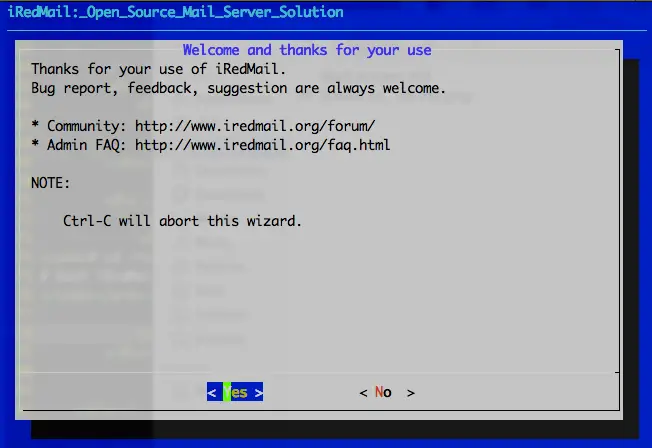
1) Welcome and thanks for your use:
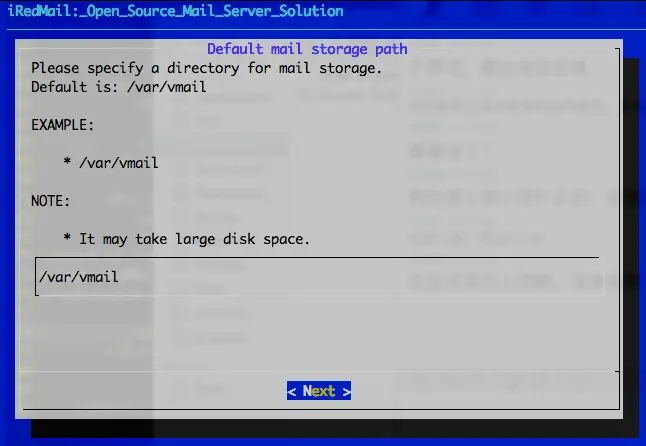
2) Specify location to store all mailboxes. Default is /var/vmail/.
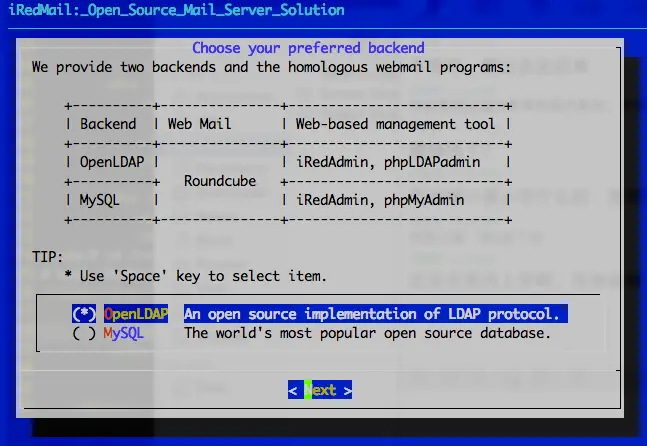
3) Choose backend used to store mail accounts. We will choose MySQL for example in this tutorial, please choose the one which you're familiar with. You can manage mail accounts with iRedAdmin, our web-based iRedMail admin panel.
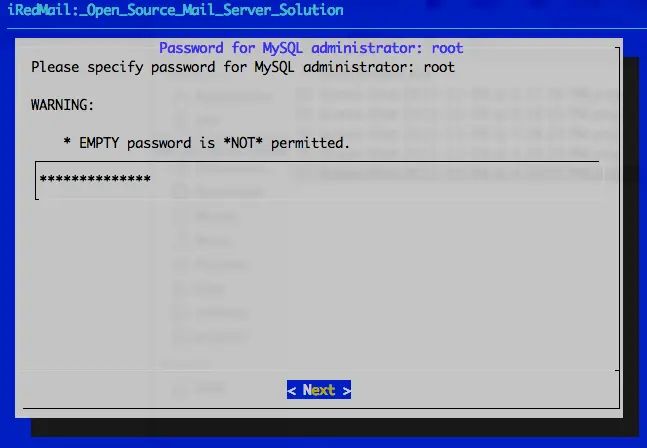
4) Set password of MySQL root user. MySQL is used to store mail accounts and application data. e.g. Roundcube webmail, Policyd, Amavisd-new.
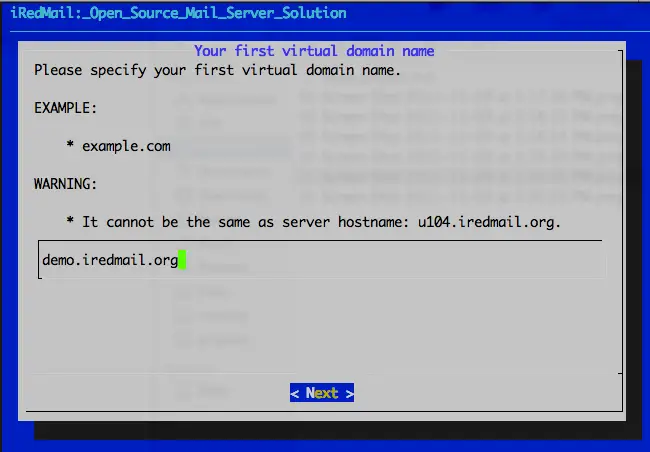
5) Add your first mail domain name:
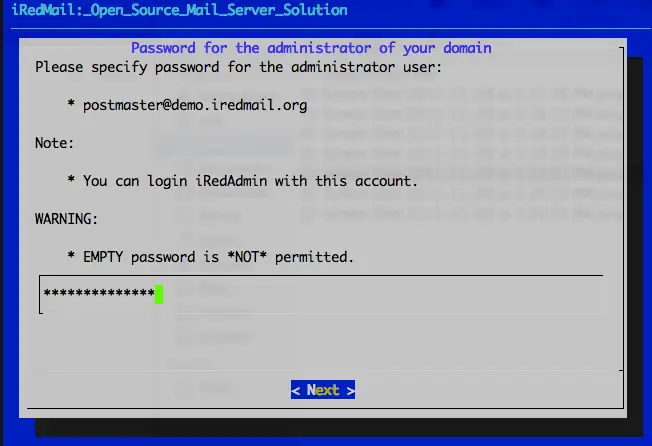
6) Set password of admin account of your first mail domain. NOTE:
- This account is used only for system administration, not a mail user. That means you CANNOT login to webmail with this account.
- You can login to iRedAdmin (web-based iRedMail admin panel) with this account for mail accont management, login name is full email address.
- Admin username is hard-coded, you can create new admins with iRedAdmin after installation completed.
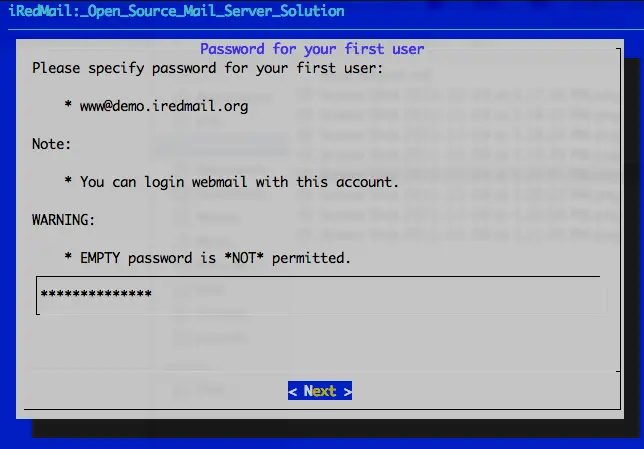
7) Set password of first mail user of your first mail domain. NOTE:
- This account is a normal mail user, that means you can login to webmail with this account, login name is full email address.
- Username is hard-coded, you can create new mail users with iRedAdmin after installation completed.
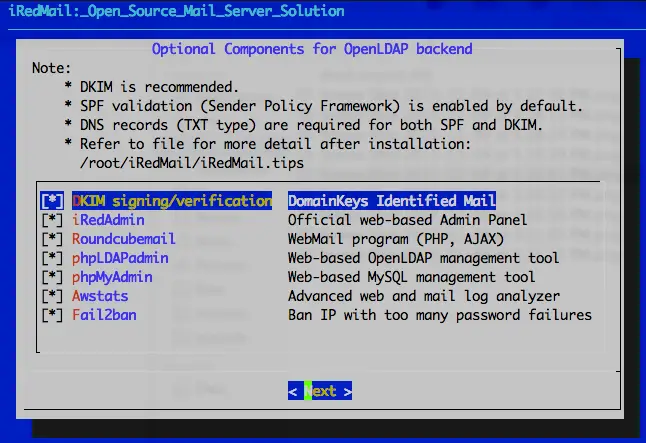
8) Choose optional components:
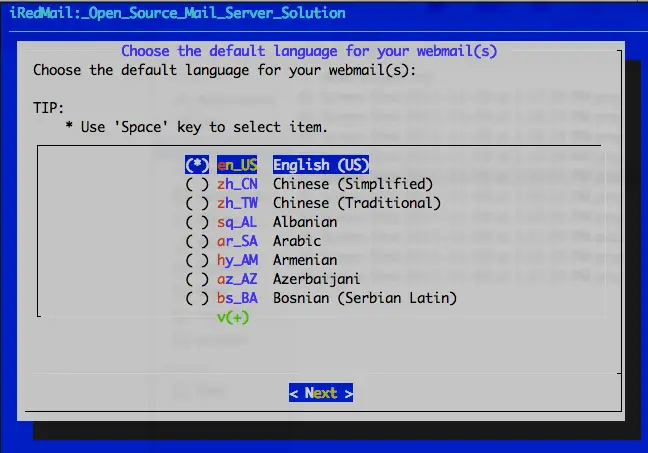
9) Choose default language for your webmail:
After you have answered these questions, iRedMail installer will ask your confirm to start installation. It will install and configure required packages automatically. Type y or Y and press Enter to confirm.
...
Configuration completed.
*************************************************************************
**************************** WARNNING ***********************************
*************************************************************************
*                                                                       *
* Please do remember to *REMOVE* configuration file after installation  *
* completed successfully.                                               *
*                                                                       *
*   * /root/iRedMail-x.y.z/config
*                                                                       *
*************************************************************************
<<< iRedMail >>> Continue? [Y|n]        # <- Type 'Y' or 'y' here, and press 'Enter' to continue
That's all you need to do to set up a free and full-featured mail server. Easy enough?
Important Things You Should Know After Installation
- Read file /root/iRedMail-x.y.z/iRedMail.tips first, it contains:
- URLs, usernames and passwords of web-based applications
- Location of mail serve related software configuration files
- Some other important and/or sensitive information
- Setup DNS record for SPF
- Setup DNS record for DKIM
Access Webmail And Other Web Applications
After installation has successfully completed, you can access web-based programs if you choose to install them. Replace 'your_server' below by your actual server name or IP address.
- Webmail: http://your_server/mail/ (or /webmail, /roundcube. HTTPS is available also.)
- Admin panel: httpS://your_server/iredadmin/
- phpMyAdmin: httpS://your_server/phpmyadmin/
- Awstats: httpS://your_server/awstats/awstats.pl?config=web (or ?config=smtp)
Get Technical Support
iRedMail project provides fast and effect online support, please post all issues, feedbacks, feature requests, suggestions in our online support forum, it's more responsible than you expected: http://www.iredmail.org/forum/.





