HowtoForge - Linux Howtos in English English|HowtoForge.de - Linux-Howtos auf Deutsch Deutsch

The Perfect Setup - Debian Sarge (3.1)

Submitted by falko (Contact Author) (Forums) on Wed, 2005-03-30 20:14. :: Debian

This is a "copy & paste" HowTo! The easiest way to follow this tutorial is to use a command line client/SSH client (like PuTTY for Windows) and simply copy and paste the commands (except where you have to provide own information like IP addresses, hostnames, passwords,...). This helps to avoid typos.

The Perfect Setup - Debian Sarge (3.1)

Version 1.9
Author: Falko Timme <ft [at] falkotimme [dot] com>
Last edited 12/01/2006

This is a detailed description about the steps to be taken to setup a Debian based server (Debian Sarge alias Debian 3.1) that offers all services needed by ISPs and hosters (web server (SSL-capable), mail server (with SMTP-AUTH and TLS!), DNS server, FTP server, MySQL server, POP3/POP3s/IMAP/IMAPs, Quota, Firewall, etc.).

I will use the following software:

  • Web Server: Apache 2.0.x
  • Mail Server: Postfix (easier to configure than sendmail; has a shorter history of security holes than sendmail)
  • DNS Server: BIND9
  • FTP Server: proftpd
  • POP3/POP3s/IMAP/IMAPs: in this example you can choose between the traditional UNIX mailbox format (we then use ipopd/uw-imapd) or the Maildir format (in this case we will use Courier-POP3/Courier-IMAP).
  • Webalizer for web site statistics

In the end you should have a system that works reliably and is ready for the free webhosting control panel ISPConfig (i.e., ISPConfig runs on it out of the box).

I want to say first that this is not the only way of setting up such a system. There are many ways of achieving this goal but this is the way I take. I do not issue any guarantee that this will work for you!

Requirements

To install such a system you will need the following:

1 The Base System

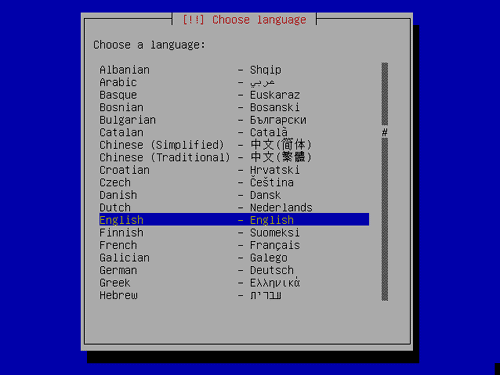
Insert your Sarge Netinstall CD into your system and boot from it (enter linux26 at the boot prompt to install a 2.6 kernel). The installation starts, and first you have to choose your language:
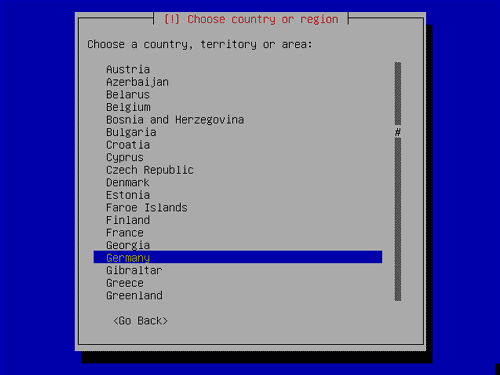
Select your country:
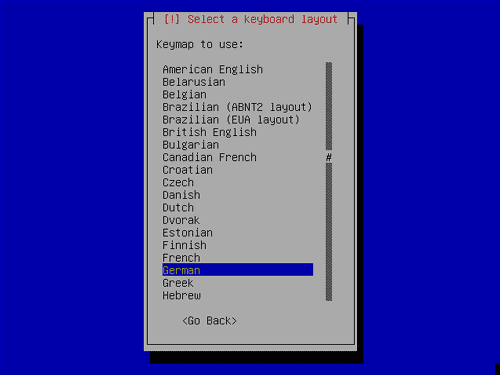
Choose a keyboard layout:
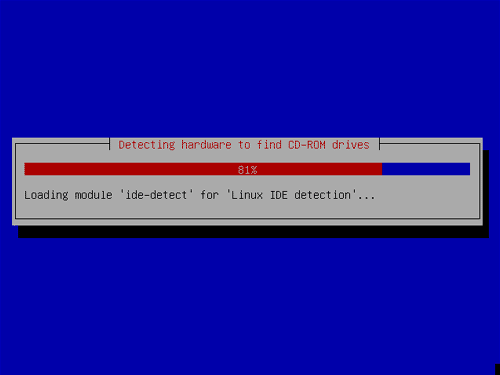
The hardware detection starts:
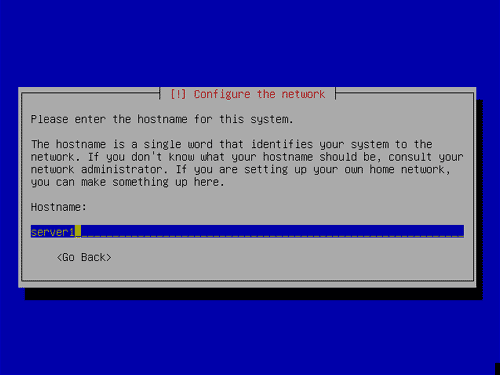
Enter the hostname. In this example, my system is called server1.example.com, so I enter server1:
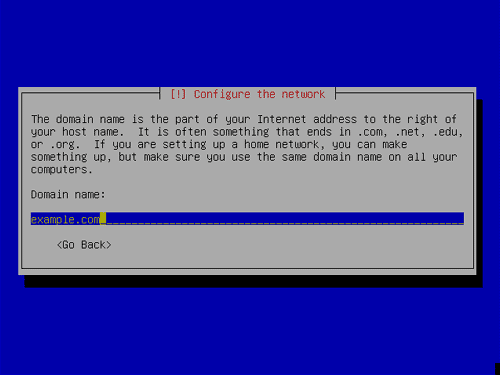
Enter your domain name. In this example, this is example.com:
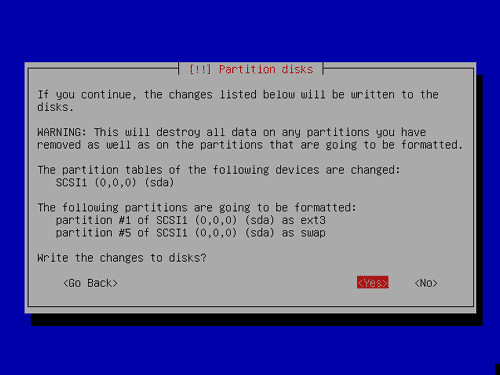
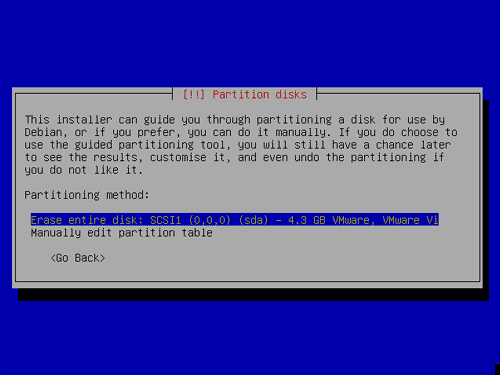
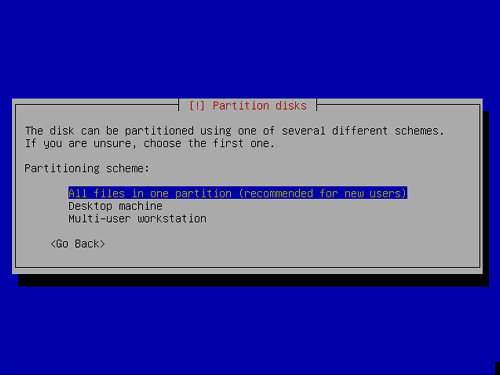
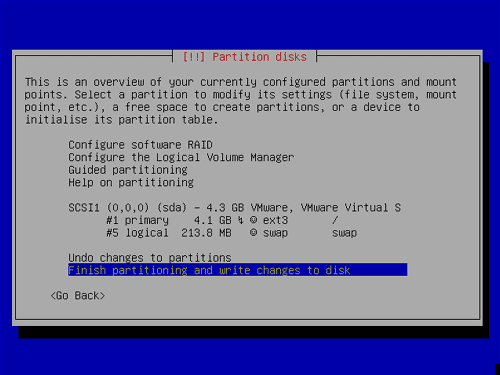
Now you have to partition your hard disk. I will create one big partition (with the mount point /) and a little swap partition:
Comment viewing options

Select your preferred way to display the comments and click "Save settings" to activate your changes.
Please do not use the comment function to ask for help! If you need help, please use our forum: http://www.howtoforge.com/forums
Comments will be published after administrator approval.
Submitted by Anonymous (Contact Author) (Forums) on Thu, 2006-06-08 22:22.
they have a newer release of this download, and the link up there no longer works, here's an updated link http://ftp.de.debian.org/debian-cd/3.1_r2/i386/iso-cd/debian-31r2-i386-netinst.iso .... im currently downloading it and following this guide, thank you
Submitted by Anonymous (Contact Author) (Forums) on Thu, 2006-06-08 21:13.

sorry for a stupid question, but whats the adress to the mail servers after this install?

thx for the guide

tomas

Submitted by Anonymous (Contact Author) (Forums) on Sat, 2006-03-18 02:07.

My first debian server setup and all went fantastically well.

Thank you

Submitted by Anonymous (Contact Author) (Forums) on Wed, 2006-02-22 23:40.
Don't put a general purpose Web server in one big partition! Consider disaster recovery. If you get rooted, you might want to replace root and /usr but leave /var. To avoid getting rooted, you might want to mount noexec any directory Apache can write in. Make a partition for /tmp, /var/tmp, Squirrel Mail's data, Mambo's data, /var/log/apache, etc.

Over time your users will install badly written PHP applications and they will get exploited by worms and skript kiddies. The exploits will write spam-mailers and attack programs in /tmp but they won't run. It won't stop a determined attacker, but the kiddies will move on to lower-hanging fruit.

Submitted by Anonymous (Contact Author) (Forums) on Sat, 2006-01-07 22:51.

Should not be:

update-rc.d -f exim4 remove

just instead of

update-rc.d -f exim remove ?

-----------------

Nice HowTo anyway!

zBit

Submitted by Anonymous (Contact Author) (Forums) on Mon, 2006-02-13 02:19.
Thanks for the tutorial. I installed ispconfig after. Everthing went perfect.
Submitted by Anonymous (Contact Author) (Forums) on Fri, 2005-11-18 20:28.
I have installed Debian Sarge 3.1 per this howto. I want to use Frontpage Extensions on my ISPConfig server. I see that ISPConfig only supports Frontpage with Apache 1.3. This howto uses Apache2. I was able to install Frontpage on the system for Apache2, but I don't know if ISPConfig will be able to use the extensions.
Submitted by Anonymous (Contact Author) (Forums) on Mon, 2005-11-14 10:04.

Harddisks are written to from outside to the inside, that is why they are faster on the first sectors than they are on the last sectors (~30%).

So I always put my swap partitions at the start of the harddisks (if I have multiple disks one swap partition at the start of each).

Nagium.

Submitted by Anonymous (Contact Author) (Forums) on Sun, 2005-10-23 09:36.

AFAIK, default Debian behaviour is to also install recommended packages after (apt-get install ...). Is it necessary to also install these packages, or the ones that were mentioned here are enough?

The reason why I'm asking is because I am trying to make na minimum install of Debian 3.1

1
next page
last page