
Linux Tutorials on the topic “ubuntu”
-
Perfect Server Automated ISPConfig 3 Installation on Debian 12 and Debian 13, Ubuntu 22.04 and Ubuntu 24.04
Author: Thom Pol • Tags: apache, control panels, debian, dns, email, ftp, ispconfig, linux, mysql, nginx, postfix, server, ubuntu, web server • Comments: 176 • Updated: Jan 31, 2026This tutorial shows you how to easily set up a web, email and DNS server with ISPConfig 3 using the ISPConfig auto-installation script.
-
How to install PHP 5.6 and 7.0 - 8.4 with PHP-FPM and FastCGI mode for ISPConfig 3.2 with apt on Ubuntu 22.04 - 24.04
Author: Thom Pol • Tags: ispconfig, linux, php, ubuntu • Comments: 10 • Updated: Nov 03, 2025When using ISPConfig, by default, you only have the main PHP version for your distribution. This guide will show you how to install additional PHP versions (5.6, 7.0 - 7.4, 8.1 - 8.4) on an Ubuntu server with ISPConfig.
-

ISPConfig Perfect Multiserver setup on Ubuntu 24.04 and Debian 12
Author: Thom Pol • Tags: control panels, debian, dns, email, ftp, ispconfig, linux, server, ubuntu, web server • Comments: 2 • Published: Jun 19, 2025This tutorial will take you through installing your own ISPConfig 3 multiserver setup with dedicated servers for the panel, web, DNS, mail, and webmail using the new ISPConfig auto-installer. This tutorial is compatible with Debian 12 and Ubuntu 24.04.
-
-

How to Install OpenEMR on Ubuntu 24.04 Server
Author: Arvid L • Tags: linux, ubuntu • Comments: 1 • Published: May 29, 2025OpenEMR is an open-source health records and medical practice management solution. It is a fully integrated electronic health record and practice management, scheduling, electronic billing, and internationalization support.
-
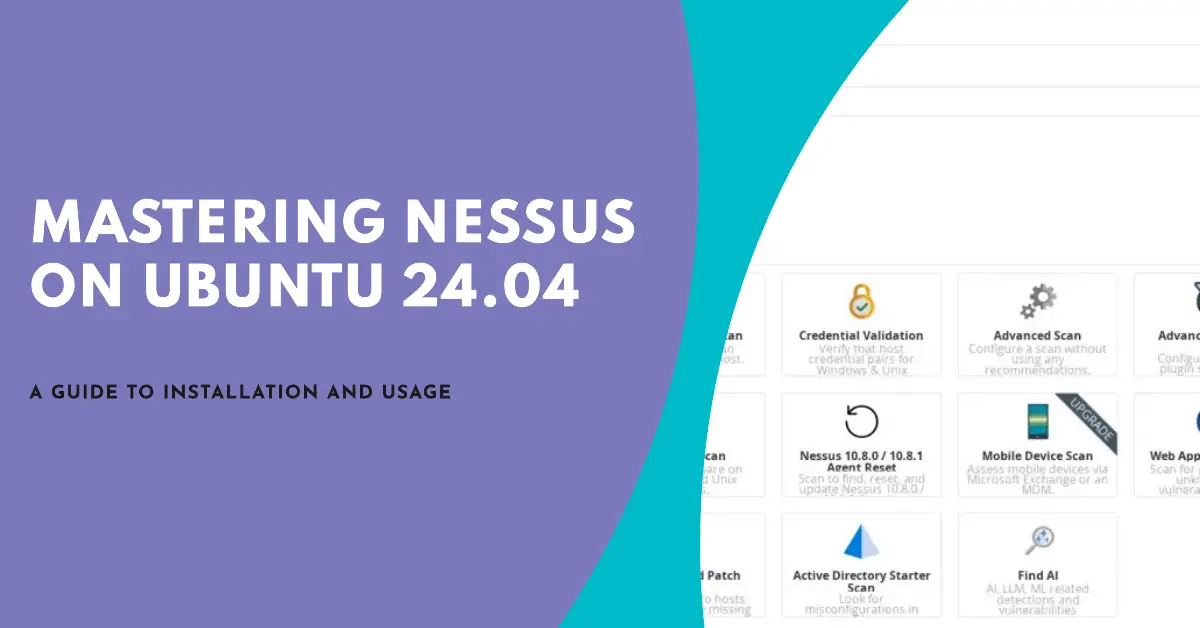
How to Install and Use Nessus Vulnerability Scanner on Ubuntu 24.04
Author: Arvid L • Tags: linux, security, ubuntu • Comments: 0 • Published: Mar 14, 2025Nessus is a network scanning tool and vulnerability scanner developed by Tenable. It is used for vulnerability assessments, penetration testing, and ethical hacking. In this guide, you'll learn how to install Nessus on Ubuntu 24.04 server.
-

How to Install Apache Solr on an Ubuntu 24.04 Server
Author: Arvid L • Tags: linux, server, ubuntu • Comments: 0 • Published: Mar 06, 2025Apache Solr is an open-source search platform built on Apache Lucene, designed to create powerful application search and indexing capabilities. In this guide, you'll learn how to install Apache Solr on Ubuntu 24.04 server.
-

How to Install Fast API with MongoDB on Ubuntu 24.04
Author: Arvid L • Tags: linux, server, ubuntu, web server • Comments: 0 • Published: Feb 15, 2025FastAPI is a web framework based on Python for creating API services. It's a modern, fast, high-performance framework supporting asynchronous operations.
-

How to Install Odoo ERP Software on Ubuntu 24.04 Server
Author: Arvid L • Tags: linux, server, ubuntu • Comments: 0 • Published: Jan 18, 2025Odoo (formerly known as OpenERP) is a self-hosted suite of over 10,000 open Odoo is a free and open-source ERP solution for multiple types of businesses. In this tutorial, you will install the Odoo open-source ERP on the Ubuntu 24.04 server.
-

How to Install Joomla with Nginx on Ubuntu 24.04 Server
Author: Arvid L • Tags: server, ubuntu, web server • Comments: 1 • Published: Jan 16, 2025Joomla is flexible and open-source content management for building websites and online publications. In this guide, we'll show you how to install Joomla on Ubuntu 24.04 server.
-

How to use grep to search for strings in files on the Linux shell
Author: Srijan Kishore • Tags: centos, debian, linux, opensuse, shell, ubuntu • Comments: 10 • Updated: Jan 16, 2025The grep command, which means global regular expression print, remains amongst the most versatile commands in a Linux terminal environment. It happens to be an immensely powerful program that lends users the ability to sort input based on complex rules, thus rendering it a fairly popular link across numerous command chains. The grep command is primarily used to search text or search any given file for lines containing a match to the supplied words/strings.

Ubuntu Linux - humanity towards others
Here at HowToForge we provide you with a wide range of interesting articles and Linux-related tutorials. On this page you will be able to find all Ubuntu-related articles that are spread all over our site through various categories.
Ubuntu is one of the largest, Debian-based Linux operating systems that you can find right now on the market. What makes it special is the fact that its default desktop environment is Unity. The name of this OS is based on the South African philosophy ubuntu that means humanity towards others.
The project is mainly sponsored by the South African Mark Shuttleworth and his UK-based company Canonical Ltd., that provides support and other services to finance itself.
Since Ubuntu is an open source operating system, you can download it free of charge from www.ubuntu.com and you can use it for home or business purposes at all times. The OS comes with numerous pre-installed open source applications, which include programs such as Thunderbird, Transmission, Firefox, LibreOffice and a few games as well.
The great thing about Ubuntu is that it provides you with a built in Software Center from which you can gain access to many applications such as GIMP, Pidgin or a plethora of others. Of course you can use any other APT based package management tool as well. Included with Ubuntu you can even find a Wine compatibility package that allows you to run Windows based apps with ease. Another option is the use of a virtual machine for that purpose.
OS with security out-of-the box
One of the things that make Ubuntu stand out is the fact that it comes with a major focus on security right from the start. The OS has a very secure architecture as it allows you to run programs with low privileges that don’t allow apps to make changes to the OS. Moreover, in Ubuntu you can even find an integrated SUDO tool that’s really useful for performing administrative actions. In addition, Ubuntu has most network ports closed from the start in order to prevent hacking. You can even find a built in firewall that provides an even higher security for the OS.
Another major thing about Ubuntu is that, pretty much like many Linux based operating systems, it allows you to run it from a disk image or a live CD without the need of an installation. Something that can be pretty useful to say the least.
As you can see, Ubuntu is one of the most secure operating system on the market, but the fact that it’s open source definitely adds a lot of complexity to it. This is why we are offering quite an amount of tutorials about how you can get the most out of your Ubuntu experience! On HowtoForge you can find tutorials for setting up and running Ubuntu servers and everything that you might need for your daily operations with this amazing Operating System!
To discuss the topic further or to ask any questions about our tutorials, feel free to participate in our Linux community by visiting our forums.